Rev
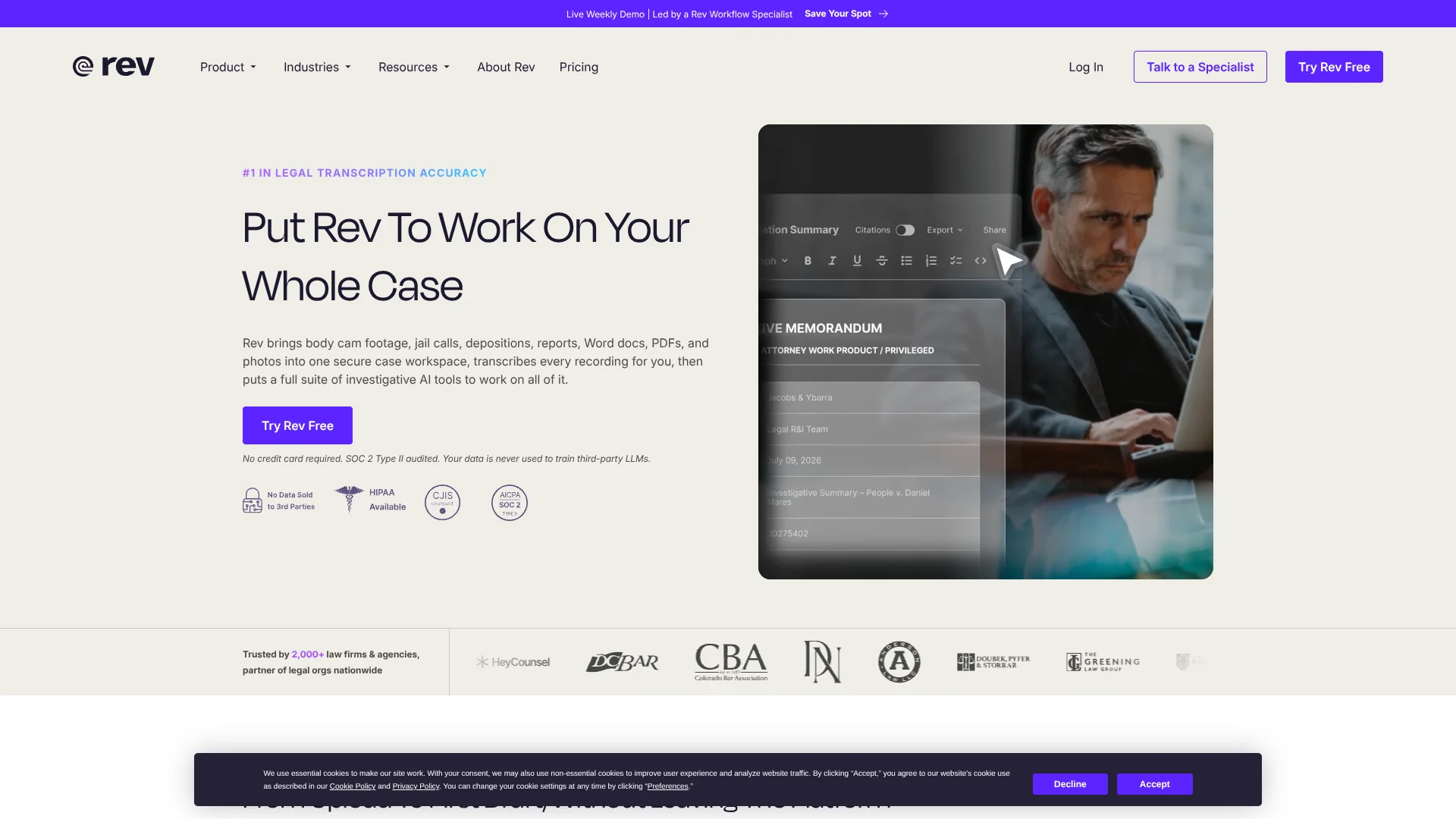
Legal teams review case evidence with AI findings linked to original sources.
Key Takeaways
- What it is
- Legal teams review case evidence with AI findings linked to original sources.
- Pricing
- Freemium · $29.99 per seat/month · $59.99 per seat/month · $0.25 per minute · $1.99 per minute · $6.49 to $15.99 per minute · $2.25 per page · $2.50 per page
- Best for
- Multi-File Analysis
- AI Templates
- Image Analysis
- Rating
- 4.2/5
What is Rev?
Rev turns recordings, documents, and images into searchable case evidence, then links AI findings back to the source file. Legal teams and investigators can review many files together, find a moment in a recording, and draft documents with citations. Rev also sells human-verified transcription and captioning, legal transcripts, and subtitles for customers who need reviewed or translated text.
A key part of Rev’s case review is that findings can point back to the exact recording timestamp or deposition page and line. That gives a reviewer a way to check what the AI found against the original evidence.
Rev is best suited to legal and investigative work where teams need to search recordings and documents, prepare case materials, or order expert-reviewed transcripts. It is less suited to someone looking for a general-purpose AI writing tool, and its file-analysis limits depend on the subscription.
Who is Using Rev?
Prosecutors
Case theories and draft affidavits can be built from searchable evidence with citations.
Criminal Defense Attorneys
Search across body camera footage, jail calls, and interrogations to locate relevant details.
Law Enforcement Investigators
Find key moments in interview and body camera recordings without reviewing every minute manually.
Civil Litigators
Review depositions, discovery files, and client intake calls in a shared case workflow.
Court Reporters
Order legal transcripts and prepare recordings for transcript review.
Uncommon Use Cases
Journalists can search interview recordings for quotes; researchers can turn recorded interviews into searchable transcripts.
Key Features
Rating Breakdown
Pricing Plans
Free
Free
- 45 AI transcription and caption minutes per month
- 1 user and analysis of up to 5 files at a time
- English-only transcription and captions
Essentials
$29.99 per seat/month
- $25.49 per seat/month with annual billing; $305.90 billed annually
- 5,000 AI transcription and caption minutes per user per month
- Up to 3 seats and analysis of up to 10 files at a time
- English and Spanish transcription
Pro
$59.99 per seat/month
- $47.99 per seat/month with annual billing; $575.88 billed annually
- 10,000 AI transcription and caption minutes per user per month
- Up to 5 seats and analysis of up to 50 files at a time
- 37+ languages, image analysis, and custom workflow templates
Unlimited
- Unlimited AI transcription and caption minutes and users
- Analysis of up to 500 files at a time
- SSO and HIPAA and CJIS compliance
AI Transcription
$0.25 per minute
- AI transcription is also included within subscription minute limits.
AI Captions
$0.25 per minute
- AI captions are available in 37 languages.
Human Transcription
$1.99 per minute
- 99%+ accuracy guarantee and delivery in 12 hours or less.
- Subscription plans may include discounts on human-verified services.
Human Captions
- English and Spanish captions with 99%+ accuracy and delivery in 12 hours or less.
Global Subtitles
$6.49 to $15.99 per minute
- Price depends on the target language.
Legal Rough Draft
$2.25 per page
- Legal-trained experts produce formatted transcripts.
- Same-day to 3 business day turnaround.
Legal Premium Transcript
$2.50 per page
- Legal-trained experts review transcripts with multiple quality checks.
- 99.7%+ accuracy and same-day to 5 business day turnaround.
Which Rev plan should you pick?
Start with Free for occasional English transcription and small file reviews, then move to Essentials or Pro when you need more minutes, languages, seats, or analysis capacity.
Free
Good for one person testing Rev or handling occasional English recordings and small evidence reviews.
Essentials
Good for solo practitioners and small firms that need more monthly AI minutes, Spanish transcription, and prebuilt templates.
Pro
Good for investigative teams that need 37+ languages, image analysis, custom templates, or Clio Manage integration.
Unlimited
Good for firms and agencies that need unlimited seats and minutes, larger file reviews, SSO, or HIPAA and CJIS compliance.
Rev Use Cases
Reviewing a Case File
A case review can draw on recordings, documents, and images together, with findings linked to their sources.
Outcome: Searchable findings that can be checked against the original evidence.
Finding a Moment in a Recording
Searchable transcripts help investigators locate a relevant point in long audio or video.
Outcome: A clip tied to a specific moment in the recording.
Drafting Case Documents
AI templates can shape reviewed case materials into chronologies, affidavits, or summaries.
Outcome: A draft document with citations to the evidence.
Preparing Legal Transcripts
Legal-trained experts produce formatted rough drafts or premium transcripts for legal professionals.
Outcome: A formatted legal transcript, with turnaround and review level depending on the service.
Captioning and Subtitling Video
AI or human captioning and global subtitles provide text for video in supported languages.
Outcome: Caption or subtitle files in supported formats.
Workflow Ideas with Rev
Build a Searchable Case Record
- 1Add recordings, documents, and images to a case workspace.
- 2Review the AI transcripts and run multi-file analysis.
- 3Check relevant findings against their source citations.
Prepare an Affidavit from an Interview
- 1Record or upload the interview and generate its transcript.
- 2Apply an affidavit workflow template to the case material.
- 3Review the draft and verify its citations against the recording.
Create a Video Exhibit
- 1Transcribe the recording and locate the relevant moment.
- 2Clip the selected passage from the recording.
- 3Review the transcript and clip before including them in case materials.
How Rev fits into your stack
Rev Web Platform
The browser-based platform is where teams upload and organize evidence, review transcripts, analyze files, and prepare case documents.
Mobile Recording
The Rev mobile app records interviews and notes in the field, then syncs recordings to the same account.
Cloud Storage and Legal Work
Google Drive and video platform integrations support file workflows, while Clio Manage integration is available on Pro and Unlimited.
Developer API
The Rev API supports placing and tracking transcription and caption orders, and retrieving completed files.
Human-Verified Services
Human transcription, captions, legal transcripts, and global subtitles are available as separate services alongside the AI platform.
Pros
- +Source-linked findings: Reviewers can check AI findings against the cited file and timestamp or page and line.
- +Legal-specific workflows: Templates include formats such as chronologies and affidavits.
- +Human review option: Expert-produced transcripts are available for difficult audio or higher accuracy needs.
- +Field recording: The mobile app records offline and uploads when the phone reconnects.
Cons
- −Plan-based file caps: The number of files available for multi-file analysis varies by subscription.
- −Mobile ordering gap: Human-verified services and subscription changes must be handled on the website.
- −AI and human service trade-off: Human-verified transcription costs more than AI transcription.
Limitations & when to consider alternatives
Known limitations
- File size limits. Multi-file analysis supports audio and video files up to 20 GB each, and documents and images up to 71 MB each.
- Scanned document limit. Scanned PDFs can be up to 71 MB and 1,000 pages.
- Spreadsheet analysis. CSV and Excel files can be uploaded but are not analyzed; Rev recommends saving them as PDFs first.
- Mobile service ordering. The mobile app does not support subscription changes or orders for human-verified services.
- Phone call recording. The Rev mobile app does not record phone calls.
Look elsewhere when
- You need phone call recording inside the mobile app.
- You need spreadsheet files analyzed directly without converting them.
- Your team needs a downloadable desktop app or browser extension.
How to Use Rev
- 1
Choose a starting point
Try the Free plan for limited English transcription and analysis of up to five files, or choose a paid plan for more minutes and team seats.
- 2
Add your evidence
Upload audio, video, images, or documents, or bring files in through supported cloud integrations.
- 3
Review the transcript
Check the AI transcript in Rev’s editor, or order human transcription when you need expert review.
- 4
Analyze files together
Open multi-file analysis to search case materials and inspect findings linked to their sources.
- 5
Draft or clip
Apply a workflow template for a document, or use transcript clipping to select a recording moment.
- 6
Check and share the result
Verify citations against the underlying files, then share the transcript or export the document.
Who is Rev For?
Criminal Prosecution
Prosecutors can review evidence across files and prepare case documents with source citations.
Criminal Defense
Defense teams can search recordings and documents for details that may change their case theory.
Law Enforcement
Investigators can search body camera footage and interview recordings instead of replaying files one by one.
Civil Law
Civil legal teams can review discovery, depositions, and intake calls together.
Court Reporting Agencies
Agencies can order transcripts and captions, from drafts to court-ready services.
Frequently Asked Questions
Does Rev have a free plan?
Yes. The Free plan includes 45 AI transcription and caption minutes per month for one user, English-only transcription, and analysis of up to five files at a time.
How much does Rev cost?
The Free plan costs $0. Essentials is $29.99 per seat per month, and Pro is $59.99 per seat per month. Rev also offers custom-priced Unlimited subscriptions and separate per-minute or per-page services.
Can Rev analyze more than one file at a time?
Yes. Multi-file analysis limits vary by plan, from five files on Free to 500 on Unlimited.
Which integrations does Rev support?
Rev lists Google Drive and video platform integrations across its plans. Clio Manage integration is included with Pro and Unlimited.
Does Rev have a mobile app?
Yes. Rev offers a mobile app for iPhone and Android for recording and accessing transcripts. Phone calls cannot be recorded in the app.
Community reviews
Be the first to share your experience.
Sign in to leave a review for Rev.
Rev Alternatives
Looking for alternatives to Rev? Here are similar tools in the same category: