ResumeCoach
Tailor your resume to real openings with guided job-application coaching.
Key Takeaways
- What it is
- Tailor your resume to real openings with guided job-application coaching.
- Pricing
- Freemium
- Best for
- AI Resume Builder
- ATS Checker
- AI Cover Letter Generator
- Rating
- 4.0/5
What is ResumeCoach?
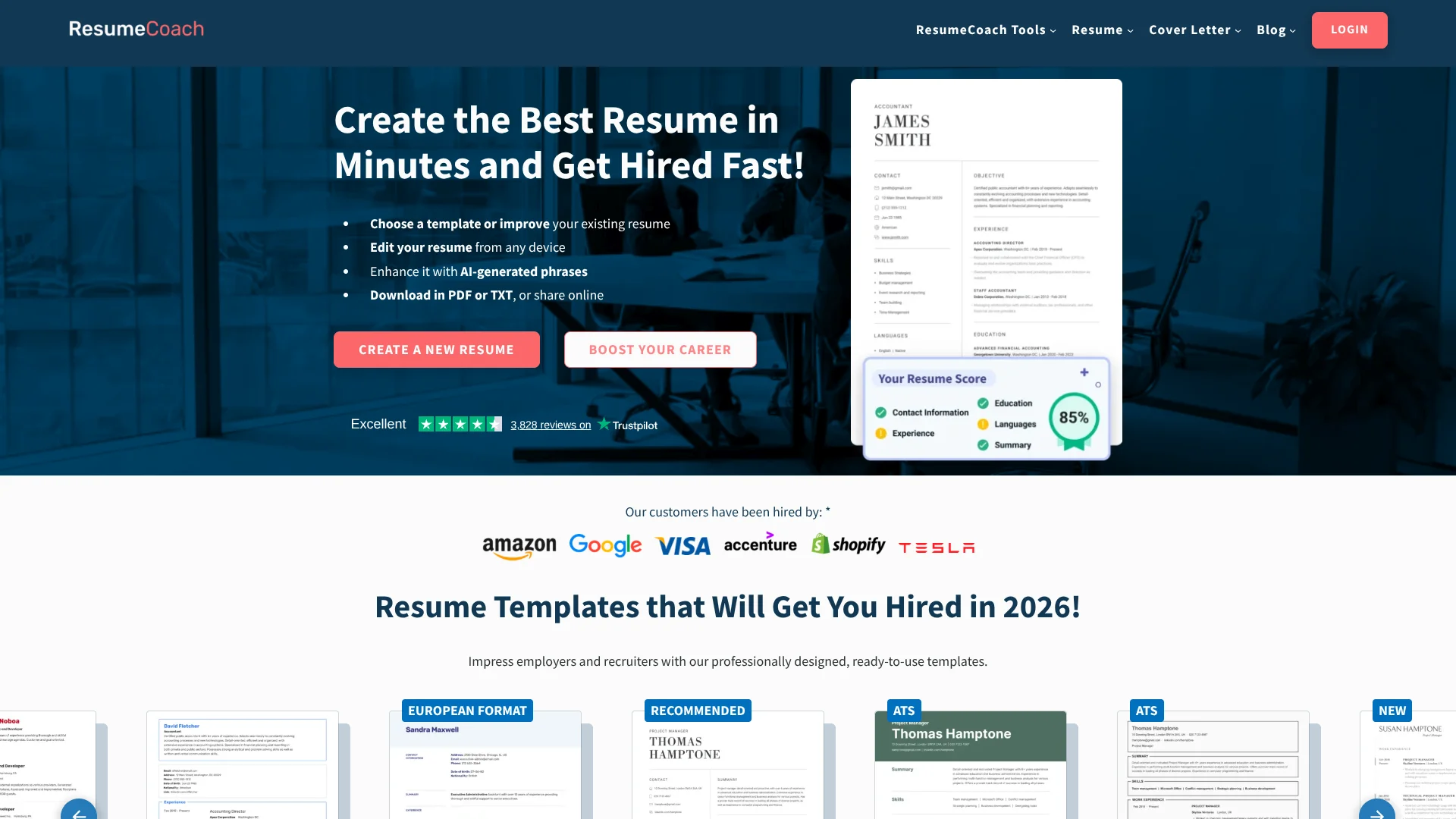
ResumeCoach helps job seekers turn a resume into a tailored application, with AI suggestions, ATS-focused templates, and a cover letter builder. You can start from a new draft or bring in an existing resume, then edit and download it online. Its tools also cover job matching, LinkedIn profile feedback, and interview practice.
Job Match compares your resume with real job listings and gives each opening a match score, so you can see how your experience lines up before applying.
ResumeCoach is most useful for people who want guided help preparing application materials and practicing for interviews. The free Basic plan limits you to one resume and cover letter and TXT downloads, so PDF exports and unlimited versions require Premium.
Who is Using ResumeCoach?
Recent Graduates
Entry-level resume guidance and interview practice help them explain coursework, internships, and early experience.
Career Changers
Resume suggestions and mock interview prompts help them connect previous experience to a new role.
Technical Job Applicants
Technical interview practice gives them a place to rehearse role-specific questions and explain their problem-solving.
LinkedIn Profile Owners
The profile analyzer highlights gaps and suggests updates to better match job descriptions.
Uncommon Use Cases
Preparing answers for unexpected interview follow-ups; checking a resume against openings before choosing which applications to prioritize.
Key Features
Rating Breakdown
Pricing Plans
ResumeCoach Basic
Free
- Write one resume and cover letter
- Download in TXT
- Access templates, basic AI guidance, ATS Checker, and LinkedIn Profile Analyzer
ResumeCoach Premium
- Includes unlimited tailored resumes and cover letters
- PDF or TXT downloads and online resume sharing
- Advanced AI functions, Job Match, and advanced ATS tools
Which ResumeCoach plan should you pick?
Start with ResumeCoach Basic to build one resume and cover letter; consider Premium if you need PDF downloads, multiple tailored versions, or its advanced job-search tools.
ResumeCoach Basic
Good for applicants who need one resume and cover letter, basic AI guidance, and TXT downloads.
ResumeCoach Premium
Good for applicants who need unlimited tailored documents, PDF downloads, online sharing, or the full set of job-search tools; confirm the current price during signup.
ResumeCoach Use Cases
Tailor a Resume to a Job
A job-specific resume draft can highlight relevant skills and experience before an application is sent.
Outcome: A resume adapted to the target role.
Find Better-Fit Openings
Job Match scores real listings against a resume and shows how closely the experience aligns.
Outcome: A ranked view of potential job matches.
Prepare a Matching Cover Letter
Job and profile details guide a cover letter draft that complements the resume.
Outcome: A tailored cover letter.
Practice an Interview
Resume and job details shape interview questions, followed by feedback on answers.
Outcome: Role-specific practice and answer feedback.
Improve a LinkedIn Profile
A profile grade and suggestions point to changes that may make qualifications clearer to recruiters.
Outcome: A graded profile with suggested improvements.
Workflow Ideas with ResumeCoach
Prepare an Application
- 1Import an existing resume or start a new one in the AI Resume Builder.
- 2Adapt the resume with suggestions for the target role.
- 3Draft a matching cover letter and download the documents.
Prioritize Job Listings
- 1Select or upload your resume in Job Match.
- 2Search openings by position, location, or employment type.
- 3Review match scores and focus on the stronger fits.
Rehearse for an Interview
- 1Enter the job title and description and attach your resume.
- 2Choose a behavioral or technical interview.
- 3Answer questions and review the AI's feedback.
How ResumeCoach fits into your stack
Resume and cover letter builder
The online editor is where resumes and related cover letters are drafted and tailored. It supports PDF or TXT downloads with Premium.
Job search
Job Match compares a resume with real listings and provides scores to help prioritize applications.
Professional profile
The LinkedIn Profile Analyzer grades a profile and offers suggestions tied to job descriptions.
Interview preparation
AI Mock Interview generates questions from role and resume details, then gives feedback on answers.
Pros
- +Job search support: Resume, cover letter, LinkedIn, job matching, and interview tools address several stages of applying.
- +Role-specific suggestions: AI writing guidance can help tailor resume content to a target position.
- +ATS-focused templates: Templates and checking tools help users prepare resumes for automated screening.
- +Free document option: The Basic plan allows one resume and cover letter with TXT download.
Cons
- −Limited free exports: Basic offers TXT downloads, while PDF downloads require Premium.
- −Premium needed for full use: Unlimited tailored documents and advanced AI functions are part of Premium.
- −Many separate tools: The job search features are distinct tools, so users may need to move between their workflows.
Limitations & when to consider alternatives
Known limitations
- Basic document cap. ResumeCoach Basic includes one resume and one cover letter.
- Basic download format. The Basic plan supports TXT downloads; PDF downloads are included with Premium.
- Some job match features require Premium. The site says core search and match scores are free, while Premium adds access to all results and listing filters.
Look elsewhere when
- You need a native mobile or desktop app rather than an online tool.
- Your workflow requires a documented developer API or third-party integrations.
- You need shared team editing with user roles.
How to Use ResumeCoach
- 1
Choose a resume template
Start with a template that fits your target role and preferred layout.
- 2
Add your experience
Fill in the resume sections using the editor's examples and guidance.
- 3
Review AI suggestions
Use role-focused wording suggestions and the ATS Checker to refine the document.
- 4
Build related application materials
Create a matching cover letter, then use Job Match or the LinkedIn Profile Analyzer for job-search feedback.
- 5
Download or share
Basic supports TXT downloads; Premium adds PDF downloads and online resume sharing.
Who is ResumeCoach For?
Job Seekers
Resume and job-matching tools help applicants tailor materials and focus on relevant openings.
Entry-Level Applicants
Guided resume sections and interview practice can help people present coursework, skills, and early experience.
Career Changers
Role-specific resume suggestions and mock interviews can help connect past experience to a new target job.
Professionals Applying to Specific Roles
Multiple resume versions and job match scores support applications tailored to different openings.
Frequently Asked Questions
Does ResumeCoach have a free plan?
Yes. ResumeCoach Basic is free and includes one resume and cover letter, TXT downloads, templates, basic AI guidance, the ATS Checker, and the LinkedIn Profile Analyzer.
What does Premium add?
Premium adds unlimited tailored resumes and cover letters, PDF downloads, online sharing, advanced AI functions, Job Match, and advanced ATS tools.
Can I download a resume as a PDF?
Yes, with Premium. Basic downloads are in TXT format.
Can ResumeCoach compare my resume with job listings?
Yes. Job Match compares your resume with real openings and gives each listing a match score.
Can I practice interviews with ResumeCoach?
Yes. AI Mock Interview uses your resume and job details to generate questions and provide feedback on your answers. The feature is included with Premium.
What does ResumeCoach Premium cost?
The official pricing page names ResumeCoach Premium, but its public page does not display a usable price. Check the price shown during signup before subscribing.
Community reviews
Be the first to share your experience.
Sign in to leave a review for ResumeCoach.
ResumeCoach Alternatives
Looking for alternatives to ResumeCoach? Here are similar tools in the same category: