
Recall.ai
Streamline meeting bots across Zoom, Google Meet, Teams.
Key Takeaways
- What it is
- Streamline meeting bots across Zoom, Google Meet, Teams.
- Best for
- Universal API Compatibility
- Real-Time Data Access
- Comprehensive Data Output
- Rating
- 4.4/5
What is Recall.ai?
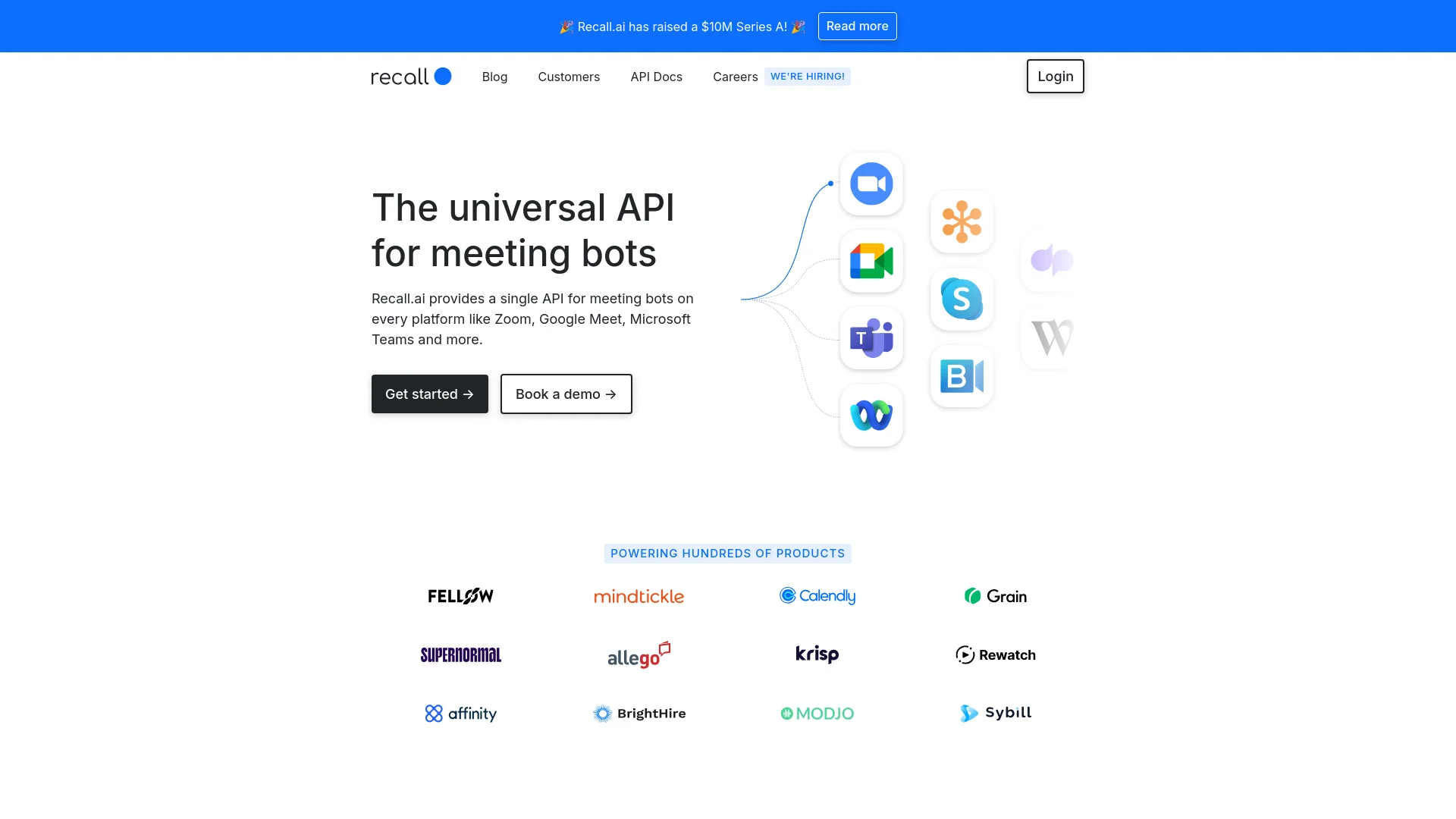
Recall.ai is a transformative tool that simplifies the integration and management of meeting bots across platforms such as Zoom, Google Meet, and Microsoft Teams. Its core functionality revolves around providing a universal API that allows users to access real-time meeting data effortlessly. Designed for developers and businesses alike, Recall.ai aims to streamline the process of creating and operating meeting bots, reducing development time and enhancing meeting productivity.
Recall.ai stands out by offering a universal API that integrates with multiple meeting platforms, not just one. This multi-platform approach, combined with top-tier security compliance and the ability to handle vast amounts of real-time data, positions Recall.ai as a leading solution in the meeting bot space.
Recall.ai excels in enhancing the functionality and productivity of online meetings through its robust API, making it an indispensable tool for developers and companies looking to integrate advanced meeting bots. Its standout features, including universal platform support and stringent security measures, provide unmatched advantages, particularly in today's remote-centric work environments.
Who is Using Recall.ai?
Software Developers
Utilizing the API to build custom meeting bots quickly.
Tech Companies
Integrating meeting bots to enhance their product offerings.
Educational Institutions
Facilitating remote classes and lectures through enhanced meeting interactions.
Healthcare Providers
Leveraging secure meeting bots for confidential consultations.
Uncommon Use Cases
Used by event organizers to streamline virtual events; adopted by customer support teams to improve response times during live interactions.
Key Features
Rating Breakdown
Pricing Plans
Free Trial
- Users can start with a free trial to test functionalities
Subscription Plans
- Detailed pricing is available upon request through the official Recall.ai website
Which Recall.ai plan should you pick?
Start with Pay As You Go for prototypes and early usage, then upgrade to Launch or Enterprise for custom pricing, support, security, and infrastructure requirements.
Pay As You Go
Good for early-stage startups and proof-of-concept products needing usage-based meeting recording.
Launch
Good for companies launching products that need custom pricing and expanded production support.
Enterprise
Good for large organizations needing white-glove support, SSO, uptime guarantees, custom contracts, or HIPAA-related terms.
Recall.ai Use Cases
Sales coaching
Capture meeting audio, video, transcripts, speakers, and metadata for sales-coaching products.
Interview recorder
Send a meeting bot to capture interview recordings and transcripts.
Telehealth scribe
Capture healthcare conversations and provide the resulting meeting data to a scribe application.
Legal deposition transcriber
Record depositions and generate speaker-aware transcripts.
Incident response scribe
Capture incident meetings and pass transcripts or real-time events into an incident workflow.
Workflow Ideas with Recall.ai
Automatically record calendar meetings
- 1Connect a user's Google Calendar or Microsoft Outlook account
- 2Retrieve upcoming calendar events
- 3Schedule Recall bots to join selected meetings
Create real-time meeting experiences
- 1Create a meeting bot through the API
- 2Configure real-time audio, video, transcript, or participant-event endpoints
- 3Process incoming events in the application
Generate post-meeting transcripts
- 1Retrieve the completed recording
- 2Create an asynchronous transcript job
- 3Download the completed transcript artifact
How Recall.ai fits into your stack
Meeting Platform Integration
Fully compatible with Zoom, Google Meet, and Microsoft Teams.
Data Handling
Supports real-time transcription and metadata access.
Security Standards
Complies with SOC2, GDPR, CCPA, and HIPAA.
Development Languages
Provides support for Python, Ruby, and Node.js integrations.
Pros
- +Saves Development Time: Streamlines bot deployment across platforms, significantly cutting down development hours.
- +Enhanced Meeting Accessibility: Works across all user plans and does not require host privileges.
- +High Scalability: Capable of managing thousands of concurrent virtual machines daily.
- +Real-Time Interaction: Facilitates real-time interactions within meetings through chat and data streaming.
Cons
- −Initial Setup Complexity: While integration is streamlined, initial setup might require technical knowledge.
- −Platform Dependency: Effectiveness can vary based on the third-party platform's stability and updates.
- −Limited Customization Options: Some users might find the customization options for bots somewhat restricted.
Limitations & when to consider alternatives
Known limitations
- Transcript summaries are not built in. The documentation says users must pass transcripts to a third-party LLM to generate summaries.
- Real-time low-latency transcription is English-only. Recall.ai's prioritize_low_latency transcription mode currently supports only English.
- Accuracy-mode real-time transcription is delayed. The prioritize_accuracy mode may deliver transcript events three to ten minutes after speech.
- Zero data retention has tradeoffs. With zero retention enabled, meeting data is only accessible through real-time streaming and cannot be retrieved later.
- Per-customer isolation is not provided. Recall.ai is multi-tenant and does not provide first-class per-customer environments or access controls.
Look elsewhere when
- You need a native mobile app rather than an SDK.
- You need built-in transcript summaries.
- You need document or image analysis.
How to Use Recall.ai
- 1
Explore detailed documentation and developer guides provided on the Recall.ai website to maximize the API's potential.
Who is Recall.ai For?
Developers building conversation AI products
Recall.ai provides APIs and SDKs for capturing recordings, transcripts, participant data, and real-time audio/video.
Sales and revenue teams
The Meeting Bot API supports sales coaching and meeting-data products.
Healthcare and telehealth companies
Recall.ai identifies telehealth scribes and AI scribes for doctors as supported applications.
Legal technology companies
The platform supports legal deposition transcription and other high-stakes meeting workflows.
Incident-management teams
Recall.ai identifies incident-response scribes and project-management workflows as use cases.
Frequently Asked Questions
Can I try Recall.ai for free?
Yes. The Pay As You Go plan includes the first 5 recording hours free.
How does pricing work?
Pay As You Go costs $0.50 per recording hour, with custom pricing available for Launch and Enterprise.
Which meeting platforms are supported?
The Meeting Bot API supports Zoom, Google Meet, Microsoft Teams, Webex, GoTo Meeting, and Slack Huddles.
Does Recall.ai support multilingual transcription?
Yes. Transcription supports language detection and multiple languages, although available languages vary by workflow and provider.
Does Recall.ai provide transcript summaries?
No. The documentation says transcript summaries must be generated by passing transcripts to a third-party LLM.
How is data protected?
Bot data is encrypted at rest with AES-256, and data in transit uses TLS.
Community reviews
Be the first to share your experience.
Sign in to leave a review for Recall.ai.
Recall.ai Alternatives
Looking for alternatives to Recall.ai? Here are similar tools in the same category:
Learn to Master Recall.ai
With Skill Leap courses
Get in-depth training on Recall.ai and 50+ other AI tools with our expert-led video courses.
Start 7-Day Free Trial