ReadCube
AI reading help for scholarly papers, right inside your research library.
Watch ReadCube in Action
Key Takeaways
- What it is
- AI reading help for scholarly papers, right inside your research library.
- Pricing
- $10 per month · $20 per user per month
- Best for
- Chat with PDF
- Chat with a library
- Research Assistant
- Rating
- 4.3/5
What is ReadCube?
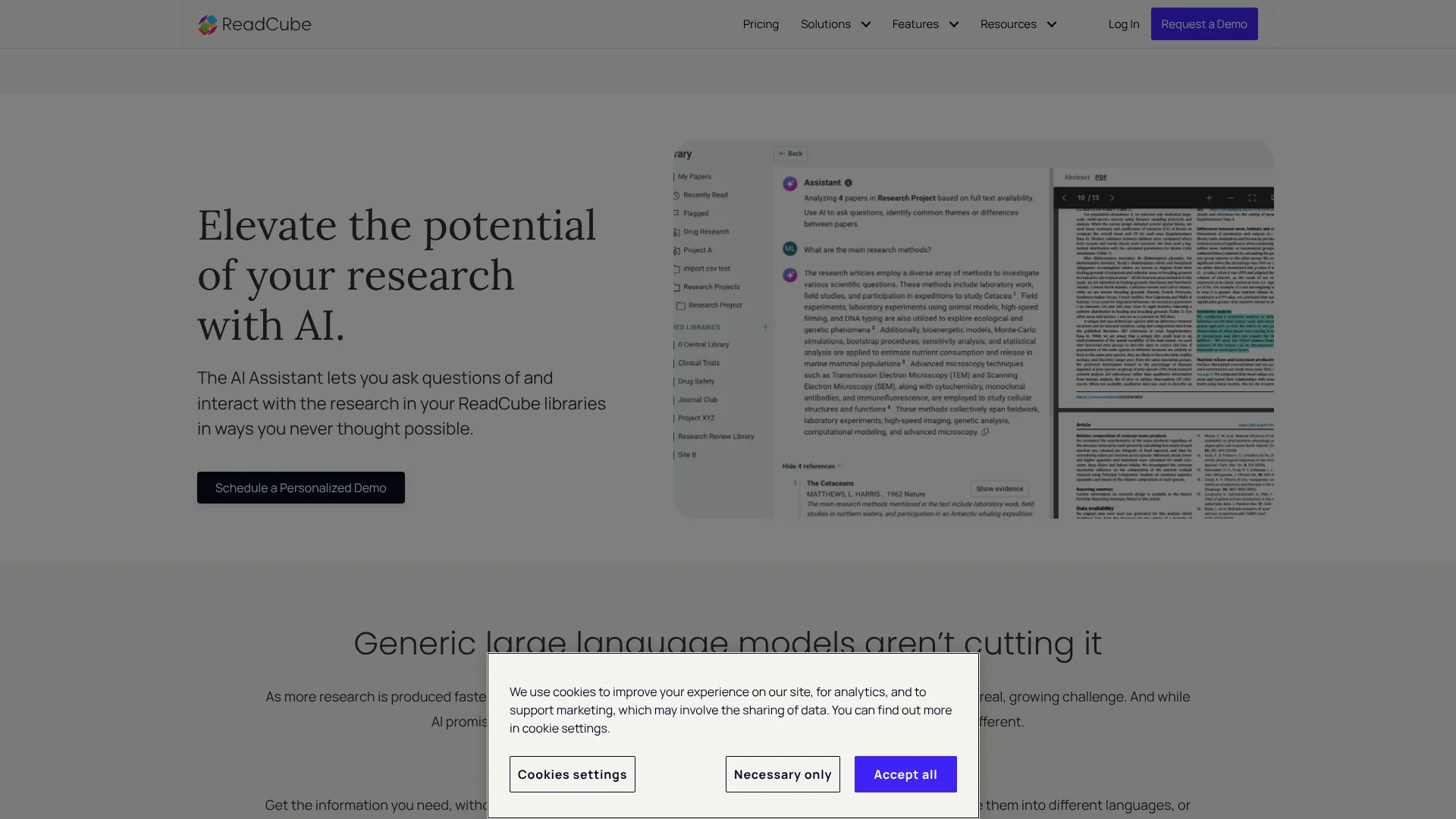
ReadCube’s AI Assistant helps researchers make sense of scholarly papers by summarizing PDFs, answering questions about their contents, and translating or explaining difficult passages. It works inside ReadCube’s research library, keeping the source nearby while readers explore an article. It is aimed at students and research professionals.
For broader questions, Research Assistant can search a ReadCube library alongside Dimensions and other scientific sources, then return summarized answers with citations linking to source material. That turns a literature question into a trail of evidence to inspect, rather than an answer detached from papers. Research Assistant is an Enterprise feature.
Students, academic professionals, and research teams can use it to read papers faster and spot themes across a collection. Its focus is scholarly literature, so it is less suited to open-ended questions unrelated to research. Treat its explanations as a guide back to the source, not a substitute for checking the evidence.
Who is Using ReadCube?
Graduate student
A quick summary and explanations of difficult terms help make a long paper easier to assess.
Academic researcher
Questions across a saved library can reveal themes and gaps across multiple papers.
Research librarian
Shared libraries help keep a group’s research papers organized and accessible to collaborators.
Medical affairs specialist
Cited answers help connect a research question to the papers and passages behind it.
Uncommon Use Cases
Translate a paper’s summary into another language; turn a plain-language topic into a structured literature search.
Key Features
Rating Breakdown
Pricing Plans
Essentials
$10 per month
- Annual option: $95 per user per year.
- Chat with PDF has daily limits.
- Includes a 30-day Plus trial option.
Plus
$20 per user per month
- Annual option: $185 per user per year.
- Includes extended PDF chat and chat with a library for up to 20 articles at a time.
- A 30-day trial is available without a credit card.
Enterprise
- Includes Research Assistant, SSO options, and an admin dashboard.
- Unlimited users and shared libraries.
Which ReadCube plan should you pick?
Start with Essentials for PDF chat; move to Plus for library chat and AI-assisted search, or consider Enterprise if your organization needs Research Assistant.
Essentials
Good for students and academic professionals who want core reference management and AI chat with individual PDFs.
Plus
Good for academic power users and small groups who need library chat, higher PDF chat limits, and advanced search.
Enterprise
Good for organizations that need Research Assistant, unlimited shared libraries, SSO, and administrative controls.
ReadCube Use Cases
Understand a dense paper
A PDF summary and explanations of complex terminology help readers get oriented before a close read.
Outcome: A clearer grasp of the paper’s contents and where to check the details.
Compare papers in a library
Questions across up to 20 articles can surface common themes, gaps, and insights.
Outcome: A concise view of what a group of papers has in common.
Find research with a plain-language question
The AI Query Builder turns a topic into a structured search query without requiring Boolean search expertise.
Outcome: A research search based on the question you want to investigate.
Track new papers on a topic
Saved searches and AI email summaries help researchers review newly published work as it appears.
Outcome: New research summaries delivered by email for triage.
Explore a research question across sources
Enterprise Research Assistant searches a library and Dimensions, then provides summarized answers with source citations.
Outcome: A cited starting point for checking relevant research.
Workflow Ideas with ReadCube
Review a newly found paper
- 1Add the paper to a ReadCube library.
- 2Open its PDF and ask Chat with PDF for a summary.
- 3Follow up on unclear terms and verify key answers against the cited passages.
Map themes across saved studies
- 1Collect relevant papers in a ReadCube library or list.
- 2Ask Chat with a library about shared findings or gaps.
- 3Open the cited papers to check the evidence behind the answer.
Keep up with new publications
- 1Save a search for a research topic.
- 2Set the search to send email notifications.
- 3Review the AI summaries and add relevant papers to the library.
How ReadCube fits into your stack
Research library and PDFs
ReadCube keeps papers in a searchable library, where Chat with PDF can answer questions about an open article.
Literature search
AI Query Builder converts plain-language questions into structured searches, while saved searches help track new papers.
Writing and citations
ReadCube’s SmartCite works with Word and Google Docs for citations and bibliographies.
Shared research
Shared libraries let collaborators work from the same collection; Plus supports groups of up to 10 users.
Research apps and browser importing
ReadCube offers web, desktop, and mobile apps, plus a browser extension for importing PDFs from the web.
Pros
- +Answers tied to papers: Chat with PDF focuses responses on the open article and can point to relevant passages.
- +Library-level analysis: Plus can compare up to 20 articles in one chat.
- +Research discovery: Enterprise Research Assistant searches beyond a personal library and cites its sources.
- +Research workflow fit: PDF reading, search, and citations live alongside the ReadCube library.
Cons
- −Research-focused: Its strongest features are built around scholarly papers, not general-purpose AI tasks.
- −Features vary by plan: Library chat and broader Research Assistant capabilities are not included in every tier.
- −Answers need checking: The vendor notes that AI may misinterpret questions or extract the wrong context.
Limitations & when to consider alternatives
Known limitations
- AI answers can be wrong. ReadCube says the assistant may misinterpret a question or fail to extract the correct context, and accuracy can vary by topic.
- Some AI features have daily limits. The pricing page notes daily limits for Chat with PDF and Chat with a library.
- Research Assistant is an Enterprise feature. The Help Center says Research Assistant is exclusive to ReadCube Enterprise.
- Research Assistant prompts have a character limit. The release notes state that Research Assistant prompts are limited to 12,000 characters.
Look elsewhere when
- You need a general-purpose AI tool for work beyond scholarly literature.
- You need Research Assistant but cannot use ReadCube Enterprise.
How to Use ReadCube
- 1
Choose the right plan
Essentials includes Chat with PDF; Plus adds library chat and AI-assisted search features. Research Assistant is listed for Enterprise.
- 2
Open or add a paper
Open a PDF in ReadCube or add it to your library so you can ask questions in the paper’s context.
- 3
Start with a focused question
Ask for a summary, clarification of a term, or an answer about a specific part of the paper.
- 4
Check the supporting source
Review the linked passage or full paper before relying on an AI answer.
- 5
Move from one paper to a collection
On Plus, chat with a library of up to 20 articles to look for patterns across papers.
- 6
Turn a topic into a search
Enter a plain-language research question in AI Query Builder and review the structured query it creates.
Who is ReadCube For?
Students
Paper summaries and plain-language explanations can help with dense academic reading.
Academic professionals
PDF chat and literature search support reading and organizing research papers.
Research and development teams
Shared libraries and, on Enterprise, Research Assistant support collaborative evidence review.
Medical affairs and regulatory teams
Cited answers and linked source papers help teams inspect research evidence.
Corporate libraries and knowledge centers
ReadCube can organize scholarly literature for teams that need a shared research collection.
Frequently Asked Questions
Is ReadCube AI Assistant free?
ReadCube lists paid Essentials, Plus, and Enterprise plans. It offers a 30-day Plus trial without a credit card, but does not list a permanent free plan.
How much does ReadCube cost?
Essentials is $10 per month, and Plus is $20 per user per month. Enterprise pricing is based on requirements.
Can ReadCube AI Assistant analyze more than one paper?
Yes. Plus users can ask questions across up to 20 articles at a time with Chat with a library.
Does ReadCube AI Assistant cite its answers?
The product links answers to source material. Research Assistant lists sources and often embeds citations in the answer.
Can I use ReadCube on mobile?
ReadCube has mobile apps. Its release notes describe Research Assistant, AI chat with papers, and AI Query Builder in the iOS app.
Community reviews
Be the first to share your experience.
Sign in to leave a review for ReadCube.
ReadCube Alternatives
Looking for alternatives to ReadCube? Here are similar tools in the same category: