
Quip
Seamlessly integrate, collaborate, and manage workflows within Salesforce.
Key Takeaways
- What it is
- Seamlessly integrate, collaborate, and manage workflows within Salesforce.
- Pricing
- Freemium · $10 per user per month
- Best for
- Embedded Documents
- Integrated Spreadsheets
- Team Chat
- Rating
- 4.6/5
What is Quip?
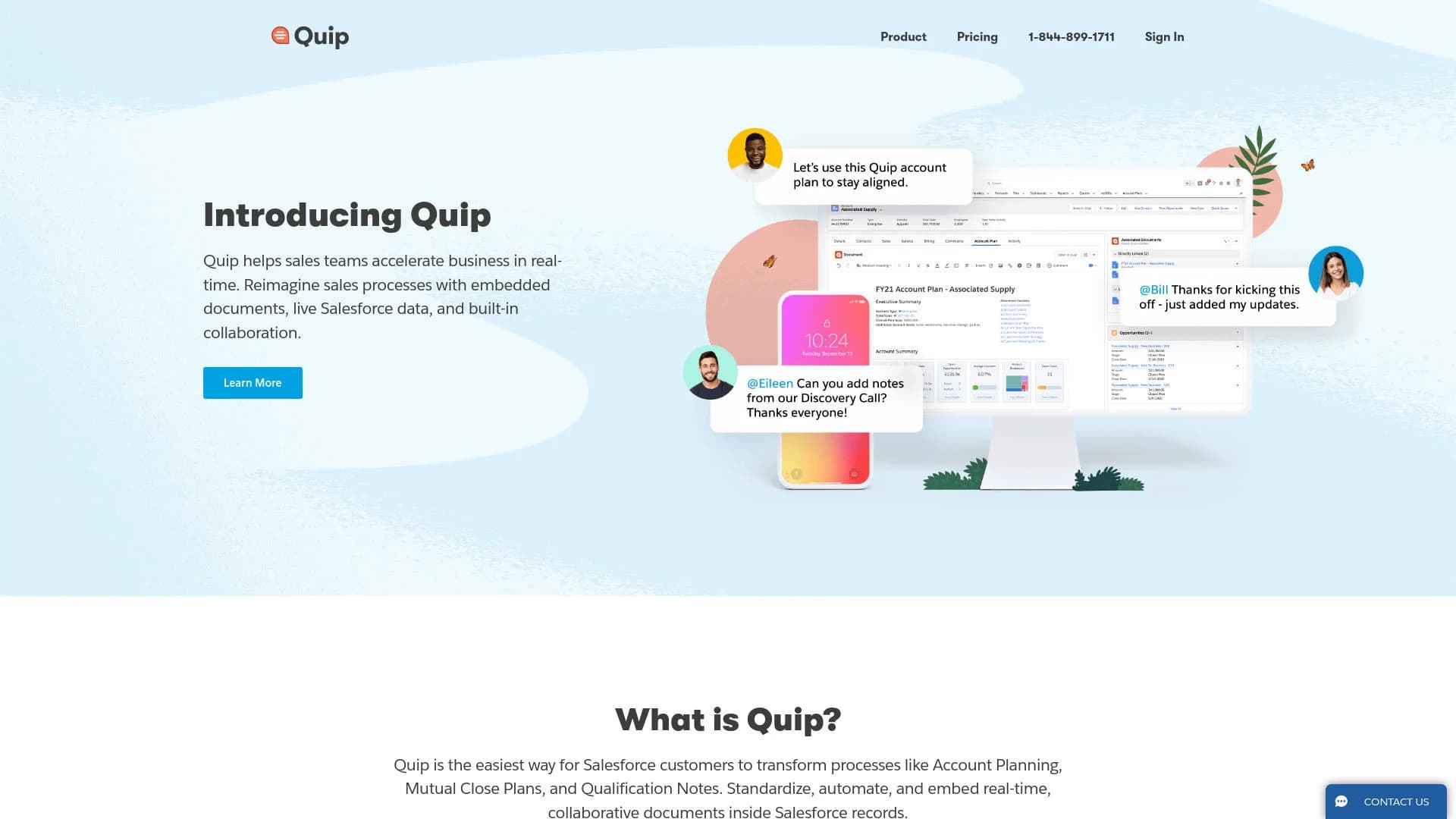
Quip revolutionizes the way sales teams collaborate and manage their workflows, particularly for Salesforce customers. By embedding documents, live Salesforce data, and built-in collaboration tools, Quip aims to streamline and standardize processes like Account Planning, Mutual Close Plans, and Qualification Notes. Designed to transform how businesses operate in real-time, Quip simplifies complex sales processes and fosters a culture of action and decision-making.
Quip stands out with its seamless integration with Salesforce, transforming the way sales teams collaborate and manage their workflows. Its ability to embed real-time, collaborative documents within Salesforce records sets it apart, making it a game-changer for sales processes and decision-making.
Quip excels in providing a robust, real-time collaboration platform tailored for Salesforce users. Its seamless integration, user-friendly interface, and advanced security features make it an essential tool for sales teams and other business units. Quip's ability to embed documents and spreadsheets within Salesforce records offers an unmatched advantage in streamlining workflows and enhancing decision-making processes.
Who is Using Quip?
Sales Teams
Quip is widely used by sales teams to manage account planning, close plans, and qualification notes.
Project Managers
Leveraging Quip for real-time collaboration and document management across various projects.
Marketing Teams
Utilizing Quip to streamline campaign planning and execution.
Customer Support Teams
Using Quip to manage support documentation and collaborate on customer issues.
Educational institutions employ Quip for teaching collaborative project management courses.
Non-profit organizations use it for coordinating volunteer activities and managing donations.
Key Features
Rating Breakdown
Pricing Plans
Free Tier
Free
- Experience Quip with a 30-day free trial
Pro Tier
$10 per user per month
Which Quip plan should you pick?
Start with Quip Starter for basic collaborative documents and chat; upgrade to Quip Plus for SSO and enterprise APIs, or Quip Advanced for deeper Salesforce integration.
Quip Starter
Good for small teams that need shared documents, spreadsheets, group chat, one-to-one messaging, and device access.
Quip Plus
Good for larger or more complex teams that need SSO, enterprise API access, automation, and custom Live Apps.
Quip Advanced
Good for Salesforce-centric sales and service teams that need embedded documents, live Salesforce data, and two-way synchronization.
Quip Use Cases
Account planning
Create dynamic account plans with Salesforce data, shared action items, and team collaboration.
Outcome: Keep account teams aligned around current customer and opportunity information.
Mutual close plans
Manage opportunity actions, stakeholders, milestones, and discussions in a shared document.
Outcome: Coordinate deal execution and keep progress visible.
Case swarming
Bring service agents and cross-functional experts together around a complex customer case.
Outcome: Accelerate case resolution and retain case knowledge in Salesforce.
Pricing proposals
Capture pricing discussions and generate collaborative proposal documents connected to Salesforce opportunities.
Outcome: Reduce revision cycles and move proposals toward closure.
Project hubs
Plan, track, and complete projects in a shared document with tasks, conversations, and status information.
Outcome: Give stakeholders one place to follow project work.
Workflow Ideas with Quip
Create a close plan after an opportunity stage change
- 1Trigger Salesforce Flow when an opportunity stage changes
- 2Create and populate a Quip close-plan document from a template
- 3Share the document and notify its members
Automate pricing proposal creation
- 1Trigger Process Builder or Flow when an opportunity reaches Proposal or Quote
- 2Add a pricing-proposal template and generate the proposal
- 3Export the completed proposal to PDF when the opportunity closes
Create account folders and plans automatically
- 1Trigger Flow when a new account or opportunity is created
- 2Create an account folder and populate a Quip plan
- 3Share the folder and document with the relevant team members
How Quip fits into your stack
Browser
Quip is available as a web workspace for creating and accessing documents, spreadsheets, slides, task lists, and chats.
Docs and writing
Quip combines collaborative documents, spreadsheets, slides, embedded files, comments, task lists, and version history in shared workspaces.
Team chat and tickets
Chat is built into documents and spreadsheets, with team chat rooms and one-to-one messaging. Quip also supports sharing documents through Slack.
Automation and APIs
The Automation and Admin APIs provide OAuth-authenticated access for automating document workflows, building bots, and integrating Quip with business systems.
Desktop
Quip provides a native desktop application with offline access, local search, and synchronization across desktop and mobile devices.
Pros
- +Enhanced Collaboration: Quip's real-time collaboration features significantly improve team efficiency and communication.
- +Seamless Integration with Salesforce: Direct embedding of documents within Salesforce records makes it an invaluable tool for Salesforce users.
- +User-Friendly Interface: The intuitive design ensures that users can quickly adapt and start using Quip effectively.
- +Security and Compliance: Advanced security features provide peace of mind for businesses handling sensitive data.
Cons
- −Salesforce Dependency: Quip is primarily designed for Salesforce customers, which may limit its appeal to non-Salesforce users.
- −Initial Setup: The initial setup and integration with Salesforce can be complex and time-consuming.
- −Limited Standalone Use: Quip's full potential is realized when integrated with Salesforce, limiting its standalone functionality.
Limitations & when to consider alternatives
Known limitations
- Windows desktop app retired. The Quip Windows desktop app was retired on June 6, 2024; Windows users must use Quip in a supported browser.
- Android app retired. The Quip Android mobile app was retired on June 6, 2024; Android users must use Quip through a supported mobile browser.
- New custom Live Apps are no longer allowed. Quip stopped allowing customers to create new custom Live Apps after March 5, 2025.
- API rate limits apply. The Automation API has default limits of 50 requests per minute and 750 requests per hour per user, plus a 600-request-per-minute company limit.
- Legacy integrations were retired. Out-of-the-box integrations such as X/Twitter and Zapier were retired on July 18, 2025.
Look elsewhere when
- You need an Android-native app.
- You need a Windows desktop application.
- You need to create new custom Live Apps.
- You need built-in Zapier automation.
How to Use Quip
- 1
Choose a template
Start with an account plan, close plan, case swarm, project hub, or another template that matches your process.
- 2
Add collaborators
Share the document with the account team, project stakeholders, service agents, or other participants who need to edit and discuss it.
- 3
Add live Salesforce context
For Salesforce workflows, embed records, reports, lists, or other live CRM data into the document or spreadsheet.
- 4
Use document chat and tasks
Keep decisions, questions, comments, messages, and action items alongside the work they reference.
- 5
Automate repeatable steps
Use Salesforce Flow, Process Builder, or Quip APIs to create documents, folders, chats, memberships, and notifications automatically.
- 6
Use the appropriate client
Use the web app on supported browsers, the Mac desktop app where available, or the native iOS app for mobile access.
Who is Quip For?
Sales teams
Quip supports account planning, close plans, pricing proposals, opportunity notes, and live Salesforce data.
Service teams
Service teams can collaborate on complex cases through swarm documents, chat, and Service Cloud context.
Quip administrators
Administrators can configure access, APIs, governance, security controls, and team implementations.
Large and complex teams
Quip Plus provides enterprise collaboration, SSO, API customization, and custom Live Apps.
Professional services organizations
Quip supports account strategies, resource alignment, transitions, and Quote-to-Cash collaboration.
Frequently Asked Questions
What is Quip?
Quip combines collaborative documents, spreadsheets, chat, and Salesforce data in one workspace.
Does Quip support team collaboration?
Yes. Teams can share documents, edit collaboratively, comment, use team chat rooms, and send one-to-one messages.
Does Quip integrate with Salesforce?
Yes. Quip can embed, display, update, and discuss Salesforce records and data inside documents, spreadsheets, and chat rooms.
Does Quip provide an API?
Yes. Quip provides Automation, Admin, SCIM, and related APIs with OAuth authentication and documented endpoints.
Does Quip support automation?
Yes. Quip supports workflow automation through its Automation API and Salesforce Process Builder and Flow Builder.
Which Quip mobile platforms are supported?
Quip has an iOS app. The Android app was retired on June 6, 2024, so Android users access Quip through a supported browser.
Community reviews
Be the first to share your experience.
Sign in to leave a review for Quip.
Quip Alternatives
Looking for alternatives to Quip? Here are similar tools in the same category:
Learn to Master Quip
With Skill Leap courses
Get in-depth training on Quip and 50+ other AI tools with our expert-led video courses.
Start 7-Day Free Trial