
ProWritingAid
AI-powered editor enhances clarity, style, and error detection across platforms.
Key Takeaways
- What it is
- AI-powered editor enhances clarity, style, and error detection across platforms.
- Pricing
- Freemium · $20 per month
- Best for
- Grammar Checker and Style Editor
- In-Depth Reports
- Real-Time Editing Suggestions
- Rating
- 4.6/5
What is ProWritingAid?
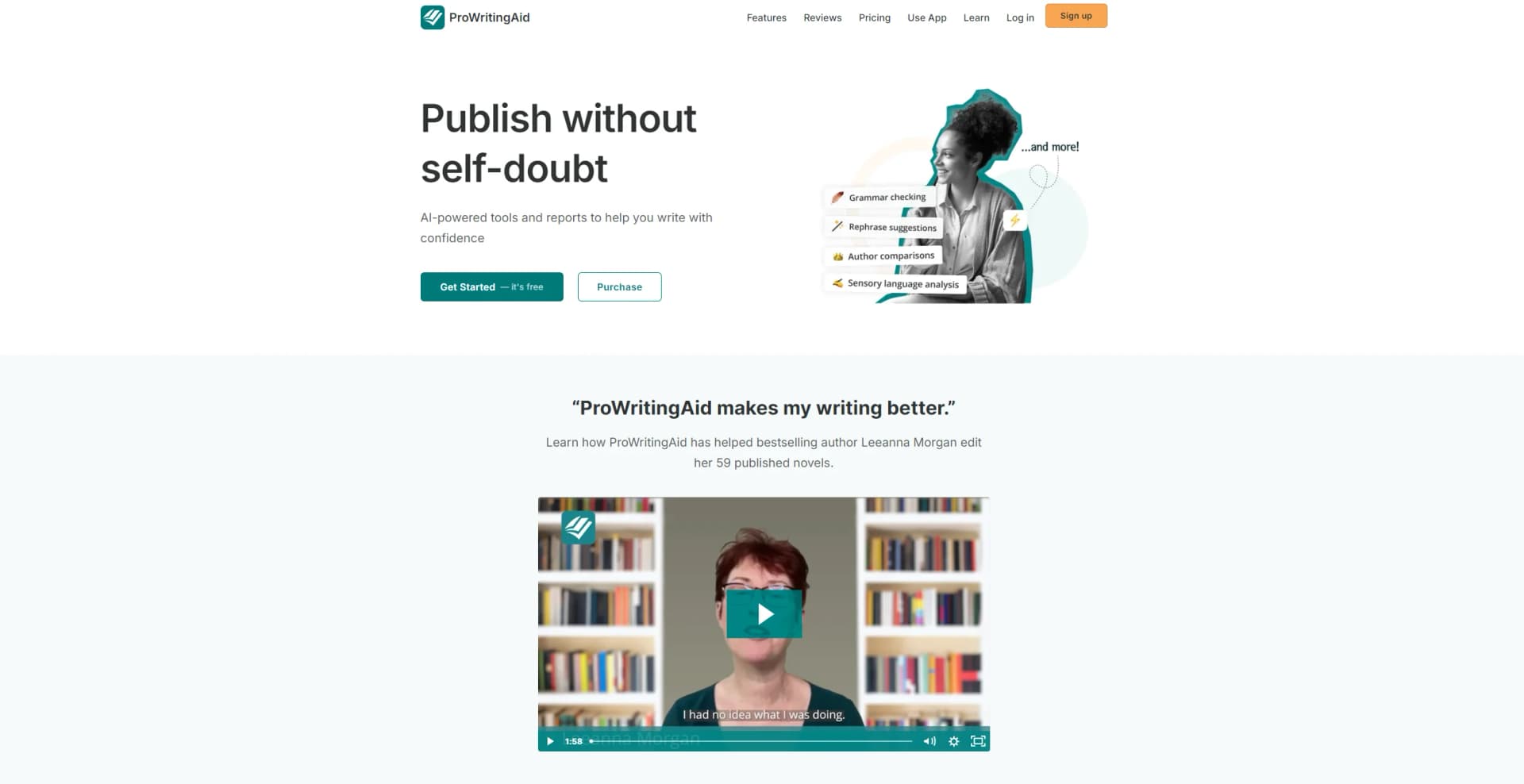
ProWritingAid isn't just another writing tool; it's a robust, AI-powered writing assistant that promises to transform the way we write. Its primary aim is to refine your writing, making it clearer, more engaging, and error-free. Designed for a wide array of users, from creative writers and professionals to educators and non-native English speakers, ProWritingAid offers an extensive suite of features that go beyond simple grammar checks. It's like having a personal editor at your fingertips, ready to polish your prose, enhance your style, and elevate your writing to new heights.
ProWritingAid stands out with its comprehensive feedback on writing that goes well beyond grammar and spelling checks. It's the depth of analysis—covering everything from style improvements to sentence structure—that makes it a game-changer for anyone serious about writing. Its unique selling point is the ability to not only correct mistakes but also teach users how to become better writers through detailed explanations and suggestions.
ProWritingAid excels as an AI-powered writing assistant, offering unparalleled support in refining and enhancing any text. Its comprehensive suite of features, including in-depth analysis and real-time feedback, makes it an essential tool for a diverse range of users. Whether you're a budding novelist, a busy professional, or a student looking to polish your essays, ProWritingAid provides the insights and assistance you need to write with confidence and clarity. Its ability to teach and improve writing skills over time sets it apart, ensuring that every user not only produces their best work but also becomes a stronger writer in the process.
Who is Using ProWritingAid?
Creative Writers
Crafting compelling narratives with enhanced descriptions and stronger character development.
Professionals
Producing clear, concise, and impactful business documents, emails, and reports.
Educators
Assisting in teaching writing skills and providing feedback on student assignments.
Non-Native English Speakers
Improving their English writing proficiency for academic or professional purposes.
Uncommon Use Cases
Screenwriters refining scripts for better dialogue and pacing; Bloggers optimizing their posts for SEO and reader engagement.
Key Features
Rating Breakdown
Pricing Plans
Free Tier
Free
- A limited version available to get a taste of ProWritingAid's capabilities
Premium Tier
$20 per month
- Offering full access to all features and reports
Which ProWritingAid plan should you pick?
Start with Free to evaluate the core editing tools, upgrade to Premium for unlimited editing and collaboration, and choose Premium Pro or Teams/Enterprise for higher AI limits, community features, administration, or organizational security.
Free
Good for users who need basic grammar, spelling, punctuation, thesaurus, limited reports, and up to 500 words at a time.
Premium
Good for writers who need unlimited word counts, unlimited reports and Rephrases, advanced style improvements, custom style guides, citations, and document collaboration.
Premium Pro
Good for authors who need higher Sparks and Chapter Critique limits, Story Credit discounts, workshops, writing sprints, and community features.
Teams
Good for growing teams that need centralized user management, team analytics, shared style rules, term bases, and unlimited team-oriented editing features.
Enterprise
Good for large organizations that need custom integrations, SSO, access control, AES-256 and TLS encryption, data-processing agreements, or on-premise hosting options.
ProWritingAid Use Cases
Grammar and style editing
Review grammar, spelling, punctuation, readability, sentence structure, repetition, and style issues in a document.
Outcome: Clearer and more polished writing.
Manuscript analysis
Upload or open a manuscript and run reports covering structure, pacing, dialogue, sensory details, plot, and other story elements.
Outcome: Detailed feedback on a story or manuscript.
AI-assisted rewriting
Use Rephrase or Sparks to rewrite, expand, summarize, continue, or otherwise enhance selected writing.
Outcome: Alternative wording and expanded writing options.
Style-guide enforcement
Create custom style rules, manage terminology, and upload a term base for preferred and deprecated terms.
Outcome: More consistent terminology and house style.
Cross-application editing
Use the Web Editor, desktop integrations, or browser extensions inside supported writing apps and websites.
Outcome: Editing support wherever the user writes.
Workflow Ideas with ProWritingAid
Analyze and revise a document
- 1Upload or open a document in the Web Editor, Desktop Everywhere, or a browser extension.
- 2Open the Edit tab and choose a writing report.
- 3Review the highlighted suggestions and revise the document.
Improve a manuscript chapter
- 1Open a chapter or manuscript in ProWritingAid.
- 2Run Chapter Critique or relevant story reports.
- 3Apply the feedback to strengthen structure, pacing, dialogue, or description.
Apply a team style guide
- 1Create shared style-guide rules and upload a team term base.
- 2Add or invite team users through centralized user management.
- 3Review team documents using consistent terminology and style suggestions.
How ProWritingAid fits into your stack
Google Docs and Microsoft Word Integration
Offers suggestions directly in your favorite word processors.
Desktop App Compatibility
Works with Scrivener and other desktop writing applications.
Browser Extension
Available for Chrome, Firefox, and Safari, enabling editing across the web.
API Access
For businesses and developers looking to integrate ProWritingAid's capabilities into their own applications.
Pros
- +Enhances Writing Quality: By addressing a wide range of issues, from basic grammar to complex style nuances, it significantly improves the quality of your writing.
- +Saves Time: The immediate feedback and comprehensive reports speed up the editing process, saving valuable time for writers.
- +Versatile Use Cases: It's incredibly useful for various users, including students, professionals, and creative writers, making it a versatile tool in any writer's toolkit.
- +Educational Benefits: Beyond corrections, it educates users on their writing mistakes, helping them to improve their writing skills over time.
Cons
- −Overwhelming Amount of Feedback: For some users, the detailed reports and numerous suggestions can be overwhelming, particularly for those less familiar with writing intricacies.
- −May Require a Learning Curve: Maximizing the tool's potential and understanding how to apply its many suggestions effectively can take some time.
- −Subscription Cost: While there is a free version, access to the most powerful features requires a subscription, which might be a consideration for budget-conscious users.
Limitations & when to consider alternatives
Known limitations
- Free plan word limit. The Free plan provides suggestions for up to 500 words at a time.
- Free plan daily limits. Free users receive two runs per report per day, 10 Rephrases per day, and three Sparks per day.
- English-only language support. ProWritingAid currently supports English and English dialects, including US, UK, Canadian, and Australian English.
- No native mobile app. There is no dedicated iOS or Android app; mobile users must use the Web Editor in a browser.
- Linux integration limitation. Desktop and other integrations are not currently compatible with Linux, Android, or iOS devices.
Look elsewhere when
- You need a native iOS or Android writing app.
- You need support for languages beyond English.
- You need Linux desktop integrations.
- You need to train an AI model on your own writing.
How to Use ProWritingAid
- 1
Explore a range of tutorials on the ProWritingAid website and YouTube channel, covering everything from basic setup to advanced features and tips for getting the most out of the tool.
Who is ProWritingAid For?
Storytellers
The product focuses on tools for fiction writers, including chapter critique, pacing, dialogue, sensory analysis, plot analysis, and manuscript feedback.
Authors
Authors can analyze manuscripts, compare writing styles, manage terminology, check citations, and receive feedback on chapters or entire stories.
Students
Students can use grammar, spelling, punctuation, readability, citation, and style reports to improve academic writing.
Teams
Teams can use centralized user management, team analytics, shared style rules, term bases, and collaborative document comments.
Editors
Editors can use real-time suggestions and specialized reports across Word, Google Docs, Scrivener, browsers, and other writing applications.
Frequently Asked Questions
What is ProWritingAid?
ProWritingAid is a writing toolkit that provides real-time grammar, punctuation, spelling, style, readability, and structural feedback, along with 25+ writing reports.
Is ProWritingAid free?
Yes. The Free plan supports editing and reports for up to 500 words at a time, with daily limits on reports, Rephrases, and Sparks.
Does ProWritingAid offer an iOS or Android app?
No. ProWritingAid does not offer native iOS or Android apps, but its Web Editor can be used in a mobile browser.
Which apps and websites are compatible with ProWritingAid?
ProWritingAid supports applications and websites including Microsoft Word, Google Docs, Scrivener, Notion, Slack, Gmail, WordPress, and many others through desktop and browser integrations.
Can I download ProWritingAid to my computer?
Yes. Desktop Everywhere is available for Windows and Mac, and the Desktop Editor supports formats including Scrivener, Word, Markdown, RTF, OpenOffice, and Final Draft.
How secure is my work?
ProWritingAid states that data is protected with AES-256 encryption at rest and TLS 1.2 or higher in transit.
Community reviews
Be the first to share your experience.
Sign in to leave a review for ProWritingAid.
ProWritingAid Alternatives
Looking for alternatives to ProWritingAid? Here are similar tools in the same category:
Learn to Master ProWritingAid
With Skill Leap courses
Get in-depth training on ProWritingAid and 50+ other AI tools with our expert-led video courses.
Start 7-Day Free Trial