Prime Intellect
AI teams train open models from real-world failures and feedback.
Key Takeaways
- What it is
- AI teams train open models from real-world failures and feedback.
- Best for
- Hosted Training
- Evaluations
- Observability and Traces
- Rating
- 4.2/5
What is Prime Intellect?
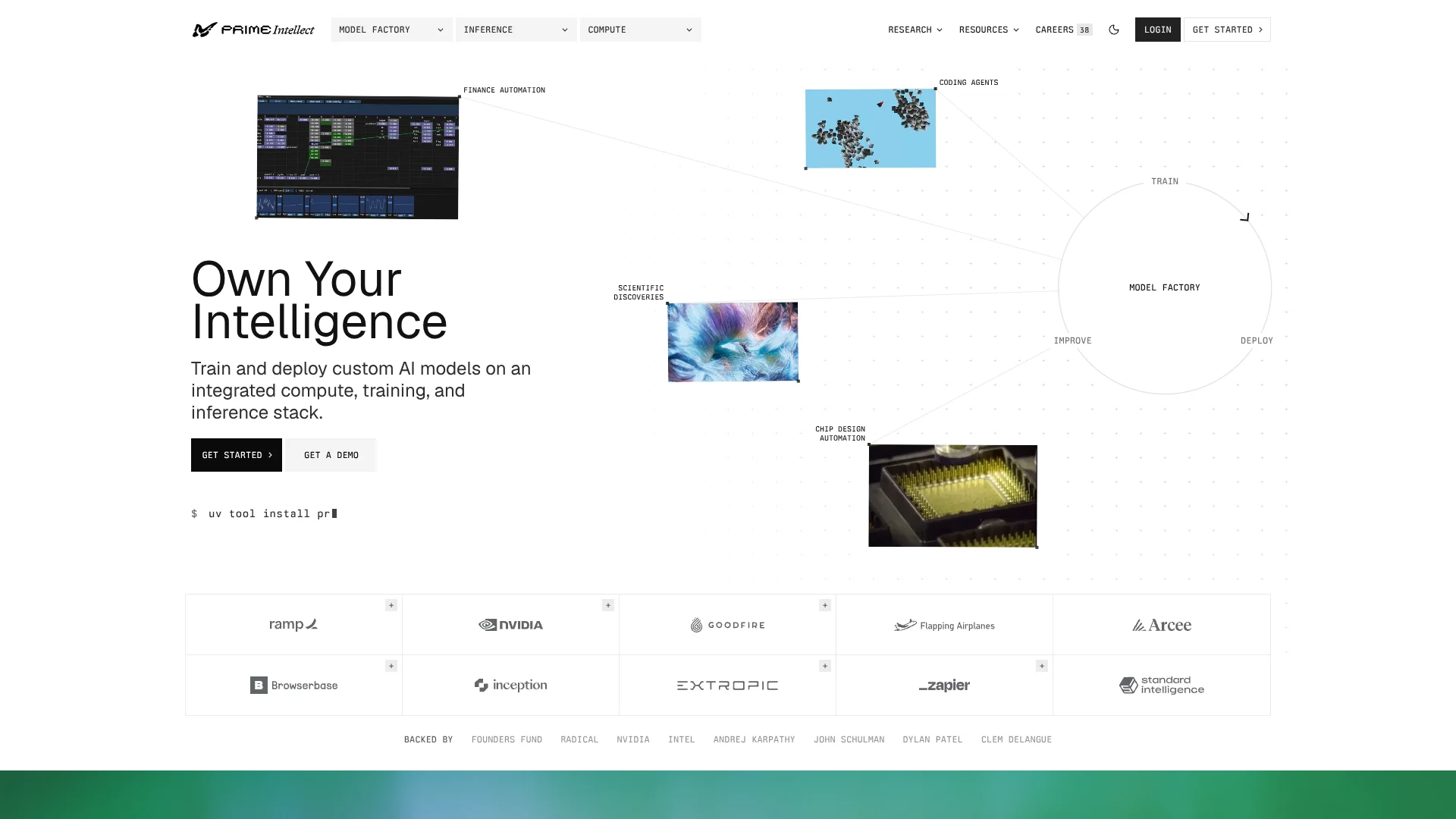
Prime Intellect connects custom-model training, evaluation, and deployment on one AI infrastructure stack. AI research teams can fine-tune open models with supervised learning or reinforcement learning, score them on tasks they define, and serve the resulting models through an API. It is built for people developing or operating AI systems, especially when existing models need to perform better on a specific workflow.
A distinctive part of the workflow is the feedback loop from deployed models: Prime Intellect can capture real-use traces, turn failures into training environments, and evaluate a new model before deployment. That gives teams a path from observing a model's mistakes to training and checking a revised version.
The platform is best suited to AI researchers, model builders, and organizations with workloads that justify managed GPU compute or custom inference. It is less suitable for someone looking for a general-purpose writing chatbot or a no-code AI tool; Prime Intellect is built around model development and infrastructure.
Who is Using Prime Intellect?
Applied ML Researchers
Task-specific environments and reward functions let them test and train models on measurable behaviors.
ML Platform Engineers
Managed compute, training runs, and deployment endpoints help them operate model workflows.
AI Infrastructure Engineers
GPU clusters, orchestration, and monitoring support distributed training and inference workloads.
AI Application Developers
The OpenAI-compatible API lets them add hosted or custom models to applications using an existing SDK.
Uncommon Use Cases
Turning production model failures into reinforcement-learning tasks; evaluating agents in isolated, full-VM sandboxes
Key Features
Rating Breakdown
Pricing Plans
On-demand GPUs
- Billed by the hour with no contract.
- The official site displays H100 at $3.50 per hour, H200 at $5.48 per hour, and B300 at $6.64 per hour.
Prime Sandboxes
- Tier-free usage pricing with no subscription or minimum spend.
- vCPU: $0.02 per hour; memory: $0.0125 per GiB per hour; disk: $0.0002 per GiB per hour.
Serverless API
- Prime Hosted and Prime Gateway inference are billed per token.
- The official site does not show a single standard price for all models in its general pricing information.
Dedicated Clusters and Deployments
- Dedicated compute and inference capacity are configured for the workload.
- The official site directs customers to request a quote or work with the team to size capacity.
Which Prime Intellect plan should you pick?
Start with the usage-based service that matches your workload, then consider dedicated capacity when you need reserved resources or production serving sized to your traffic.
Serverless API
Good for developers who want to test or call hosted models without deploying serving infrastructure.
On-demand GPUs
Good for experiments, evaluations, and short training runs that need GPU capacity by the hour.
Prime Sandboxes
Good for agent and reinforcement-learning workloads that need isolated virtual-machine environments.
Dedicated Deployments
Good for production model serving that needs reserved capacity, private routing, or custom requirements.
Prime Intellect Use Cases
Train a Specialist Model
A team can fine-tune an open model with supervised learning or reinforcement learning against its own task environments.
Outcome: A custom model trained for the team's defined tasks.
Evaluate Model Changes
Hosted evaluations let teams compare model performance on selected tasks before choosing a version to deploy.
Outcome: Evaluation results for comparing models on the selected tasks.
Improve a Deployed Model
Production traces can reveal failures that teams turn into training environments, then use to test an updated model.
Outcome: A route from observed failures to a tested model update.
Serve Models Through an API
Applications can call Prime-hosted open models or custom models through Prime Inference.
Outcome: Model responses through an OpenAI-compatible API.
Run Agent Tasks in Sandboxes
Isolated microVMs provide full virtual-machine environments for agent tasks, evaluations, and reinforcement-learning rollouts.
Outcome: Agent workloads run in isolated environments.
Workflow Ideas with Prime Intellect
Train and Deploy a Specialist Model
- 1Choose an open model and define a task environment with scoring rules.
- 2Run hosted training and review the evaluation results.
- 3Deploy the trained model to a Prime Inference endpoint.
Turn Model Failures Into Training Tasks
- 1Collect traces from model use and identify recurring failures.
- 2Build an environment and reward rules around those tasks.
- 3Train an updated model and evaluate it before deployment.
Benchmark an Agent in Sandboxes
- 1Set up an environment for the agent task.
- 2Run evaluations in isolated sandboxes and inspect the resulting traces.
- 3Use the results to adjust the environment or model.
How Prime Intellect fits into your stack
Model Development
Model Factory brings together training, evaluations, task environments, and run traces. It is suited to teams building models for defined tasks.
GPU Compute
Prime Compute provides on-demand GPUs and dedicated clusters for training or inference. GPU use is billed by the hour.
Model Serving
Prime Inference serves open and custom models through an OpenAI-compatible API, with serverless and dedicated deployment options.
Agent Environments
Prime Sandboxes run agent tasks in isolated microVMs and integrate with Verifiers and prime-rl.
Monitoring and Experiment Review
Training and evaluation traces help teams inspect model behavior; the site also describes Weights & Biases run logging and Grafana dashboards.
Pros
- +Training-to-serving path: A model trained with Model Factory can be deployed to an endpoint on Prime Inference.
- +Task-specific evaluation: Teams can score models against their own environments and reward rules.
- +Usage-based options: GPU compute is billed by the hour, while serverless inference is billed per token.
- +OpenAI-compatible API: Existing OpenAI SDK clients can call Prime Inference by changing the endpoint and API key.
Cons
- −Technical setup: Training and evaluations involve environments, model configuration, and API or command-line workflows.
- −Variable costs: Compute and sandbox charges depend on resource use and runtime.
- −Specialized focus: The product is for building and running AI models, not everyday writing or general chatbot use.
Limitations & when to consider alternatives
Known limitations
- Hosted Training supports a listed set of models. The training documentation names supported models, so check that list before planning a hosted run.
- Sandbox capacity has an account limit. The Sandboxes announcement says accounts begin with a limit of 1,024 concurrent sandboxes; teams needing more can contact Prime Intellect.
- Dedicated inference needs capacity planning. Dedicated deployments are sized for a team's workload, and Prime Intellect says its engineers help configure them.
Look elsewhere when
- You need a general-purpose AI chatbot for writing, everyday questions, or office tasks.
- You need a no-code tool for building or automating AI workflows.
- Your workflow depends on a native mobile app or browser extension.
How to Use Prime Intellect
- 1
Choose a Prime Intellect workflow
Start with Model Factory for training and evaluation, Prime Inference for model serving, or Prime Compute for GPU capacity.
- 2
Set up a task environment
For training or evaluation, choose a community environment from the Hub or build one with Verifiers and define how results are scored.
- 3
Run a small evaluation
Test a model on a limited set of examples first so you can inspect its outputs and scoring.
- 4
Train or select a model
Use Hosted Training for supported reinforcement-learning runs, or choose a model from Prime Inference's catalog.
- 5
Review traces and results
Check evaluation results and training traces to identify errors or changes in model behavior.
- 6
Deploy and monitor
Serve the model through the serverless API or a dedicated endpoint, then use traces to spot areas for further improvement.
Who is Prime Intellect For?
AI Research Teams
Hosted reinforcement learning, evaluations, and sandboxes support experiments on model behavior.
Model Builders
Teams developing specialist models can train open models against task-specific rewards and deploy their checkpoints.
Enterprise AI Teams
Dedicated deployments and private routing can support production model workloads with custom capacity needs.
AI Infrastructure Teams
Managed GPU clusters, orchestration, and monitoring support large training and inference workloads.
Public-Sector AI Teams
Prime Intellect offers serverless or VPC deployment options for organizations seeking different levels of control.
Frequently Asked Questions
Does Prime Intellect have a free plan?
The official site describes usage-based services, including hourly GPU compute, per-token inference, and sandbox pricing. It does not list a standard free plan.
How is Prime Intellect priced?
Pricing depends on the service: GPUs are billed by the hour, serverless inference by the token, and sandboxes by requested CPU, memory, and disk. Dedicated capacity is sized with the team.
Can I use Prime Intellect with the OpenAI SDK?
Yes. Prime Inference provides an OpenAI-compatible API; you configure the Prime endpoint and use a Prime API key.
Can I deploy a model trained with Model Factory?
Yes. Prime Intellect says you can deploy a model trained with Model Factory to a dedicated endpoint.
Can Prime Inference handle images?
The model catalog includes vision models and models described as accepting image input. Image support depends on the model you choose.
Community reviews
Be the first to share your experience.
Sign in to leave a review for Prime Intellect.
Prime Intellect Alternatives
Looking for alternatives to Prime Intellect? Here are similar tools in the same category: