
Preswald
Create stunning presentations with AI-driven design.
Key Takeaways
- What it is
- Create stunning presentations with AI-driven design.
- Pricing
- Freemium · $29 per month. Designed for professionals or growing teams needing more power · $99 per month
- Best for
- AI-Driven Design Suggestions
- Template Customization
- Real-Time Collaboration
- Rating
- 4.5/5
What is Preswald?
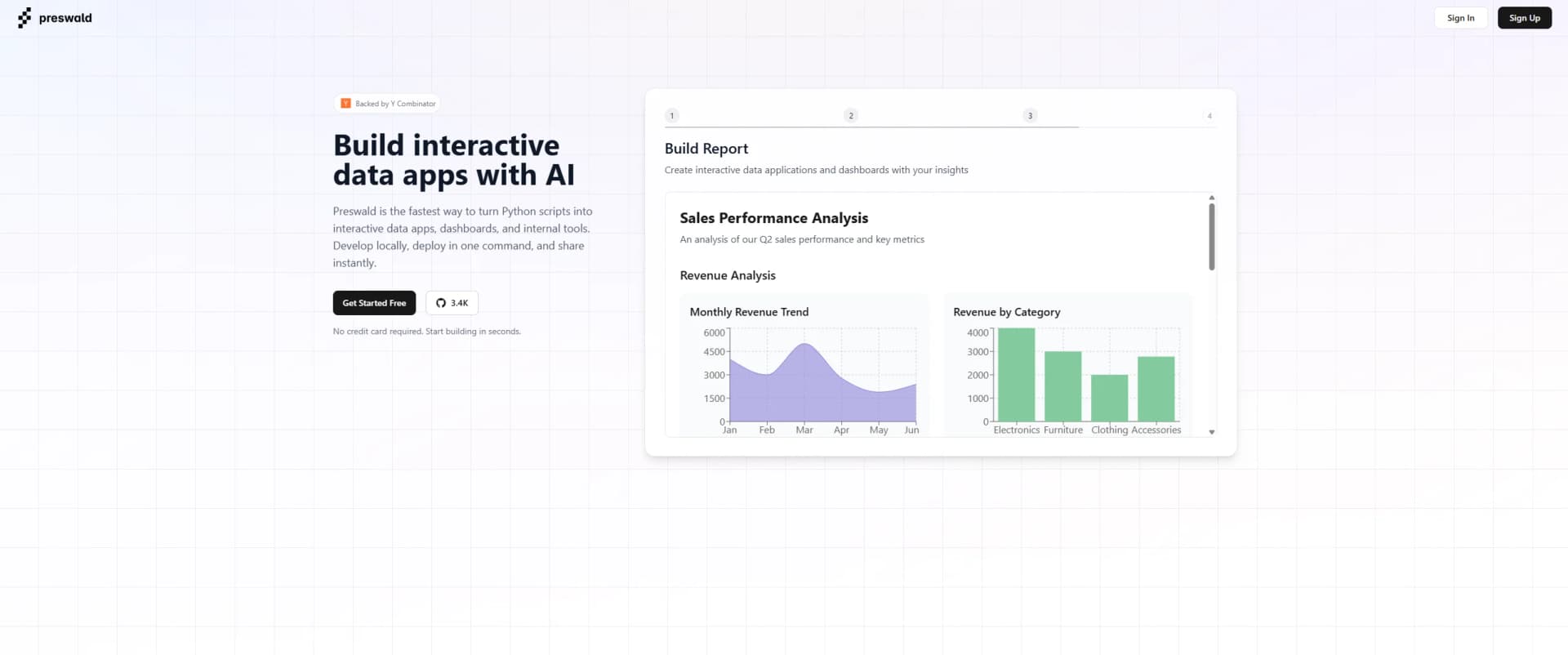
Preswald transforms the way we approach presentation design, providing an AI-powered solution that simplifies the creation of impactful presentations. Designed for professionals and teams across various industries, it helps users craft visually appealing and effective presentations without the need for design expertise.
Preswald distinguishes itself with its AI-powered design engine that anticipates user needs and suggests improvements. This feature, combined with its ability to convert complex data into understandable visuals, sets it apart in the world of presentation software.
Preswald offers a comprehensive solution for anyone looking to enhance their presentation design process through AI innovation. Its user-friendly interface, coupled with powerful design and collaboration tools, makes it an excellent choice for professionals seeking efficiency and creativity. Whether you're a business professional, educator, or marketer, Preswald has the features to elevate your presentations to the next level.
Who is Using Preswald?
Business Professionals
Creating impactful presentations for meetings and pitches.
Educators
Designing engaging lectures and educational materials.
Marketing Teams
Crafting visually appealing marketing presentations and reports.
Consultants
Developing comprehensive client presentations and proposals.
Uncommon Use Cases
Used by non-profits to create awareness campaigns; Employed by event planners for crafting event proposals and layouts.
Key Features
Rating Breakdown
Pricing Plans
Free
Free
- Includes up to 5 projects, basic collaboration, 2GB storage, standard components, community support, and public templates
Pro
$29 per month. Designed for professionals or growing teams needing more power
- Includes up to 20 projects, advanced collaboration, 10GB storage, custom components, advanced analytics, and priority support
Teams
$99 per month
- Teams scaling operations. Adds unlimited projects
- Team workspaces
- 50GB storage
- Team analytics
- API access
- Dedicated support to everything in Pro
Enterprise
- Built for large organizations needing custom integrations
- Unlimited storage
- SLA guarantees
- On-premise deployment
- Top-tier support and security
Preswald Use Cases
Interactive dashboards
Build reactive dashboards with tables, charts, controls, and data queries.
Outcome: A shareable interactive data application.
Data reports
Package Python-based analysis and visualizations into a self-contained application.
Outcome: A portable report that runs in a browser.
Data workflows
Define dependent workflow atoms for loading, cleaning, and analyzing data.
Outcome: Cached and selectively recomputed processing steps.
Offline data applications
Export applications with bundled Python code, data, queries, assets, and dependencies.
Outcome: An app that runs offline in modern browsers.
Interactive prototypes
Use built-in controls and composable UI components to prototype data-driven applications.
Outcome: A functional prototype without a separate server-side runtime.
Workflow Ideas with Preswald
Load, clean, and analyze data
- 1Define a workflow atom that loads a CSV file
- 2Add a dependent atom that cleans the data
- 3Add an analysis atom and execute the workflow
Build a reactive dashboard
- 1Load a configured data source with get_df
- 2Add interactive controls such as sliders or select boxes
- 3Render filtered results with tables or charts
Export an offline app
- 1Develop and test the app with preswald run
- 2Build the static bundle with preswald export
- 3Share or host the generated dist directory
How Preswald fits into your stack
Browser
Preswald packages Python data applications into self-contained HTML files that run interactively in the browser, including offline.
Desktop / IDE
Developers install the Preswald SDK locally, initialize projects with the CLI, and write application code in Python.
Pros
- +User-Friendly Interface: Intuitive platform that requires no prior design experience, making it accessible to all users.
- +Time-Saving Automation: Automates repetitive design tasks, significantly reducing the time spent on presentation creation.
- +Enhanced Creativity: AI-generated suggestions inspire creativity and innovation in presentation design.
- +Cross-Platform Compatibility: Works seamlessly across various devices, ensuring flexibility and convenience.
Cons
- −Limited Free Features: Free version offers limited access to advanced features.
- −Initial Setup Required: Users may need time to set up and familiarize themselves with the tool's full capabilities.
Limitations & when to consider alternatives
Known limitations
- Client-side processing. Exported applications process data client-side with Pyodide and do not require server-side components.
- Browser dependency. Preswald applications are designed to run locally in a browser rather than as native mobile or desktop applications.
- Large-data memory constraints. The get_df documentation advises considering memory limitations when retrieving large datasets.
- Restricted automatic assignment patterns. Reactive lifting supports simple name-based assignments but not attribute, subscript, or starred assignments.
Look elsewhere when
- You need native iOS or Android apps.
- You need shared workspaces with roles and invitations.
- You need a server-side application runtime.
- You need built-in model fine-tuning or training jobs.
How to Use Preswald
- 1
Install and initialize the SDK
Install Preswald locally, then run preswald init to create a project with starter files, configuration, secrets, data, and images directories.
- 2
Configure data sources
Add file or database sources in preswald.toml, then use get_df or query to retrieve and analyze data.
- 3
Build the interface in Python
Use built-in controls, tables, charts, text, images, sidebars, and topbars to construct the app UI.
- 4
Add reactive workflow logic
Use Workflow atoms and dependencies, or rely on automatic dependency inference and selective recomputation.
- 5
Run locally
Run preswald run to launch the local development server and preview the application in a browser.
- 6
Export and share
Run preswald export to create a self-contained static site that can be shared, hosted, or used offline.
Who is Preswald For?
Python developers
Preswald fits developers who want to build interactive data apps with ordinary Python code.
Data analysts
Analysts can load files or database sources, query data, and present results through tables and charts.
Data scientists
Data scientists can combine pandas, DuckDB, Pyodide, Plotly, and Matplotlib in portable applications.
Teams building dashboards and reports
Preswald explicitly supports dashboards, reports, prototypes, workflows, and notebooks.
Frequently Asked Questions
What is Preswald?
Preswald is a static-site generator and Python framework for building interactive, shareable data apps.
Where do Preswald apps run?
Apps run locally in the browser using Pyodide and DuckDB, and exported apps can work offline.
What programming language does Preswald use?
Preswald uses Python for application development rather than notebooks or JavaScript frameworks.
Can Preswald connect to data sources?
The data API supports configured files and database sources including CSV, JSON, PostgreSQL, and ClickHouse.
Can Preswald export applications?
The export command creates a static site containing bundled Python code, data, queries, components, and dependencies.
Does Preswald support reactive workflows?
Its runtime tracks dependencies, caches intermediate results, and selectively recomputes affected workflow atoms.
Community reviews
Be the first to share your experience.
Sign in to leave a review for Preswald.
Preswald Alternatives
Looking for alternatives to Preswald? Here are similar tools in the same category:
Learn to Master Preswald
With Skill Leap courses
Get in-depth training on Preswald and 50+ other AI tools with our expert-led video courses.
Start 7-Day Free Trial