
Postman
Streamline API development with robust testing and automation tools.
Key Takeaways
- What it is
- Streamline API development with robust testing and automation tools.
- Pricing
- Freemium · $12 per month
- Best for
- Robust API Testing
- Automation Tools
- Collaboration Features
- Rating
- 4.6/5
What is Postman?
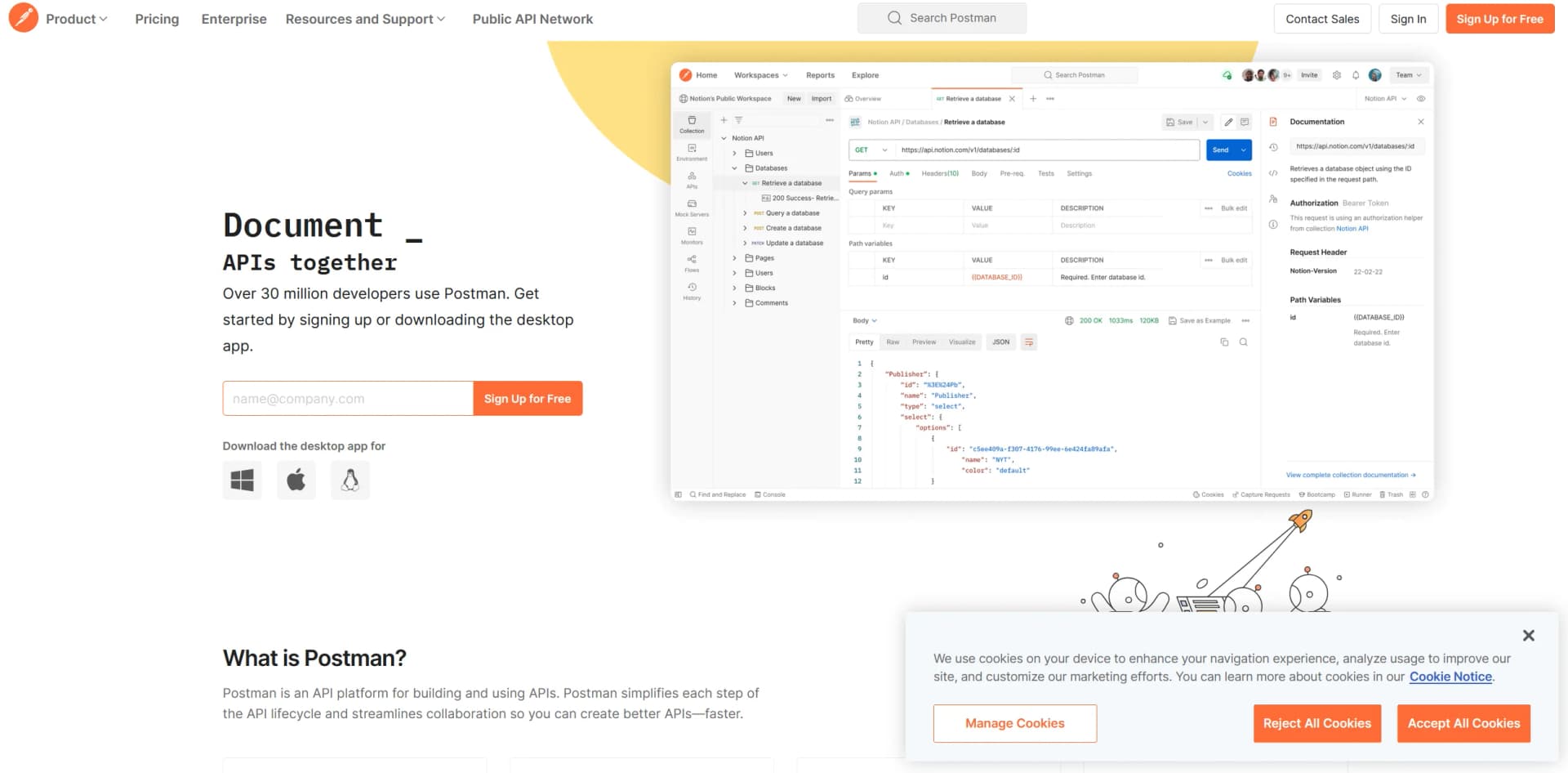
Postman is a versatile API platform designed to streamline the complexities of API development. It provides developers with a comprehensive suite of tools for building, testing, and deploying APIs, making it suitable for both individual developers and large teams. Postman enhances productivity and simplifies the API development workflow, catering to a wide range of users from small projects to enterprise-scale systems.
Postman stands out for its seamless integration into existing API development workflows. Its combination of a user-friendly interface, powerful testing tools, and extensive integration options makes it a valuable asset for optimizing API creation and maintenance.
Postman excels in providing a robust and efficient platform for API development and testing. Its powerful testing features, extensive integration options, and supportive community offer significant advantages for developers and organizations aiming to optimize their API lifecycle.
Who is Using Postman?
Software Developers
Use Postman for building and testing APIs throughout various development stages.
QA Engineers
Employ the platform for automating tests and ensuring API performance and reliability.
Product Managers
Leverage Postman to track project progress and verify that APIs meet business requirements.
Educational Institutions
Utilize Postman as a teaching tool in computer science and software engineering courses.
Uncommon Use Cases
Non-profits manage volunteer databases via custom APIs; event organizers streamline event management and ticketing systems.
Key Features
Rating Breakdown
Pricing Plans
Free Tier
Free
- Access to basic features at no cost
Pro Tier
$12 per month
- Offering advanced features like enhanced monitoring and security options
Which Postman plan should you pick?
Start with Free for basic individual API work, move to Solo for more AI and automation, Team for shared collaboration, and Enterprise for organization-wide governance and security.
Free
Good for individual developers who need core API development, testing, collections, mock servers, and limited AI usage.
Solo
Good for individual developers who need higher AI limits, data-driven testing, expanded automation, and additional documentation capabilities.
Team
Good for teams who need shared workspaces, collaboration, viewers, role-based access, and SDK distribution.
Enterprise
Good for organizations that need advanced security, governance, centralized administration, SSO, SCIM, analytics, and pooled AI usage.
Postman Use Cases
Design and document APIs
Create API specifications, collections, examples, and automatically generated documentation.
Outcome: A shared source of truth for API design and usage.
Test API requests
Send requests, write test scripts, run collections, and validate responses across environments.
Outcome: More reliable API behavior before and after deployment.
Automate CI/CD checks
Use the Postman API and CLI to run collections, validate schemas, and integrate API checks into pipelines.
Outcome: Repeatable automated quality checks.
Build API-driven workflows
Use Postman Flows to connect API blocks and orchestrate data movement across systems.
Outcome: Visual, reusable API workflows.
Debug browser applications
Capture browser traffic with Postman Interceptor, inspect requests, and generate collections from captured sessions.
Outcome: Faster investigation of frontend and API behavior.
Workflow Ideas with Postman
Automated API review
- 1Trigger an Agent Automation from a GitHub pull request or branch activity
- 2Have Postman analyze the API change for governance or breaking-change issues
- 3Deliver the result as a pull-request comment or Slack message
Data-driven API testing
- 1Upload CSV, JSON, or binary test data to the Postman team
- 2Attach the data file to a collection request
- 3Run the collection locally, in a monitor, or on a schedule
Browser API debugging
- 1Install Postman Interceptor and start traffic capture
- 2Inspect captured requests and cookies in Postman
- 3Generate a collection from the recorded session for testing or documentation
How Postman fits into your stack
CI/CD Tools Integration
Works with continuous integration and continuous deployment tools, improving DevOps pipelines.
Version Control Systems
Integrates with version control systems like Git to manage API collection versions.
Cloud Services
Compatible with major cloud providers like AWS, Azure, and Google Cloud for API testing and deployment.
API Gateway Compatibility
Interfaces with popular API gateways to manage API deployment and scaling.
Pros
- +Enhanced Productivity: Automation features and request chaining help accelerate development cycles and minimize manual efforts.
- +Ease of Use: Its user-friendly interface is accessible to newcomers while offering powerful features for experienced developers.
- +Extensive Community and Resources: Supported by a large community and a wealth of tutorials and documentation for learning and troubleshooting.
- +Flexible Environment Management: Simplifies configuration and management of different environments, aiding in the simulation of various development and testing stages.
Cons
- −Resource Intensity: Can be demanding on system resources, especially when handling large data sets or complex API scenarios.
- −Complexity for Beginners: While user-friendly, the broad range of features might be overwhelming for beginners without proper guidance.
- −Subscription Cost: Advanced features are available through paid subscriptions, which may be a barrier for individual users or small startups.
Limitations & when to consider alternatives
Known limitations
- Cloud Agent network access. The Cloud Agent cannot access private or local network resources.
- Web app feature differences. Some features, including performance testing, request capture, collection-run export, and certain Vault workflows, require the desktop app.
- Uploaded file size. Files uploaded to a Postman team for shared requests cannot exceed 5 MB.
- Free-plan collaboration. The current Free plan is designed as a single-player experience and cannot create a team for collaboration.
- Cloud Agent protocol support. The Cloud Agent supports HTTP requests but not WebSocket, Socket.IO, gRPC, MQTT, or GraphQL requests.
Look elsewhere when
- You need a native mobile app.
- You need image understanding rather than image generation or file transmission.
- You need an offline-first API client with full collaboration features.
How to Use Postman
- 1
Explore comprehensive tutorials on the official Postman YouTube channel, covering topics from basic API requests to advanced scripting techniques.
Who is Postman For?
Individual developers
The Free and Solo plans support solo API development, testing, AI assistance, and automation.
API development teams
Team workspaces, collaboration, viewers, and role-based access help groups build and ship APIs together.
Enterprise organizations
Enterprise adds centralized visibility, governance, security controls, SSO, and organization-wide administration.
API platform teams
Postman supports API catalogs, governance, documentation, testing, monitoring, and organization-wide API workflows.
Developers integrating CI/CD
The Postman API, CLI, monitors, and collection runs support automated testing and development-toolchain integration.
Frequently Asked Questions
What is Postman?
Postman is an API development platform for designing, developing, testing, documenting, collaborating on, and operating APIs.
Can I use Postman for free?
Yes. The Free plan costs $0 and supports core solo API development and testing for individual developers.
Does Postman have a desktop application?
Yes. Postman provides native desktop apps for Windows, macOS, and Linux, plus a web app.
Can Postman automate API workflows?
Yes. Postman Flows and Agent Automations can orchestrate API workflows, run tasks from triggers, and deliver results to destinations such as Slack or pull requests.
Does Postman provide an API?
Yes. The Postman API provides programmatic access to collections, environments, monitors, mock servers, workspaces, and other Postman resources.
Community reviews
Be the first to share your experience.
Sign in to leave a review for Postman.
Postman Alternatives
Looking for alternatives to Postman? Here are similar tools in the same category:
Learn to Master Postman
With Skill Leap courses
Get in-depth training on Postman and 50+ other AI tools with our expert-led video courses.
Start 7-Day Free Trial