Pippit
Turn product listings into shoppable social videos for online sellers.
Key Takeaways
- What it is
- Turn product listings into shoppable social videos for online sellers.
- Pricing
- Freemium · $168 per year · $410 per year · $3,660 per year
- Best for
- Video Agent
- Image Agent
- Digital Avatars
- Rating
- 4.1/5
What is Pippit?
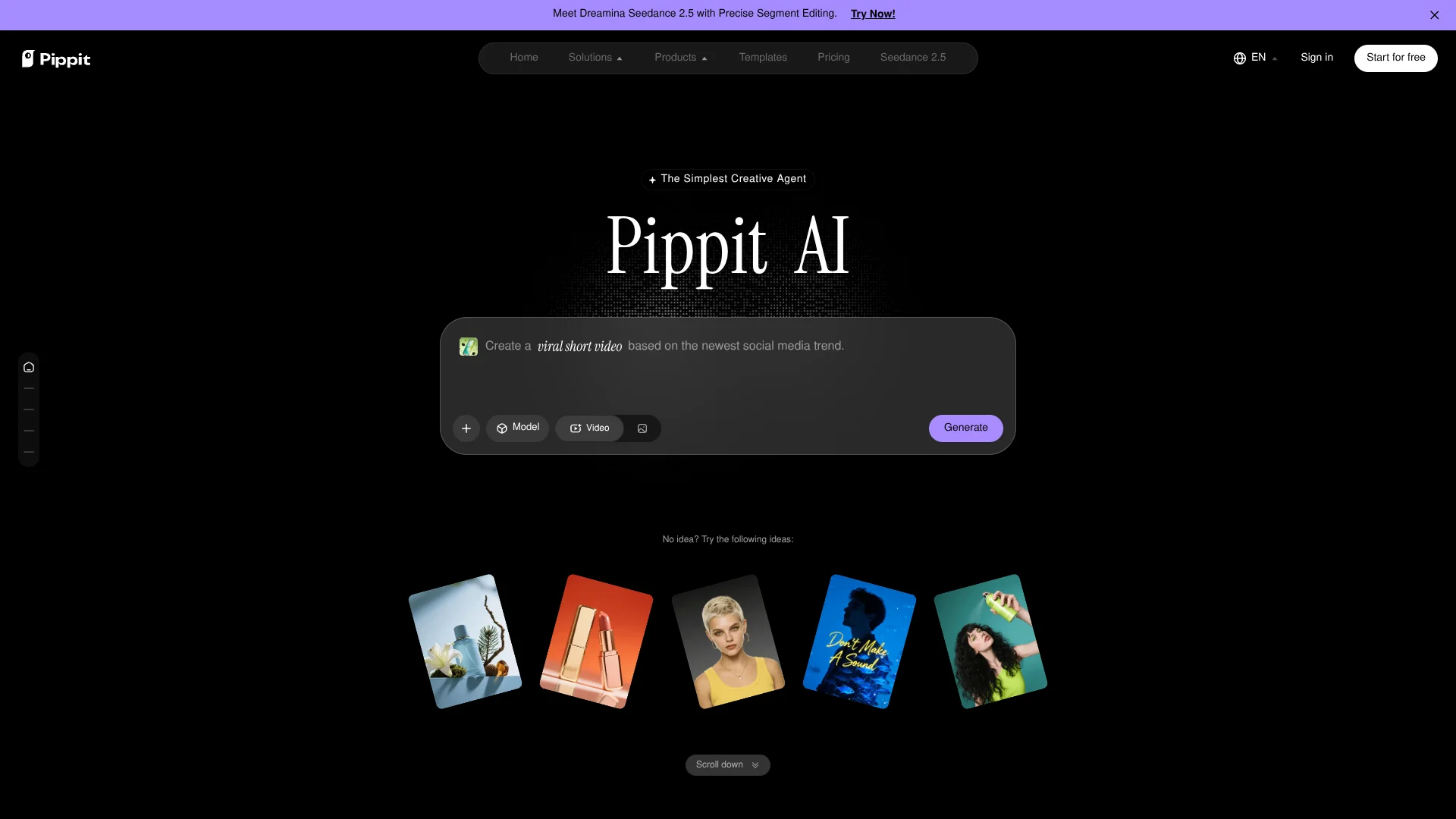
Pippit turns prompts, product links, photos, and other media into marketing videos and images. Creators and sellers can also make avatar videos, edit their results, and schedule posts to social accounts. It helps people produce product and social content without building each video from scratch.
For product videos, Pippit can start with links from TikTok Shop, Shopify, or Amazon and carry the content through to social publishing. Sellers can add TikTok product links when scheduling a video, making it shoppable. That connection between product listings and video creation is a specific fit for social commerce.
Pippit is best suited to creators, marketers, and online sellers who need a steady stream of short-form promotional content. The free plan includes daily credits, but some creation features use credits, so output depends on what you make. Reach for Pippit when product visuals and social posting are central to the job.
Who is Using Pippit?
Social media managers
A content calendar and scheduled publishing help keep posts moving across supported social accounts.
E-commerce marketers
Product URLs and images become promotional videos, with TikTok product links available at publishing.
Video creators
The Video Agent turns scripts, links, and clips into drafts that can be edited before export.
Small business owners
Product photos and prompts can become social ads without a filmed presenter.
Educators and trainers
Avatar videos and explainers can present instructional material in different languages.
Uncommon Use Cases
Turning a still product photo into an animated social post; creating a talking-photo message for a short announcement.
Key Features
Rating Breakdown
Pricing Plans
Free
Free
- No credit card required
- Daily credits and access to Video Agent and Image Agent
Starter
$168 per year
- The pricing page also displays a discounted annual price of $101.
- Paid-plan features include advanced AI models and watermark removal.
Plus
$410 per year
- The pricing page also displays a discounted annual price of $246.
- Includes faster generation and advanced AI models.
Pro
$3,660 per year
- The pricing page also displays a discounted annual price of $2,196.
- Includes the fastest generation and advanced AI models.
Which Pippit plan should you pick?
Try Free for daily-credit access, then compare Starter, Plus, and Pro against your monthly content volume and the generation speed or storage you need.
Free
Good for trying Video Agent, Image Agent, remixing, and talking photos with daily credits.
Starter
Good for creators who want faster generation, advanced models, and watermark removal.
Plus
Good for active creators who need faster generation and access to advanced models.
Pro
Good for professionals who need the fastest generation and a larger credit allowance.
Pippit Use Cases
Product promotion
A product link or photo gives the Video Agent material for a marketing video.
Outcome: A product-focused video draft ready for review and editing.
Shoppable TikTok content
A scheduled TikTok video can carry a product link from TikTok Shop.
Outcome: A video post viewers can use to reach the tagged product.
Social media content planning
The scheduling tools help organize posts for connected TikTok, Facebook, and Instagram accounts.
Outcome: Planned posts published to supported social platforms.
Avatar-led explainers
A digital avatar presents a script as a video for a product, lesson, or service.
Outcome: A presenter-style video without filming a speaker.
Product image creation
The Image Agent generates product visuals and can change or remove their backgrounds.
Outcome: Product imagery prepared for promotional use.
Workflow Ideas with Pippit
From product listing to social video
- 1Add a supported TikTok Shop, Shopify, or Amazon product link.
- 2Generate a marketing video and review the draft.
- 3Schedule it to TikTok and add a product link.
Turn a script into an avatar explainer
- 1Choose a digital avatar and prepare a script.
- 2Select a language and generate the avatar video.
- 3Review the video, edit if needed, then export or publish.
Plan a social posting week
- 1Create or remix the videos and images for the posts.
- 2Connect supported social accounts and schedule the content.
- 3Review publishing performance in Analytics.
How Pippit fits into your stack
Video creation
Video Agent takes prompts, product links, images, clips, or documents and turns them into video drafts. The editor provides a place to refine the result.
Product visuals
Image Agent creates product photos and promotional visuals, including background changes for product presentation.
Social publishing
Scheduling and publishing connect content to TikTok, Facebook, and Instagram. TikTok posts can include product links.
Performance review
Analytics displays publishing data for TikTok, Facebook, and Instagram, helping creators review how their posts performed.
E-commerce inputs
TikTok Shop, Shopify, and Amazon product links are supported in the URL-to-video feature.
Pros
- +Product-link creation: TikTok Shop, Shopify, and Amazon links can supply product details for marketing videos.
- +Shoppable TikTok posts: Scheduled videos can include TikTok product links.
- +Content variety: The Video Agent, Image Agent, and avatar tools cover several common marketing formats.
- +Built-in distribution: The publishing tools schedule or post content to TikTok, Facebook, and Instagram.
Cons
- −Credit-based output: Video and image generation can use credits, so the amount you can create depends on your balance.
- −Social focus: Its clearest strengths are marketing visuals and social publishing, rather than general-purpose AI work.
Limitations & when to consider alternatives
Known limitations
- Some creation features use credits. Pippit says credits can be used for video and image generation, and that not all creation tools consume credits.
- Subscription credits expire. Credits included with a subscription expire when that subscription ends.
- Analytics platform coverage. The help center lists TikTok, Facebook, and Instagram for publishing analytics.
Look elsewhere when
- You need a documented developer API or custom code generation.
- Your workflow depends on analytics for social platforms beyond TikTok, Facebook, and Instagram.
How to Use Pippit
- 1
Start with the right input
Open Video Agent for a video or Image Agent for a visual, then add a prompt, product link, or media file.
- 2
Choose a video model
For video generation, select an available mode or model that suits the content you want to make.
- 3
Set the video details
Choose settings such as language, aspect ratio, or duration where available, then generate the draft.
- 4
Review and edit
Preview the result and open the editor if you need to adjust the video before sharing.
- 5
Export or publish
Download the finished content or publish it to a connected social account; eligible TikTok posts can include product links.
Who is Pippit For?
Creators
Short-form video generation, remixing, avatars, and social scheduling support a regular posting routine.
Marketers
The video and image tools help produce campaign visuals, product demos, and explainers.
E-commerce sellers
Product links and TikTok Shop tagging connect product promotion with shoppable social content.
Educators
Avatar videos and explainers can present lessons or instructions without filming a speaker.
Business owners
A small business can make promotional content and schedule it across supported social accounts.
Frequently Asked Questions
Does Pippit have a free plan?
Yes. The Free plan includes daily credits, Video Agent, Image Agent, video remixing, and AI talking photos. Some features may use credits.
How do Pippit credits work?
Credits can be used for video and image generation. Subscription credits expire when the subscription ends, while recharged credits are valid for two years.
Which social platforms can Pippit publish to?
The help center lists one-click publishing to TikTok, Facebook, and Instagram.
Which product links can Pippit use for videos?
The URL-to-video feature supports product links from TikTok Shop, Shopify, and Amazon.
Can I remove the Pippit watermark?
Pippit’s help center describes choosing a no-watermark option during export. The pricing page lists watermark removal as a paid-plan feature.
Community reviews
Be the first to share your experience.
Sign in to leave a review for Pippit.
Pippit Alternatives
Looking for alternatives to Pippit? Here are similar tools in the same category: