
PicSo
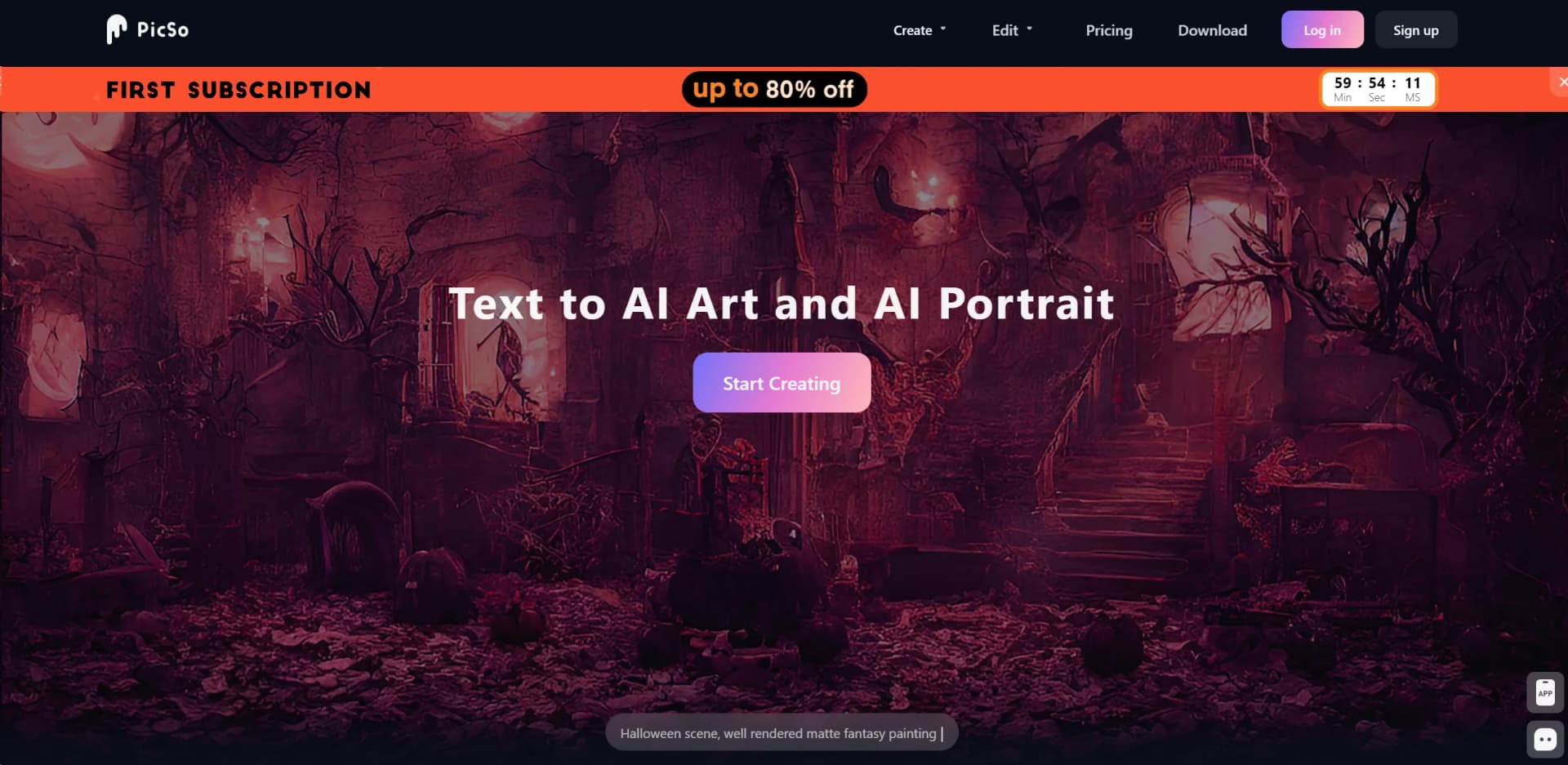
Transform text into diverse art styles effortlessly with AI on any device.
Watch PicSo in Action
Key Takeaways
- What it is
- Transform text into diverse art styles effortlessly with AI on any device.
- Pricing
- Freemium
- Best for
- AI Art Generator
- AI Character Edit
- Edit and Extend Image
- Rating
- 4.5/5
What is PicSo?
PicSo is an innovative AI art generator that transforms text into images across a diverse range of art styles. Designed for artists, designers, marketers, and anyone in between, this tool makes it incredibly simple to bring creative ideas to life. Whether you're looking to create unique AI portraits or extend existing images with AI-powered imagination, PicSo offers a seamless, intuitive platform that caters to both professional and personal creative projects.
PicSo stands out with its ability to accurately interpret text prompts into high-quality images in any desired art style. Its unique selling point lies in its versatility and the high degree of detail in the generated artwork, making it a powerful tool for creative professionals and hobbyists alike.
PicSo excels at transforming textual descriptions into visually stunning artworks, making it an indispensable tool for anyone looking to explore the boundaries of creative expression. Its user-friendly interface, combined with a broad spectrum of features, offers an unmatched advantage for creating high-quality, unique images. Whether you're a professional artist, a designer, or just someone who loves to create, PicSo is a tool that promises to enhance your creative workflow and bring your ideas to visual reality.
Who is Using PicSo?
Graphic Designers
For creating compelling visuals and exploring new design languages.
Digital Artists
Employing the tool to experiment with different art styles and techniques.
Content Creators
Leveraging PicSo to generate unique visuals for social media, blogs, and other digital platforms.
Marketing Professionals
Using AI-generated images to enhance advertising campaigns and branding materials.
Uncommon Use Cases
Academics and researchers are utilizing PicSo for visual data representation; writers are using it to visualize scenes or characters from their narratives.
Key Features
Rating Breakdown
Pricing Plans
Free Tier
Free
- Get started with PicSo with limited access to its features
Subscription Plans
- Detailed pricing for various tiers is available on the PicSo website
Which PicSo plan should you pick?
Start with the free version to test image generation; upgrade to Pro when you need monthly credits, Pro styles, priority processing, and multitask generation.
Pro
Good for creators who need 100 monthly credits, Pro styles, priority queue access, and multitask generation.
PicSo Use Cases
Text-to-image art
Enter a text prompt and choose from multiple art styles, including anime, cyberpunk, sketch, and graffiti.
Outcome: Generated artwork in the selected style.
AI character creation
Create an AI character or portrait by entering a prompt and selecting a portrait style.
Outcome: A generated AI character or portrait.
Image editing
Upload an image, select areas to add or subtract, and enter an editing prompt such as removing an object.
Outcome: An edited image with selected areas changed.
Image extension
Upload an image and resize it to a different ratio while AI fills the missing areas.
Outcome: An expanded image fitting the chosen aspect ratio.
Workflow Ideas with PicSo
Generate styled artwork
- 1Enter a text prompt
- 2Choose an art style
- 3Set the image count and generate
Remove an object from an image
- 1Upload an image
- 2Select the area to edit
- 3Enter a removal prompt and generate
Extend an image
- 1Upload an image
- 2Resize it to the desired ratio
- 3Optionally enter a prompt and generate
How PicSo fits into your stack
Device Compatibility
Works seamlessly across PCs and mobile devices, ensuring a flexible creative process.
File Export Options
Easily export your creations in various formats for use in other applications or for printing.
Community Sharing
Engage with a community of users to share creations, tips, and techniques.
Continuous Updates
Regular updates introduce new features and improvements, based on user feedback and technological advancements.
Pros
- +Versatility: Offers a wide range of art styles, making it suitable for various creative projects.
- +User-Friendly Interface: Its intuitive design ensures a smooth user experience for both novices and professionals.
- +Cross-Platform Accessibility: Enables seamless creative workflows between PC and mobile devices.
- +High-Quality Outputs: Generates stunningly detailed images that can rival traditional art forms.
Cons
- −Learning Curve: New users may need time to fully grasp the extent of its capabilities.
- −Internet Dependency: Requires a stable internet connection for optimal performance.
- −Limited Free Usage: Access to all features might be restricted without a subscription.
Limitations & when to consider alternatives
Known limitations
- Prompt length limit. The creation, editing, and extension interfaces show a 500-character prompt limit.
- Pro subscription limits. The pricing page lists 100 credits per month for the Pro offering.
- Paid features. Pro benefits include Pro styles, priority queue access, and multitask unlocking.
How to Use PicSo
- 1
Explore a range of tutorials on the PicSo website, covering everything from basic setup to advanced creative techniques, ensuring users can make the most out of the tool.
Who is PicSo For?
AI art creators
PicSo fits people who want to create artwork from text prompts in multiple visual styles.
AI portrait creators
Its AI portrait and character tools support creating customized human and anime-style portraits.
People converting photos and videos
PicSo is suited to users who want to transform uploaded photos or video clips into cartoon-style imagery.
Frequently Asked Questions
What is PicSo?
PicSo is a text-to-AI-art and AI-portrait application that generates images from text prompts and selected styles.
Can PicSo transform existing images?
Yes. PicSo supports uploading photos and videos to turn them into animated pictures or cartoons.
Can PicSo edit or extend images?
Yes. Its web tools include image editing, object removal, and image extension with an optional prompt.
What does the Pro plan include?
The Pro plan includes 100 credits per month, Pro styles, priority queue access, and multitask generation.
Can I use PicSo for free?
Yes. PicSo’s terms refer to a free version for testing, while some services require a paid subscription.
How does billing work?
Subscriptions are auto-renewable, and PicSo says users can cancel at any time.
Community reviews
Be the first to share your experience.
Sign in to leave a review for PicSo.
PicSo Alternatives
Looking for alternatives to PicSo? Here are similar tools in the same category:
Learn to Master PicSo
With Skill Leap courses
Get in-depth training on PicSo and 50+ other AI tools with our expert-led video courses.
Start 7-Day Free Trial