Picsart Platform
Developers access media AI models from many providers through one API.
Key Takeaways
- What it is
- Developers access media AI models from many providers through one API.
- Best for
- Multi-model API catalog
- TypeScript and Python SDKs
- REST API
- Rating
- 4.3/5
What is Picsart Platform?
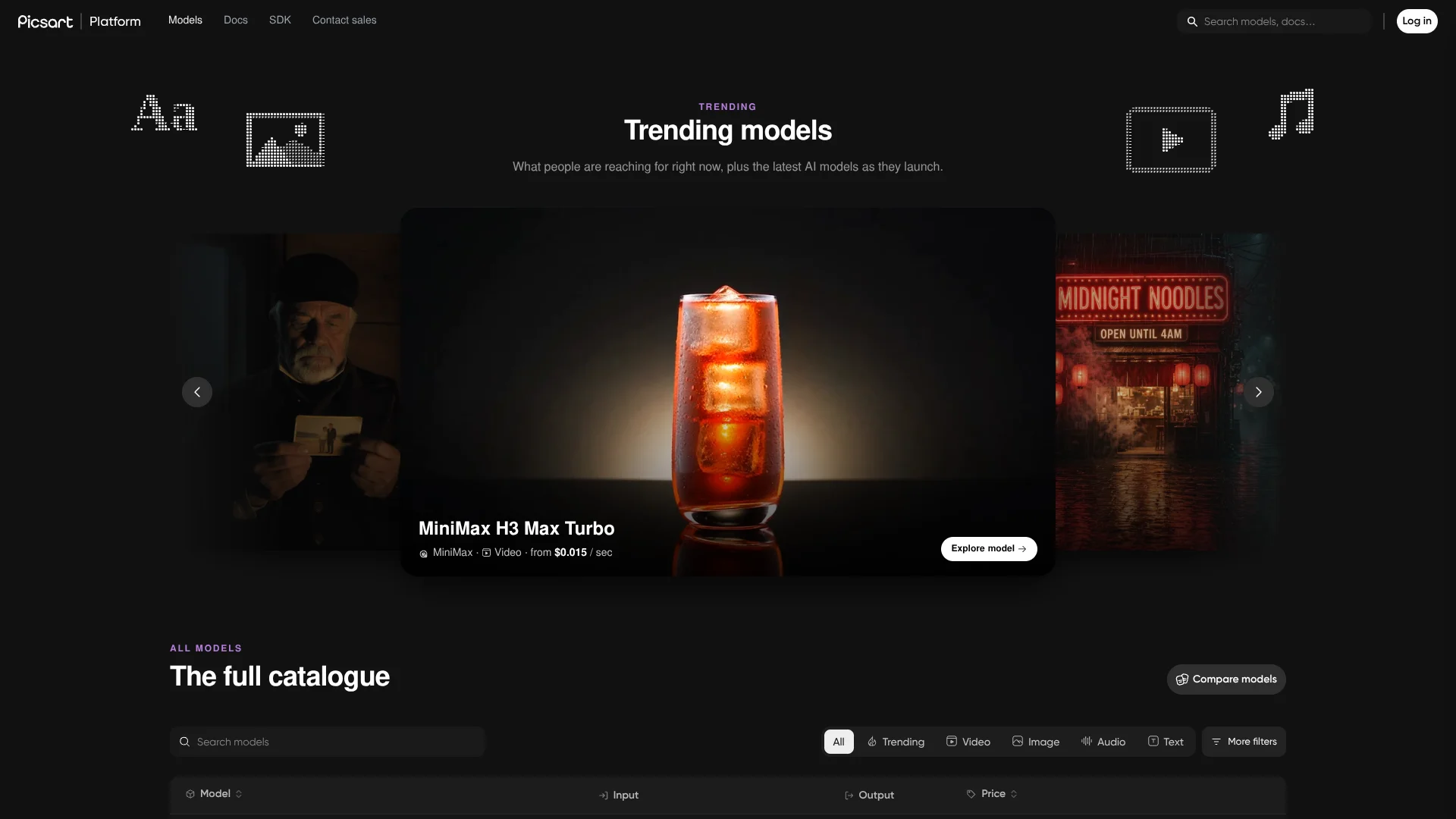
Picsart API Platform gives developers one API key for more than 250 image, video, audio, and text models from dozens of providers. Apps can generate or edit media through a consistent interface instead of building separate connections to each model vendor.
The same generate() call can reach partner models and Picsart’s own editing models, such as background removal and image upscaling. Switching models usually means changing the model ID, while the platform provides rates and example requests for each model before you run it.
The platform is best suited to developers building media features into apps, scripts, or AI agents. Its model choices and usage-based billing offer flexibility, but getting value from it requires some comfort with APIs or developer tools. It is a practical fit when your product needs several kinds of AI media generation.
Who is Using Picsart Platform?
Software developers
An SDK or REST call adds media generation to an app without separate integrations for every model.
AI product managers
Model pages make it easier to compare parameters and usage rates before choosing a model for a feature.
Automation engineers
The CLI can run model calls from scripts and other command-line workflows.
AI agent developers
MCP gives compatible agents a way to select and run Picsart models.
Uncommon Use Cases
A product team can add background removal to an existing image workflow; a developer can test text-to-speech for scripts in 90+ languages.
Key Features
Rating Breakdown
Pricing Plans
Usage-based API pricing
- Each model publishes its own rate and billing unit.
- Video is billed per second of output, images per generation, speech per 1K characters or per minute, and text per 1M tokens.
- The SDK can quote a call’s cost before it runs.
- API Platform has no subscription minimum; high-volume customers can contact Picsart about rates, invoicing, and annual agreements.
Which Picsart Platform plan should you pick?
There is no monthly API subscription plan; choose models based on the job and review their rates before running requests, or contact Picsart about rates and invoicing for high-volume use.
Usage-based API access
Good for developers who want to pay for model requests as they run them, without a subscription minimum.
Picsart Platform Use Cases
Add image generation to an app
An image model can create visuals from a text prompt through the shared API.
Outcome: Generated images returned to the application.
Create or animate video
Text-to-video models create clips from prompts, while image-to-video models animate an uploaded frame.
Outcome: Generated video from text or an image.
Edit images programmatically
Picsart models can remove backgrounds, upscale images, or make instruction-based edits.
Outcome: Edited image results from API requests.
Add speech or audio generation
Audio models can turn scripts into speech, transcribe recordings, or generate music and sound effects.
Outcome: Generated or transcribed audio.
Compare models before scaling
A test run in the model playground helps teams compare results and rates before processing more requests.
Outcome: A model choice informed by sample output and published rates.
Workflow Ideas with Picsart Platform
Test an image model before adding it to an app
- 1Choose an image model in the catalog.
- 2Review its parameters, examples, and rates.
- 3Run a sample in the playground, then try it through an SDK or REST request.
Add image-to-video generation
- 1Select a video model that accepts an image input.
- 2Provide a starting frame and the model’s required parameters.
- 3Check the returned video and usage before processing more images.
Let an AI agent run a media task
- 1Connect a compatible AI tool through MCP or the Picsart Skill.
- 2Describe the image, video, or audio result you need.
- 3Review the quoted cost and returned result.
How Picsart Platform fits into your stack
Application code
TypeScript and Python SDKs provide a common way to call models from an application. REST is available when you want direct HTTP requests or another programming language.
Scripts and command line
The gen-ai CLI can run model calls from terminal commands and scripts, with browser sign-in.
AI agents
MCP connects the model catalog to compatible tools such as Claude, Cursor, and ChatGPT.
Model testing
The catalog’s model pages bring parameters, examples, rates, and a playground together for evaluating a model before integrating it.
Pros
- +One API key: Reach models for image, video, audio, and text from one account.
- +Model choice: Compare providers and rates before deciding which model fits a job.
- +First-party editing: Call Picsart models for tasks such as background removal and upscaling.
- +Cost preview: The SDK can quote a call’s API cost before you run it.
Cons
- −Developer setup: The SDK, REST API, or CLI requires some technical familiarity.
- −Variable rates: Costs depend on the model and its billing unit, so there is no single per-request price.
- −Separate API balance: API Platform funds are separate from credits for Picsart’s other creative tools.
Limitations & when to consider alternatives
Known limitations
- Short synchronous execution window. The REST documentation says synchronous execution is intended for tasks that finish in about 20 seconds; slower tasks need asynchronous execution.
- Model parameters differ. The shared API shape does not make every model’s settings interchangeable; each model has its own parameters.
- Separate API balance. API Platform use requires a balance funded separately from AI Playground, Picsart Flow, and other Picsart creative tools.
Look elsewhere when
- You need a no-code media creation app rather than a developer API.
- Your team needs one subscription balance shared with Picsart’s other creative tools.
- Your workflow depends on synchronous requests that regularly take longer than about 20 seconds.
How to Use Picsart Platform
- 1
Choose an interface
Pick the TypeScript or Python SDK for an application, REST for direct HTTP requests, the CLI for scripts, or MCP for a compatible AI tool.
- 2
Select a model
Browse the catalog by media type and review the model’s supported inputs and parameters.
- 3
Check the rate
Open the model’s pricing details and check the expected usage cost before making a paid request.
- 4
Set up access
Create an API key for the SDK or REST API, or sign in through the browser when using the CLI.
- 5
Run one test request
Follow the model example, then inspect the output and credit use before processing more files.
Who is Picsart Platform For?
Developers
Build image, video, audio, or text generation into an application through an SDK or REST API.
AI product teams
Compare models from different providers and change model IDs as product needs shift.
AI agent builders
Connect compatible agents to Picsart models through MCP or the CLI.
Creative technology teams
Add media generation and editing, including Picsart’s own image tools, to a creative workflow.
Frequently Asked Questions
How does API pricing work?
There is no subscription minimum or seat charge. Each model has its own usage rate, and billing units vary by model type and settings.
Can one API key reach every model?
Yes. One API key reaches the catalog, and the SDK and REST API use it for requests.
Can I try a model before using it in my app?
Yes. A model page includes a playground, parameters, examples, and rates. Playground runs are billed at the model’s published rate.
Which developer interfaces are available?
The platform offers TypeScript and Python SDKs, a REST API, the gen-ai CLI, and MCP for compatible AI tools.
Can I use Picsart models inside an AI tool?
Yes. MCP connects compatible tools, including Claude, Cursor, and ChatGPT, to Picsart models.
Community reviews
Be the first to share your experience.
Sign in to leave a review for Picsart Platform.
Picsart Platform Alternatives
Looking for alternatives to Picsart Platform? Here are similar tools in the same category: