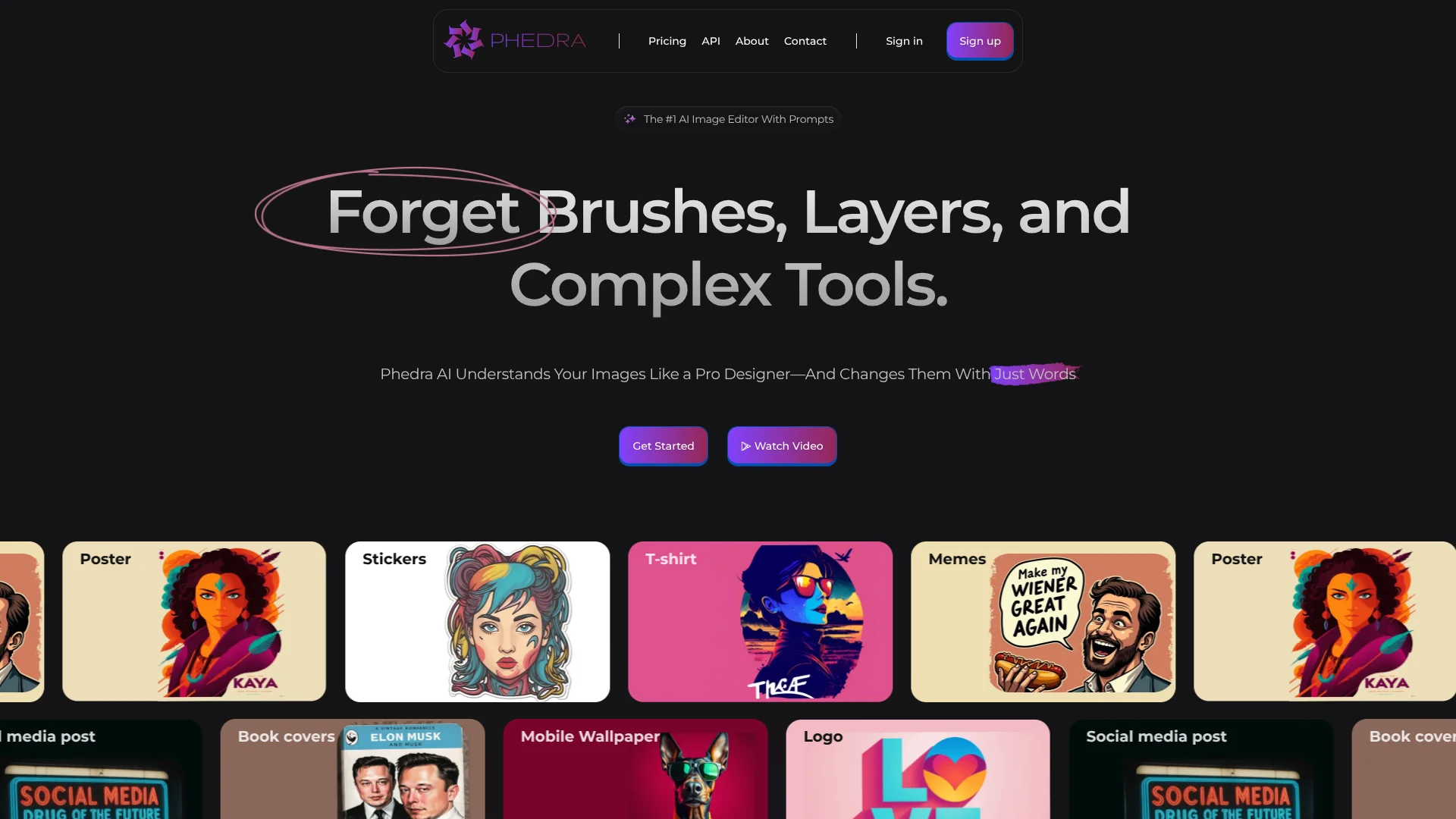
Phedra X
Marketing teams revise existing images and video through plain-language prompts.
Key Takeaways
- What it is
- Marketing teams revise existing images and video through plain-language prompts.
- Pricing
- $135 per year
- Best for
- Prompt-led image editing
- Shot-by-shot video editing
- Image-to-video motion
- Rating
- 4.2/5
What is Phedra X?
Phedra X lets creators edit images and video by describing changes in plain language. In its Chrome extension, you can start with media you find on a web page or bring your own reference image, then change objects, text, lighting, or style. It is built for brand, marketing, product, and social content, so the first draft can come from existing media instead of a blank canvas.
For video, Phedra X can analyze a clip's cuts, let you change or restyle one shot, and stitch that change back into the full video. That shot-by-shot editing is a concrete way to revise part of a clip while keeping the rest of the footage.
Phedra X suits creators and marketing teams who need quick visual variations without learning a traditional image editor. Prompt-led edits may take a few tries to match a precise idea, and the product is not a replacement for detailed manual control; reach for it when conversational edits and focused video changes matter most.
Who is Using Phedra X?
Social media manager
A steady supply of post and story variations can come from existing images and clips.
Marketing designer
Campaign concepts take shape through prompt-led edits to posters, ads, and brand visuals.
Product photographer
Product images can be restyled or adjusted for new colorways and promotional uses.
Video editor
Shot-by-shot editing helps revise one section of a clip while retaining the rest.
Uncommon Use Cases
Create a talking avatar from a still image; add cinematic camera movement to a single video shot.
Key Features
Rating Breakdown
Pricing Plans
Pro
$135 per year
- Up to 150 AI generations every three hours
- Advanced AI image option
- Premium templates
- Commercial license
Which Phedra X plan should you pick?
Try the free allowance first, then choose Pro if you need the listed generation allowance, premium templates, or commercial license.
Free
Good for exploring free models and trying a monthly allowance of generations.
Pro
Good for creators who need premium templates, a commercial license, and up to 150 AI generations every three hours.
Phedra X Use Cases
Campaign visual variations
A marketing concept can be adapted into new image styles while keeping a reference look.
Outcome: More campaign-ready visual variations.
Product image refresh
Product photos can be relit, recolored, or adjusted with a prompt.
Outcome: Updated product visuals for marketing.
Targeted video revision
A single shot can be restyled or changed without recreating the whole clip.
Outcome: A revised shot stitched into the full video.
Social content resizing
Existing visuals can be reframed for common social formats such as square or vertical posts.
Outcome: Visuals sized for common social formats.
Image background changes
A background can be removed or replaced to fit a new design.
Outcome: A cutout or image with a changed background.
Workflow Ideas with Phedra X
Refresh a product photo
- 1Choose a product image from a web page or add a reference image.
- 2Describe the lighting, color, or background change.
- 3Review the versions and keep the one that fits the campaign.
Revise one video shot
- 1Start with a video clip in Phedra X.
- 2Let it identify the shots, then describe the change for one shot.
- 3Review the stitched clip and refine the edited shot if needed.
Make a social visual
- 1Start from an existing image or design.
- 2Describe the style or text changes you want.
- 3Resize the result for a common social format.
How Phedra X fits into your stack
Chrome browser
The extension lets you start an edit from an image or video on a web page. Right-click the media and describe the change.
Web app
The Phedra web app provides a place to start designs from images and create assets such as logos, posters, and social posts.
Image and video production
Prompt-led edits, resizing, background changes, and shot-level video revisions fit between sourcing media and publishing finished visuals.
Developer API
Phedra offers a business API with access available by request for teams that want its image-editing capabilities in their own apps.
Pros
- +Web-page editing: Start from an image or video you find online in the Chrome extension.
- +Focused video changes: Revise one shot without reworking the entire clip.
- +Reference images: Bring in a face, product, or logo to guide the result.
- +More than one language: The official site says prompts are supported in over 80 languages.
Cons
- −Prompt-dependent: Getting a precise result can take clear instructions and revisions.
- −Less manual control: Its conversational editing style does not offer the same panel-and-slider workflow as a traditional editor.
Limitations & when to consider alternatives
Known limitations
- Not an exact image replica. Phedra's pricing FAQ says an edited image may not exactly match its original, though it aims to retain the original's theme and essence.
- Generation allowance. The listed paid plan includes up to 150 AI generations every three hours.
- API access by request. The business API page asks users to request access rather than offering self-serve access.
Look elsewhere when
- You need detailed manual control with traditional editing panels and sliders.
- You need a native mobile app.
- You need a documented, self-serve API.
How to Use Phedra X
- 1
Open Phedra X
Install the Chrome extension or open the Phedra web app, depending on where your source media is.
- 2
Choose the source
Right-click a web image or video, or bring in your own image or reference.
- 3
Describe the change
State the specific edit, such as changing an object's color or restyling one video shot.
- 4
Review versions
Compare the saved variations and refine the prompt if the result needs adjustment.
- 5
Resize or export
Reframe the visual for a common aspect ratio or finish the video edit before using the result.
Who is Phedra X For?
Creators
Restyle images and footage or make new variations from visual references.
Marketing teams
Prepare campaign visuals and short clips in a consistent visual style.
Brands
Adapt logos, product images, and other brand assets for new uses.
Social media teams
Turn existing visuals into posts, stories, and short clips.
Frequently Asked Questions
Is Phedra X free to try?
Yes. The Chrome Web Store listing says it has a monthly free allowance and free models to explore.
Can Phedra X edit video?
Yes. It can restyle clips, generate video, animate still images, and edit individual shots.
Can I use Phedra X to create images from scratch?
Yes. The Phedra X Chrome extension listing says it can generate new images from a prompt as well as edit existing ones.
Does Phedra offer an API?
Yes. Phedra has a business API, and access is available by request.
What is included in the paid plan?
The pricing page lists up to 150 AI generations every three hours, an advanced AI image option, premium templates, and a commercial license.
Can I cancel a subscription?
The pricing FAQ says subscriptions can be canceled at any time and are not refundable.
Community reviews
Be the first to share your experience.
Sign in to leave a review for Phedra X.
Phedra X Alternatives
Looking for alternatives to Phedra X? Here are similar tools in the same category: