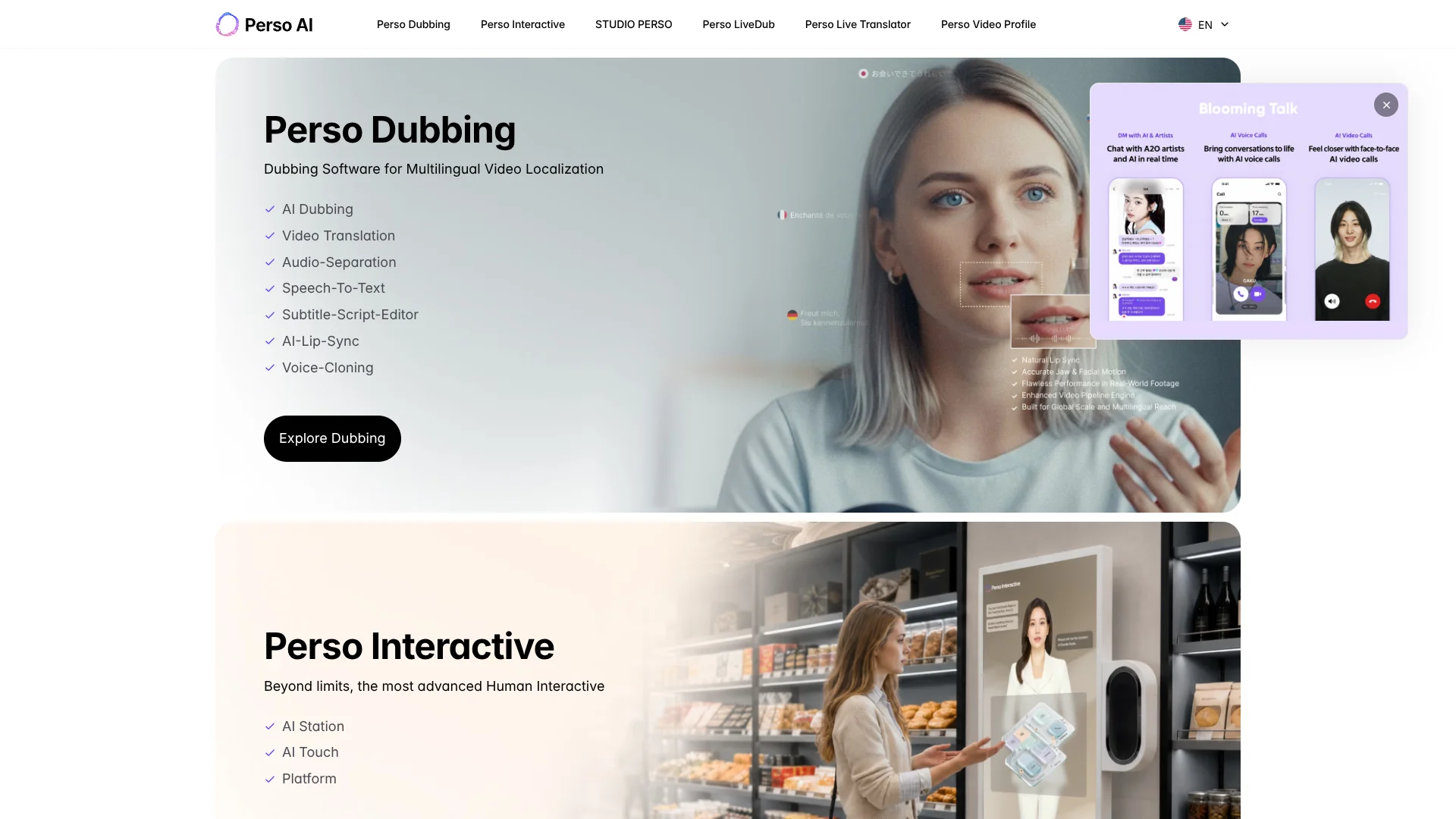
Perso Dubbing
Dub videos into other languages while keeping the speaker’s voice and lip-sync.
Key Takeaways
- What it is
- Dub videos into other languages while keeping the speaker’s voice and lip-sync.
- Pricing
- Freemium · $6.99 per month · $29 per month · $99 per month
- Best for
- AI Video Dubbing
- Voice Cloning
- Lip Dubbing
- Rating
- 4.2/5
What is Perso Dubbing?
Perso Dubbing turns an existing video into a version spoken in another language, keeping the original speaker’s voice characteristics and syncing mouth movements to the new audio. Creators and marketing teams can start from a video file or a YouTube, TikTok, or Google Drive link, then review the translated script before exporting. It handles the transcription, translation, voice generation, and video dubbing in one workflow.
When a translated line needs correction, the script editor lets you revise that sentence and regenerate its audio, rather than starting the whole video over.
It suits creators and teams localizing existing video, especially when the original speaker should remain recognizable. The free plan is limited to one generation, and paid plans cap video length and monthly credits, so frequent or long-form dubbing requires checking those limits first.
Who is Using Perso Dubbing?
YouTube Creator
A creator expanding a channel can dub existing videos for viewers in other languages.
Video Marketer
A marketer can adapt campaign videos while retaining the familiar voice of the presenter.
Online Course Producer
A course producer can make lesson videos available with translated speech and subtitles.
Localization Specialist
An editor can review translated script lines and correct terms before exporting the dub.
Uncommon Use Cases
Podcast teams can create dubbed video versions of interviews; organizations can separate speech and background audio for post-production.
Key Features
Rating Breakdown
Pricing Plans
Free
Free
- 1 free generation
- Up to 720p export
- Projects kept for 30 days
Starter
$6.99 per month
- 420 credits each month
- Up to 7 minutes of dubbing
- Up to 3 minutes per video
- Up to 1080p export
Creator
$29 per month
- 2,400 credits each month
- Up to 40 minutes of dubbing
- Up to 15 minutes per video
- Unlimited projects
PRO
$99 per month
- 10,800 credits each month
- Up to 900 minutes with the Finch model when credits are allocated to it
- Up to 30 minutes per video
- Up to 4K export
Enterprise
- Custom credits and queue limits
- Up to 60 minutes per video
- Team collaboration and shared workspace
Which Perso Dubbing plan should you pick?
Start with Free to test one generation, choose Starter for short monthly projects, and move to Creator or PRO when you need more credits, longer videos, or higher export resolution.
Free
Good for someone checking dubbing quality with one generation.
Starter
Good for short videos and occasional dubbing, with 420 monthly credits.
Creator
Good for regular dubbing work that needs 2,400 monthly credits and unlimited projects.
PRO
Good for higher-volume dubbing, 4K export, and access to all models.
Enterprise
Good for teams needing a shared workspace, custom credits, and longer video limits.
Perso Dubbing Use Cases
Localize a Published Video
An existing YouTube, TikTok, or Google Drive video becomes the source for a dubbed version in another language.
Outcome: A translated video that can be reviewed and exported.
Correct a Translation
A script editor helps refine a specific line when terminology or phrasing needs attention.
Outcome: Updated wording with regenerated audio for the changed line.
Prepare Course Videos for More Learners
Translated speech and subtitles make recorded lessons accessible to learners who prefer another language.
Outcome: A localized lesson video.
Separate Speech from Background Audio
Audio separation splits spoken content from background sound for a production or editing task.
Outcome: Separate audio elements for further use.
Process Dubbing Through an API
A developer can connect a video workflow to Perso’s documented API for dubbing and related editing steps.
Outcome: Dubbing jobs can be initiated and managed through an API integration.
Workflow Ideas with Perso Dubbing
Turn a Published Video into a Dub
- 1Import a video file or a supported YouTube, TikTok, or Google Drive link.
- 2Choose a target language and generate the dubbed version.
- 3Review the translated script, then export the finished video.
Review a Dub Before Publishing
- 1Generate a translated version of the video.
- 2Check the script for names, specialist terms, and phrasing.
- 3Edit lines that need work and regenerate their audio.
Build a Dubbing Workflow with the API
- 1Create an API key in the Perso developer portal.
- 2Send a video or audio file through the documented upload and dubbing endpoints.
- 3Retrieve and review the generated project outputs.
How Perso Dubbing fits into your stack
Web Dubbing Workspace
The browser workflow handles video import, language selection, script review, and export.
Video Sources
YouTube, TikTok, and Google Drive links can provide source videos alongside direct file uploads.
Developer API
The documented Perso API supports file handling, dubbing, lip sync, script editing, and speech-to-text.
Desktop App
Perso offers downloadable macOS and Windows desktop apps for dubbing videos from a computer.
Shared Team Workspace
Enterprise includes team collaboration and a shared workspace for projects.
Pros
- +Voice continuity: Dubs retain characteristics of the original speaker’s voice.
- +Editable translations: Individual script lines can be revised and regenerated.
- +Direct imports: YouTube, TikTok, and Google Drive links can be used as sources.
- +Multiple output options: Dubbing projects can include video, subtitle, and audio exports.
Cons
- −Credit-based usage: Available dubbing minutes depend on the plan and selected model.
- −Video length caps: Each plan limits how long a single video can be.
- −Free-plan restriction: The free plan provides only one generation.
Limitations & when to consider alternatives
Known limitations
- Monthly Credit Allowances. Dubbing uses credits, and the number of minutes available varies by plan and voice model.
- Per-Video Length Limits. The pricing page lists maximum video lengths of 3 minutes for Starter, 15 minutes for Creator, 30 minutes for PRO, and 60 minutes for Enterprise.
- Free Plan Output. The free plan includes one generation and exports up to 720p.
- Plan-Gated 4K Export. The pricing page lists export up to 4K on PRO and Enterprise; lower plans list up to 1080p.
Look elsewhere when
- You need a general-purpose AI tool for writing, coding, or image analysis.
- Your workflow requires a browser extension or documented single sign-on.
- You need unlimited dubbing minutes without plan or credit limits.
How to Use Perso Dubbing
- 1
Choose a Source
Start with a video upload or a supported YouTube, TikTok, or Google Drive link.
- 2
Select the Target Language
Choose the language for the dubbed version; the service detects the source language.
- 3
Generate the Dub
Start processing to produce the translated script and dubbed audio.
- 4
Review the Script
Check translated lines and edit wording that needs correction.
- 5
Regenerate Changes
Regenerate audio for edited lines, then review the result and lip sync.
- 6
Export the Result
Download the finished video and available subtitle or audio files, subject to plan features.
Who is Perso Dubbing For?
Video Creators
Creators can publish versions of existing videos for audiences who speak other languages.
Marketers
Marketing teams can localize video campaigns while keeping the original speaker’s voice.
Global Video Teams
Teams producing multilingual content can manage projects and, on Enterprise, share a workspace.
Educators and Trainers
People making lessons or training videos can create spoken versions in other languages.
Frequently Asked Questions
Is Perso Dubbing free?
Yes. The Free plan includes one free generation. Paid plans add monthly credits and higher limits.
What does Perso Dubbing cost?
The listed monthly prices are $6.99 for Starter, $29 for Creator, and $99 for PRO. Enterprise has custom pricing.
Can I import videos using a link?
Yes. The official site says you can use YouTube, TikTok, and Google Drive links, as well as upload a video file.
Can I edit a translation before exporting?
Yes. The script editor lets you revise translated lines and regenerate their audio.
Does Perso Dubbing have a developer API?
Yes. Perso publishes API documentation for dubbing, file handling, script editing, and related tasks.
Community reviews
Be the first to share your experience.
Sign in to leave a review for Perso Dubbing.
Perso Dubbing Alternatives
Looking for alternatives to Perso Dubbing? Here are similar tools in the same category: