
PDNob PDF Editor
AI-driven PDF editor for seamless editing and conversion.
Watch PDNob PDF Editor in Action
Key Takeaways
- What it is
- AI-driven PDF editor for seamless editing and conversion.
- Best for
- AI-Driven OCR Technology
- Multi-Format Conversion
- Batch Processing
- Rating
- 4.5/5
What is PDNob PDF Editor?
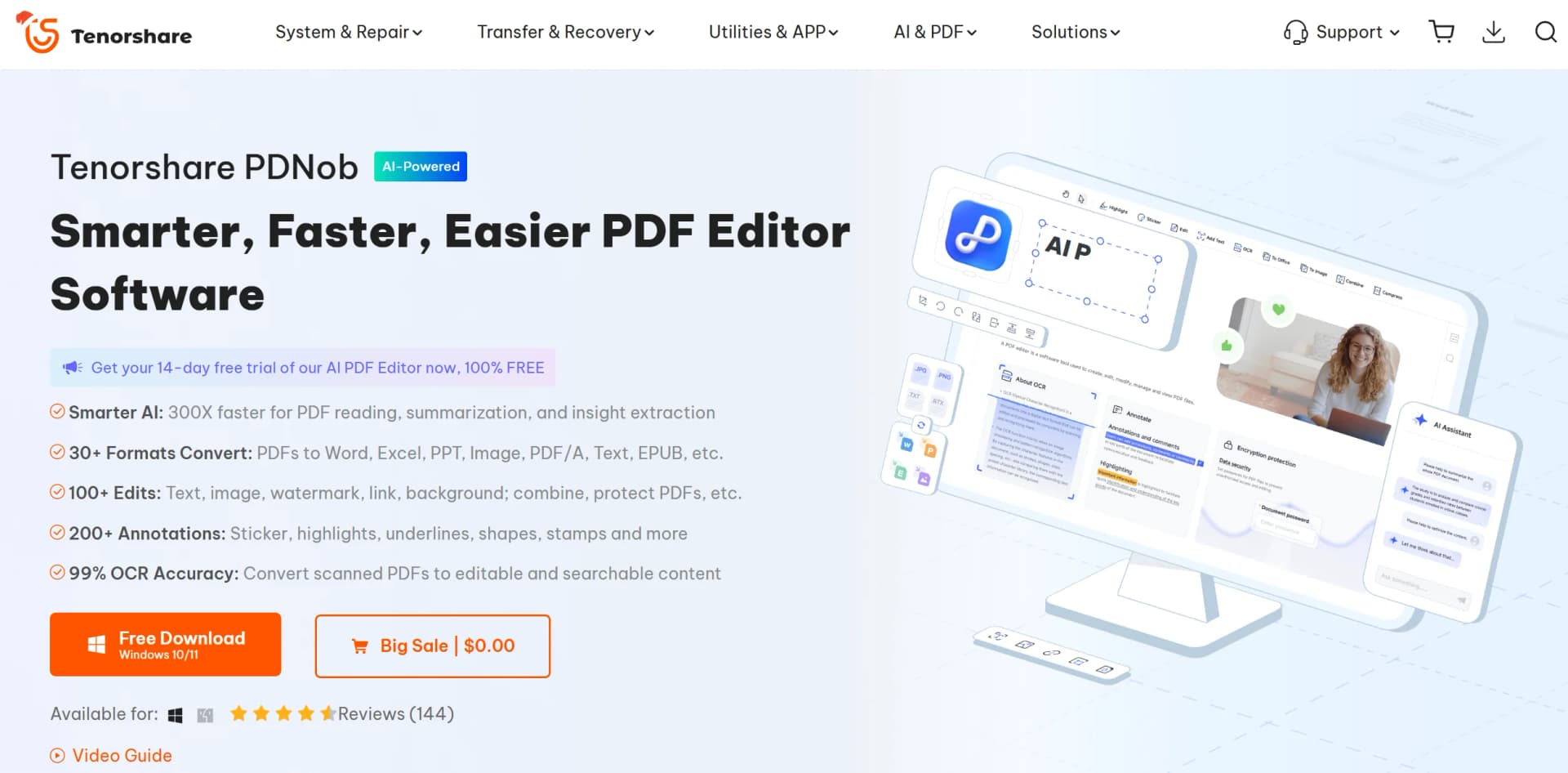
PDNob PDF Editor is an innovative tool designed to revolutionize the way we interact with PDF documents. Available for both Windows and Mac, this AI-powered PDF editor simplifies tasks such as editing, converting, and organizing PDFs. Whether you're a student, professional, or business owner, PDNob PDF Editor provides a comprehensive solution for managing your PDF files with ease. Its capabilities extend beyond basic editing, offering advanced features like AI-driven OCR (Optical Character Recognition) for converting scanned documents into editable text and a user-friendly interface to ensure a seamless experience for all users.
PDNob PDF Editor stands out with its AI-powered OCR technology, providing exceptional accuracy and efficiency in document processing. Its ability to handle large volumes of files without compromising on quality or speed sets it apart from traditional PDF editors, making it an indispensable tool for professionals across various industries.
PDNob PDF Editor excels in providing a robust and comprehensive PDF management solution, making it an essential tool for professionals and organizations alike. Its AI-powered OCR technology and user-friendly interface offer unmatched efficiency and accuracy, setting it apart in the realm of PDF editors.
Who is Using PDNob PDF Editor?
Educational Institutions
Facilitates learning by allowing teachers and students to edit and annotate PDF materials.
Healthcare Providers
Streamlines documentation processes, ensuring efficient management of patient records.
Financial Services
Enhances security and compliance by managing digitized financial data and contracts.
Real Estate Professionals
Expedites document processing for faster deal closures and improved client interactions.
Uncommon Use Cases
Utilized by software developers for documentation and code review; adopted by legal professionals for contract analysis and annotation.
Key Features
Rating Breakdown
Pricing Plans
Free Trial
- Includes 100 AI credits per month, no watermarks, and works on Windows & macOS. Auto-renews at $14.99/month after the trial
1-Year License
- Includes 1200 AI credits/year, free updates, and no watermarks. Auto-renews at $35.99/year
3-Year License
- Includes 3600 AI credits, free updates, and no watermarks. Auto-renews every 3 years
Which PDNob PDF Editor plan should you pick?
Start with the free version for occasional PDF editing and OCR; upgrade to Lifetime License for unrestricted desktop use, or add PDNob AI when you need unlimited AI features.
Free Trial
Good for users who need basic PDF reading, editing, annotation, conversion, OCR, and limited AI usage without a time-limited trial.
Lifetime License
Good for regular Windows or Mac users who need all PDF features, no watermark, 20GB cloud storage, and lifetime updates.
1 Year License
Good for users who want full PDF features for one year with cloud storage, updates, and no watermark.
PDNob AI
Good for users who need unlimited PDF chat, summaries, translation, explanations, and rewriting after the seven-day trial.
Team Plan
Good for organizations that need centralized member accounts, license allocation, and usage-permission management.
PDNob PDF Editor Use Cases
Edit scanned PDFs
Run OCR on scanned PDFs or images, then edit, copy, and format the recognized text.
Outcome: Scanned documents become searchable and editable.
Summarize long documents
Use PDNob AI to extract key insights, bullet points, summaries, or key terms from lengthy PDFs.
Outcome: Users can understand long documents faster.
Translate PDFs
Translate complete PDFs while preserving the original layout and optionally reviewing side-by-side bilingual output.
Outcome: Translated documents retain their structure for easier comparison.
Batch-process PDF files
Open Batch PDF tools, choose an action such as conversion, OCR, compression, printing, merging, or organization, and apply it to multiple files.
Outcome: Repetitive document processing is handled consistently in one operation.
Create and complete PDF forms
Create fillable forms with text fields, checkboxes, dropdowns, and signature boxes, then fill and sign them digitally.
Outcome: Static documents can become interactive forms.
Workflow Ideas with PDNob PDF Editor
Convert a scanned PDF into an editable document
- 1Open the scanned PDF in PDNob.
- 2Run OCR to recognize the scanned content.
- 3Edit the recognized text and export it to Word or another supported format.
Batch-organize incoming PDFs
- 1Open Batch PDF tools.
- 2Choose conversion, OCR, compression, merging, printing, or organization.
- 3Add multiple PDFs, adjust settings, and process them together.
Review and translate a technical PDF
- 1Open the PDF and use Chat with PDF or Explain PDF to identify important content.
- 2Translate the document while preserving its layout.
- 3Review the bilingual result and edit or annotate the translated PDF.
How PDNob PDF Editor fits into your stack
Browser
PDNob provides online PDF tools for uploading, OCR, conversion, signing, compression, merging, splitting, and protection.
Desktop / IDE
The primary application is a downloadable Windows and macOS PDF editor with offline editing, OCR, annotation, conversion, and page organization.
Knowledge and files
Users import PDFs or images, then use AI to summarize, translate, explain, search, rewrite, and answer questions with source references.
Docs and writing
PDNob edits PDF text and images directly, creates fillable forms, adds annotations and watermarks, and exports documents to formats such as Word, Excel, PowerPoint, and images.
Pros
- +Enhanced Productivity: Streamlines workflows by enabling batch processing and multi-format conversion, saving time and effort.
- +High OCR Accuracy: The AI-powered OCR feature provides reliable text recognition, making document management more efficient.
- +User-Friendly Interface: Intuitive design allows users to navigate and utilize features with ease, regardless of technical expertise.
- +Secure Document Handling: Offers 256-AES password encryption to protect sensitive documents, ensuring data privacy and security.
Cons
- −Initial Learning Curve: Some users may require time to explore and master all advanced features.
- −Limited Free Version: The free trial includes watermarks on edited documents, which may be limiting for some users.
Limitations & when to consider alternatives
Known limitations
- Free version adds restrictions after limited use. Free users can export only the first 20 files without watermarks; conversion and OCR are limited to once per week, and batch processing supports up to five files at a time.
- Free cloud storage and file-size limits. The free version includes 2GB of cloud storage and limits uploaded files to 15MB each.
- Free AI usage is limited. The free version limits AI usage to 50 times and allows up to 120 pages per PDF.
- Desktop compatibility is limited to supported operating systems. The desktop application supports Windows 10 or later and macOS 10.15 or later.
- Android support is not currently available. The official guide states that an Android version is coming soon; the current native mobile listing is for iPhone.
Look elsewhere when
- You need a documented developer API.
- You need shared document editing or a shared workspace.
- You need SSO or SAML authentication.
- You need an Android app today.
How to Use PDNob PDF Editor
- 1
Install or open PDNob
Download the Windows or Mac application, or use the iPhone app or online PDF tools depending on your workflow.
- 2
Open or upload a PDF
Import a local PDF into the editor or upload it to an online PDNob tool for processing.
- 3
Choose the required PDF tool
Use Edit, Annotate, OCR, Convert, Organize, Compress, Sign, Protect, or the AI tools from the main interface.
- 4
Run OCR when needed
Apply OCR to scanned PDFs or images to make their text editable and searchable.
- 5
Use AI for document understanding
Ask questions, summarize, explain, rewrite, or translate the document with PDNob AI.
- 6
Export or save the result
Save the edited PDF or export it to Word, Excel, PowerPoint, images, PDF/A, text, or EPUB where supported.
Who is PDNob PDF Editor For?
Students and researchers
PDNob supports highlighting, annotation, OCR for scanned notes, and AI-powered PDF summaries for study and research.
Work and business users
Users can edit, convert, organize, sign, compress, and ask questions about business PDFs.
Education organizations
The site positions PDNob for classroom and remote-learning workflows involving document editing, annotation, and OCR.
Healthcare organizations
PDNob is presented for digitizing healthcare documents and supporting patient-document workflows.
Financial and legal teams
The site highlights secure handling, OCR, conversion, signatures, and document processing for financial and legal work.
Frequently Asked Questions
Does PDNob offer a free plan?
Yes. The free version can be used without a time limit and does not require a credit card, but it includes restrictions such as watermarks after the first 20 exports, weekly OCR and conversion limits, a 15MB file limit, and limited AI usage.
What operating systems does PDNob support?
The desktop application supports Windows 10 or later and macOS 10.15 or later. PDNob also offers an iOS app.
What can PDNob AI do?
PDNob AI can chat with PDFs, summarize documents, translate PDFs, explain complex content, and rewrite PDF text.
Can PDNob process scanned PDFs?
Yes. Its OCR features convert scanned PDFs and images into editable and searchable text.
Does PDNob support batch processing?
Yes. Batch tools can convert, OCR, compress, print, merge, organize, watermark, and encrypt multiple PDFs.
Does PDNob support PDF encryption?
Yes. PDNob can encrypt and decrypt PDFs, including batch encryption, and supports AES-256 protection for PDF files.
Community reviews
Be the first to share your experience.
Sign in to leave a review for PDNob PDF Editor.
PDNob PDF Editor Alternatives
Looking for alternatives to PDNob PDF Editor? Here are similar tools in the same category:
Learn to Master PDNob PDF Editor
With Skill Leap courses
Get in-depth training on PDNob PDF Editor and 50+ other AI tools with our expert-led video courses.
Start 7-Day Free Trial