
PDFFly
Summarize, chat with, and clean up PDFs.
Key Takeaways
- What it is
- Summarize, chat with, and clean up PDFs.
- Pricing
- Freemium
- Best for
- AI PDF Summarizer
- Interactive PDF Chat
- Large File Support
- Rating
- 4.4/5
What is PDFFly?
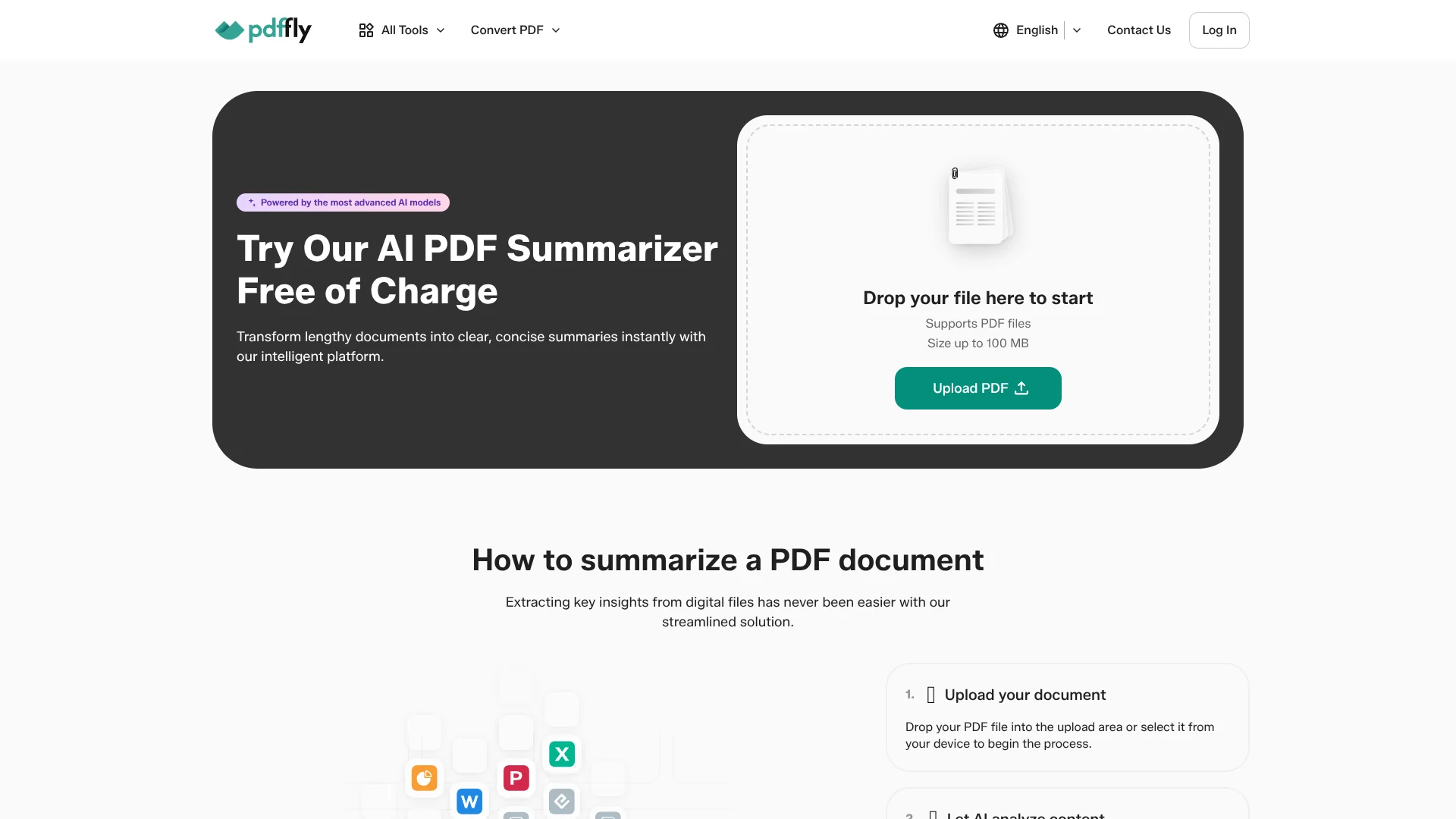
PDFFly is an online toolkit focused on PDF workflows, with its AI PDF Summarizer front and center. The summarizer turns long documents into concise, readable notes in seconds, works directly in the browser, and supports PDFs up to 100 MB. Alongside the summarizer, PDFFly offers tools for PDF conversion, compression, OCR, translation, editing, watermark removal, and image enhancement, giving users a single place to prepare and then analyze their files with AI.
PDFFly stands out by pairing an AI-first PDF summarizer and chat experience with a broad toolbox of classic PDF utilities in one place. Users can convert, compress, OCR, and translate documents, then push that same file directly into AI summarization and Q&A. The ability to handle files up to 100 MB, work without an account, and export polished summaries as PDFs makes it especially friendly for quick, practical tasks. Students facing a 200-page reading assignment the night before class, or analysts staring at another huge quarterly report, will likely appreciate how quickly PDFFly turns those documents into something far more digestible.
PDFFly delivers fast AI summaries and interactive Q&A on top of a solid set of PDF utilities, all inside a simple browser interface. For users who constantly juggle long PDFs but do not want heavy software, it offers a low-friction way to cut reading time, get quick insight, and keep documents organized. While power users may wish for deeper controls and clearer technical documentation, the combination of free access, large-file support, and integrated tools makes PDFFly an appealing choice for students, solo professionals, and teams that live in PDFs.
Who is Using PDFFly?
Students and academics
Using the summarizer to condense research papers, textbook chapters, and lecture notes into quick review material.
Knowledge workers and analysts
Relying on it to scan reports, policy documents, and whitepapers before deeper reading.
Legal and compliance teams
Applying it to long contracts, terms, and regulatory PDFs to surface main clauses and issues faster.
Corporate trainers and HR teams
Turning manuals, policies, and training decks into brief handouts and talking points.
Uncommon Use Cases
Adopted by nonprofit volunteers to digest complex grant guidelines; Used by independent authors to summarize compiled feedback from beta readers stored as PDFs.
Key Features
Rating Breakdown
Pricing Plans
Free Version
Free
Premium Version
- Pricing not specified. Users can upgrade at any time by purchasing a subscription or making a payment through the product interface or company website
PDFFly Use Cases
Summarize lengthy PDFs
Upload a PDF, let the AI identify important information, and download a concise summary.
Outcome: Faster access to key points.
Translate documents
Upload a PDF, choose a target language, and download the translated document while preserving formatting.
Outcome: A translated PDF with its structure and layout retained.
Convert scanned documents with OCR
Run scanned PDFs or images through OCR to detect text and make documents searchable and copyable.
Outcome: Usable, searchable text from image-based documents.
Convert files to and from PDF
Upload Word, Excel, PowerPoint, image, EPUB, or other supported formats and select the desired output format.
Outcome: A downloadable file in the target format.
Merge PDF files
Upload multiple PDFs, reorder pages, merge them, and download one organized document.
Outcome: A single combined PDF without added watermarks.
Workflow Ideas with PDFFly
Research paper review
- 1Upload a research PDF to the summarizer
- 2Let AI extract the key points
- 3Ask follow-up questions in the document chat and download the summary
Multilingual document preparation
- 1Upload a PDF to the translator
- 2Choose the target language
- 3Download the translated PDF with its formatting preserved
Scanned archive digitization
- 1Upload a scanned PDF or image to the OCR tool
- 2Run OCR to detect and convert the text
- 3Search, copy, or process the resulting text-enabled document
How PDFFly fits into your stack
Browser
PDFFly is a browser-based document toolkit for uploading, summarizing, translating, converting, compressing, and editing files without installing software.
Knowledge and files
Users upload PDFs and other supported documents for AI summarization, OCR, translation, conversion, and downloadable results.
Pros
- +Serious time savings: Converts lengthy PDFs into short summaries in seconds, which is ideal for students, researchers, and professionals triaging big reading lists.
- +Question-answering on top of summaries: The chat feature turns static PDFs into interactive references, helping users check understanding and find specific details quickly.
- +End-to-end PDF pipeline: Built-in OCR, translation, compression, and format conversion mean users can go from messy scans or mixed file types to a clean, summarized PDF without hopping between multiple sites.
- +Low friction adoption: No installation and no required account for the summarizer reduce barriers for teams that just need a quick tool that works.
- +Clean output formatting: Summaries arrive in a tidy, professional layout that is easy to skim or drop into reports and slide decks.
Cons
- −Web-only experience: Requires a stable internet connection, with no mention of a dedicated desktop or mobile app for offline use.
- −Limited fine-grained controls: From the public interface, there appear to be few options for tuning summary length, tone, or focus compared with more advanced research assistants.
- −Opaque technical and privacy details: The homepage does not spell out model providers, data retention policies, or security certifications in depth, which cautious organizations may want to investigate further.
Limitations & when to consider alternatives
Known limitations
- 100 MB upload limit. The main PDF tools document a maximum upload size of 100 MB.
- One document at a time for summarization. The summarizer describes processing documents individually rather than batch summarization.
- Scanned PDFs require OCR before translation. Scanned documents must first be converted into searchable text with the OCR tool before translation.
- Browser-based service. PDFFly requires an internet-connected browser and does not provide a documented desktop installation.
Look elsewhere when
- You need a documented developer API.
- You need shared workspaces with roles and invitations.
- You need an installed desktop application.
- You need end-to-end automated workflows across multiple services.
How to Use PDFFly
- 1
Choose a PDF tool
Open the relevant PDFFly tool, such as PDF Summarizer, Translate PDF, PDF OCR, or a converter, based on the task.
- 2
Upload or drop the file
Select the supported document or drag it into the upload area; check the documented 100 MB limit.
- 3
Run the operation
Start summarization, OCR, translation, conversion, compression, or editing and wait for processing.
- 4
Review the result
For summarization, use the document chat for clarifications; for conversion and translation, verify layout and content.
- 5
Download the output
Download the generated summary, translated document, searchable PDF, or converted file to your device.
Who is PDFFly For?
Students
PDFFly names students as users who need accessible document conversion, OCR, translation, and summarization tools.
Freelancers
Freelancers can use the free browser-based PDF tools without downloads, sign-ups, or hidden costs.
Business professionals
Business professionals can convert, compress, translate, edit, sign, and organize documents online.
Researchers
The summarizer and translation tools help process lengthy research papers and other complex documents.
Frequently Asked Questions
What is PDFFly?
PDFFly is a free online PDF converter with tools for converting files, compressing PDFs, translating documents, and extracting text with OCR.
What is the maximum file size?
PDFFly supports uploads up to 100 MB. Larger files can be compressed or split before processing.
Can I chat with AI about a PDF?
Yes. The PDF summarizer includes an interactive chat feature for asking questions and getting clarifications about uploaded PDF content.
Does PDFFly work on mobile devices?
Yes. PDFFly works in a browser on desktop computers, laptops, tablets, and smartphones, without requiring an installation.
What languages does the PDF translator support?
It supports Spanish, Chinese, German, Arabic, French, Hindi, and many other languages, with automatic source-language detection.
Do I need an account to use the PDF translator?
No. The translator can be used without signing up, providing payment information, or downloading software.
Community reviews
Be the first to share your experience.
Sign in to leave a review for PDFFly.
PDFFly Alternatives
Looking for alternatives to PDFFly? Here are similar tools in the same category:
Learn to Master PDFFly
With Skill Leap courses
Get in-depth training on PDFFly and 50+ other AI tools with our expert-led video courses.
Start 7-Day Free Trial