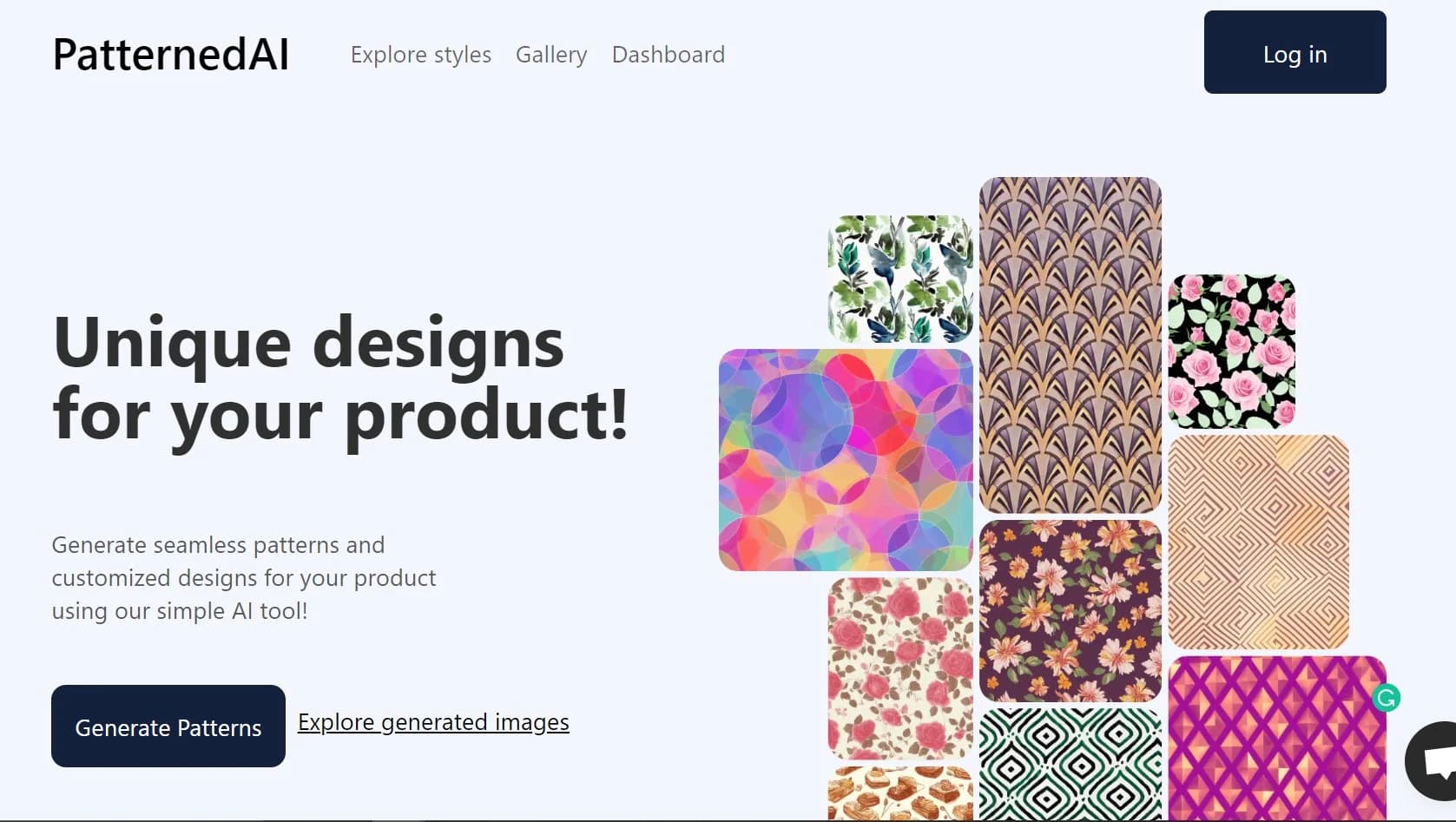
Patterned AI
Enhance decision-making with AI-driven pattern recognition and analysis.
Key Takeaways
- What it is
- Enhance decision-making with AI-driven pattern recognition and analysis.
- Pricing
- Freemium · $49.99 per month
- Best for
- Advanced Pattern Recognition
- Customizable Dashboards
- Real-Time Data Processing
- Rating
- 4.4/5
What is Patterned AI?
Patterned AI is a sophisticated tool designed to streamline the process of pattern recognition and data analysis through advanced artificial intelligence technologies. Its core purpose is to enhance productivity and decision-making accuracy in various business environments. By integrating cutting-edge AI with user-friendly interfaces, Patterned AI addresses complex data challenges, making it an indispensable resource for professionals in data-intensive sectors.
Patterned AI stands out with its Seamless Checker feature, a game-changer for industries where data consistency is critical. Its ability to integrate easily with existing data systems sets it apart, providing a seamless transition from traditional data handling to advanced AI-driven analytics.
Patterned AI excels in providing robust, AI-driven solutions for complex data analysis, making it an essential tool for professionals across various industries. Its Seamless Checker feature, in particular, offers an unmatched advantage in maintaining data integrity. With its comprehensive set of features and capabilities, Patterned AI is poised to transform how businesses handle data, ensuring efficiency and accuracy.
Who is Using Patterned AI?
Financial Analysts
Utilizing the tool for predictive financial modeling and trend analysis.
Healthcare Professionals
Employing the tool for patient data analysis and research.
Retail Managers
Leveraging the tool to forecast sales and manage inventory.
Academic Researchers
Using the tool for conducting complex scientific research.
Uncommon Use Cases
Utilized by urban planners for city traffic pattern analysis; adopted by esports analysts for game strategy optimization.
Key Features
Rating Breakdown
Pricing Plans
Free Tier
Free
- Experience Patterned AI with a 14-day free trial
Pro Tier
$49.99 per month
Which Patterned AI plan should you pick?
Start with Standard for basic text generation and low-volume exploration; upgrade to Pro for editing and custom color control, or Business for production vector exports and higher usage.
Standard
Good for users who need text-based pattern generation, automatic recoloring, mockups, seamlessness checks, and up to 2,000 monthly credits.
Pro
Good for designers who need image-based creation, editing, custom recoloring, remixing, seam fixing, SVG export, and up to 4,000 monthly credits.
Business
Good for manufacturers and production teams who need AI/Illustrator layered exports, separated-color TIFFs, up to 16× upscaling, private images, and 20,000 monthly credits.
Patterned AI Use Cases
Generate a seamless pattern from text
Describe a subject, style, color palette, and layout in a prompt.
Outcome: A tileable surface pattern ready for refinement and download.
Extract a pattern from an image
Upload a fabric photo, product illustration, sketch, or reference image.
Outcome: A clean seamless repeat based on the reference.
Create pattern colorways
Apply auto palettes, custom palettes, HEX codes, imported palettes, or text instructions.
Outcome: Multiple color variations for collections or client review.
Prepare patterns for manufacturing
Fix seams, upscale, vectorize, separate colors, and export production files.
Outcome: Print-ready PNG, SVG, AI, or TIFF assets.
Preview patterns on products
Apply a pattern to mockups across fashion, home décor, accessories, and packaging.
Outcome: Product visuals for evaluating designs before sampling.
Workflow Ideas with Patterned AI
Text prompt to production file
- 1Describe the pattern idea in a text prompt
- 2Refine or recolor the generated seamless design
- 3Upscale or vectorize and export the production file
Reference image to seamless repeat
- 1Upload a square PNG or JPG reference image
- 2Generate a seamless pattern from the image
- 3Fix seams, edit details, and preview the result on mockups
Seasonal colorway collection
- 1Upload or generate a base pattern
- 2Apply custom palettes, HEX colors, or text color instructions
- 3Export multiple colorways for review or production
How Patterned AI fits into your stack
Cloud Storage Services
Effortlessly integrates with popular cloud storage providers to manage and analyze data.
API Access
Developers can utilize Patterned AI's API for custom integrations, enhancing flexibility.
Data Import Capabilities
Supports a wide range of data formats for easy import and analysis.
Real-Time Collaboration
Enables teams to collaborate on data analysis projects in real time.
Pros
- +Efficiency in Data Handling: Significantly reduces the time required for data analysis tasks.
- +Increased Accuracy: Minimizes human error, leading to more precise data interpretations.
- +Scalability: Easily adapts to increasing data volumes and complexity.
- +User Empowerment: Enables users with varying technical skills to perform complex data analysis.
Cons
- −Initial Learning Curve: New users may require some time to fully leverage all features.
- −Requires Robust Hardware: Optimal performance depends on having powerful hardware.
- −Limited Offline Capabilities: Most functionalities require an internet connection.
Limitations & when to consider alternatives
Known limitations
- Free credits are one-time. The free balance is 100 credits and does not refresh daily or monthly.
- Standard text-generated designs may be public. Selected designs generated from text may appear in the public gallery on Standard.
- Uploads must be square PNG or JPG files. The documented upload workflow accepts square PNG or JPG pattern files.
- Color separation requires Business. Separated-color SVG, AI, and TIFF exports are available on the Business plan.
- Pantone matching is unavailable. The recoloring tool supports HEX color control but does not currently provide exact Pantone matching.
Look elsewhere when
- You need a native mobile application.
- You need programmatic API access.
- You need shared multi-user workspaces.
How to Use Patterned AI
- 1
Explore the detailed tutorial series on the official website, covering everything from basic setup to advanced features of Patterned AI.
Who is Patterned AI For?
Fashion designers
Create seamless patterns, colorways, and print-ready files for fashion collections.
Textile designers
Generate, refine, recolor, and prepare repeating surface patterns for production.
Manufacturers
Produce high-volume pattern collections and export manufacturing-ready artwork.
Brands
Develop seasonal collections, match brand palettes, and review designs on product mockups.
Fabric printers and print-on-demand platforms
Use custom AI workflows and embedded pattern tools for creative and production processes.
Frequently Asked Questions
Can I use patterns I create commercially?
Yes. Patterns are royalty-free and can be used on unlimited commercial products.
Can I use my own patterns?
Yes. Upload square PNG or JPG patterns for recoloring, restyling, editing, vectorizing, upscaling, and product previews.
Can I use PatternedAI in my language?
Yes. Prompts can be written in any language, and the built-in AI assistant can help refine them.
What file formats can I export?
Standard and Pro include high-resolution PNG. Business also includes SVG, Adobe Illustrator, and separated-color TIFF exports.
Are my uploaded files private?
Uploads are private and are not shared or used for training. Standard text-generated designs may appear in the public gallery.
How does the free credit system work?
New users receive a one-time balance of 100 free credits; the balance does not refresh.
Community reviews
Be the first to share your experience.
Sign in to leave a review for Patterned AI.
Patterned AI Alternatives
Looking for alternatives to Patterned AI? Here are similar tools in the same category: