PageLines
Supervised AI agents take recurring business work across your connected apps.
Key Takeaways
- What it is
- Supervised AI agents take recurring business work across your connected apps.
- Pricing
- $99 per month · $199 per month
- Best for
- Personal AI agent
- Scheduled jobs with approval
- Agent computer
- Rating
- 3.9/5
What is PageLines?
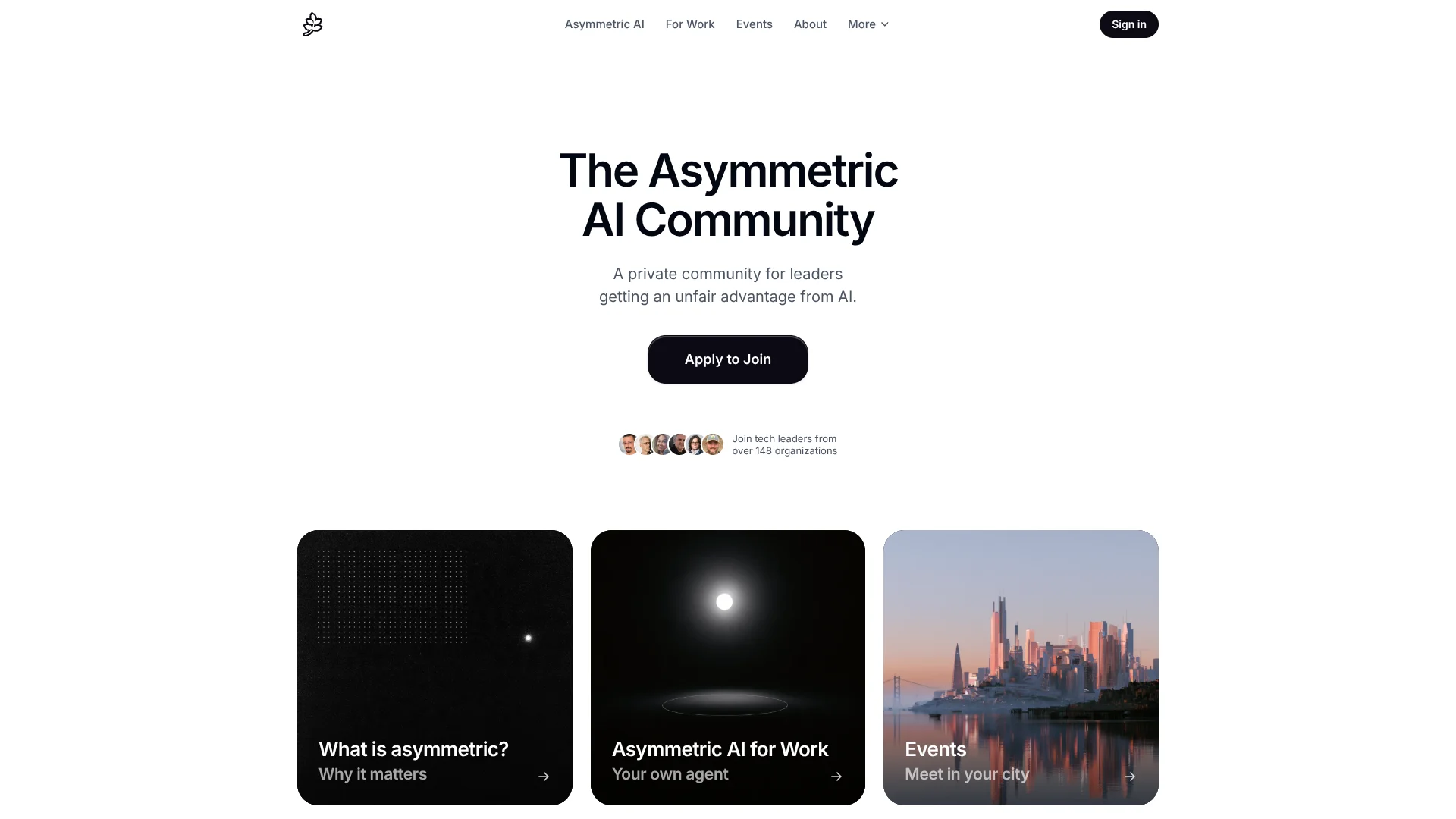
PageLines gives high-performance professionals a personal AI agent for recurring work across their business tools. It can prepare meeting briefs, draft sales follow-ups, update CRM records, and summarize reports. The goal is to hand off routine work while keeping a person in control of important actions.
Each agent runs on its own cloud computer with a browser and memory, which you can watch or take over. PageLines says scheduled jobs pause for your approval before they send or change anything. That visible, review-first approach is useful when an agent handles work connected to real customer accounts.
Sales reps, planners, quality leads, and executives are the clearest fit, especially those with repeatable work spread across connected apps. PageLines also offers a professional network with member events and introductions. Access is by invitation, and several advertised paid-plan capabilities are marked “Soon,” so availability may be limited.
Who is Using PageLines?
Sales representative
A rep gets account context before a call and reviews a drafted follow-up before it is sent.
Sales operations manager
CRM updates from emails and call notes can reduce manual deal-record work.
Business planner
Scheduled supplier and operations briefs help surface changes before planning meetings.
Quality lead
Recurring reviews can bring adverse events and supplier issues into a brief.
Executive
Board preparation can draw on connected business information and present a concise brief.
Uncommon Use Cases
Turning meeting notes into CRM next steps; tracking competitor pricing and launches for a team
Key Features
Rating Breakdown
Pricing Plans
Essential
- By invitation
- 2,000 credits a week
- Standard models and tools
- Daily briefing and meeting prep
Pro
$99 per month
- 30,000 credits a month
- Computer use
- Some listed features are marked “Soon.”
Business
$199 per month
- 60,000 credits a month
- Your team on your agent
- Board and investor prep
- Some listed features are marked “Soon.”
Which PageLines plan should you pick?
Start with Essential if included membership access is available, then consider Pro or Business when you need the larger monthly credit allowance or team features.
Essential
For invited members who need a personal agent, standard models, and 2,000 credits a week.
Pro
For members who need 30,000 credits a month and computer use; some listed features are marked “Soon.”
Business
For members who need 60,000 credits a month and a team on their agent; some listed features are marked “Soon.”
PageLines Use Cases
Sales call preparation
Before a customer call, account history, buyer priorities, and open questions are brought into a brief.
Outcome: A one-page preparation brief for the call.
Follow-up drafting
Deals waiting on a reply get a follow-up drafted for a person to review.
Outcome: A reviewed draft ready for the next customer touch.
CRM updates from call notes
Call notes can be turned into deal records, follow-up drafts, and next steps.
Outcome: CRM records and follow-up tasks updated from meeting notes.
Scheduled campaign reporting
Traffic, leads, and conversions from connected tools can be summarized on a schedule.
Outcome: A recurring campaign report.
Competitor tracking
Competitor launches, pricing changes, and messaging can be monitored for the team.
Outcome: A recurring view of competitor changes.
Workflow Ideas with PageLines
Prepare and follow up on a sales call
- 1Connect the relevant CRM, email, and calendar tools.
- 2Have the agent prepare an account brief before the call.
- 3Review the call-note summary and approve the proposed follow-up.
Keep pipeline reporting current
- 1Connect the CRM and reporting tools the agent needs.
- 2Set a schedule for pipeline and overdue-follow-up reports.
- 3Review the report and approve any proposed CRM changes.
Track competitor changes
- 1Choose the competitor information the team needs to monitor.
- 2Set a recurring review schedule for changes.
- 3Review the resulting brief and share relevant findings with the team.
How PageLines fits into your stack
Business apps
PageLines connects to tools for CRM, email, calendars, project work, and reporting. The agent uses those services as context for assigned jobs.
Scheduled operations
Recurring reports, outreach, and reminders can run on a schedule. Approval steps keep people involved before actions are completed.
Agent computer
Each agent runs on a cloud computer with a browser and memory. You can watch its work or take over.
Mobile and Mac access
The PageLines app is available for iPhone, iPad, and Mac, with access to a personal agent and the professional network.
Pros
- +Approval before action: Scheduled work can pause for review before messages or changes go out.
- +Personal work context: Each person gets an agent that learns their job and connected tools.
- +Broad integrations: The catalog includes business, sales, productivity, and developer tools.
- +Visible agent work: You can watch the agent's computer or take it over.
Cons
- −Invitation-based access: You cannot assume you can sign up immediately.
- −Features still pending: Several advertised Pro and Business capabilities are marked “Soon.”
- −Review still takes time: Approval gates keep you in control but require checking proposed actions.
Limitations & when to consider alternatives
Known limitations
- Some listed features are not ready. The pricing page marks several features, including the strongest models and predictive deal signals, as “Soon.”
- AI output needs oversight. PageLines says AI responses may be inaccurate and users remain responsible for monitoring agent interactions.
- Essential access is by invitation. The Essential plan is listed as included with membership, and the pricing page directs prospective members to apply.
Look elsewhere when
- You need a publicly available service without invitation-based membership.
- You need a documented developer API for building your own software integration.
- Your team needs a feature that PageLines currently marks “Soon.”
How to Use PageLines
- 1
Request access
PageLines says access is by invitation, so start by applying to join or using an invitation.
- 2
Choose a plan
Essential is included with membership; Pro and Business are paid monthly plans with higher credit allowances.
- 3
Connect work tools
Select integrations such as CRM, email, and calendar so the agent can use relevant business context.
- 4
Set a recurring job
Choose a repeatable task, such as a sales brief or pipeline report, and set its schedule.
- 5
Review proposed actions
Check the agent's work and approve actions before anything is sent or changed.
- 6
Watch or take over
Open the agent's computer to see its work or take control when the task needs your judgment.
Who is PageLines For?
Sales professionals
Sales reps can get call briefs, prospect research, follow-up drafts, and pipeline reports from their connected tools.
Planners
Planners can turn supplier data and recurring operational work into scheduled reports and briefs.
Quality leads
Quality teams can track adverse events and supplier issues for recurring review.
Executives
Executives can receive board and investor preparation and briefs built from business information.
Professionals seeking peers
Members can also use PageLines to connect with vetted peers and attend events in their city.
Frequently Asked Questions
Does PageLines have a free plan?
The pricing page lists Essential as included with membership, but access is by invitation and it does not state a free membership price.
How much do the paid plans cost?
Pro is $99 per month and Business is $199 per month. Both are listed for members.
Which tools can PageLines connect to?
The integration catalog lists 125 tools, including HubSpot, Google Calendar, Slack, Notion, and GitHub.
Can the agent send messages or change records on its own?
PageLines says scheduled jobs wait for approval before actions leave the system. Its examples include drafted outreach and CRM updates.
Is there a PageLines mobile app?
Yes. The App Store lists PageLines for iPhone, iPad, and Mac.
Community reviews
1 review from people who use PageLines.
Sign in to leave a review for PageLines.
Andrew Powers
PageLines Alternatives
Looking for alternatives to PageLines? Here are similar tools in the same category: