
Otio AI
AI-driven tool for document summarization, interaction, and workflow automation.
Key Takeaways
- What it is
- AI-driven tool for document summarization, interaction, and workflow automation.
- Pricing
- Freemium
- Best for
- Automatic Summaries
- Chat with Your Documents
- AI Workflow Automation
- Rating
- 4.6/5
What is Otio AI?
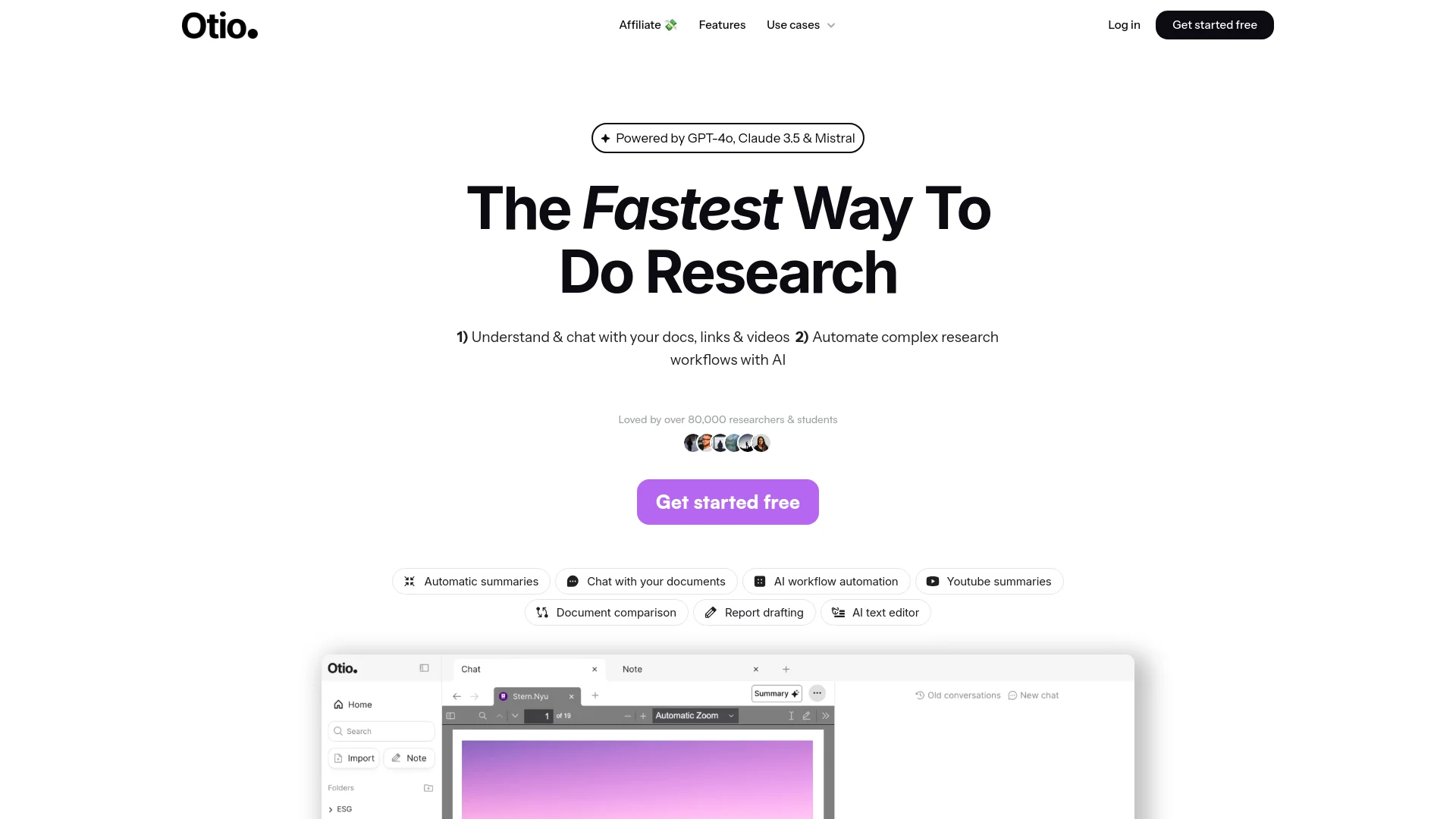
Otio AI is a groundbreaking AI-driven research and writing tool designed to streamline and enhance the research process. Powered by state-of-the-art models like GPT-4, Claude 3.5, and Mistral, Otio AI simplifies complex research workflows, making it an essential companion for researchers, students, and professionals. With capabilities ranging from automatic summarization of documents to AI-powered text editing, Otio AI revolutionizes how we engage with vast amounts of information.
Otio AI stands out with its ability to understand and interact with a wide range of document types, from PDFs to YouTube videos. Its unique feature of allowing users to chat with their documents to extract insights makes the research process more interactive and efficient. Additionally, the AI-powered text editor provides a seamless writing and editing experience grounded in the user's specific sources.
Otio AI excels in providing comprehensive research and writing support, making it an indispensable tool for researchers, students, and professionals. Its unique features, such as document interaction and AI-powered text editing, offer unmatched advantages in the realm of research and content creation.
Who is Using Otio AI?
Researchers
Leveraging Otio AI to extract insights from academic papers and streamline their research processes.
Students
Utilizing the tool for summarizing textbooks and academic articles, aiding in study and thesis work.
Analysts
Employing Otio AI to automate data analysis and report generation, enhancing productivity.
Content Creators
Using the AI text editor to draft, edit, and refine content efficiently.
Educational Institutions
Integrating Otio AI into curriculums to teach students advanced research methodologies.
Freelance Writers
Adopting the tool to manage large volumes of research materials and draft articles quickly.
Key Features
Rating Breakdown
Pricing Plans
Free Tier
Free
- Experience Otio AI with a 7-day free trial
Which Otio AI plan should you pick?
Start with Free to test source-grounded research; choose Lite for regular research, Go for heavier multi-step workflows, and Pro for high-volume daily use.
Free
Good for trying Otio with limited monthly usage, up to 10 uploads per day, one Space, and two parallel chats.
Lite
Good for regular researchers who need deeper research, file analysis, document creation, integrations, and higher upload limits.
Go
Good for PhD researchers, consultants, and professional analysts who need multi-step workflows, five Spaces, and ten parallel chats.
Pro
Good for heavy daily users who need the highest upload volume, larger storage, and parallel research across projects.
Otio AI Use Cases
Literature reviews
Upload many research papers and ask cross-source questions about findings, methods, quotes, and contradictions.
Outcome: A structured synthesis with page-level citations.
Legal research
Analyze case files, contracts, depositions, and other legal documents in a persistent research workspace.
Outcome: Source-traceable answers and extracted facts.
Essay and report writing
Chat with documents, create outlines, and draft reports or essays in the AI text editor.
Outcome: A cited starting draft grounded in collected sources.
Spreadsheet analysis
Upload CSV data and ask Otio to analyze trends or generate visualizations alongside contextual documents.
Outcome: Charts and analysis connected to the underlying research.
Video and podcast research
Import videos or podcasts, summarize them, and ask follow-up questions using timestamp-linked citations.
Outcome: Searchable summaries and verifiable source references.
Workflow Ideas with Otio AI
Paper-to-literature-review workflow
- 1Upload papers and supporting sources into a Space
- 2Ask cross-source questions about findings, methods, and contradictions
- 3Turn the cited synthesis into an outline or draft
Browser-to-draft workflow
- 1Save articles, papers, videos, or PDFs with the Chrome extension
- 2Review and chat with saved sources in the Otio web app
- 3Convert source-grounded takeaways into an outline or draft
CSV-to-research-chart workflow
- 1Upload a CSV and related contextual documents
- 2Ask Otio to analyze the data and generate a visualization
- 3Keep the chart beside the source materials in the workspace
How Otio AI fits into your stack
Browser
Otio provides a Chrome extension for capturing webpages, PDFs, papers, videos, and tweets while browsing, then sends those sources to the Otio web app for research and drafting.
Knowledge and files
Otio acts as a research library for PDFs, web pages, YouTube videos, podcasts, CSVs, notes, and connected cloud or reference libraries. Users can query across sources with page- or timestamp-level citations.
Docs and writing
Otio turns collected sources into editable notes, outlines, briefs, summaries, drafts, charts, and other research deliverables.
Mobile
Otio has a native iPhone and iPad app for uploading or scanning sources, chatting with research materials, listening to answers, and syncing libraries and chats with the web experience.
Pros
- +Time Efficiency: Significantly reduces the time required to summarize and understand large volumes of information.
- +User-Friendly Interface: Intuitive design makes it easy for users to navigate and utilize the tool effectively.
- +Customization: Offers extensive customization options for automating research workflows, making it adaptable to various needs.
- +High Accuracy: Provides reliable summaries and insights grounded in specific documents and sources provided by the user.
Cons
- −Initial Learning Curve: Some users may find it challenging to master the advanced features initially.
- −Limited Integration: Currently, the tool supports a limited number of third-party platforms for integration.
Limitations & when to consider alternatives
Known limitations
- Free-plan capacity is limited. The Free plan allows 10 uploads per day, 50MB storage, one Space, two parallel chats, and limited monthly AI usage.
- Paid plans have upload and document-size limits. Lite allows 50 uploads per day and PDFs up to 500 pages; Go allows 250 uploads per day and PDFs up to 1,000 pages; Pro allows 500 uploads per day and PDFs up to 2,000 pages.
- Not a business-intelligence platform. Otio is intended for research-scale visualization, not live database connections, multi-user dashboards, or enterprise reporting.
- AI chat requires an internet connection. The desktop app can browse and search local folders, but AI chat requires connectivity.
- Free and inactive accounts may lose stored materials. Otio may delete, archive, restrict, or anonymize materials after inactivity or changes to free-plan retention limits.
Look elsewhere when
- You need live database connections or enterprise BI dashboards.
- You need a documented developer API with published endpoints.
- You need SSO, SAML, Okta, or Azure AD authentication.
- You need model fine-tuning or custom training on your own data.
How to Use Otio AI
- 1
Create a Space
Separate a research project, client engagement, class, or personal topic into its own workspace.
- 2
Add sources
Upload files or import sources from the web, YouTube, podcasts, CSV files, cloud storage, Zotero, or the browser extension.
- 3
Ask source-grounded questions
Chat across selected sources or the whole library and use page- or timestamp-level citations to verify answers.
- 4
Run deep research
Use multi-step research across your sources and the live web when you need broader synthesis.
- 5
Create notes or outputs
Generate editable notes, outlines, reports, charts, images, or drafts from the research context.
- 6
Deliver the result
Send outputs through email, Google Drive, Telegram, or export notes as Markdown where supported.
Who is Otio AI For?
Researchers
Upload papers, extract findings and quotes across sources, and create cited literature-review syntheses.
Students
Chat with textbooks and papers, generate study notes, and build essay outlines from source material.
Lawyers
Review case files, contracts, and depositions while tracing answers back to exact source passages.
Consultants and analysts
Analyze client documents, reports, and spreadsheets and connect findings to their source context.
Writers and journalists
Capture web pages, videos, and PDFs, then turn source-grounded research into structured drafts.
Frequently Asked Questions
Is there a free plan?
Yes. Otio offers a $0 Free plan with limited monthly AI usage, up to 10 files, 25MB per file, and 50MB total storage.
What types of sources can Otio process?
Otio supports PDFs, web pages, YouTube videos, podcasts, audio, CSV files, notes, books, and other uploaded documents.
Which AI models are available?
Otio provides ChatGPT, Claude, Gemini, Grok, Llama, DeepSeek, Moonshot, and Otio Auto across all plans.
Does Otio provide citations?
Yes. Answers can cite the exact page or timestamp of the supporting source.
Can Otio analyze spreadsheets?
Yes. Users can upload CSV files and generate data analysis and visualizations inside the workspace.
Does Otio have a mobile app?
Yes. Otio has native iPhone and Android apps that sync libraries, chats, and Spaces with the web experience.
Community reviews
Be the first to share your experience.
Sign in to leave a review for Otio AI.
Otio AI Alternatives
Looking for alternatives to Otio AI? Here are similar tools in the same category:
Learn to Master Otio AI
With Skill Leap courses
Get in-depth training on Otio AI and 50+ other AI tools with our expert-led video courses.
Start 7-Day Free Trial