OpenMeter
Usage metering for AI and API products with built-in customer limits.
Key Takeaways
- What it is
- Usage metering for AI and API products with built-in customer limits.
- Pricing
- Freemium
- Best for
- Real-Time Usage Metering
- Product Catalog
- Entitlements and Limits
- Rating
- 4.1/5
What is OpenMeter?
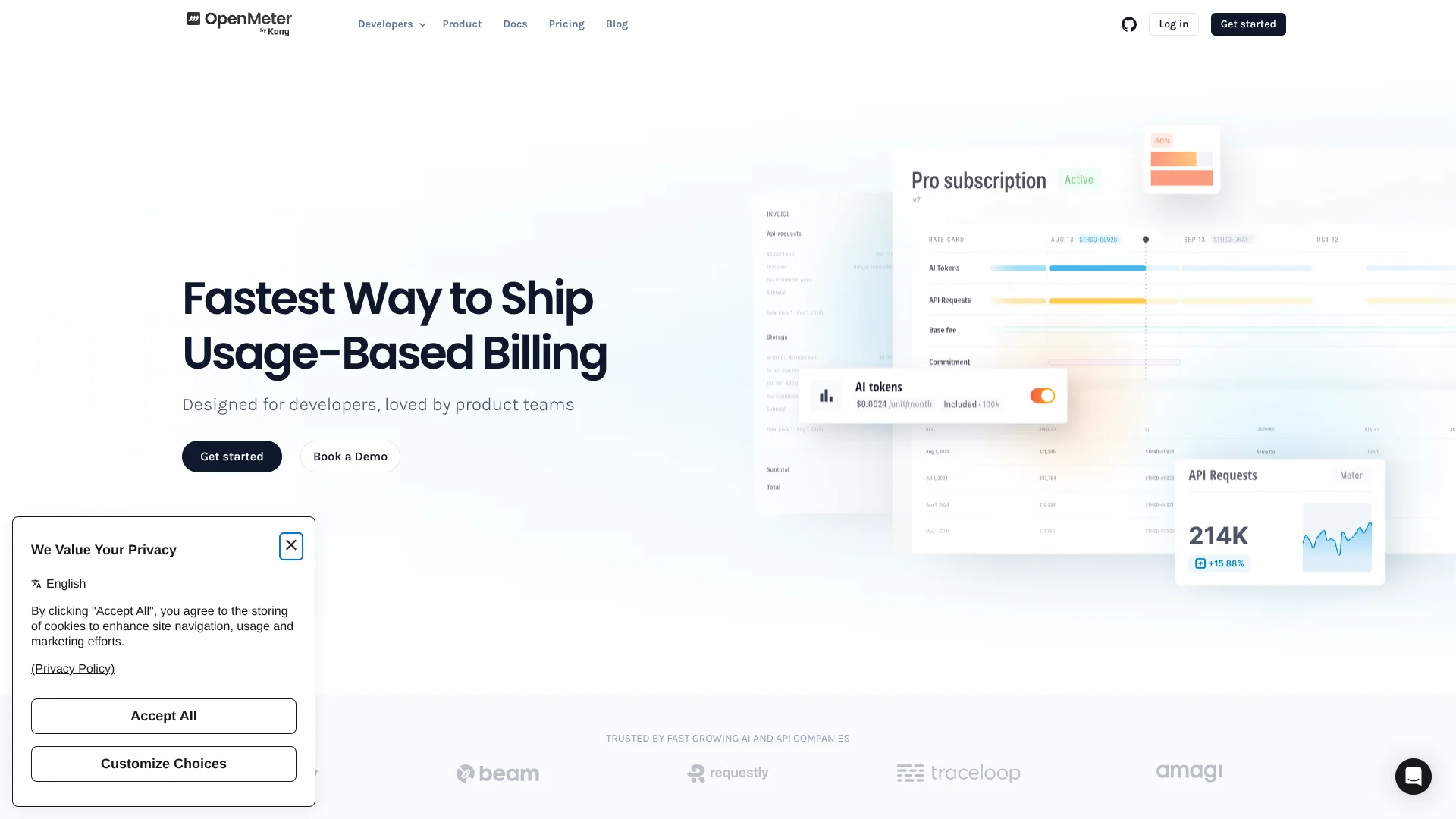
OpenMeter helps AI, API, SaaS, and developer-tool companies turn raw usage events into billable customer activity. Engineering teams send events such as model tokens, API requests, compute time, or seats, while product teams define plans, pricing, subscriptions, and usage limits. The open source project can be self-hosted, and its managed service is now offered through Kong Konnect Metering & Billing.
Its standout capability is linking real-time usage to customer entitlements, so an application can check whether a customer still has access to a metered feature before serving the next request.
OpenMeter fits teams building consumption-based products that need accurate metering and flexible packaging before investing in a billing system of their own. It falls short as a complete payment, tax, or invoice-delivery system because those functions depend on integrations such as Stripe and external invoicing providers. The strongest fit is an AI or API product where usage controls need to live close to the application.
Who is Using OpenMeter?
Backend Engineers
Event ingestion APIs and SDKs give application teams a way to report usage and query customer balances.
Product Managers
The product catalog turns plans, credits, pricing, and entitlements into configurable product rules.
Finance Teams
Auditable usage and invoice outputs provide the consumption data needed for customer billing.
Revenue Operations Managers
Usage and entitlement data can support expansion workflows and customer account decisions.
Customer Success Managers
Customer usage visibility helps teams spot accounts approaching limits or needing a plan change.
Uncommon Use Cases
Attributing infrastructure costs across customers; enforcing access to individual AI models or application features
Key Features
Rating Breakdown
Pricing Plans
Free Tier
Free
- Enjoy OpenMeter with a free forever plan
- No credit card required
Subscription Options
- Detailed subscription management through Stripe
- Offering scalable solutions as your needs grow
Which OpenMeter plan should you pick?
Start with the Free Plan for prototyping and smaller workloads, then upgrade to Pro or Enterprise when usage, support, compliance, or security requirements increase.
Free Plan
Good for teams starting prototypes, AI workloads, or side projects with generous usage limits and no credit card requirement.
Pro Plan
Good for growing deployments that need higher usage thresholds, higher rate limits, Slack support, and compliance documentation.
Enterprise Plan
Good for organizations needing custom integrations, specific security requirements, audit logs, SAML SSO, and fine-grained access control.
OpenMeter Use Cases
AI Token Billing
Token events from language models or AI agents become measurable customer usage with configurable allowances and overages.
Outcome: Customers can be charged according to the tokens they consume.
API Monetization
API requests, request duration, and custom dimensions feed usage-based plans for external or internal APIs.
Outcome: API consumption becomes a billable product metric.
Feature Entitlements
Customer plans control access to models, tools, credits, or other product capabilities through balance and access checks.
Outcome: Applications can stop serving a feature when an entitlement is exhausted.
Infrastructure Cost Attribution
Compute, GPU, storage, and other infrastructure events can be assigned to billable customers or usage subjects.
Outcome: Teams can connect infrastructure consumption to customer economics.
Hybrid Pricing
A product can combine recurring fees, included usage, tiered rates, prepaid credits, and overage charges in a single catalog.
Outcome: Pricing can reflect more than one way customers receive value.
Workflow Ideas with OpenMeter
Meter AI Requests and Enforce Limits
- 1Send token or request events to an OpenMeter meter.
- 2Attach the meter to a customer feature and entitlement.
- 3Check the balance before serving the next AI request.
Launch a Usage-Based Plan
- 1Create a feature and connect it to a meter.
- 2Define a plan with included usage, pricing, and billing cadence.
- 3Assign the plan to a customer subscription.
Turn Usage Into Stripe Billing
- 1Install the Stripe app and configure a billing profile.
- 2Create a checkout session for the customer.
- 3Synchronize usage-based invoices with Stripe after subscription activity.
How OpenMeter fits into your stack
Application Events
Your service sends CloudEvents-compatible usage data such as AI tokens, API requests, compute time, or storage consumption.
SDKs and APIs
TypeScript, Python, and Go SDKs, along with API and cURL access, place metering inside application workflows.
Product and Pricing
The product catalog sits between raw usage and customer plans, translating meters into features, rate cards, and entitlements.
Payments and Invoicing
Stripe and external invoicing apps handle parts of checkout, payment collection, tax calculation, and invoice delivery.
Kong Connectivity
Kong Gateway and Kong AI Gateway can provide API or LLM traffic for metering, while entitlement enforcement can control access.
Pros
- +AI usage tracking: Measures token consumption and other billable events in real time.
- +Access control: Can deny or allow feature access based on a customer's remaining balance.
- +Pricing flexibility: Supports usage, tiered, package, flat-fee, and prepaid-credit models.
- +Open source core: Teams can inspect and self-host the metering system under the Apache 2.0 license.
- +Developer access: SDKs and APIs support TypeScript, Python, Go, cURL, Kubernetes, OpenTelemetry, and LangChain workflows.
Cons
- −Billing dependencies: Payment collection, tax calculation, and invoice delivery rely on connected services.
- −Developer-first setup: Teams need to send structured usage events and model their products before customers can be billed.
- −Product transition: The managed cloud offering is now presented as Konnect Metering & Billing rather than OpenMeter Cloud.
Limitations & when to consider alternatives
Known limitations
- External Payment Services Required. OpenMeter does not handle payment processing directly, so paid subscriptions need an integration such as Stripe.
- External Tax and Invoice Delivery. Tax calculation and invoice delivery are handled through connected services rather than directly by Metering & Billing.
- Event Retention. Konnect Metering & Billing retains metering events for two years by default, and longer retention requires contacting support or sales.
- Plugin Scope. The Kong Metering & Billing plugin meters events but does not enforce limits or bill customers by itself.
Look elsewhere when
- You need a standalone payment processor rather than usage metering and billing infrastructure.
- You want a billing product that calculates taxes and delivers invoices without connected services.
- Your team needs a consumer-facing mobile app for managing usage or subscriptions.
How to Use OpenMeter
- 1
Choose a Deployment
Start with self-hosted OpenMeter or use Konnect Metering & Billing when you want a managed service.
- 2
Create a Meter
Define the usage event and aggregation method for tokens, requests, compute, seats, or another billable quantity.
- 3
Send Usage Events
Connect an SDK, API, Kubernetes source, OpenTelemetry source, or application event stream to report consumption.
- 4
Model Your Product
Create customer-facing features, plans, rate cards, pricing rules, and billing cadences in the product catalog.
- 5
Add Entitlements
Grant allowances or access rules that determine what each customer can use during a billing period.
- 6
Connect Billing
Install Stripe or another supported app when you need payment collection, invoicing, or tax-related services.
Who is OpenMeter For?
AI Product Companies
Token metering, customer allowances, and usage-based plans support products that charge for model or agent consumption.
API Companies
Request counts, duration, and custom dimensions can become customer-facing usage charges.
Developer-Tool Companies
Plans can combine usage, seats, credits, and feature access for tools sold to technical customers.
SaaS Product Teams
Product and engineering teams can change packaging and pricing through the catalog instead of rewriting billing logic.
Platform Engineering Teams
Self-hosting provides an open source foundation for usage collection and billing infrastructure.
Frequently Asked Questions
Does OpenMeter have a free option?
The official pricing page says to start with Konnect Metering & Billing for free. OpenMeter is also available as an open source project for self-hosting.
What happened to OpenMeter Cloud?
OpenMeter Cloud is now presented as Konnect Metering & Billing, a managed offering from Kong.
Does OpenMeter provide an API?
Yes. The project provides APIs and SDKs for sending events, querying meters, creating customers, managing subscriptions, and checking entitlements.
Can OpenMeter bill through Stripe?
Yes. The Stripe app supports checkout sessions, subscription setup, and invoice synchronization based on usage events.
What kinds of usage can it meter?
Examples include AI tokens, API requests, request duration, compute, GPUs, storage, seats, and other application-defined events.
Does OpenMeter enforce usage limits?
OpenMeter can calculate entitlement balances and return access decisions. In Kong Gateway deployments, the Metering & Billing plugin may be paired with Entitlement Enforcement for request blocking.
Community reviews
Be the first to share your experience.
Sign in to leave a review for OpenMeter.
OpenMeter Alternatives
Looking for alternatives to OpenMeter? Here are similar tools in the same category: