
OnlyDoc
Convert, tidy, and summarize long PDFs instantly.
Key Takeaways
- What it is
- Convert, tidy, and summarize long PDFs instantly.
- Pricing
- Freemium
- Best for
- AI-driven key point extraction
- Support for large PDFs
- Clean, structured summaries
- Rating
- 4.4/5
What is OnlyDoc?
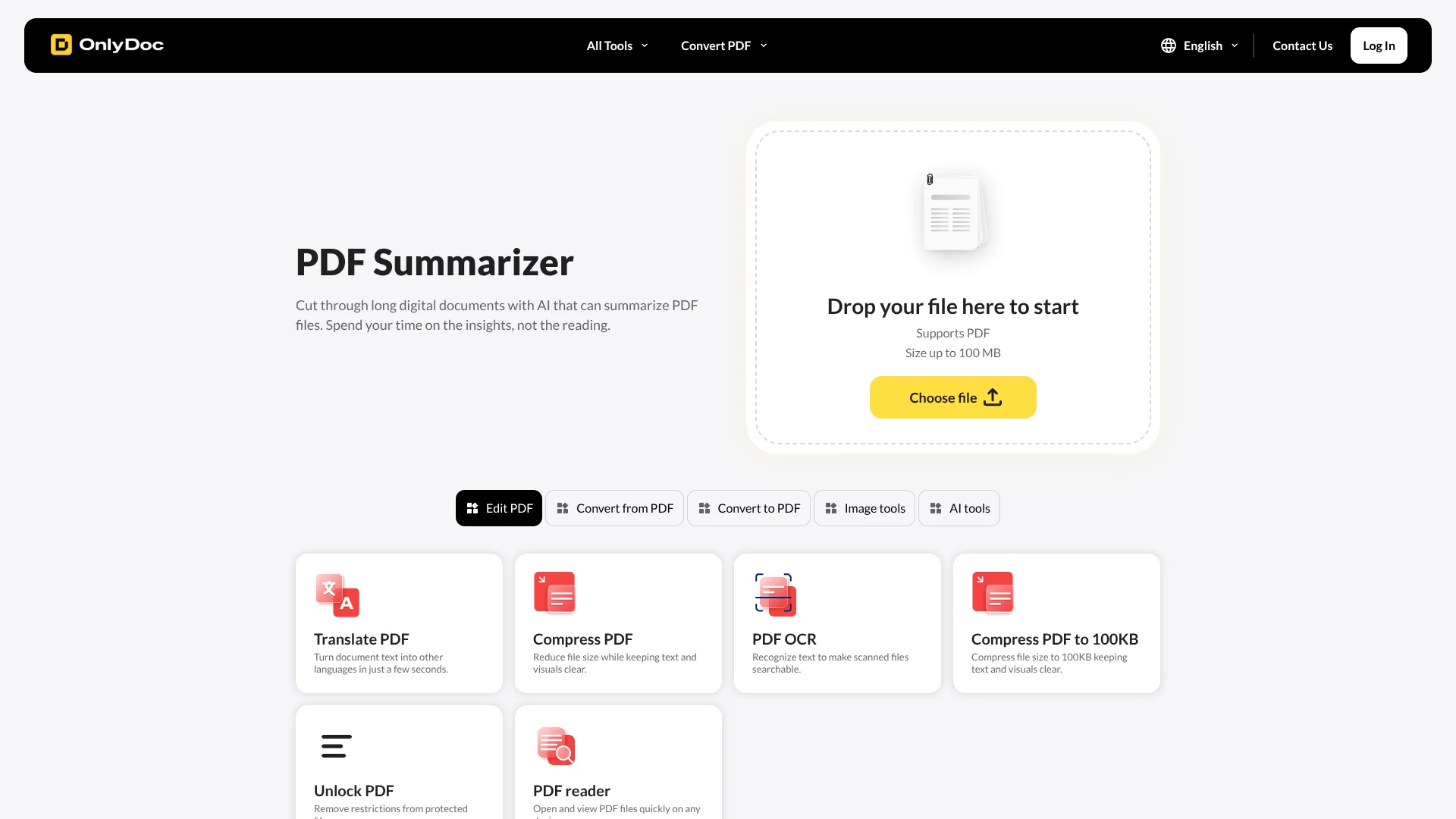
OnlyDoc is a browser-based AI PDF summarizer that condenses long documents into concise, structured text. It sits inside the broader OnlyDoc toolkit of PDF converters, OCR, and image utilities, so documents can move from raw upload to summary in a single workflow. The summarizer focuses on extracting the main ideas from reports, research papers, contracts, and manuals, then returns a clean text summary that can be copied or downloaded. It supports PDFs up to 100 MB and offers a multilingual interface, which suits teams working across different regions and languages.
OnlyDoc stands out by combining a focused AI PDF summarizer with a broad set of everyday PDF tools in one place. Many summarizers assume clean digital input; here, OCR, compression, translation, and basic viewing tools surround the summarizer, so even scanned or oversized documents can be prepared and then summarized without leaving the site. The generous 100 MB limit for a free browser tool and the friction-light three-step workflow make it especially appealing for users who want AI help on real-world PDFs without complex setup.
OnlyDoc suits people who regularly handle dense PDFs and want a quick way to get oriented before committing to a full read. The tool keeps the process simple: upload, wait a short moment, then work with a clean text summary that can be copied or downloaded. Because it lives beside OCR, translation, and conversion utilities, it handles many of the messy realities of real documents while staying free and browser-based. For students, researchers, and business teams who value speed and clarity over heavy customization, OnlyDoc offers a straightforward path to let AI handle the first pass so humans can focus on analysis and decisions.
Who is Using OnlyDoc?
Students and Researchers
Turning academic papers, theses, and scanned textbook chapters into short summaries and study notes.
Knowledge Workers and Analysts
Skimming long market reports, whitepapers, and internal memos before meetings or decision reviews.
Legal and Compliance Teams
Getting a first-pass overview of contracts, terms, and regulatory documents before detailed human review.
Operations and HR Teams
Summarizing training manuals, SOPs, and internal policies into digestible overviews for staff.
Uncommon Use Cases
Utilized by product managers summarizing export PDFs from bug or feedback trackers; Adopted by non-profit volunteers condensing long grant calls into actionable checklists.
Key Features
Rating Breakdown
Pricing Plans
Free Version
Free
- Includes limited access to the product’s functionality, features, or resources. Availability and limits may change over time
Premium Version
- Includes extended functionality, additional features, and benefits beyond the Free Version. Available through a subscription or one-time payment
OnlyDoc Use Cases
Summarize academic papers
Upload a PDF academic paper and let the AI extract the key points.
Outcome: A concise, structured summary that is easier to review.
Summarize business reports
Upload a business report and obtain its main insights without reading the entire document.
Outcome: Clean paragraphs highlighting the report's important information.
Process scanned book chapters
Use OCR to recognize text from scanned pages and make the content searchable or editable.
Outcome: Editable text extracted from scanned documents.
Translate PDF documents
Upload a PDF and translate its document text into another language.
Outcome: Translated document content.
Convert and compress files
Upload a supported document, choose a conversion or compression tool, and save the result.
Outcome: A converted or smaller file while preserving layout and readability.
Workflow Ideas with OnlyDoc
Summarize a research paper
- 1Open the PDF Summarizer
- 2Upload or drag and drop the research-paper PDF
- 3Copy or download the generated summary
Make a scan searchable
- 1Open the PDF OCR tool
- 2Upload the scanned PDF or image-based document
- 3Download or continue editing the OCR-processed file
Translate and export a document
- 1Upload a PDF to the Translate PDF tool
- 2Select the target language
- 3Save the translated document
How OnlyDoc fits into your stack
Browser
OnlyDoc is used as an online browser-based document workspace for uploading PDFs, summarizing them, converting files, editing documents, and performing OCR.
Knowledge and files
Users upload PDFs and other supported documents for summarization, translation, OCR, conversion, compression, and file export.
Docs and writing
OnlyDoc provides an online editor for editable document templates and supports exporting finished content as PDF, DOC, XLSX, PPTX, JPG, or PNG.
Pros
- +Speedy turnaround: Typical documents are summarized in under thirty seconds, helping students, analysts, and managers move faster through reading lists.
- +Zero-cost usage: Marketed as free for browser-based summarization, which lowers the barrier for individuals and small teams testing AI document tools.
- +No installation required: Runs entirely in the browser on desktop and mobile, avoiding deployment work or permissions from IT.
- +Good fit with messy real documents: OCR, translation, and conversion tools nearby make it practical for scanned PDFs, mixed-language content, and varied file formats.
- +Simple learning curve: The three-step “upload, wait, get summary” flow is easy for non-technical users.
Cons
- −Limited control over summary style: The interface focuses on a single default summary, without options to tune length, tone, or bullet-point output.
- −No deep document chat: It does not provide a conversational interface to ask follow-up questions about the PDF.
- −Opaque usage limits: The tool is promoted as free, but explicit information about any daily or monthly limits is not clearly presented.
Limitations & when to consider alternatives
Known limitations
- PDF summarizer input. The dedicated summarizer page states that it supports PDF files.
- 100 MB upload limit. The online converter supports uploads up to 100 MB.
- Browser-based service. OnlyDoc describes its tools as working directly in the browser with no setup or software installation.
- Free access may be limited. The terms describe a free version with limited functionality or resources, while premium features may require payment.
Look elsewhere when
- You need a native mobile app.
- You need a public developer API.
- You need multi-user shared workspaces.
How to Use OnlyDoc
- 1
Choose a tool
Open the PDF Summarizer, PDF OCR, Translate PDF, converter, or another relevant OnlyDoc tool.
- 2
Upload your file
Drag and drop the document or select it from your device. The general converter supports files up to 100 MB.
- 3
Run the operation
Start the selected action, such as summarizing, translating, converting, compressing, or extracting text.
- 4
Review the result
Check the generated summary, converted document, translated text, or OCR output.
- 5
Copy or download
Copy or download the resulting text or document for later use.
Who is OnlyDoc For?
Researchers
The PDF summarizer is positioned for academic papers and research documents, helping users extract key insights quickly.
Students
Students can summarize study materials and scanned book chapters into structured text.
Business professionals
Business users can summarize reports and convert, edit, compress, or translate work documents.
Users handling scanned documents
OCR tools make text from images and scans searchable and editable.
Frequently Asked Questions
What is OnlyDoc?
OnlyDoc is an online document platform for converting files to and from PDF, compressing files, translating text, and extracting text from images.
Is OnlyDoc safe to use?
OnlyDoc says it encrypts documents during upload and processing, uses secure authentication and server-side protection, and follows GDPR requirements.
What file formats does OnlyDoc support?
The site lists Word, Excel, PPTX, PNG, JPG, and EPUB as supported formats for conversion to or from PDF.
What is the maximum file size I can upload?
The online converter supports uploads of up to 100 MB.
How do I summarize a PDF?
Upload or drag and drop a PDF, wait while the AI extracts key points, then copy or download the summary.
Does OnlyDoc work on mobile and other devices?
OnlyDoc says it works across iPhone, Android, Mac, and Windows through its online service.
Community reviews
Be the first to share your experience.
Sign in to leave a review for OnlyDoc.
OnlyDoc Alternatives
Looking for alternatives to OnlyDoc? Here are similar tools in the same category:
Learn to Master OnlyDoc
With Skill Leap courses
Get in-depth training on OnlyDoc and 50+ other AI tools with our expert-led video courses.
Start 7-Day Free Trial