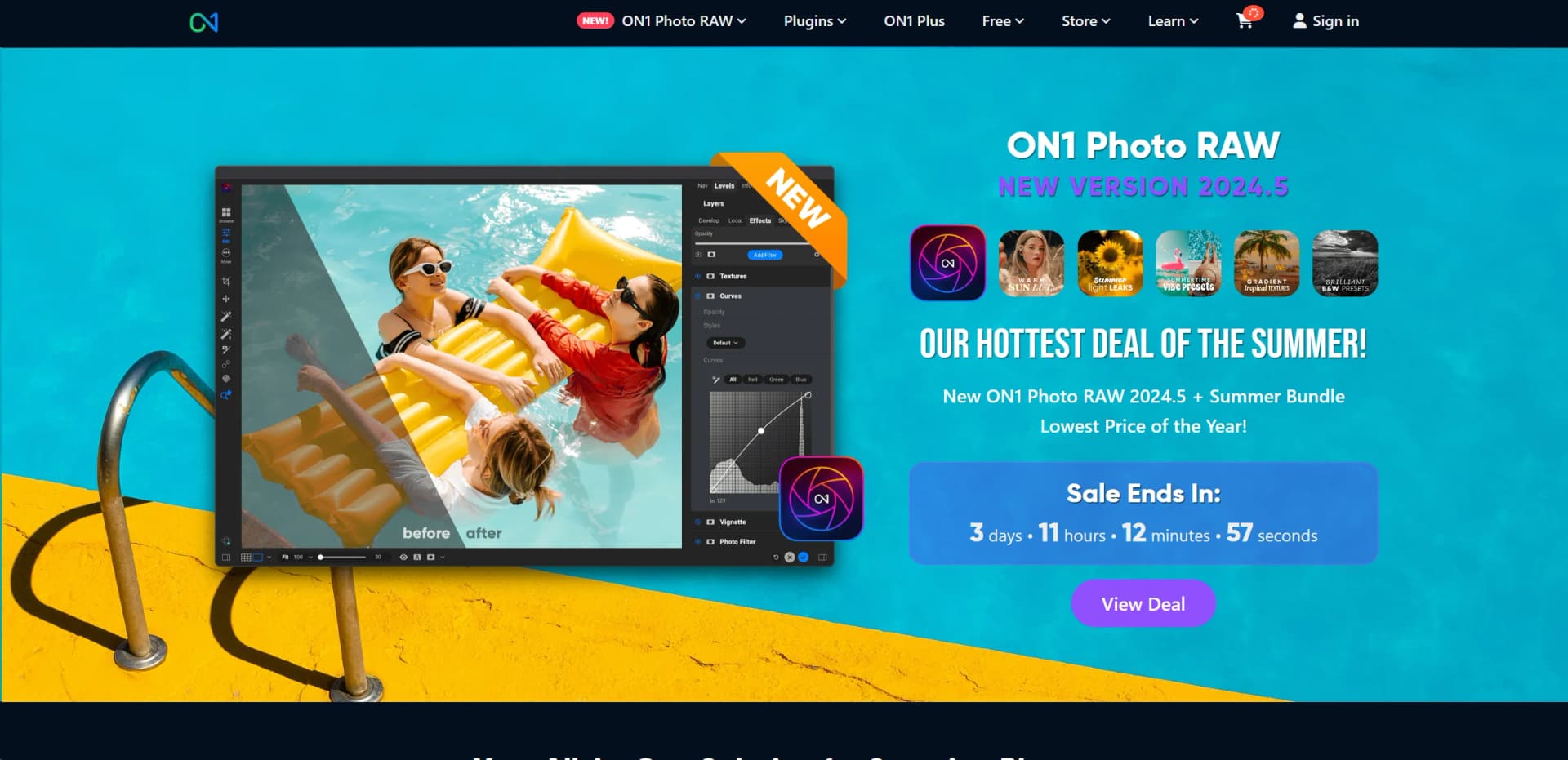
ON1 Photo RAW
Elevate photos with AI-powered editing and comprehensive management.
Key Takeaways
- What it is
- Elevate photos with AI-powered editing and comprehensive management.
- Best for
- Non-destructive Editing
- AI-powered Adjustments
- Comprehensive Photo Management
- Rating
- 4.6/5
What is ON1 Photo RAW?
As a passionate photographer and tech enthusiast, I'm always on the lookout for software that can genuinely enhance the photo editing experience. ON1 Photo RAW is a compelling choice in this crowded market. This software is not just a photo editor; it's a comprehensive solution that combines raw processing, photo management, and advanced adjustments into a single, streamlined workflow. It supports raw files from over 800 camera models and is compatible with a variety of file types, including JPEG, TIF, PSD, PSB, PNG, and DNG, making it a versatile tool for photographers of all levels.
ON1 Photo RAW stands out by offering an integrated solution that caters to both the editing and organizational needs of photographers. Its use of AI to streamline complex editing tasks and its support for a wide array of camera files and formats make it a comprehensive tool unmatched in versatility.
ON1 Photo RAW is a robust photo editing platform that excels at providing comprehensive editing tools, making it an essential tool for professional and amateur photographers alike. Its integration of AI tools offers a unique advantage, enhancing both the efficiency and quality of photo editing. Whether you're managing a large photo library or fine-tuning individual shots, ON1 Photo RAW adapts to your needs, making it a top choice in today's digital photography landscape.
Who is Using ON1 Photo RAW?
Professional Photographers
Utilizing the tool for detailed editing and photo management.
Amateur Photographers
Benefiting from user-friendly features to enhance their photography skills.
Graphic Designers
Employing the tool for composite and high-quality image creation.
Photo Enthusiasts
Using the software to organize and improve their personal photo collections.
Uncommon Use Cases
Used in academic settings for teaching photo editing techniques; utilized by real estate agents to enhance property photos for listings.
Key Features
Rating Breakdown
Pricing Plans
Standard Edition
- Purchase ON1 Photo RAW 2024.5 for a one-time price
- Which includes all minor updates for the version
Subscription Options
- Subscribe to ON1 Everything for additional features
- Cloud syncing
- Future updates
Which ON1 Photo RAW plan should you pick?
Start with Photo RAW 2026 + 2027 for standalone editing; upgrade to Photo RAW MAX for Restore AI and plugins, or choose ON1 Photo RAW MAX or ON1 Photo Studio when you need Cloud Sync and future upgrades.
Photo RAW 2026 + 2027
Good for photographers who need the core standalone Mac or Windows editor and two-computer installation.
Photo RAW MAX 2026 + 2027
Good for photographers who need Restore AI, plugin compatibility, and installation on up to three computers.
ON1 Photo RAW MAX
Good for users who need a subscription with future upgrades, Photo RAW MAX features, and 200 GB of Cloud Sync.
ON1 Photo Studio
Good for users who need the complete ON1 suite, five-computer installation, 1 TB of Cloud Sync, and ON1 Plus training.
ON1 Photo RAW Use Cases
Organize and edit RAW photos
Browse, rate, organize, develop, and export RAW photos in one application.
Outcome: A complete non-destructive photo-editing workflow without switching between Lightroom and Photoshop.
Remove distractions
Use Generative Erase to remove unwanted objects and distractions from photos.
Outcome: Cleaner images with AI-filled replacement areas.
Create selective adjustments
Use Super Select AI, subject masks, background masks, brushes, gradients, and luminosity masks.
Outcome: Precise local edits with less manual masking.
Restore damaged photos
Use Restore AI in Photo RAW MAX to repair dust, scratches, tears, fading, grain, blur, and lost detail.
Outcome: Improved scans and aging or damaged photographs.
Edit across desktop and mobile
Sync photos, edits, albums, presets, and metadata through ON1 Cloud Sync.
Outcome: Continue editing across computers, phones, and tablets.
Workflow Ideas with ON1 Photo RAW
Import, organize, and batch-edit a shoot
- 1Import RAW photos into Photo RAW
- 2Rate, reject, and organize images
- 3Apply batch adjustments and auto develop
Create a selective AI edit
- 1Open an image in the Edit module
- 2Select the subject or background with AI masking
- 3Apply local color, tone, detail, or effects adjustments
Edit between desktop and mobile
- 1Publish selected albums or folders to Cloud Sync
- 2Edit synced photos on iOS or Android
- 3Continue editing the synced work on a desktop computer
How ON1 Photo RAW fits into your stack
Plugin Support
Works as a plugin with Adobe Photoshop and Lightroom, among others.
Mobile Integration
Available on iOS and Android for editing on the move.
Cloud Syncing
Integrates with ON1 Cloud for seamless synchronization across devices.
Extensive Camera Support
Compatible with over 800 camera profiles.
Pros
- +All-in-One Solution: Integrates multiple functions into one application, reducing the need for multiple software tools.
- +AI Enhancements: AI features like Sky Replacement and NoNoise AI simplify complex editing tasks.
- +User-Friendly Interface: Designed with an intuitive layout that caters to both beginners and professionals.
- +Regular Updates: Continuously updated with new features and enhancements to improve performance and capabilities.
Cons
- −Learning Curve: New users may require some time to fully grasp the extensive features.
- −System Requirements: Demands a relatively modern computer system for optimal performance.
- −No Subscription Required: While beneficial for some, others might miss out on the constant updates provided by subscription models.
Limitations & when to consider alternatives
Known limitations
- Desktop operating-system requirements. The desktop application requires supported current versions of macOS or Windows and compatible graphics hardware.
- Major upgrades are not included with every perpetual license. A one-time Photo RAW license includes updates for its version lifecycle but not necessarily major future versions.
- Cloud Sync requires a subscription. Syncing photos, edits, albums, and presets across devices requires an ON1 subscription plan with Cloud Sync.
- Plugin support is limited to MAX. Using Photo RAW as a plugin inside Photoshop, Lightroom, and other editors requires Photo RAW MAX.
- Mobile support depends on device requirements. The mobile app requires supported iOS or Android versions and compatible hardware.
Look elsewhere when
- You need a developer API or programmatic access.
- You need a browser extension.
- You need shared team workspaces with user roles.
How to Use ON1 Photo RAW
- 1
Explore a variety of tutorials available on the ON1 website, covering everything from basic setups to advanced editing techniques.
Who is ON1 Photo RAW For?
Photographers of all skill levels
ON1 positions Photo RAW as an intuitive yet powerful AI-powered application for photographers of all skill levels.
Professional photographers
The desktop application provides professional RAW processing, organization, masking, layers, effects, and batch editing.
Wedding photographers
Batch processing, auto develop, organization, and high-volume editing tools support wedding photography workflows.
Nature photographers
Sky replacement, masking, RAW processing, effects, and detail-enhancement tools support nature photography.
Real-estate photographers
HDR, masking, batch editing, layers, and perspective-oriented editing tools support real-estate photo editing.
Frequently Asked Questions
What is ON1 Photo RAW?
ON1 Photo RAW is an all-in-one editor for Mac or Windows that combines organization, editing, retouching, layers, masks, and AI tools.
Does Photo RAW require a subscription?
No. Photo RAW and Photo RAW MAX can be purchased with a one-time license, while subscriptions provide ongoing upgrades and cloud features.
What is the difference between Photo RAW and Photo RAW MAX?
Both are standalone Mac and Windows applications. MAX adds Restore AI and plugin support for Adobe Photoshop, Lightroom, and other editors.
What are the benefits of subscribing?
Subscriptions include Photo RAW MAX, future versions, and Cloud Sync storage for syncing photos and edits across devices.
How many computers can I install Photo RAW on?
The standard version supports two computers, MAX supports three, and subscriptions support up to five installations.
What is ON1 Photo RAW for Mobile?
It is a free iOS and Android app for capturing, editing, and organizing RAW photos using the desktop app’s RAW processing engine.
Community reviews
Be the first to share your experience.
Sign in to leave a review for ON1 Photo RAW.
ON1 Photo RAW Alternatives
Looking for alternatives to ON1 Photo RAW? Here are similar tools in the same category: