
Ocular AI
Enhance data handling with AI-driven search and visualization.
Key Takeaways
- What it is
- Enhance data handling with AI-driven search and visualization.
- Best for
- AI-Powered Search
- Generative AI-Powered Copilot
- Flexible Deployment Options
- Rating
- 4.5/5
What is Ocular AI?
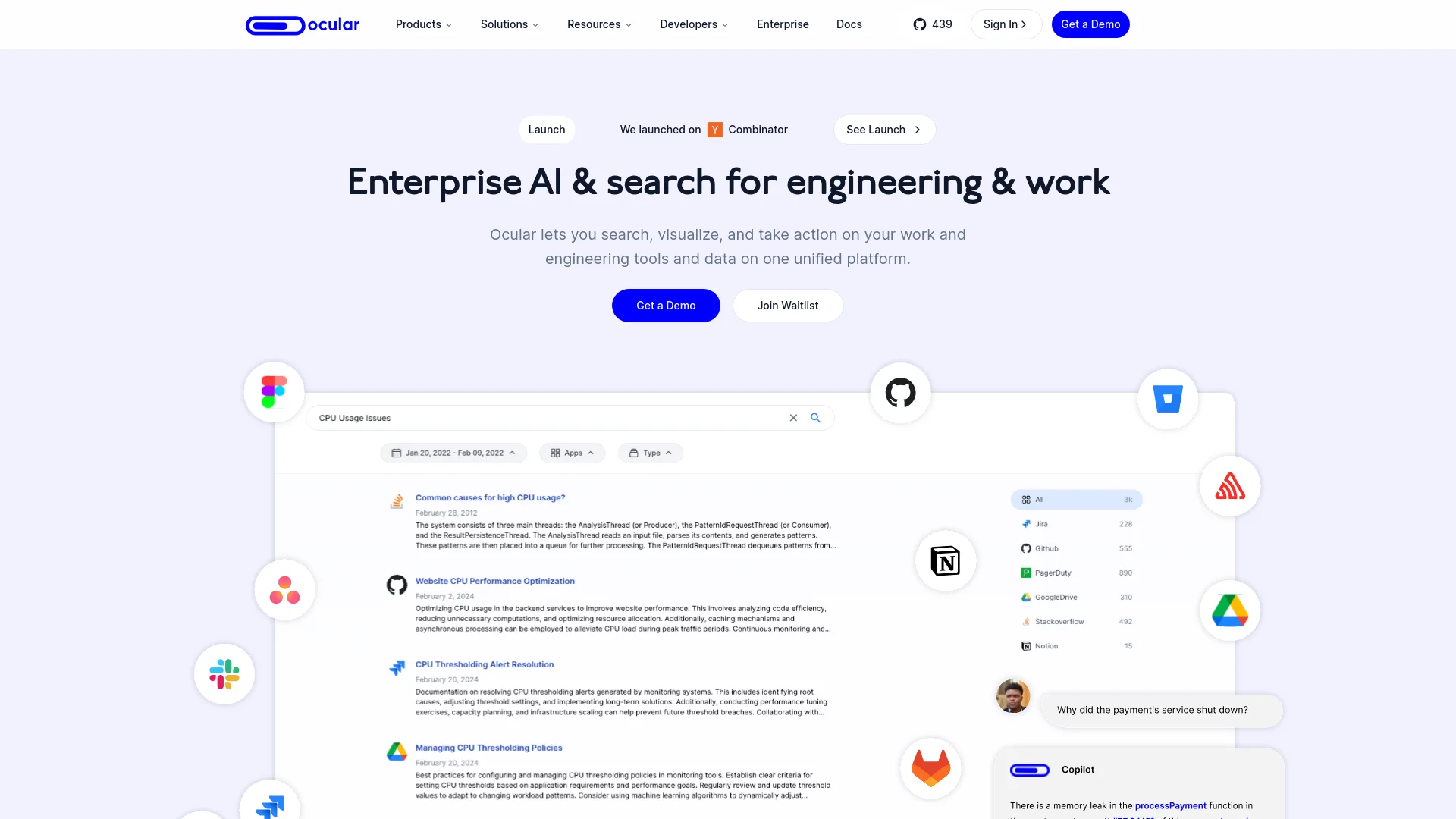
Ocular AI is a cutting-edge platform designed to revolutionize how businesses interact with their data across various tools and applications. At its core, Ocular AI facilitates a seamless integration of company applications, tooling, and data sources to enable an efficient, AI-powered organizational search that respects team-level permissions. This tool is particularly crafted for engineers and project managers who require a unified view and control over their workflow and data management, enhancing productivity and decision-making processes within enterprises.
Ocular AI stands out with its highly customizable framework and robust AI capabilities, which are designed to cater specifically to the complex needs of enterprise-level users. Its ability to integrate deeply with both third-party and in-house software sets it apart, offering a truly tailored solution that enhances both security and functionality.
Ocular AI excels in providing robust, customizable solutions for complex enterprise environments, making it an essential tool for businesses that prioritize data security, integration, and efficient workflow management. Its unique ability to adapt to specific organizational needs offers an unmatched advantage in the realm of enterprise AI solutions.
Who is Using Ocular AI?
Engineering Teams
Utilize the platform for managing software development projects and maintaining large codebases.
Project Managers
Employ Ocular AI for overseeing multiple project timelines and deliverables efficiently.
IT Support Teams
Leverage the tool to handle IT requests and manage knowledge bases.
Customer Support Teams
Use Ocular AI to access customer data quickly and resolve queries effectively.
Uncommon Use Cases
Academic researchers use Ocular AI for managing large datasets and collaborations; Non-profits utilize it for donor management and campaign tracking.
Key Features
Rating Breakdown
Pricing Plans
Custom Pricing Model
- Ocular AI offers tailored pricing depending on the deployment scale
- Chosen features
- Integration needs
Ocular AI Use Cases
Curate multimodal datasets
Ingest, search, organize, and index image and video data.
Outcome: Reusable data collections for downstream annotation and model development.
Annotate image and video data
Create bounding boxes, polygons, segmentations, and other annotations manually or with AI assistance.
Outcome: Structured labeled data for training and evaluation.
Manage dataset versions
Create dataset versions and split them into training, validation, and test sets.
Outcome: More reproducible model-training experiments.
Train custom computer-vision models
Configure training jobs from annotated dataset versions and monitor metrics.
Outcome: Models specialized for the objects and visual patterns in the user’s data.
Evaluate model iterations
Review training metrics, graphs, confusion matrices, and validation performance.
Outcome: Evidence for comparing model versions and selecting better-performing models.
Workflow Ideas with Ocular AI
Build a labeled training dataset
- 1Ingest images or videos from connected storage or local upload
- 2Search and organize relevant files into an index
- 3Create annotation batches, review results, and export a dataset version
Train and evaluate a custom model
- 1Create a project and configure labels
- 2Annotate data and create training, validation, and test splits
- 3Launch model training and review metrics and confusion matrices
Download datasets programmatically
- 1Create a dataset export in Foundry
- 2Generate an API key and install the Python SDK
- 3Use the SDK or cURL to download the export
How Ocular AI fits into your stack
In-House Software Integration
Seamlessly connects with bespoke company tools.
Major AI Models Support
Compatible with OpenAI, Hugging Face, and more.
Flexible Database Integration
Supports various vector databases like Pinecone and Qdrant.
Extensive API Access
Allows for the development of custom features and integrations through a comprehensive API.
Pros
- +Enhanced Data Security: Users have full control over their data, whether choosing to host it locally or on a cloud, ensuring compliance with enterprise-level security standards.
- +High Customizability: From AI models to the database layers, everything can be customized to fit the specific needs of a business, making Ocular AI a versatile choice for diverse enterprises.
- +User Empowerment: By enabling permission-aware searches, it ensures that sensitive information remains secure while being accessible to authorized personnel only.
- +Efficient Workflow Management: Integrates multiple functions like search, file management, and task automation into a single platform, streamlining operations significantly.
Cons
- −Complex Setup: The wide array of features and customization options might require a steep learning curve for new users.
- −Potentially High Cost: While cost-effective in the long run, the initial investment in custom setups and integrations can be high.
- −Dependency on Technical Expertise: Effective deployment and management of Ocular AI require a solid background in IT and data management.
Limitations & when to consider alternatives
Known limitations
- API uploads are not yet available. The API documentation lists file upload capabilities as coming soon.
- API workflow automation is not yet available. Annotation workflow automation is listed among planned API capabilities.
- SDK scope is initially focused on downloads. The SDK documentation says its initial release focuses on dataset downloading and management.
- Dataset transformation is planned. Dataset transformation and programmatic dataset creation are listed as future SDK capabilities.
- Framework integrations are planned. Direct integrations with PyTorch, TensorFlow, and other ML frameworks are listed as coming soon.
Look elsewhere when
- You need API-based file uploads or annotation workflow automation.
- You need a native mobile or desktop application.
- You need SSO or SAML authentication.
How to Use Ocular AI
- 1
Explore a range of tutorials on the official website, covering everything from basic setup to advanced features, ensuring users can fully leverage the platform's capabilities.
Who is Ocular AI For?
Machine Learning Engineers
The SDK helps integrate Ocular datasets into machine-learning training pipelines.
Data Scientists
Ocular supports exploring curated datasets and using them for experimentation.
Research Teams
Research teams can streamline dataset access and collaborate on shared versions.
ML Ops
Dataset versioning and reproducible exports support machine-learning operations.
Annotation Teams
Kanban workflows, assignment, review, approval, and quality controls support teams labeling image and video data.
Frequently Asked Questions
What is Ocular AI?
Ocular provides data-labeling and training tools for transforming unstructured image and video data into curated datasets and specialized computer-vision models.
What types of data can Ocular ingest?
Ocular supports AWS S3, Azure Storage, Google Cloud Storage, and local file uploads.
Can Ocular search visual data?
Yes. Its multimodal search supports natural-language queries across images, videos, and other multimodal data.
Can Ocular train custom models?
Yes. Users can train custom YOLO-based models using curated and annotated datasets.
Does Ocular provide an API?
Yes. Ocular provides a REST API authenticated with API keys, plus a Python SDK for dataset access.
Can teams collaborate in Ocular?
Yes. Organizations and workspaces support invitations, teammates, annotators, shared projects, review workflows, and team productivity features.
Community reviews
Be the first to share your experience.
Sign in to leave a review for Ocular AI.
Ocular AI Alternatives
Looking for alternatives to Ocular AI? Here are similar tools in the same category:
Learn to Master Ocular AI
With Skill Leap courses
Get in-depth training on Ocular AI and 50+ other AI tools with our expert-led video courses.
Start 7-Day Free Trial