Obsess AI
Shopify merchants turn their catalog into on-brand campaign content.
Key Takeaways
- What it is
- Shopify merchants turn their catalog into on-brand campaign content.
- Pricing
- $9 per month · $39 per month · $99 per month · $299 per month
- Best for
- AI Product Photography
- SEO Content Generation
- Keyword Intelligence
- Rating
- 4.2/5
What is Obsess AI?
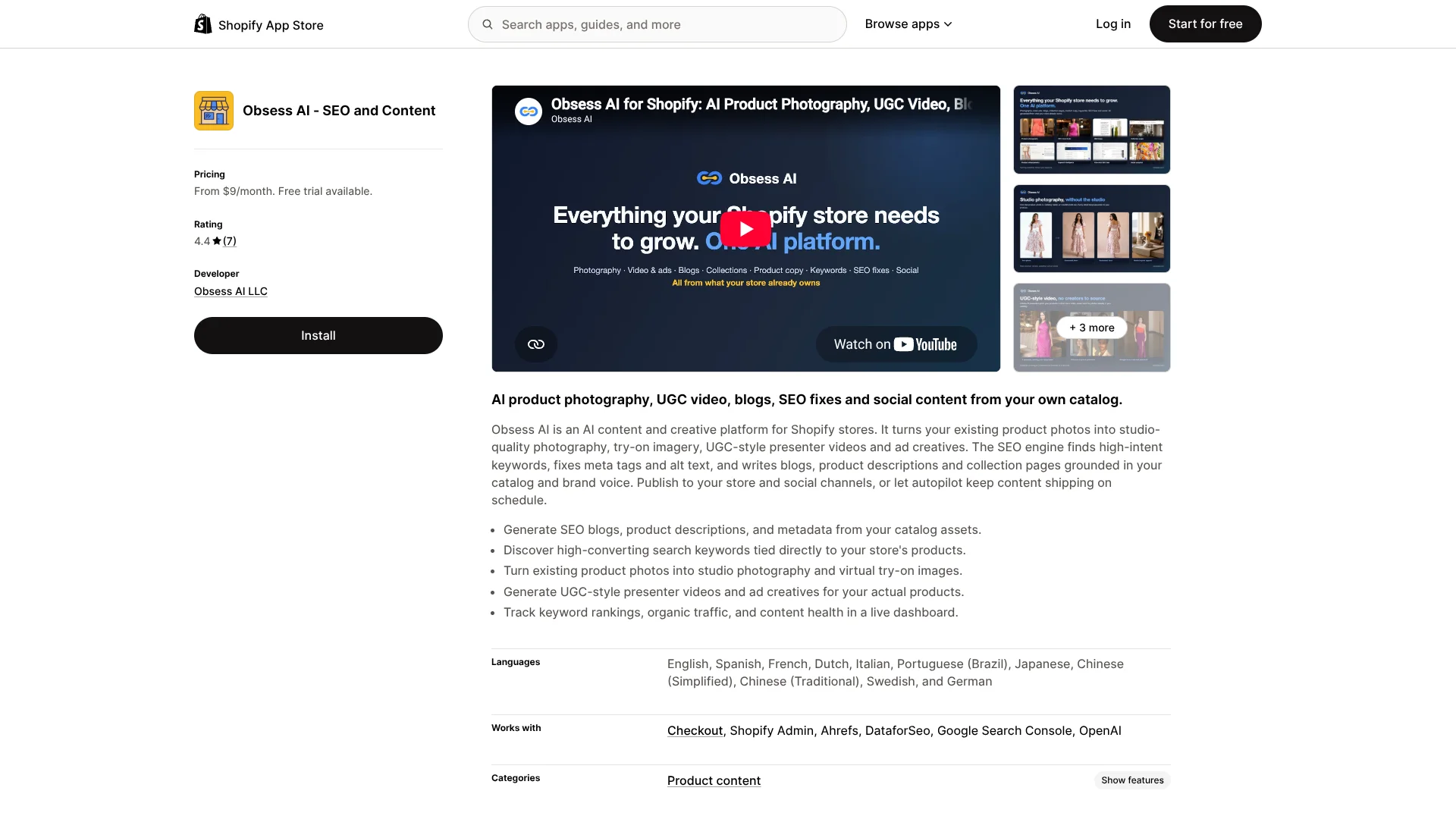
Obsess AI helps Shopify merchants produce store content from their live catalog. It writes product descriptions, blog posts, collection pages, and social posts, while turning existing product photos into studio scenes, try-on images, and presenter-led videos. The app also checks search performance and prepares SEO fixes tied to real store pages.
Its clearest difference is the day-28 verdict attached to SEO changes: Obsess AI records a baseline when a fix publishes, compares results with similar pages it left alone, and lets merchants undo the change.
The app fits Shopify brands that need regular content but do not have a large creative or SEO team. It is less suitable for merchants who need a standalone writing tool, broad ecommerce integrations, or a native desktop workspace. Obsess AI is strongest when your Shopify catalog is the source for every campaign, page, and search improvement.
Who is Using Obsess AI?
Shopify Store Owners
Their catalog becomes the source for product copy, pages, blogs, imagery, and scheduled social content.
SEO Managers
Keyword intelligence, issue queues, one-click fixes, and day-28 verdicts support ongoing search work.
Content Marketers
Blog posts and collection content can be planned around store products, search terms, and the brand's existing voice.
Creative Directors
Product photos can be extended into studio scenes, try-on visuals, UGC-style reels, and ad creatives.
Social Media Managers
Catalog-based posts can be prepared for Instagram, Facebook, and Pinterest with captions and publishing dates.
Uncommon Use Cases
Rewriting fading blog posts and measuring their recovery; finding keyword conflicts between product pages, blogs, and collections
Key Features
Rating Breakdown
Pricing Plans
Starter
$9 per month
- 250 credits
- Pages, blog, product copy, product shoots, and social content
- Seven-day trial with 100 credits
- Credits reset monthly
Growth
$39 per month
- 1,250 credits
- The same tools as Starter with more room for weekly video work
- Seven-day trial with 100 credits
- Credits reset monthly
Professional
$99 per month
- 3,500 credits
- Keyword intelligence, AI marketing assistant, and social autopilot
- Seven-day trial with 100 credits
- Credits reset monthly
Enterprise
$299 per month
- 12,000 credits
- Dedicated support and credit top-ups
- Seven-day trial with 100 credits
- Credits reset monthly
Which Obsess AI plan should you pick?
Start with Starter for occasional copy and creative work, move to Growth for regular video and higher volume, and choose Professional when you need keyword intelligence, the AI assistant, or social autopilot.
Starter
Good for smaller stores that need product copy, blog posts, images, pages, and social content at a low monthly volume.
Growth
Good for stores producing content every week and needing more credits for video and collection work.
Professional
Good for merchants who need keyword intelligence, the AI marketing assistant, social autopilot, and a larger credit allowance.
Enterprise
Good for high-volume stores that need 12,000 monthly credits and dedicated support.
Obsess AI Use Cases
Product Catalog Refresh
A large catalog gets clearer product descriptions and metadata generated from existing product details.
Outcome: Faster bulk content updates with product-specific copy.
Search Content Program
Blog topics and collection pages are tied to store products and search data instead of generic editorial ideas.
Outcome: A repeatable flow for publishing search-focused content.
Product Visual Production
One approved catalog photo becomes studio, lifestyle, try-on, or video creative.
Outcome: More visual assets without a new photo shoot for every campaign.
Technical SEO Cleanup
The issue queue identifies page conflicts and thin content, then presents reversible fixes.
Outcome: A prioritized list of store SEO changes with rollback support.
Social Publishing
A catalog-based queue prepares platform-specific posts and holds them for review before publishing.
Outcome: A steadier social schedule across Instagram, Facebook, and Pinterest.
Workflow Ideas with Obsess AI
Launch a New Collection
- 1Select the products and target search term for the collection.
- 2Generate the collection page, supporting imagery, and product copy.
- 3Review the storefront preview and publish when the page is ready.
Build a Monthly Content Run
- 1Let Obsess AI study the catalog, brand voice, and search history.
- 2Approve blog outlines and generate articles with linked products.
- 3Schedule related social posts for Instagram, Facebook, and Pinterest.
Repair Underperforming SEO Pages
- 1Review the issue queue for thin pages or keyword conflicts.
- 2Apply a reversible fix to selected pages.
- 3Check the day-28 verdict and undo changes that do not perform.
How Obsess AI fits into your stack
Shopify Admin
Obsess AI works inside the Shopify store and can publish content, pages, product changes, and templates through Shopify.
Catalog and Theme
The app uses product details, approved photos, brand voice, and the theme's own sections to produce store content.
Search Data
Google Search Console, Ahrefs, and DataforSEO support keyword research, ranking work, and page diagnosis.
Social Channels
Instagram, Facebook, and Pinterest receive scheduled catalog-based posts that can be reviewed before publishing.
AI Generation
OpenAI is listed as a connected service, while Obsess AI handles the merchant-facing workflow for text, images, and video.
Pros
- +Catalog grounding: Content and images are based on your Shopify products instead of a blank prompt.
- +Preview before publishing: Pages, articles, and posts wait for your approval before going live.
- +Measured SEO work: Changes are judged against comparable pages instead of relying only on before-and-after results.
- +Broad creative coverage: One credit system covers copy, imagery, video, blogs, and social posts.
- +Shopify-native publishing: Generated templates and content are published into the store's own theme.
Cons
- −Shopify dependence: An active Shopify store is required.
- −Credit metering: Each generation consumes credits, and unused credits do not roll over.
- −Early workflow friction: Some merchants may need help controlling which products or descriptions the app changes.
Limitations & when to consider alternatives
Known limitations
- Credits Reset Monthly. Unused credits do not carry into the next billing month.
- Runs Stop at the Limit. Work stops when credits run out until the allowance resets or the store moves to a larger plan.
- Premium Models Cost More. Choosing a premium model can raise posted credit prices by up to four times, with the exact cost shown before each run.
- Commerce Sections Stay Theme-Controlled. Price, variants, inventory, cart, checkout, and the buy box are not AI-rendered.
- API Access Is Not Available Yet. The Enterprise listing describes API access as coming soon.
Look elsewhere when
- You need a native mobile app or desktop application.
- You need a public developer API today.
- Your store runs outside Shopify.
- Your team needs built-in roles, SSO, or shared workspaces.
How to Use Obsess AI
- 1
Install from Shopify
Add Obsess AI to an active Shopify store and begin the seven-day trial with 100 credits.
- 2
Let It Read Your Store
Give the app access to the catalog, theme, and relevant store content so its outputs match real products and pages.
- 3
Choose a Job
Start with product copy, a blog article, product imagery, a collection page, social content, or an SEO issue.
- 4
Review the Preview
Read the generated content or view the storefront preview before anything is published.
- 5
Publish or Refine
Publish approved work, or describe changes in plain language and generate another preview.
- 6
Check the Result
Use receipts, analytics, and day-28 verdicts to decide whether an SEO change should remain live.
Who is Obsess AI For?
Shopify Merchants
Store owners can produce more product, blog, collection, and social content from the catalog they already maintain.
Fashion and Apparel Brands
Brands can create on-model imagery, virtual try-on visuals, and presenter-led videos from product photos.
Content-Led Ecommerce Stores
Stores focused on organic search can connect blog publishing, product copy, internal linking, and SEO checks.
Small Marketing Teams
Lean teams can cover recurring creative and search work without assigning every task to an agency or specialist.
Merchants Running Multiple Campaigns
Seasonal campaigns and product launches can use generated landing pages, collection pages, imagery, and social posts.
Frequently Asked Questions
Does Obsess AI have a free plan?
The SEO and Content app has a seven-day free trial with 100 credits and no credit card. It does not have a permanent $0 subscription tier.
How does Obsess AI charge for work?
The app uses monthly credits. Each run shows its credit cost before starting, and failed runs are refunded.
Which social networks can it post to?
Social autopilot supports Instagram, Facebook, and Pinterest.
Will it publish changes without approval?
No. Pages, articles, and posts wait in preview until you approve them.
Can it change my Shopify theme?
It composes with the theme's existing sections and publishes real templates into the store, while commerce-critical sections remain controlled by the theme.
Does Obsess AI train public models on store data?
The company says catalog data, copy, and Search Console history are not used to train public models.
Community reviews
Be the first to share your experience.
Sign in to leave a review for Obsess AI.
Obsess AI Alternatives
Looking for alternatives to Obsess AI? Here are similar tools in the same category: