
Noteithub
Turns ChatGPT conversations into evolving task plans.
Key Takeaways
- What it is
- Turns ChatGPT conversations into evolving task plans.
- Pricing
- Freemium · $4.99 per month · $8.99 per month
- Best for
- ChatGPT To-Do Lists
- Topic Continuity
- Reminders and Calendar Tasks
- Rating
- 3.9/5
What is Noteithub?
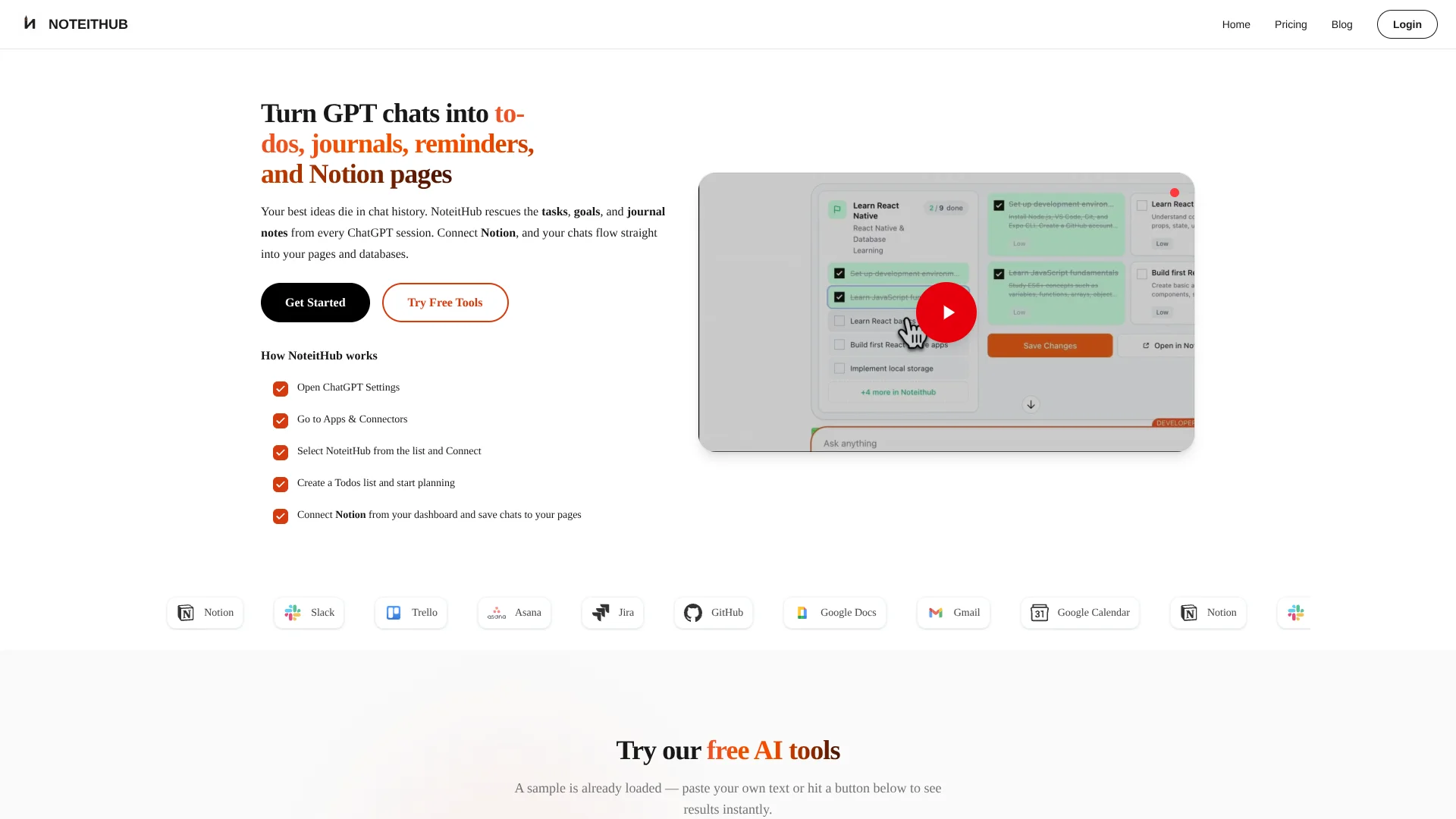
NoteitHub turns ChatGPT conversations into trackable to-do lists, reminders, journal entries, and topic-based plans. It is built for people who use ChatGPT to think through projects, study plans, meetings, routines, or business decisions, then lose the useful parts inside long chat histories. Saved work appears in a dashboard where tasks can be updated and scheduled.
When you revisit the same topic in a new ChatGPT conversation, NoteitHub can update the existing task list instead of making you rebuild it from scratch. That continuing link between separate AI conversations and one evolving plan is the tool's clearest specific strength.
NoteitHub fits founders, students, developers, marketers, and anyone who turns ChatGPT advice into follow-up work. It is less suited to teams needing shared workspaces, advanced integrations, or enterprise security controls because the published plans focus on individual use and list only Notion as an integration.
Who is Using Noteithub?
Founders
Product roadmaps, pricing decisions, and growth experiments stay attached to an evolving topic plan.
Students
Study explanations become review notes, assignment steps, and scheduled preparation sessions.
Software Engineers
Debugging history and design decisions become searchable entries instead of buried chat threads.
Marketers
Campaign strategy becomes a calendar and a set of repeatable actions that can be reviewed each week.
Meeting Organizers
Conversation notes become action items with owners, deadlines, and follow-up reminders.
Uncommon Use Cases
Immigration planning with step-by-step deadlines; recurring gym, language practice, or personal review routines.
Key Features
Rating Breakdown
Pricing Plans
Free
Free
- 7 credits per month
- 1 reminder per month
- Core todo and journal tools
- Community support
Plus
$4.99 per month
- 35 credits per month
- 5 reminders per month
- Core todo and journal tools
- Email support
Pro
$8.99 per month
- 300 credits per month
- 50 reminders per month
- 1 integration for updating Notion pages and databases from ChatGPT
- Priority support
- Early access to NoteitHub's ChatGPT app
Which Noteithub plan should you pick?
Start with Free for occasional ChatGPT planning, move to Plus for regular individual use, and choose Pro when you need higher limits, calendar continuity, or Notion updates.
Free
Good for casual use, lightweight tracking, and testing the core to-do and journal workflow.
Plus
Good for steady individual use when 35 monthly credits and 5 monthly reminders are enough.
Pro
Good for frequent ChatGPT planning that needs 300 credits, 50 reminders, priority support, and Notion updates.
Noteithub Use Cases
Project Planning
A long ChatGPT planning thread becomes a step-by-step task list with progress tracking.
Outcome: A project plan you can reopen, update, and schedule.
Meeting Follow-Up
Meeting notes are converted into clear action items, deadlines, and reminders.
Outcome: Fewer missed follow-ups after meetings.
Study Planning
ChatGPT explanations and exam plans become a study journal with review tasks and calendar time.
Outcome: A reusable study plan that stays connected to the topic.
Decision History
The outcome and reasoning from an AI conversation are saved as a structured journal entry.
Outcome: Past decisions are easier to find and revisit.
Notion Capture
Pro users can send structured ChatGPT results to Notion pages and databases.
Outcome: AI-generated plans appear in an existing Notion workspace.
Workflow Ideas with Noteithub
ChatGPT Plan to Calendar
- 1Discuss a project, routine, or deadline in ChatGPT.
- 2Ask NoteitHub to turn the conversation into tasks and reminders.
- 3Schedule selected tasks as calendar time blocks.
Evolving Topic Plan
- 1Create a task list from the first conversation about a goal.
- 2Return to the same topic in a later ChatGPT conversation.
- 3Update the existing list with new tasks and progress.
ChatGPT to Notion
- 1Connect NoteitHub to your ChatGPT account.
- 2Connect a Notion page or database from the NoteitHub dashboard.
- 3Send structured conversation results to Notion from ChatGPT.
How Noteithub fits into your stack
ChatGPT
ChatGPT is where ideas, plans, and decisions start. NoteitHub turns the useful parts into saved tasks, reminders, and journal entries.
Dashboard
The NoteitHub dashboard is the place to review saved conversations, edit tasks, and track done, pending, or skipped work.
Calendar
Calendar support gives AI-generated plans dates and time blocks, which helps move them from conversation into a daily schedule.
Notion
Pro users can connect Notion and update pages or databases from ChatGPT when structured AI output belongs in an existing knowledge system.
Browser
NoteitHub includes a browser extension for saving conversations and generating titles, summaries, tags, or goals from browser-based work.
Pros
- +ChatGPT continuity: Keeps related plans alive across later conversations.
- +Action tracking: Adds statuses, priorities, due dates, and reminders to AI-generated plans.
- +Calendar support: Turns reminders into scheduled time blocks and deadlines.
- +Low entry cost: Includes a free plan with core to-do and journal tools.
Cons
- −Individual focus: The published plans are aimed at personal use rather than shared team work.
- −Small integration set: The pricing page specifically highlights one Notion integration on Pro.
- −ChatGPT dependence: The main workflow is built around conversations in ChatGPT.
Limitations & when to consider alternatives
Known limitations
- Plan Credits. The Free plan includes 7 credits per month, Plus includes 35, and Pro includes 300.
- Reminder Limits. The Free plan includes 1 reminder per month, Plus includes 5, and Pro includes 50.
- Individual Plans. The pricing page describes Plus as steady individual use, and the published plans do not document shared workspaces or team roles.
- AI Output Reliability. NoteitHub's terms say AI-generated content may be inaccurate, incomplete, or outdated and should be checked for important decisions.
- Limited Published Integrations. The Pro pricing page specifically documents one integration for updating Notion pages and databases.
Look elsewhere when
- You need a shared workspace with documented roles and team permissions.
- You need a public developer API for custom automations.
- Your workflow depends on native mobile or desktop applications.
- You need enterprise controls such as SSO or documented encryption standards.
How to Use Noteithub
- 1
Connect NoteitHub in ChatGPT
Open ChatGPT Settings, go to Apps and Connectors, select NoteitHub, and approve the connection in a browser.
- 2
Start with a Real Conversation
Discuss a project, study plan, meeting, or routine in ChatGPT so NoteitHub has clear tasks and context to organize.
- 3
Save the Conversation
Ask NoteitHub to create a to-do list, reminder list, journal entry, or topic-based plan from the conversation.
- 4
Review the Dashboard
Open the saved result on noteithub.com to edit tasks, check statuses, and keep pending work visible.
- 5
Schedule Important Work
Add dates, reminders, or calendar time blocks when a task needs a place on your schedule.
- 6
Continue the Topic Later
When a new ChatGPT conversation covers the same goal, ask NoteitHub to update the existing list rather than create a duplicate.
Who is Noteithub For?
Founders and Indie Hackers
Keep product, pricing, marketing, and growth decisions moving when planning conversations return weeks later.
Students
Turn ChatGPT explanations, study plans, and assignment planning into notes, tasks, and reminders.
Developers
Save debugging sessions and technical decisions as structured notes that can be searched later.
Marketing and Sales
Turn campaign ideas and content planning chats into repeatable tasks and calendar commitments.
Personal Planners
Track routines, appointments, follow-ups, bills, and other commitments discussed with ChatGPT.
Frequently Asked Questions
Does NoteitHub work with ChatGPT?
Yes. NoteitHub connects to ChatGPT as an app, where it can save conversations as to-do lists, reminders, journal entries, and topic-based plans.
Can NoteitHub update a task list from a new chat?
Yes. When a later conversation relates to the same topic, NoteitHub can update the existing list instead of creating a duplicate.
Does NoteitHub have a free plan?
Yes. The Free plan costs $0 per month and includes 7 credits, 1 reminder, core to-do and journal tools, and community support.
What is included in the Pro plan?
Pro costs $8.99 per month and includes 300 credits, 50 reminders, priority support, early access to the ChatGPT app, and one Notion integration.
Can NoteitHub send tasks to a calendar?
Yes. Reminders and tasks can be turned into calendar items such as time blocks, deadlines, or recurring routines.
Can NoteitHub save information to Notion?
Yes. The Pro plan documents an integration that can update Notion pages and databases from ChatGPT.
Community reviews
Be the first to share your experience.
Sign in to leave a review for Noteithub.
Noteithub Alternatives
Looking for alternatives to Noteithub? Here are similar tools in the same category:
Learn to Master Noteithub
With Skill Leap courses
Get in-depth training on Noteithub and 50+ other AI tools with our expert-led video courses.
Start 7-Day Free Trial