
Notch
Generate dynamic ads quickly using AI-driven insights.
Key Takeaways
- What it is
- Generate dynamic ads quickly using AI-driven insights.
- Pricing
- $39 per month · $99 per month
- Best for
- Animated Ads
- Breakthrough AI™
- Successor AI™
- Rating
- 4.5/5
What is Notch?
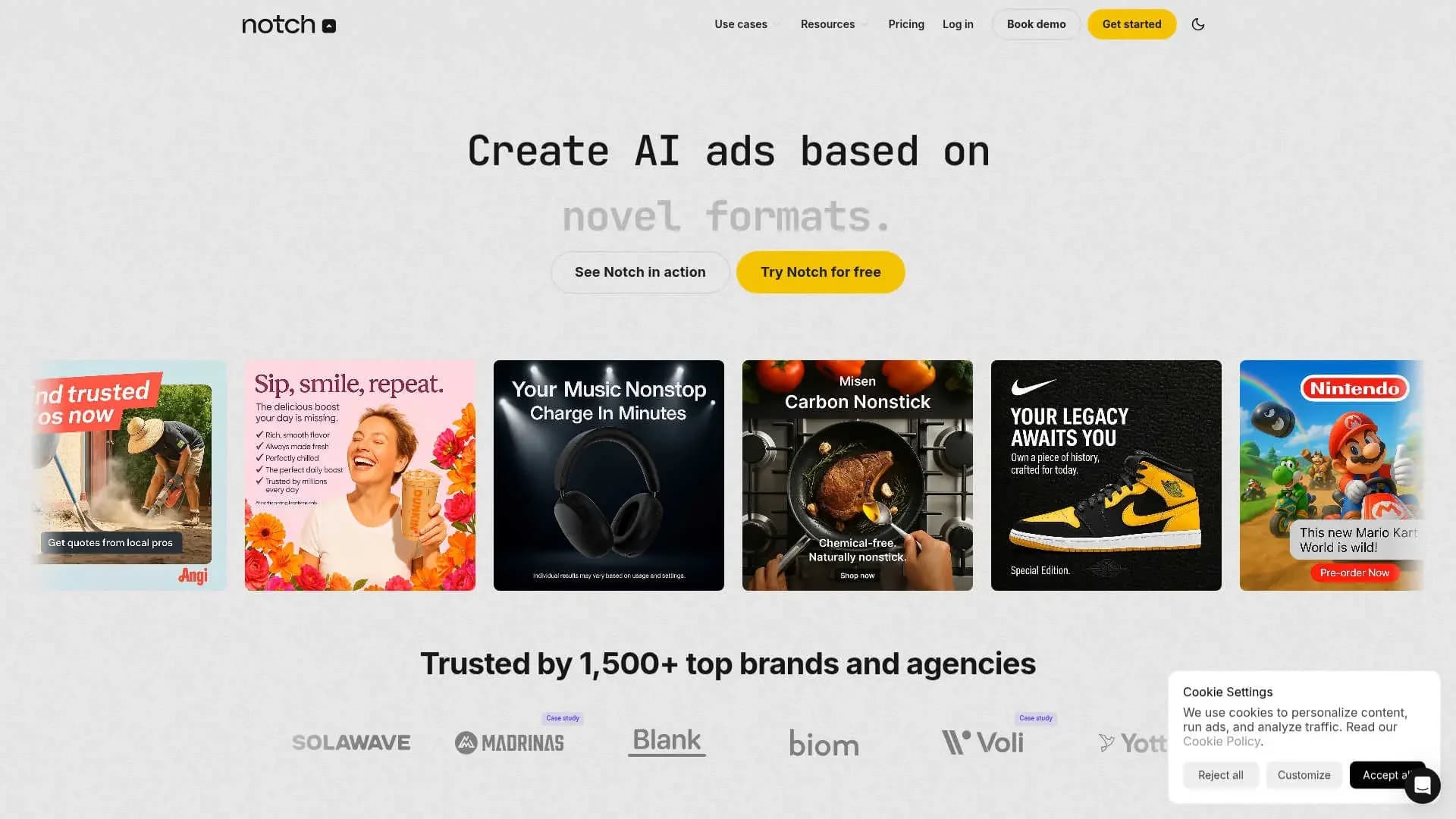
Notch is a cutting-edge AI tool designed to transform the creative advertising process, particularly for agencies and brands looking to enhance their digital ad campaigns. It focuses on generating AI-powered ads by analyzing current trends and leveraging past advertising successes. By automating creative production, Notch aims to reduce time spent on ad creation and boost the effectiveness of marketing strategies.
Notch stands out with its Breakthrough AI™ feature, which crafts innovative ad concepts from customer data. This ability to generate fresh advertising ideas sets it apart, making it a valuable asset for marketing teams looking to stay ahead of the curve.
Notch has positioned itself as a formidable tool in the world of digital advertising. By blending AI-driven insights with creative flexibility, it empowers marketers and agencies to elevate their ad campaigns efficiently. Whether you're a seasoned marketing professional or new to digital ads, Notch offers an innovative approach to crafting compelling advertising content.
Who is Using Notch?
Digital Marketing Agencies
Using Notch to create and scale ad campaigns efficiently.
E-commerce Brands
Employing Notch to enhance product visibility and conversion rates.
Social Media Managers
Leveraging the tool to produce engaging and trending ad content.
Creative Teams
Streamlining the ad creation process with AI-driven insights.
Uncommon Use Cases
Educational institutions using the tool to teach digital marketing strategies; Event planners utilizing it for promotional content creation.
Key Features
Rating Breakdown
Pricing Plans
Starter
$39 per month
- 300 credits (30 ads)
- Including features like ad animation and competitor ad tracking
Pro Popular
$99 per month
- 1,000 credits (100 ads)
- Adding collaborative review boards and multiple team member support
Enterprise
- Advanced support and integrations
Which Notch plan should you pick?
Start with Free to test one complete ad, move to Pro for custom media, teammates, collaboration, and higher-volume generation, and contact Enterprise for unlimited workspaces, custom integrations, and dedicated support.
Free
Good for testing Notch with 150 credits and generating an initial agentic video ad.
Pro
Good for marketers and agencies needing custom media uploads, teammates, collaborative review boards, and larger creative-testing capacity.
Enterprise
Good for larger businesses and agencies needing unlimited generations, unlimited workspaces, custom integrations, onboarding, training, and priority support.
Notch Use Cases
Generate a complete UGC ad
Provide a product page and brief; Notch creates the script, avatar, voiceover, footage, captions, and edit.
Outcome: A finished UGC ad ready for download or further editing.
Create product-shot ads
Upload product images from multiple angles so the agent can place the product naturally in generated scenes.
Outcome: On-brand product visuals for advertising campaigns.
Remix a winning or competitor ad
Provide an existing ad; Notch analyzes its hook, pacing, and call to action, then rebuilds it around your product.
Outcome: A new ad using the original creative structure with your brand and product.
Run creative testing cycles
Generate multiple hooks, bodies, headlines, and ad variants for systematic A/B testing.
Outcome: More structured testing of creative combinations.
Automate Meta campaign operations
Notch reads account performance, proposes creative, syncs approved ads to Meta, and monitors spend.
Outcome: A recurring advertising workflow with human approval before launch.
Workflow Ideas with Notch
From product page to finished ad
- 1Connect Notch through the web app or MCP
- 2Provide a product URL and advertising brief
- 3Review hooks, script, avatar, and scenes before rendering
- 4Download or edit the finished ad in the Notch workspace
Weekly autonomous growth workflow
- 1Notch reads account performance and competitor changes
- 2It plans new creative and posts the plan in Slack
- 3It generates ads and submits them for approval
- 4It syncs approved campaigns to Meta and reports results
Remix a winning creative
- 1Upload or provide a competitor or prior winning ad
- 2Notch analyzes its hook, pacing, and call to action
- 3Replace the original product with your brand and assets
- 4Review, edit, and export the rebuilt ad
How Notch fits into your stack
Browser
Notch is primarily used through its web application, where marketers brief agents, review creative, and manage ad workspaces.
Team chat and tickets
Agents post plans and reports in Slack and can alert teams with proposed fixes when spend spikes or performance dips.
Automation and APIs
Notch connects to the Meta Ads API to manage budgets, ad sets, campaign structures, and approved campaign launches. Its MCP connector also lets users supervise ad creation from Claude or ChatGPT.
Knowledge and files
The Creative Brain stores products, USPs, personas, guidelines, competitor insights, brand assets, and past winning ads for reuse in new creative.
Pros
- +Time Efficiency: Speeds up ad creation, allowing marketers to produce ads in a fraction of the usual time.
- +Data-Driven Creativity: Utilizes AI to craft ads that are not only visually appealing but also strategically sound.
- +Cost Savings: Offers significant savings compared to hiring external creative agencies.
- +Scalability: Easily scale campaigns with AI-generated insights and variations.
Cons
- −Initial Learning Curve: New users might face a learning curve when navigating advanced features.
- −Integration Limitations: Currently, integration with certain third-party platforms may be limited.
Limitations & when to consider alternatives
Known limitations
- Free usage is credit-limited. The Free plan provides 150 credits, enough for approximately one full agentic video ad.
- Custom media uploads require Pro. Custom b-roll and custom avatar creation are listed as Pro features.
- Human approval remains part of publishing. Notch states that nothing goes live without user approval or configured rules.
- Meta is the explicitly documented ad-platform integration. The main product documentation prominently describes direct Meta Ads API integration; broader platform support is primarily shown on comparison pages.
Look elsewhere when
- You need a native mobile application.
- You need a public developer API with API keys.
- You need a desktop installer.
How to Use Notch
- 1
Start with a brand or product
Provide a product URL or upload product shots so Notch can understand the brand, product, visuals, and messaging.
- 2
Choose an ad direction
Select a format such as UGC, product demo, cinematic short, static image, or a winning-ad remix.
- 3
Brief the agent
Describe the audience, offer, hook, style, and desired outcome in plain language.
- 4
Review creative decisions
Approve or revise hooks, scripts, avatars, first frames, scene clips, and other key choices before generation continues.
- 5
Edit and export
Use the built-in timeline editor to trim clips, adjust audio, add effects, or describe changes conversationally, then export the ad.
- 6
Publish approved campaigns
Connect Meta Ads, review the proposed campaign structure, and approve the ads before Notch moves them live.
Who is Notch For?
E-commerce brands
Notch turns product pages, brand information, and product assets into finished advertising creative.
Performance marketers
Marketers can generate variants, test hooks, monitor spend, and use performance data to improve campaigns.
Lead-generation advertisers
Notch provides ad formats and creative workflows for lead-generation campaigns.
Mobile-app marketers
The product page identifies apps as a supported advertising category for finished ad creation.
Agencies
Pro and Enterprise plans include teammate access, collaborative review boards, multiple workspaces, and agency-oriented workflows.
Frequently Asked Questions
What is the Free plan?
The Free plan provides 150 credits, enough to generate one full agentic video ad, with no credit card required.
What can Notch create?
Notch creates finished UGC videos, product demos, static ads, cinematic shorts, animated ads, and avatar ads.
Can I upload my own media?
Yes. Pro users can upload custom product shots, b-roll assets, and avatar photos for use in generated ads.
Can Notch edit existing ads?
Yes. Its built-in timeline editor supports trimming clips, adjusting audio, adding effects, and describing edits in natural language.
Can Notch publish ads?
Notch directly integrates with the Meta Ads API and can move approved campaigns, budgets, ad sets, and structures live.
Can Notch connect to Claude or ChatGPT?
Yes. The Notch MCP connector lets supported chat clients brief, supervise, and receive finished Notch ads.
Community reviews
Be the first to share your experience.
Sign in to leave a review for Notch.
Notch Alternatives
Looking for alternatives to Notch? Here are similar tools in the same category:
Learn to Master Notch
With Skill Leap courses
Get in-depth training on Notch and 50+ other AI tools with our expert-led video courses.
Start 7-Day Free Trial