
Nooks
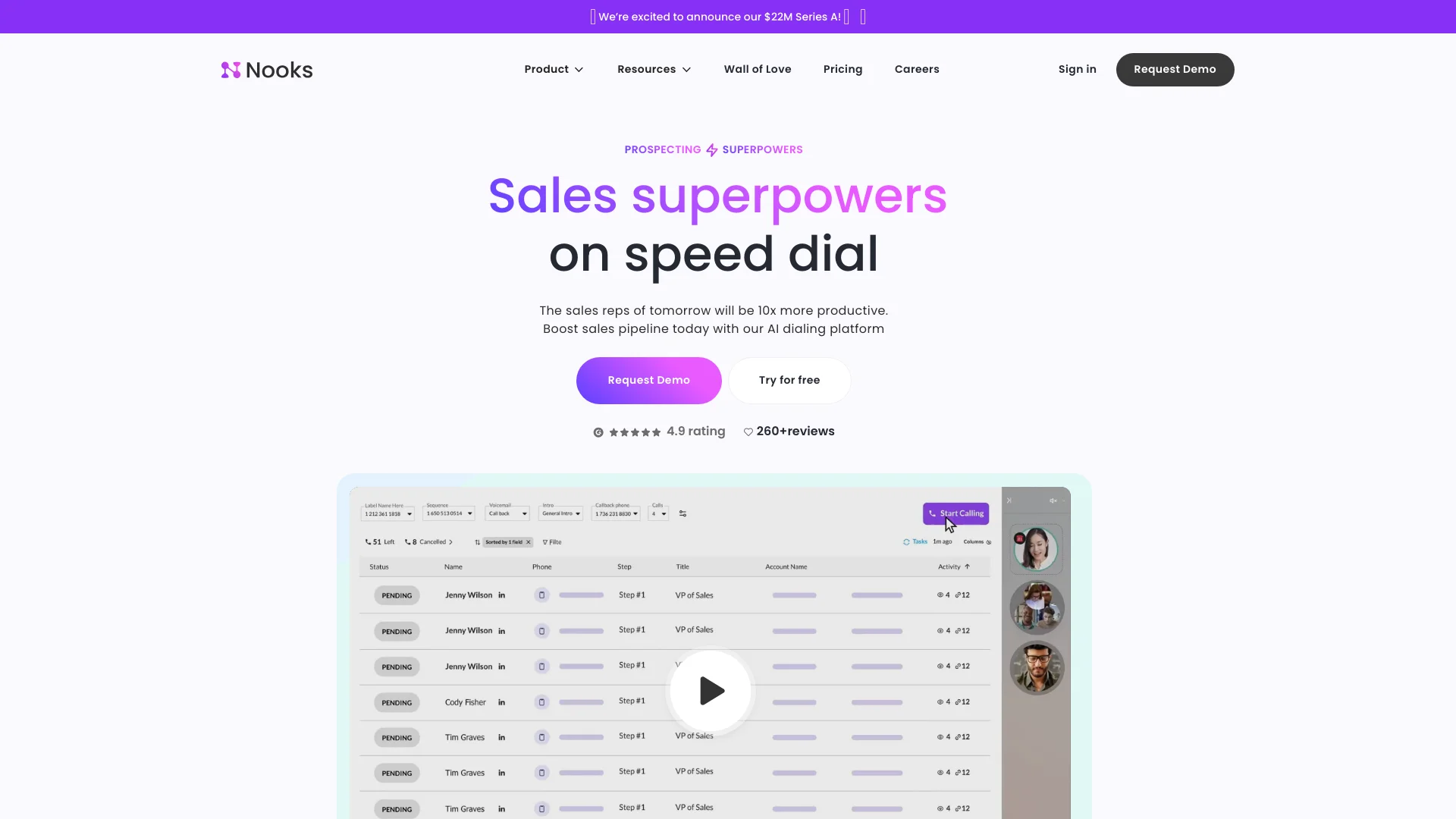
Revolutionize sales with AI dialing, real-time coaching, deep analytics.
Key Takeaways
- What it is
- Revolutionize sales with AI dialing, real-time coaching, deep analytics.
- Best for
- AI Dialer
- Virtual Salesfloor
- Call Analytics
- Rating
- 4.6/5
What is Nooks?
Nooks is an advanced AI-powered tool designed to revolutionize the sales process by automating and streamlining outbound calling tasks. With features such as the parallel dialer, virtual sales floor, and comprehensive call analytics, Nooks enhances productivity and efficiency for sales teams. It supports various working environments—remote, hybrid, or in-person—by improving connect rates, conversion rates, and overall sales pipeline management.
Nooks distinguishes itself with its comprehensive approach to sales call management. The combination of AI-driven dialing, live coaching, and detailed analytics supports not only call execution but also strategic planning and training. This holistic approach is especially beneficial for sales teams looking to scale their operations efficiently.
Nooks excels in enhancing the productivity and strategic capabilities of sales teams. Its innovative features, particularly the AI Dialer and Virtual Salesfloor, offer significant advantages in terms of time savings and effectiveness in managing sales calls. The comprehensive analytics and integration capabilities further establish Nooks as a leading tool in the sales technology landscape.
Who is Using Nooks?
Sales Departments
Used across various industries to enhance efficiency and effectiveness in outbound calling.
Call Centers
Employs AI to manage high volumes of calls more efficiently.
Marketing Teams
Utilizes call analytics to refine and optimize campaign strategies.
Customer Support Managers
Implements Nooks for better management of customer interaction data.
Uncommon Use Cases
Applied by educational institutions for practical training in sales courses; used by freelance consultants to manage client interactions more effectively.
Key Features
Rating Breakdown
Pricing Plans
Free Trial
- Try Nooks at no cost to assess its fit for your operations
Subscription Plans
- Detailed pricing plans available upon request from the Nooks website
Nooks Use Cases
Parallel outbound dialing
Reps load tasks from a CRM or sales-engagement platform and call multiple prospects using Nooks dialing modes.
Outcome: Higher call volume with automated voicemail, notes, and next-step handling.
Signal-based prospecting
Teams use CRM, web, social, call, and intent signals to prioritize accounts and prospects.
Outcome: More targeted outreach based on current buyer context.
Multichannel sequencing
Teams create sequences containing calls, emails, SMS, and social steps with CRM synchronization.
Outcome: Unified execution and automated activity logging.
AI sales coaching
Managers review recorded calls, transcripts, objections, battlecards, scoring, and coaching moments.
Outcome: More consistent talk tracks and scalable rep development.
AI-assisted account research
Reps connect CRM, calendar, call recordings, Notion, Slack, and other data sources to the AI Assistant.
Outcome: Faster account preparation, email drafting, and task prioritization.
Workflow Ideas with Nooks
Signal-to-sequence prospecting
- 1Surface high-intent prospects using CRM, web, call, and buying signals.
- 2Enrich prospect contact details.
- 3Add sourced contacts to an outbound sequence.
CRM-driven call block
- 1Connect Salesforce, HubSpot, Outreach, Salesloft, Apollo, or another supported platform.
- 2Load sequences, tasks, or smart lists into the Nooks Dialer.
- 3Log dispositions, notes, and follow-up activities back to the CRM.
Call coaching loop
- 1Record and transcribe sales calls.
- 2Use AI scoring, topic analysis, and objection reporting to find coaching moments.
- 3Share battlecards, playlists, and standardized playbooks with the team.
How Nooks fits into your stack
CRM Integration
Easily integrates with popular CRM platforms to streamline workflow.
Analytics Tools
Compatible with analytics tools to enhance data interpretation and decision-making.
Communication Platforms
Works seamlessly with various communication tools to maintain connectivity and data flow.
API Access
Provides API access for custom integrations, catering to specific organizational needs.
Pros
- +Increased Productivity: Streamlines the calling process, enabling sales reps to handle more calls efficiently.
- +Enhanced Training and Support: Provides real-time feedback and training, reducing ramp-up time for new sales reps.
- +Data-Driven Insights: Offers deep analytics to help sales teams optimize their call strategies.
- +Comprehensive Integration: Seamlessly integrates with CRM systems and other sales tools, ensuring a unified workflow.
Cons
- −Complex Features: Advanced features may have a learning curve for sales teams.
- −Dependency on Quality Data: Features like Nooks Numbers rely heavily on the initial quality of the data provided.
- −Cost Consideration: The pricing might be a concern for small businesses or startups depending on the structure.
Limitations & when to consider alternatives
Known limitations
- Custom pricing only. The pricing page asks prospects to contact Nooks for a custom quote rather than publishing fixed plan prices.
- CSV uploads are limited to 1,000 rows. CSV dialing supports a maximum upload of 1,000 rows.
- CSV contacts do not sync to external systems. Contacts uploaded directly as CSV are stored for Nooks calling and logging and are not synced back to connected CRMs.
- Some Salesforce fields are unavailable for CSV dialing. Configured Salesforce account, contact, and opportunity fields appear only for tasks loaded through a sales-engagement platform, not CSV uploads or one-off dialing.
- Adaptive and Turbo Dialing require data sharing. These dialing modes require a parallel-dialing seat, a standard Nooks number, and workspace participation in data sharing.
Look elsewhere when
- You need a native iOS or Android application.
- You need a downloadable Windows, Mac, or Linux desktop client.
- You need image analysis or vision input.
- You need programming-code generation.
How to Use Nooks
- 1
Explore a range of tutorials and resources on the Nooks website to get started and maximize the tool's potential effectively.
Who is Nooks For?
Revenue teams
Nooks positions its AI Sequencing platform for revenue teams running outbound prospecting and multichannel outreach.
Sales development representatives
The dialer, sequencing, prospect research, smart lists, and call coaching features are designed for sales reps.
Sales managers and team leaders
Managers can use team reporting, live listen-in, whisper coaching, leaderboards, and coaching feeds.
Sales operations and administrators
Workspace admins manage integrations, roles, SCIM provisioning, CRM mappings, and organization-wide settings.
Frequently Asked Questions
Can Nooks replace Outreach and Salesloft?
Nooks says its AI Sequencing product fully replaces Outreach and Salesloft.
Which CRMs does Nooks integrate with?
Nooks integrates with HubSpot and Salesforce. Other CRM contact lists can be loaded through CSV dialing.
Which contact-data providers does Nooks integrate with?
Nooks names ZoomInfo, Cognism, and LeadIQ for contact-data pass-through via API.
Does Nooks replace Clay?
No. Nooks says it integrates with Clay and can enrich contact data such as email addresses and phone numbers.
Can Nooks automatically enrich contact data?
Nooks offers enrichment integrations and can automatically verify numbers, find emails, and add mobile numbers.
Community reviews
Be the first to share your experience.
Sign in to leave a review for Nooks.
Nooks Alternatives
Looking for alternatives to Nooks? Here are similar tools in the same category:
Learn to Master Nooks
With Skill Leap courses
Get in-depth training on Nooks and 50+ other AI tools with our expert-led video courses.
Start 7-Day Free Trial