Nimbalyst
Review Claude Code and Codex agent changes alongside shared project context.
Key Takeaways
- What it is
- Review Claude Code and Codex agent changes alongside shared project context.
- Pricing
- Freemium · $20 per user per month
- Best for
- Parallel agent sessions
- Red and green diffs
- Nimbalyst Wiki
- Rating
- 4.2/5
What is Nimbalyst?
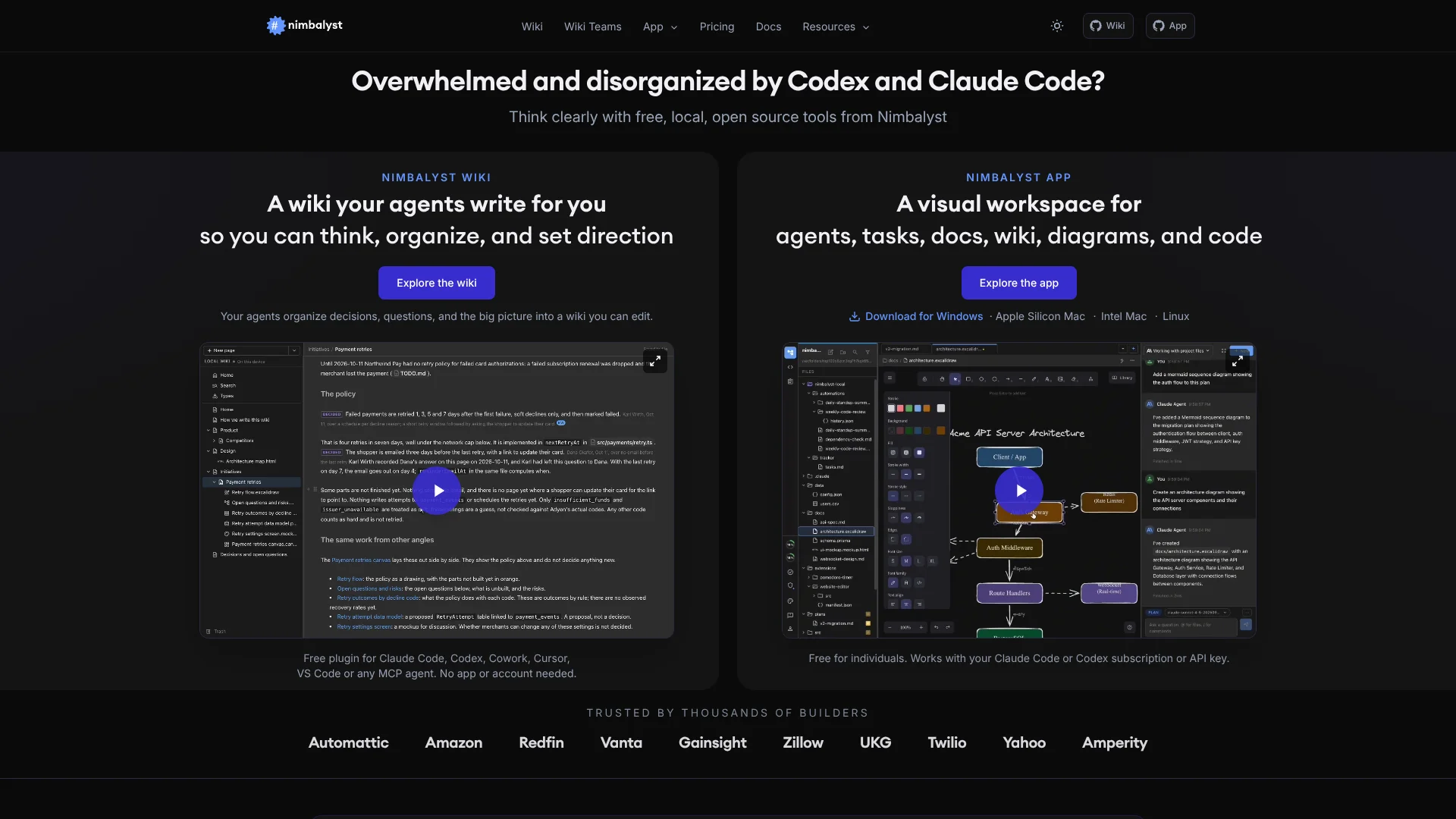
Nimbalyst gives people working with Claude Code or Codex a desktop workspace for running agent sessions and reviewing their file changes. Sessions, code, project notes, diagrams, mockups, and task tracking sit together, so developers can see what an agent changed and decide what to keep. Its personal wiki can also record project decisions and open questions as agents work.
A Nimbalyst Wiki can be used by different coding agents on the same project: agents write to shared wiki files in the repository, while people can read and edit those pages in a browser or the Nimbalyst app.
Nimbalyst is best suited to developers and product teams who already work with coding agents and want more visibility into sessions, changes, and project context. It does not include AI usage, so you need your own provider subscription, API key, or local model; think of it as the workspace around your agents, not a replacement for them.
Who is Using Nimbalyst?
Software developers
Parallel sessions and reviewable diffs help them track agent edits before committing code.
Product managers
Project pages and trackers keep decisions, plans, and work items connected.
Engineering leads
A shared Wiki Teams space lets teammates and their agents see project decisions and open questions.
Product designers
Visual editors for mockups and diagrams put design artifacts beside agent sessions and project notes.
Uncommon Use Cases
A team wiki for capturing decisions made across several coding agents; a phone-based way to answer agent approval requests while away from a desktop.
Key Features
Rating Breakdown
Pricing Plans
Wiki in your coding agent
Free
- No app, account, or credit card required.
- Your agent writes wiki pages as files in your repository.
Nimbalyst App
Free
- Free for individual use with no feature limits or trial period.
- Includes agent sessions, visual editors, task tracking, Git tools, and mobile app access.
Wiki Teams
$20 per user per month
- Free during Beta.
- Annual billing is $200 per user per year.
- Adds real-time shared wiki pages, typed databases, and page history.
Which Nimbalyst plan should you pick?
Start with the free Nimbalyst App or Wiki in your coding agent, then choose Wiki Teams when your group needs shared pages and real-time editing.
Wiki in your coding agent
Good for coding-agent users who want a project wiki without installing the app or creating an account.
Nimbalyst App
Good for individual developers who want agent sessions, visual editors, diffs, and task tracking in a desktop workspace.
Wiki Teams
Good for teams that need a shared wiki for people and their agents; it is free during beta.
Nimbalyst Use Cases
Monitor several coding agents
A shared session board makes it easier to see which agent is active, finished, or waiting for input.
Outcome: Searchable sessions you can resume, branch, or archive.
Review AI code changes
Inline red and green diffs show tracked edits in supported editors before you commit.
Outcome: Keep or revert changes individually before committing.
Maintain project context
As work progresses, agents can record decisions and open questions in the project wiki.
Outcome: Project notes that agents and people can revisit.
Plan work with visual artifacts
Tasks, diagrams, and mockups can sit beside the sessions and files they relate to.
Outcome: Linked project work and supporting artifacts in one workspace.
Collaborate on a team wiki
Teammates and their agents can edit shared pages and see decisions together.
Outcome: One wiki with shared pages and page history.
Workflow Ideas with Nimbalyst
Capture decisions from agent work
- 1Start a project wiki in Claude Code, Codex, or another supported agent.
- 2Have the agent record project decisions and open questions as work progresses.
- 3Review and edit the same wiki pages in a browser or the Nimbalyst App.
Run and review parallel coding sessions
- 1Open a project and start separate Claude Code or Codex sessions for distinct tasks.
- 2Track session status and review tracked edits in supported editors.
- 3Keep or revert changes before committing.
Move a local wiki to a team
- 1Start with a local Nimbalyst Wiki in your project.
- 2Move the wiki to Wiki Teams when teammates need shared pages.
- 3Invite teammates by email so they and their agents can work in the shared wiki.
How Nimbalyst fits into your stack
Coding agents
Nimbalyst runs Claude Code and Codex in its desktop workspace. OpenCode and GitHub Copilot are also available as alpha providers.
Project files and Git
The desktop app works with files in the project and includes a code editor, terminal, Git tools, and worktrees.
Project wiki
The wiki can live in the repository and be used by supported coding agents, the browser, and the Nimbalyst App.
External tools
MCP servers can connect agents to services such as GitHub, Linear, Slack, and Google Drive.
Mobile session monitoring
The iOS app connects to the desktop workspace so you can monitor sessions and respond to agents from your phone.
Pros
- +Free individual workspace: The Nimbalyst App is free with no feature limits or trial period.
- +Changes stay reviewable: Supported editors show agent edits as red and green diffs you can keep or revert.
- +Wiki works across agents: Claude Code, Codex, Cursor, VS Code, Cowork, and other MCP agents can work with the same project wiki.
- +Files remain local: The desktop app works with project files in their ordinary formats on your machine.
Cons
- −Bring your own AI access: Nimbalyst does not include the provider subscription or model usage.
- −Mobile is a companion app: Nimbalyst Mobile is for iOS, and sessions run on your desktop machine.
- −Team plan is in beta: Wiki Teams is currently free during beta, though the site lists a future monthly and annual price.
Limitations & when to consider alternatives
Known limitations
- Mobile support is iOS-only. Nimbalyst documents its mobile app for iOS; the desktop app is available for macOS, Windows, and Linux.
- Mobile file sync is limited. The mobile app syncs supported Markdown files, but code files, images, diagrams, mockups, data models, PDFs, and CSVs do not sync.
- Some editors do not show diffs. The documented diff review works in Markdown, code, and mockup editors; Excalidraw and data model editors do not render diffs.
- AI access is separate. You need your own provider subscription, API key, or local model to use AI features.
Look elsewhere when
- You need AI model access included with the workspace subscription.
- You need a browser extension rather than a desktop workspace.
- Your team requires Android mobile support.
- You need agent code diffs inside every visual editor.
How to Use Nimbalyst
- 1
Choose where to start
The Nimbalyst Wiki works in supported coding agents without the app; download the Nimbalyst App for a desktop workspace with sessions, editors, and a tracker.
- 2
Connect your AI access
Sign in with a supported provider subscription, add an API key, or connect a local model; Nimbalyst does not include model usage.
- 3
Open a project
Use an existing project so Nimbalyst and your agent can work with its files and project context.
- 4
Start a wiki or agent session
Set up a project wiki to capture decisions, or open an agent session for a coding task.
- 5
Review the work
Check session activity and inspect supported file edits in the diff view before keeping or reverting them.
- 6
Share when the team needs it
Move a local wiki to Wiki Teams and invite teammates by email for shared pages and real-time editing.
Who is Nimbalyst For?
Developers
Coding-agent users can manage sessions, review changes, and work with project files in one desktop workspace.
Product managers
Project wikis, task trackers, and visual mockups help keep plans and agent work connected.
Feature teams
Wiki Teams lets teammates and their agents update shared pages together.
Research and science teams
A project wiki and typed pages can keep notes, questions, and tracked information organized alongside agent work.
Frequently Asked Questions
Is Nimbalyst free?
The Nimbalyst App and personal wiki are free for individual use. Wiki Teams is free during beta, with a listed price of $20 per user per month or $200 per user per year.
Do I need my own AI subscription or API key?
Yes. Nimbalyst connects to an existing provider subscription, an API key, or a local model; AI access is not included.
Which coding agents does Nimbalyst support?
Claude Code and Codex are first-class providers. OpenCode and GitHub Copilot are listed as alpha providers, and the wiki can also work with other MCP agents.
Does Nimbalyst have a mobile app?
Yes. Nimbalyst Mobile is an iOS app for monitoring desktop sessions, responding to agents, and editing supported synced Markdown files.
Can a team edit the same wiki?
Yes. Wiki Teams lets teammates and their agents edit shared pages in real time, with page history and shared typed databases.
Community reviews
Be the first to share your experience.
Sign in to leave a review for Nimbalyst.
Nimbalyst Alternatives
Looking for alternatives to Nimbalyst? Here are similar tools in the same category: