
Neolemon
Creates consistent cartoon characters across scenes.
Key Takeaways
- What it is
- Creates consistent cartoon characters across scenes.
- Pricing
- $29 per month
- Best for
- Consistent Character Engine
- Character Turbo & Smart Editors
- Multi-style Cartoon Output
- Rating
- 4.4/5
What is Neolemon?
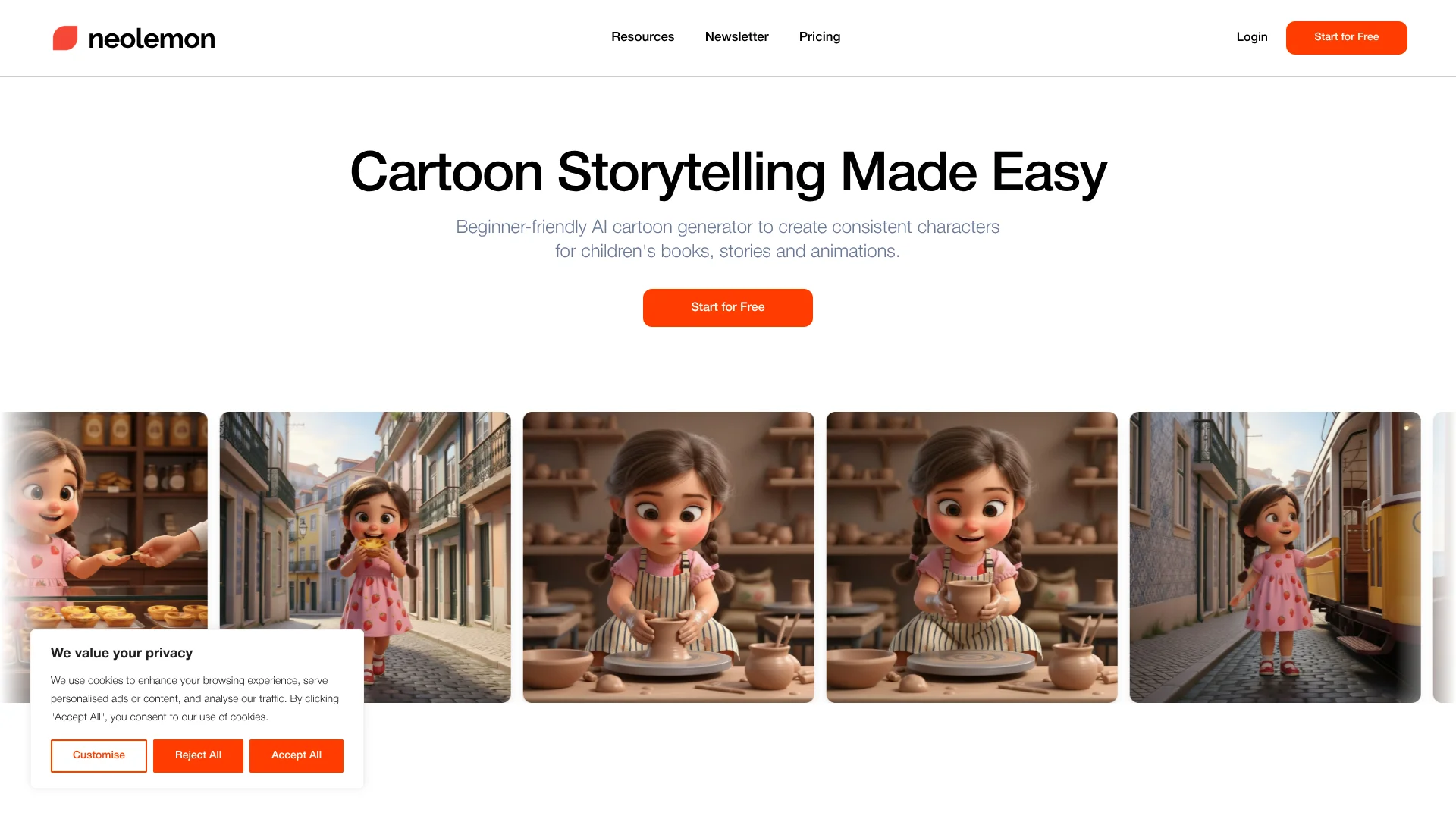
Neolemon is a beginner-friendly AI cartoon generator built to keep the same character consistent across every illustration. It targets children’s book authors, educators, and visual storytellers who need one recognizable character across many pages or scenes. By combining reference-based generation with guided editors, it turns short text descriptions or photos into repeatable cartoon characters that can act, emote, and appear in different outfits without drifting from image to image.
Neolemon focuses almost entirely on one problem: cartoon character consistency across many images. Instead of behaving like a generic image generator, it treats each character as a reusable asset, then surrounds that with scene-specific editors, multi-character support, and print-ready output aimed at children’s books and storytelling projects.
Who is Using Neolemon?
Self-published children’s book authors
Illustrate full storybooks for platforms like Amazon KDP with consistent main characters.
Educators and curriculum designers
Build recurring classroom mascots and visual learning sequences for worksheets and slides.
Comic and webtoon creators
Generate recurring cast members across panels and episodes without re-drawing each pose.
Marketing and brand teams
Create brand mascots and recurring campaign characters for ads, social posts, and landing pages.
Uncommon Use Cases
UX and product teams mocking up character-led onboarding flows; course creators building cartoon hosts for lesson materials.
Key Features
Rating Breakdown
Pricing Plans
Free Trial
- New accounts receive 20 free credits to explore core character creation and scene generation features
- No credit card is required
Creator Plan
$29 per month
- Includes 600 credits per month (up to 150 images), high-quality cartoon illustration generation, text prompt enhancement and translation, character consistency editors, photo-to-cartoon avatar creation, multi-character scene creation, upscale and print-ready exports, commercial use, personalized dashboard, and private generations. Includes a free trial with 5 illustrations and no credit card required
Enterprise
- Includes commercial use, premium support, custom business features, and bespoke character training using the latest AI models
Which Neolemon plan should you pick?
Start with the free account to test Prompt Easy and five image generations; upgrade to Creator Plan when you need commercial use, private generations, editors, and 600 monthly credits.
Creator Plan
Good for creators who need the full cartoon-generation toolkit, consistent-character editors, multi-character scenes, print-ready export, commercial use, and private generations.
Neolemon Use Cases
Illustrate a children's book
Create a character, generate consistent poses and scenes, arrange pages in Storyboard View, and export a PDF.
Outcome: A structured, review-ready illustrated storybook.
Create a cartoon avatar from a photo
Upload a real photo, add a prompt, choose a style and aspect ratio, and generate a reusable cartoon character.
Outcome: A personalized cartoon avatar for later scenes and edits.
Build a multi-character scene
Create characters separately, then combine them with Multi Character and a shared scene description.
Outcome: A scene containing multiple consistent characters.
Create classroom story materials
Generate recurring educational characters and place them into story scenes, worksheets, or visual lessons.
Outcome: Custom classroom visuals tailored to a lesson or student audience.
Develop a storyboard or animation sequence
Generate character frames, actions, expressions, backgrounds, and panels, then organize them in Storyboard View.
Outcome: A shareable storyboard PDF for review or downstream animation.
Workflow Ideas with Neolemon
Consistent children's book workflow
- 1Create an anchor character with Character Turbo
- 2Generate poses, expressions, outfits, and backgrounds with the dedicated editors
- 3Arrange images and text in Storyboard View and export a PDF
Photo-to-cartoon avatar workflow
- 1Upload a reference photo in Photo to Cartoon
- 2Add a prompt and select style and aspect ratio
- 3Use Action Editor to place the avatar into new poses and scenes
Multi-character story scene workflow
- 1Create each character separately and establish stable reference images
- 2Combine the characters with Multi Character and a shared background
- 3Move the finished scene into Projects or Storyboard View
How Neolemon fits into your stack
Browser
Neolemon is a browser-based web app for generating consistent cartoon characters, editing poses and expressions, and building illustrated stories.
Knowledge and files
Projects organize generated and uploaded images in grid or storyboard views, with notes and downloadable outputs.
Docs and writing
Storyboard View supports sequencing scenes and adding dialogue or narration while users create children's books and visual stories.
Pros
- +Strong character continuity: Directly addresses the common AI art issue of characters changing appearance between generations.
- +Story-focused workflow: Editors for actions, expressions, and outfits map closely to how writers think about scenes and beats.
- +Beginner-friendly entry: New users get 20 free credits and do not need prior design or AI experience.
- +Commercial usage rights: Images created during an active subscription can be used in books, marketing, and merchandise under plan terms.
- +Time and cost savings: Producing 150 illustrations per month at subscription pricing is far cheaper than hiring illustrators for many indie projects.
Cons
- −Credit limits for heavy users: The base subscription includes 600 credits (about 150 images), which can feel tight for long books or heavy iteration.
- −No credit rollover: Unused credits expire each month, which is less attractive for sporadic or seasonal creators.
- −Cartoon-focused aesthetics: The system is tuned for stylized cartoon art, so teams needing photorealistic visuals must use other generators alongside it.
Limitations & when to consider alternatives
Known limitations
- Cartoon and illustrated focus. Neolemon is focused on cartoon-first storytelling rather than photorealistic or general-purpose image generation.
- Credit-based generation. The free account provides 20 credits, while the Creator Plan provides 600 monthly credits; unused monthly credits do not roll over.
- No mobile-first experience. The official guide describes Neolemon as a laptop-oriented web app rather than a mobile app.
- No custom model training. Neolemon uses reference-based consistency tools instead of LoRA, fine-tuning, or custom model training.
- Storyboard export is not final publishing preflight. The site recommends checking trim size, bleed, DPI, fonts, page count, and other publishing requirements separately before final submission.
Look elsewhere when
- You need raw API access for custom pipelines.
- You need photorealistic human portraits or product photography.
- You need custom model training or LoRA workflows.
- You need cinematic video generation.
How to Use Neolemon
- 1
Create a free account
Sign up without a credit card to receive 20 credits and access the dashboard.
- 2
Structure your idea with Prompt Easy
Type, speak, or upload an image to create a clearer illustration prompt without spending credits.
- 3
Generate an anchor character
Open Character Turbo, describe the character, set the action, background, style, and aspect ratio, then generate.
- 4
Create variations
Use Action, Expression, Outfit, Perspective, or Background Editor to change one aspect while preserving character identity.
- 5
Build scenes
Use Multi Character or Story Scene tools to combine characters with backgrounds and scene directions.
- 6
Organize and export
Save assets in Projects, arrange panels and text in Storyboard View or AI Canvas, then export the result.
Who is Neolemon For?
Children's book authors
Create consistent cartoon characters, scenes, storyboards, and print-ready illustrations for children's books.
Educators
Build educational characters, classroom storybooks, worksheets, and visual learning materials.
Creators
Produce cartoon visuals for social media, mascots, avatars, and storytelling projects.
Comic and storyboard creators
Generate recurring characters, poses, expressions, scenes, and storyboard panels.
Animation creators
Create consistent cartoon keyframes and storyboards that can be handed off to video tools.
Frequently Asked Questions
Can I use Neolemon for free?
Yes. Users can sign up without a credit card and receive 20 free image-generation credits plus unlimited Prompt Easy usage.
How many generations are included in the Creator Plan?
The Creator Plan includes 600 monthly credits, equivalent to up to 150 generations at four credits per generation.
Can I use Neolemon for commercial projects?
Commercial use is included with the Creator Plan.
Can I create consistent characters across multiple scenes?
Yes. Character Turbo and the Action, Expression, Outfit, Perspective, and Background Editors are designed to preserve character identity across scenes.
Can I upload a photo or existing character?
Yes. Photo to Cartoon accepts reference photos, and Action Editor can work with uploaded character images.
Can I organize a complete story or book?
Yes. Projects organize assets, Storyboard View arranges panels and text, and storyboards can be exported as PDFs.
Community reviews
Be the first to share your experience.
Sign in to leave a review for Neolemon.
Neolemon Alternatives
Looking for alternatives to Neolemon? Here are similar tools in the same category:
Learn to Master Neolemon
With Skill Leap courses
Get in-depth training on Neolemon and 50+ other AI tools with our expert-led video courses.
Start 7-Day Free Trial