NanaImage
Make images from prompts and up to 14 visual references.
Key Takeaways
- What it is
- Make images from prompts and up to 14 visual references.
- Pricing
- $9.90 per month · $19.90 per month · $34.90 per month · $59.90 per month
- Best for
- Text-to-Image
- Image-to-Image Editing
- Multi-Image References
- Rating
- 4.0/5
What is NanaImage?
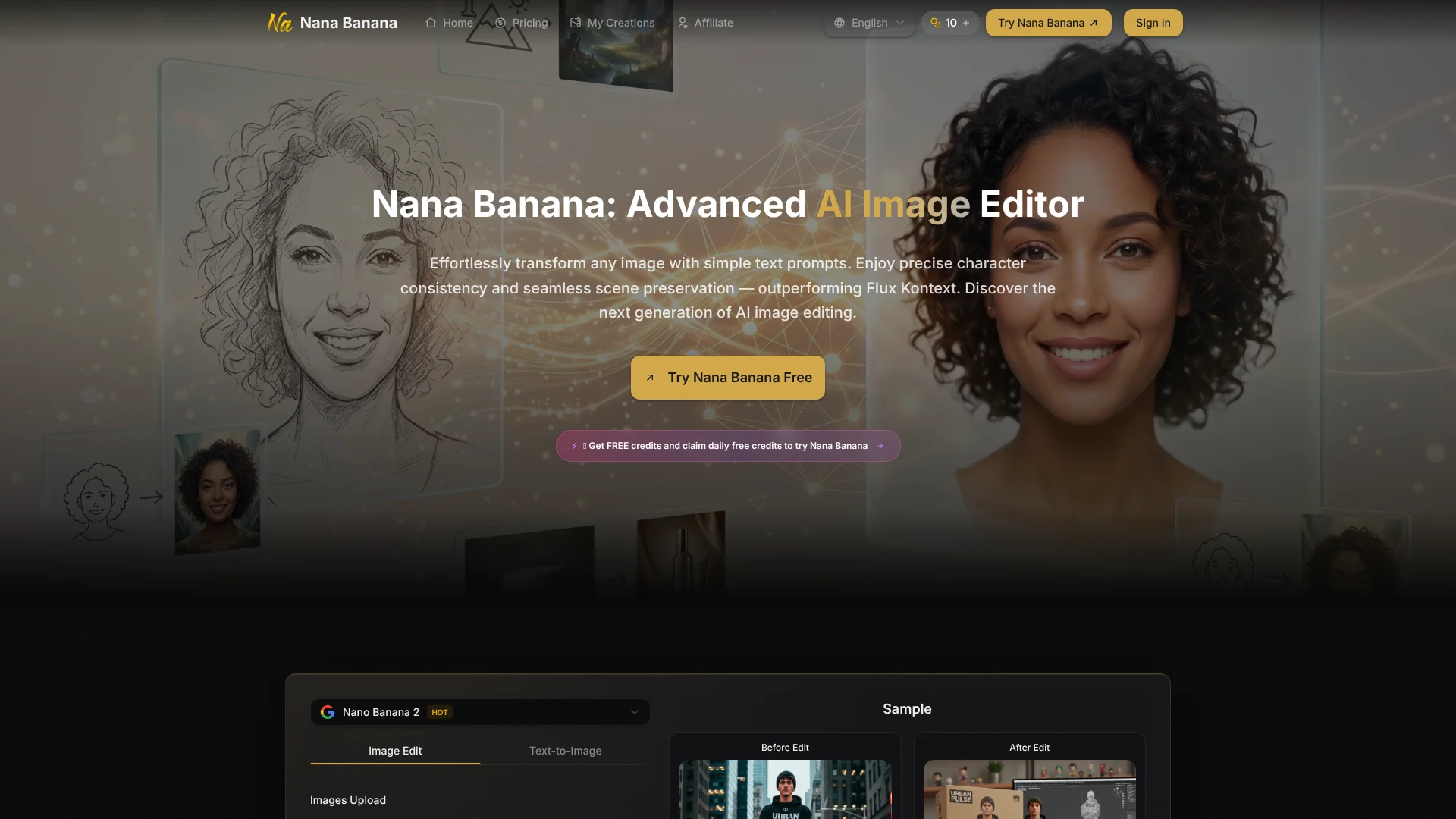
NanaImage turns written prompts into new images or edits to existing ones, so creators can describe a visual change instead of making it by hand. Its image editor accepts up to 14 reference images and offers 1K, 2K, and 4K output. The site also offers AI tools for video, music, and voice, making it useful for people creating different kinds of media.
For image edits, one concrete strength is combining a text instruction with as many as 14 reference images in a single request. That gives the model more visual context for details such as a subject, setting, or style.
NanaImage is best for creators and marketing teams who need prompt-based images for social posts, concepts, or product visuals. Each generation uses credits, and higher resolutions cost more, so repeated high-resolution edits can use an allowance quickly.
Who is Using NanaImage?
Social Media Managers
Campaign visuals can be drafted in different aspect ratios for social placements.
Marketing Designers
Text prompts and image references can help explore new versions of a campaign visual.
Product Photographers
Image editing tools can help test background and scene changes for product imagery.
Content Creators
Text-to-image and video tools can help develop visuals for online content.
Uncommon Use Cases
Testing alternate aspect ratios for one visual concept; using several reference images to guide a character or setting.
Key Features
Rating Breakdown
Pricing Plans
Daily Free Credit
- One credit every 24 hours for signed-in users.
Basic
$9.90 per month
- 150 credits per month.
- Displayed rate is for annual billing and reflects 30% savings.
Pro
$19.90 per month
- 350 credits per month.
- Displayed rate is for annual billing and reflects 30% savings.
Max
$34.90 per month
- 750 credits per month.
- Displayed rate is for annual billing and reflects 30% savings.
Pro Max
$59.90 per month
- 1,500 credits per month.
- Displayed rate is for annual billing and reflects 30% savings.
Which NanaImage plan should you pick?
Start with the daily free credit to test image generation, then choose a paid plan based on the monthly credit allowance you expect to need.
Basic
Good for occasional image creation with a 150-credit monthly allowance.
Pro
Good for regular image work with a 350-credit monthly allowance.
Max
Good for heavier image use with a 750-credit monthly allowance.
Pro Max
Good for high-volume image work with a 1,500-credit monthly allowance.
NanaImage Use Cases
Edit an Existing Image
A written instruction and reference image guide a change to a scene, object, or style.
Outcome: A generated edit that can be reviewed and downloaded.
Draft a Social Media Visual
A prompt and chosen aspect ratio shape an image for a specific social placement.
Outcome: An image in a selected aspect ratio and PNG or JPG format.
Explore Product Image Variations
Reference images and written directions help test new backgrounds or visual treatments.
Outcome: A generated product-image concept.
Make a Video from a Prompt or Image
The site's video tools support text-to-video and image-to-video creation.
Outcome: A generated video.
Workflow Ideas with NanaImage
Create a Social Campaign Image
- 1Write a prompt describing the subject, style, and setting.
- 2Choose an aspect ratio and output resolution.
- 3Generate the image, review it, and download the preferred result.
Revise a Reference Image
- 1Upload the image and any additional visual references.
- 2Describe what should change and what should stay the same.
- 3Choose the output settings, generate, and inspect the edit.
Develop a Short Video Draft
- 1Open a text-to-video or image-to-video tool.
- 2Describe the scene or provide a reference image.
- 3Choose the available generation settings and review the result.
How NanaImage fits into your stack
Browser-Based Image Creation
NanaImage's image tools run through its website. Text prompts can create new images or direct edits to uploaded images.
Reference Images
JPEG, PNG, and WebP uploads can guide image edits. Nano Banana 2.1 accepts up to 14 references, each up to 30 MB.
Visual Output
The image editor offers 1K, 2K, and 4K output, with aspect ratio and PNG or JPG options.
Other Media Tools
The site also has separate tools for AI video, music, and voice generation.
Pros
- +Many visual references: A single image request can draw on up to 14 uploaded images.
- +Resolution choices: 1K, 2K, and 4K options let you match output quality to the job.
- +Useful image controls: Aspect ratios and PNG or JPG output help prepare images for different placements.
- +Free daily credit: Signed-in users can claim one credit every 24 hours.
Cons
- −Resolution affects usage: Higher-resolution image generations cost more credits.
- −Prompt-dependent results: The site recommends detailed prompts, so vague requests may take more trial and error.
Limitations & when to consider alternatives
Known limitations
- Credit-Based Image Generation. Nano Banana 2.1 costs 2 credits per 1K image, 4 per 2K image, and 6 per 4K image.
- Reference Image File Limit. Nano Banana 2.1 accepts up to 14 reference images, each up to 30 MB.
- Prompt Required. Nano Banana 2.1 requires a nonempty prompt of up to 20,000 characters for text generation and image editing.
Look elsewhere when
- You need image generation with a fixed credit cost across resolutions.
- Your workflow requires a documented developer API or named third-party integrations.
How to Use NanaImage
- 1
Choose an image mode
Select text-to-image for a new visual or image-to-image to edit a reference.
- 2
Add a prompt and references
Describe the desired result and upload up to 14 supported reference images when they will help guide it.
- 3
Set the output
Choose a resolution, aspect ratio, and PNG or JPG format; check the displayed credit cost before generating.
- 4
Generate and review
Submit the request, inspect the result, and adjust the prompt if the image needs another pass.
- 5
Download or revisit the result
Download the image or find generated work in My Creations.
Who is NanaImage For?
Creators
Image and media generation can help turn creative briefs into visual or video drafts.
Marketing Teams
Prompt-based visuals can support social media and advertising concepts.
Designers
Reference images and text edits can help explore changes to a visual direction.
Image Editors
The image-to-image workflow is suited to people who want to describe edits rather than make them manually.
Frequently Asked Questions
Can I use NanaImage for free?
The pricing page offers one free credit every 24 hours to signed-in users.
How many reference images can I upload?
Nano Banana 2.1 accepts up to 14 JPEG, PNG, or WebP images, each up to 30 MB.
How much does an image generation cost?
For Nano Banana 2.1, 1K output costs 2 credits, 2K costs 4, and 4K costs 6. Other models may have different costs.
Can I use generated images commercially?
The site says paid users have commercial rights to generated images. It notes that free images may have limitations.
Can I cancel a subscription?
The pricing page says subscriptions can be canceled in User Center under My Orders; credits remain usable until the current period ends.
Community reviews
Be the first to share your experience.
Sign in to leave a review for NanaImage.
NanaImage Alternatives
Looking for alternatives to NanaImage? Here are similar tools in the same category: