
Muse.ai
AI-driven video platform: manage, search, customize effortlessly.
Key Takeaways
- What it is
- AI-driven video platform: manage, search, customize effortlessly.
- Best for
- Advanced Video Search
- AI-Powered Indexing
- Customizable Video Player
- Rating
- 4.4/5
What is Muse.ai?
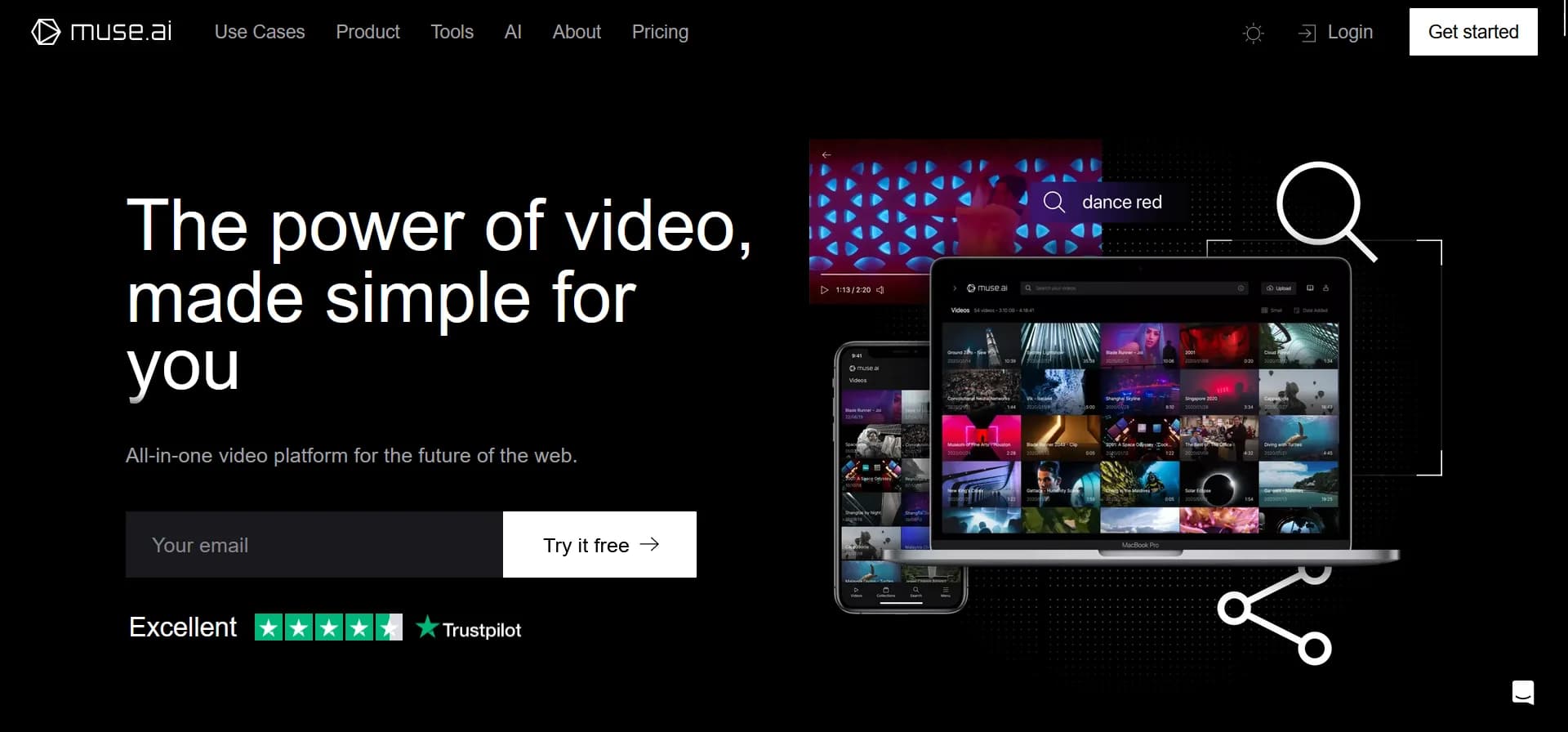
Muse is an advanced AI-powered video platform designed to simplify the management, search, and customization of video content. Suitable for a range of users, including teams, educators, marketers, and content creators, Muse offers tools that streamline video-related tasks and enhance viewer engagement through sophisticated AI features.
Muse is distinguished by its powerful AI-driven video search capabilities, which enable users to not only find videos but also search within videos for specific content. This functionality provides a significant advantage for managing large volumes of video content.
Muse excels in revolutionizing how users interact with video content through advanced search functionalities and extensive customization options. Its unique AI capabilities offer unmatched advantages in video management and content engagement, making it a standout tool in the digital landscape.
Who is Using Muse.ai?
Educational Institutions
Used for digital courses and e-learning, helping educators and students navigate educational content efficiently.
Marketing Professionals
Enhances marketing strategies through advanced video features that boost engagement and conversion rates.
Event Organizers
Manages and maximizes the impact of video content from conferences and events.
Corporate Teams
Improves internal communications and project management with efficient video collaboration tools.
Uncommon Use Cases
Applied by legal teams for reviewing video evidence and by medical professionals for training purposes.
Key Features
Rating Breakdown
Pricing Plans
Free Trial
- Access a comprehensive set of features during the trial period
Subscription Plans
- Offers various tiers to accommodate different needs
- From individual creators to large enterprises
Which Muse.ai plan should you pick?
Start with Basic for individual video hosting and upgrade to Plus or Pro when you need more storage, seats, security controls, or team features.
Basic
Good for individuals who need 80 GB of storage, one account seat, unlimited embeds, and 4K playback.
Plus
Good for small teams who need 200 GB, three seats, advanced player customization, expiring links, and enhanced privacy.
Pro
Good for larger teams who need 1,000 GB, ten seats, delegated uploads, priority support, and custom integrations.
Enterprise
Good for organizations needing custom storage, unlimited seats, custom applications, on-premise hosting, or single sign-on.
Muse.ai Use Cases
Search recorded talks
Search videos for speech, text, people, and other detected content to locate exact moments.
Outcome: Audiences can find talks and topics they missed.
Embed a video library
Embed videos or searchable collections on a website using the responsive player.
Outcome: A custom video catalog is available on the organization’s own site.
Publish educational archives
Store lecture footage in folders and subfolders, then search across the archive.
Outcome: Students can quickly find relevant moments and materials.
Monetize video content
Create branded portals with free or paid subscription tiers.
Outcome: Video content can be offered through a custom streaming platform.
Automate Zoom uploads
Connect Zoom cloud recordings to Skiv through the Skiv Zoom app or Zapier.
Outcome: Recorded meetings are automatically uploaded to the Skiv library.
Workflow Ideas with Muse.ai
Publish and search recorded events
- 1Upload event recordings to Skiv
- 2Allow automatic transcription and indexing
- 3Search speech, text, people, objects, or sounds to find moments
Create a searchable website library
- 1Organize videos into collections
- 2Copy the embed code or embed searchable collections
- 3Share the library through your website
Automate Zoom archiving
- 1Enable Zoom cloud recording
- 2Install the Skiv Zoom app or connect Skiv through Zapier
- 3Automatically upload completed recordings to Skiv
How Muse.ai fits into your stack
WordPress, Shopify, and Squarespace
Smooth integration with leading website builders enhances functionality and user experience.
API Access
Custom integrations are supported through the Muse API, expanding its usability.
Cross-Device Accessibility
Ensures a seamless experience across all devices, catering to today’s mobile-first world.
Social Media Integration
Facilitates easy sharing and embedding for social media marketers.
Pros
- +Enhanced Accessibility: Deep search functionality helps users locate specific moments within videos quickly, saving time and boosting productivity.
- +High Customizability: Tailor almost every aspect of the video experience to reinforce brand consistency across platforms.
- +Comprehensive Integration Options: Integrates seamlessly with popular platforms like WordPress, Shopify, and Squarespace, facilitating smooth workflows.
- +Strong Privacy Controls: Provides robust privacy settings including password protection and geographic restrictions on content access.
Cons
- −Learning Curve: The extensive feature set may be overwhelming for new users, requiring time to fully master the platform’s capabilities.
- −Pricing Transparency: Detailed pricing information is not immediately clear, which may be confusing for potential customers.
- −Limited Language Support: Auto-transcriptions are primarily available in English, which may limit usability for non-English speaking users.
Limitations & when to consider alternatives
Known limitations
- Bandwidth uses fair-use limits. Skiv does not set a fixed bandwidth limit, but may contact customers whose usage affects viewers or service performance.
- Storage limits file capacity. There is no separate file-size limit, but uploaded files count against the storage allowance of the selected plan.
- Smart search requires indexing. Smart search must be enabled in Preferences and requires initial indexing before use.
- Video processing consumes credits. Skiv uses a credits system for processing video, deducting $0.00001 per second of video processed.
- Automatic transcription is language-specific. The site describes automatic transcription as providing English subtitles, while translated subtitles are separately supported.
Look elsewhere when
- You need a native mobile app.
- You need a dedicated desktop application.
- You need a browser extension.
- You need custom model training or fine-tuning.
How to Use Muse.ai
- 1
The platform offers a range of tutorials from basic setup to advanced features, available through their website and organized webinars to help users maximize its potential.
Who is Muse.ai For?
Education
Educators can organize lecture footage, provide searchable recordings, and help students find spoken, written, or visual content.
Events
Event organizers can make talks searchable and help audiences find exact moments in recorded sessions.
Creators
Creators can embed video libraries, use analytics, and monetize content through branded portals and subscriptions.
Teams
Teams can add members, collaborate on projects, and manage shared video content.
Sales
Sales teams can use searchable video libraries, analytics, and secure sharing or embedding.
Frequently Asked Questions
Is there a bandwidth limit?
Bandwidth is not limited, but Skiv applies a fair-use policy and may contact customers with unusually high usage.
Is there a file-size limit?
There is no separate file-size limit; files are limited by the storage allowance of the selected plan.
Can I choose who can see my videos?
Yes. Videos and collections can be private, unlisted, hidden, password-protected, or public, with additional domain and geographic restrictions.
What type of content is allowed?
Skiv allows lawful content, provided it does not contain threats directed at individuals or groups.
Can I cancel anytime?
Yes. Customers can cancel from Settings / Plan / Delete.
How does smart search work?
Enable smart search in Preferences, wait for indexing, then search using a free-form description or question.
Community reviews
1 review from people who use Muse.ai.
Sign in to leave a review for Muse.ai.
Emilio Jiménez
Muse.ai Alternatives
Looking for alternatives to Muse.ai? Here are similar tools in the same category:
Learn to Master Muse.ai
With Skill Leap courses
Get in-depth training on Muse.ai and 50+ other AI tools with our expert-led video courses.
Start 7-Day Free Trial