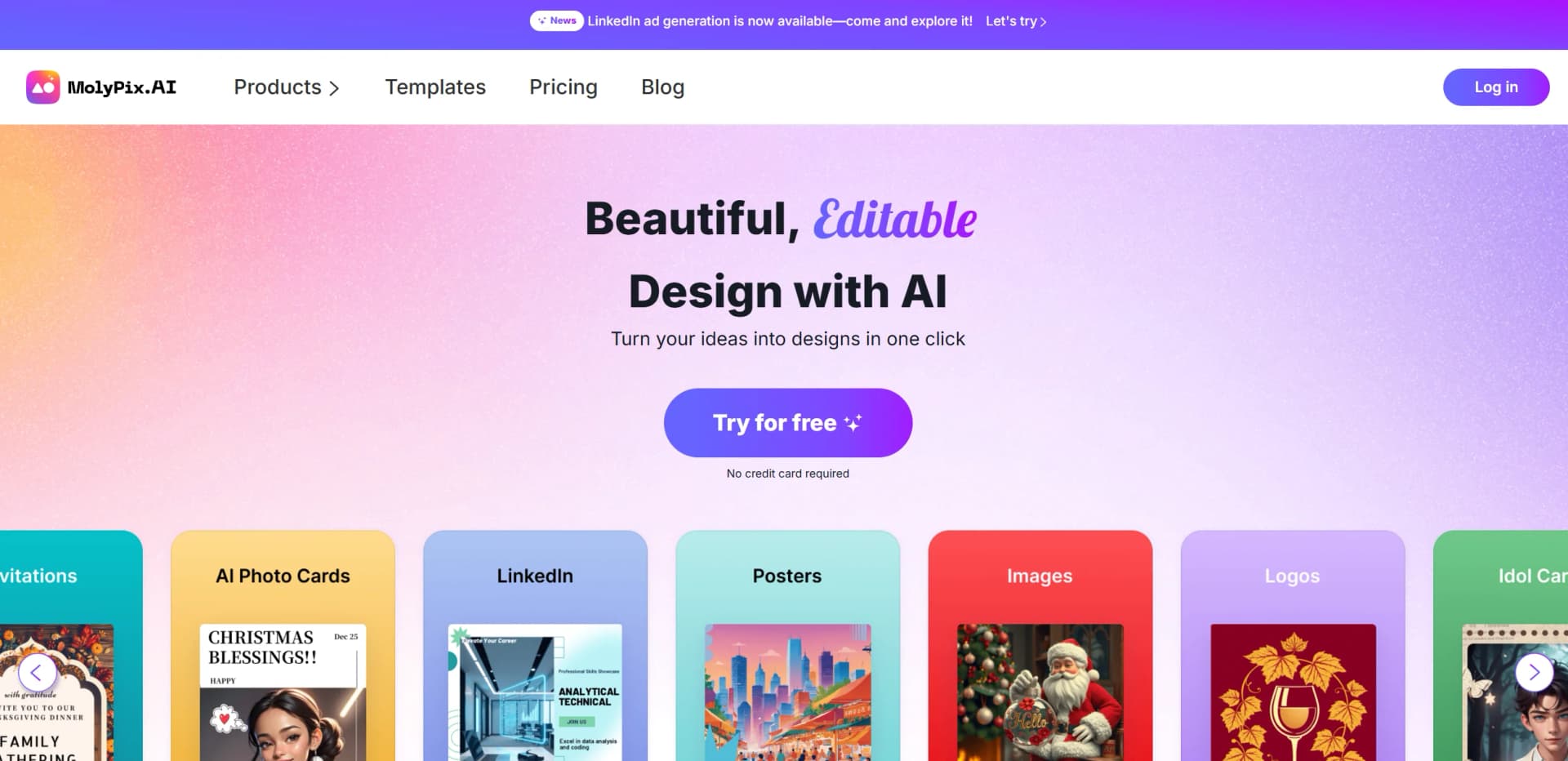
MolyPix.AI
Transform text into stunning, editable designs instantly.
Watch MolyPix.AI in Action
Key Takeaways
- What it is
- Transform text into stunning, editable designs instantly.
- Pricing
- Freemium
- Best for
- One Sentence Design Generation
- Accurate Text and Perfect Images
- Flexible and Powerful Editing Tools
- Rating
- 4.5/5
What is MolyPix.AI?
MolyPix.AI is a cutting-edge AI-powered graphic design tool designed to revolutionize the way we create visual content. This innovative platform offers an effortless approach to design, allowing users to transform their ideas into stunning visuals with just a single click. Tailored for individuals and professionals across various sectors, MolyPix.AI simplifies the design process by making it easy to generate Posters, Invitations, Postcards, Birthday Cards, and more. With its precise design capabilities, MolyPix.AI caters to both seasoned designers and novices, ensuring that creativity and efficiency are at the forefront of every project.
MolyPix.AI stands out with its seamless integration of AI technology into the design process, offering a level of precision and creativity that's unmatched in the industry. Its ability to generate intricate designs from a simple prompt, coupled with robust editing tools, sets it apart as a leader in AI-driven graphic design solutions.
MolyPix.AI excels in providing an intuitive and efficient platform for creating diverse graphic designs. Its unique feature of generating designs from a simple sentence offers an unmatched advantage, making it an essential tool for marketers, designers, and creative professionals alike. Whether you're a seasoned graphic designer or a small business owner, MolyPix.AI empowers you to bring your creative visions to life effortlessly.
Who is Using MolyPix.AI?
E-commerce Businesses
Enhancing product imagery for online catalogs and promotional materials.
Digital Marketing Agencies
Creating visually appealing campaign content with ease.
Social Media Managers
Generating engaging posts for various platforms, boosting online presence.
Graphic Designers
Streamlining workflows with customizable design tools.
Uncommon Use Cases
Employed by educational institutions for teaching design principles; utilized by event planners for creating custom invitations and promotional materials.
Key Features
Rating Breakdown
Pricing Plans
Free Tier
Free
- Enjoy MolyPix.AI with 20 total credits
- Allowing up to 20 designs
Pro Tier
- Advanced features and more credits
- Pricing details are available on the official website
Which MolyPix.AI plan should you pick?
Start with Free to test the editor and daily generation allowance; upgrade when you need advanced AI tools beyond the free plan.
Free
Good for individuals who need basic design generation, the MolyPix Editor, templates, and 6 daily credits.
MolyPix.AI Use Cases
Marketing graphics
Create social media campaigns, product-launch visuals, promotions, and seasonal designs from prompts.
Outcome: Produce branded marketing assets quickly.
Event invitations
Generate invitations, wedding designs, party graphics, postcards, and event posters.
Outcome: Create ready-to-edit event materials.
Photo restoration
Upload old photos and repair fading, scratches, creases, tears, and water stains.
Outcome: Restore damaged photos with improved clarity and color.
Product and promotional imagery
Generate or edit product displays, advertisements, logos, and promotional visuals.
Outcome: Create professional commercial graphics.
Image resizing and enhancement
Use Image HD, AI Image Extender, background removal, and generative fill on uploaded images.
Outcome: Adapt visuals for different formats and improve image quality.
Workflow Ideas with MolyPix.AI
Create a branded marketing poster
- 1Choose a poster or marketing product
- 2Describe the campaign in one sentence or enhance the prompt
- 3Edit layers, apply the Brand Kit, and download the design
Restore and improve an old photo
- 1Upload the original photo
- 2Run Photo Restoration or Image HD
- 3Review the result, make secondary edits, and download the high-resolution image
Create multiple design variations
- 1Open an existing design or template
- 2Use Remix to preserve its layout and prompt
- 3Modify the prompt and generate customized variations
How MolyPix.AI fits into your stack
Browser
MolyPix.AI is used as an online AI design suite: users prompt, generate, edit layered designs, upload images, and download finished visuals in the browser.
Pros
- +Time Efficiency: Quickly generate multiple designs in a matter of minutes, saving valuable time for users.
- +Ease of Use: Intuitive interface that accommodates users with varying levels of design expertise, from beginners to professionals.
- +High Customization: Offers the ability to upload personal logos and images, ensuring each design aligns with specific branding needs.
- +Commercial Use Rights: Users retain rights to generated images, providing flexibility for commercial applications.
Cons
- −Limited Advanced Features in Free Plan: Some advanced editing capabilities require a paid subscription.
- −Potential Learning Curve: Users may need time to explore and fully utilize all available features.
- −Template Dependency: While templates simplify the process, they may limit the uniqueness of designs for some users.
Limitations & when to consider alternatives
Known limitations
- Free-plan credit limits. The Free plan provides 6 credits per day and up to 6 generated designs according to the pricing page.
- Advanced AI tools may require payment. The online editor is free, but some advanced AI Tools are available only to paid users.
- Image size restriction. Supported images should have a resolution of 3000 pixels or less.
- Browser-based access. MolyPix documents access through an online editor and mobile browser rather than native mobile or desktop applications.
- Content rights responsibility. Users retain rights to created designs but are responsible for legal compliance and third-party rights.
Look elsewhere when
- You need a native mobile app.
- You need a documented developer API.
- You need shared team workspaces with roles and invites.
How to Use MolyPix.AI
- 1
Choose a product
Select Posters, Invitations, Postcards, LinkedIn posts, Logos, Images, or another available design type.
- 2
Write a prompt
Describe the desired design in one sentence, or use Enhance Prompt to make the request more detailed.
- 3
Upload source material
Add logos, photos, sketches, or other images through My Media or Elements > Visuals.
- 4
Generate the design
Run the generator or an image tool such as Generative Fill, Remove BG, Image HD, or Photo Restoration.
- 5
Edit the layers
Adjust text, layouts, colors, elements, backgrounds, and individual image areas in the editor.
- 6
Save and download
Use History to revisit Generated, Edited, or Project designs, then download the finished result.
Who is MolyPix.AI For?
Small business owners
Create promotional graphics, logos, posters, and other branded materials without hiring a designer.
Marketers
Generate social media campaigns, product-launch graphics, promotions, and seasonal marketing designs.
Graphic designers
Generate editable layered designs, refine layouts, and iterate without starting over.
Content creators
Create styled visuals, social posts, and image variations quickly.
Photography enthusiasts
Restore, upscale, recolor, extend, and transform photographs with AI tools.
Frequently Asked Questions
What can MolyPix.AI do?
It turns text prompts into professional, text-accurate, fully editable graphic designs.
How can I make my own poster?
Choose a scene and enter a sentence, or select a template, use Remix, modify the prompt, and generate.
Can I upload my own logo and image files?
Yes. Upload through My Media or Elements > Visuals, then resize, reposition, and apply effects.
How are designs saved?
Designs are automatically saved in History under Generated, Edited, and Project categories.
Is MolyPix.AI free to use?
Yes. MolyPix offers a free plan with credits, product access, and the MolyPix Editor.
Can I use generated images commercially?
Yes, users may use, sell, or distribute generated designs, subject to the terms and content guidelines.
Community reviews
Be the first to share your experience.
Sign in to leave a review for MolyPix.AI.
MolyPix.AI Alternatives
Looking for alternatives to MolyPix.AI? Here are similar tools in the same category: