
MODE
Automates tasks and delivers real-time insights with advanced AI.
Key Takeaways
- What it is
- Automates tasks and delivers real-time insights with advanced AI.
- Pricing
- Freemium
- Best for
- Advanced Analytics
- User-Friendly Interface
- Automation Tools
- Rating
- 4.1/5
What is MODE?
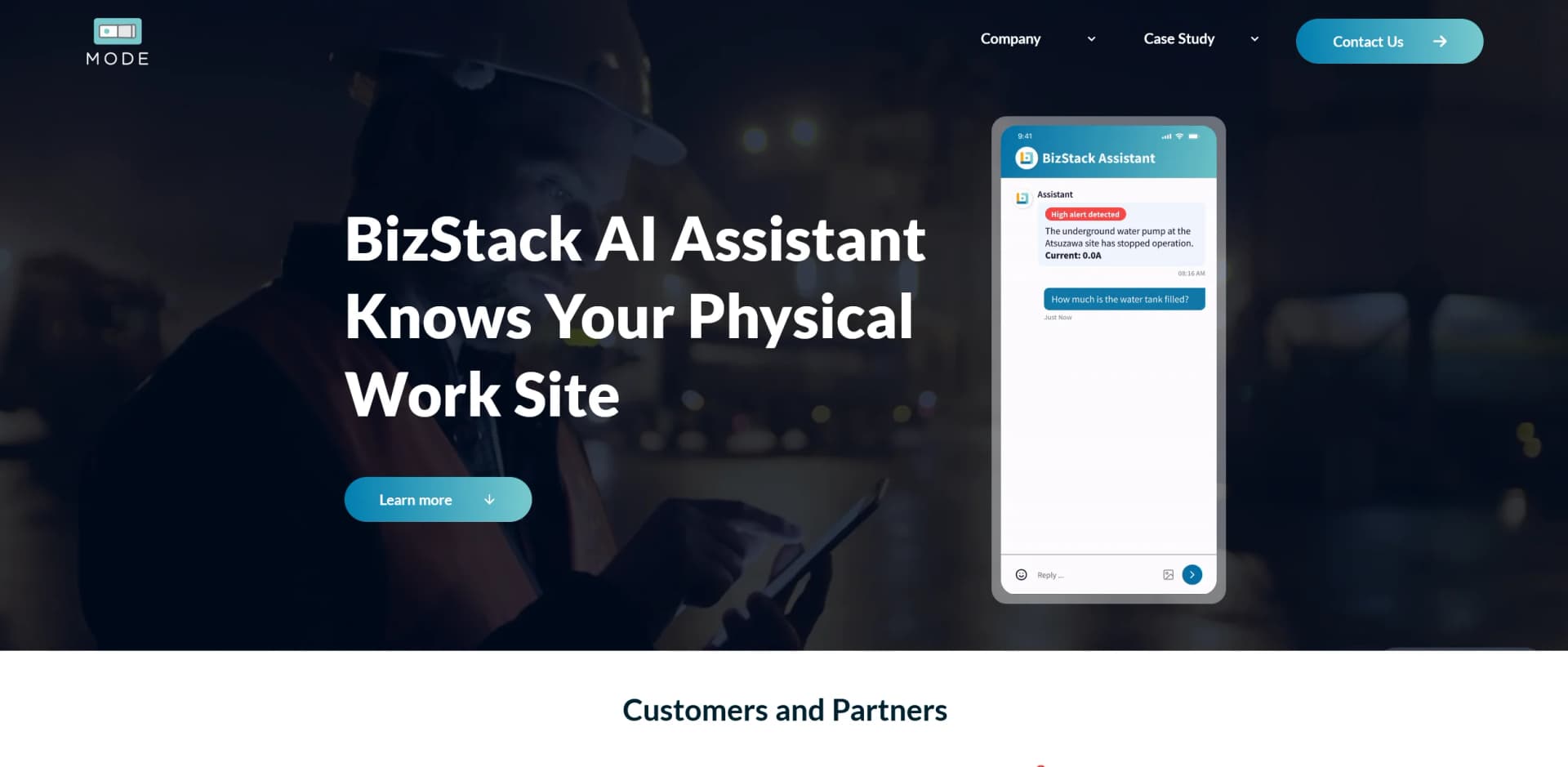
MODE, available at TinkerMode, is a sophisticated AI platform designed to streamline and enhance business operations. The platform is particularly notable for its BizStack AI Assistant, which integrates advanced AI technology to automate routine tasks and provide insightful analytics. MODE caters to a wide range of users, from startups to large enterprises, with the goal of improving efficiency, reducing costs, and automating mundane tasks.
MODE stands out with its BizStack AI Assistant, a key feature that integrates AI seamlessly into business operations. This adaptability and customization provide a competitive edge, allowing businesses to tailor the platform to their specific needs and enhance their operational efficiency.
MODE is a robust platform offering significant automation and analytics capabilities, making it an invaluable tool for businesses seeking to boost efficiency and reduce costs. Its BizStack AI Assistant provides a unique advantage in integrating AI into everyday business processes, establishing MODE as a leading solution in AI-driven business management.
Who is Using MODE?
E-commerce Businesses
Improving online transaction capabilities and customer data analysis.
Tech Startups
Utilizing automation tools for streamlined operations.
Marketing Agencies
Leveraging analytics for targeted and effective campaign strategies.
Educational Institutions
Managing administrative tasks and student data efficiently.
Uncommon Use Cases
Non-profits using MODE for donor management; consultants optimizing workflow efficiency.
Key Features
Rating Breakdown
Pricing Plans
Free Tier
Free
- Basic features for initial use
Premium Plans
- Offering advanced analytics and enhanced automation features
MODE Use Cases
Field-event response
Use camera and operational data to identify an event, check schedules and rules, and route the appropriate task or escalation.
Outcome: Teams can track whether the issue was handled rather than merely detected.
Cold-storage monitoring
Connect refrigeration systems, PLCs, and sensors across facilities into a normalized real-time dashboard.
Outcome: Operators gain cross-site visibility and can prioritize important issues over alert noise.
Facility management
Consolidate energy, HVAC, security, lighting, water, gas, and electricity data in one platform.
Outcome: Facility managers can monitor operations centrally and optimize resource use.
Construction-site operations
Combine live camera feeds, equipment data, environmental sensors, and communication tools for job-site oversight.
Outcome: Teams receive safety alerts and operational information without relying on manual data entry.
Infrastructure monitoring
Unify sensor, weather, legacy-system, and camera data for large civil-engineering or energy-management environments.
Outcome: Operators receive structured operational insight and automated reporting.
Workflow Ideas with MODE
Exception-to-resolution workflow
- 1Capture an event from a camera or sensor.
- 2Compare the event with schedules, rules, locations, and asset context.
- 3Route a task or escalation and track it until resolution.
Cold-storage alert-prioritization workflow
- 1Connect refrigeration systems, PLCs, and sensors across facilities.
- 2Normalize readings and alerts in a shared real-time dashboard.
- 3Surface anomalies and generate audit-ready operational records.
Scheduled operational reporting workflow
- 1Collect data against the relevant site, equipment, or other entity.
- 2Generate a scheduled report using cron-based delivery.
- 3Limit each recipient's report to permitted data through access control.
How MODE fits into your stack
CRM Integration
Connects with popular CRM platforms to enhance customer management.
E-commerce Platforms
Integrates with major e-commerce systems to streamline online operations.
Email Marketing Tools
Supports integration with leading email marketing tools for campaign automation.
API Access
Provides API access for custom integrations, allowing for additional flexibility.
Pros
- +Efficiency Gains: Automation of routine tasks significantly reduces time spent on manual activities.
- +Cost Reduction: Helps lower operational costs by streamlining various business processes.
- +Scalable: Suitable for businesses of all sizes, from small startups to large corporations, and scales according to growth.
- +Supportive Customer Service: Offers dedicated support to help users maximize the platform’s benefits.
Cons
- −Learning Curve: New users may require time to become proficient with all the platform's features.
- −Integration Limitations: While MODE supports various integrations, it may not yet cover all third-party tools used by some businesses.
- −Higher Tier Pricing: Advanced features can be costly, potentially making the platform less affordable for smaller businesses.
Limitations & when to consider alternatives
Known limitations
- Enterprise-oriented pricing. The platform starts at $1,000 per month and scales with deployment size and data volume.
- Deployment-based commercial model. Pricing is based on deployment scope rather than publicly listed self-serve individual plans.
- POC arrangements require contact. Organizations evaluating the platform before committing are directed to contact MODE about proof-of-concept arrangements.
- Platform is focused on physical-world operations. The documented product centers on sensors, cameras, industrial systems, facility data, dashboards, alerts, and operational workflows.
Look elsewhere when
- You need a free or self-serve plan.
- You need a native mobile or desktop application.
- You need document-upload or file-based AI analysis.
How to Use MODE
- 1
The MODE website offers a range of tutorials, from initial setup guides to advanced feature utilization, helping users fully exploit the platform's capabilities.
Who is MODE For?
Field operations teams
The platform is designed for teams handling high volumes of field events that require ownership, follow-up, and verification.
Facility managers
Facility teams can unify energy, HVAC, security, lighting, and other monitoring systems into a centralized operational view.
Construction teams
Construction organizations can combine cameras, equipment data, environmental sensors, and safety alerts for active job-site operations.
Cold-storage operators
Cold-storage organizations can monitor refrigeration systems across multiple facilities and work with legacy equipment without replacing it.
Technology partners and solution builders
Partners can use MODE's data foundation, entity modeling, access control, and intelligence layer instead of building infrastructure from scratch.
Frequently Asked Questions
What is MODE BizStack?
MODE BizStack is a physical-world data platform that connects sensors, cameras, legacy systems, and internal data into a structured operational layer.
What can BizStack AI workers do?
AI workers review field events, check operational context, summarize what happened, route tasks or escalations, and track the response through completion.
What data sources does BizStack support?
The platform supports sensors, cameras, legacy PLCs, cloud video-management systems, gateways, and internal systems connected through APIs.
Does BizStack provide an API?
Yes. MODE describes a full REST API for data, entities, and alerts.
How is BizStack priced?
BizStack is priced as a subscription based on deployment scope, starting at $1,000 per month. Pricing scales with deployment size and data volume.
Community reviews
Be the first to share your experience.
Sign in to leave a review for MODE.
MODE Alternatives
Looking for alternatives to MODE? Here are similar tools in the same category:
Learn to Master MODE
With Skill Leap courses
Get in-depth training on MODE and 50+ other AI tools with our expert-led video courses.
Start 7-Day Free Trial