
Mixus
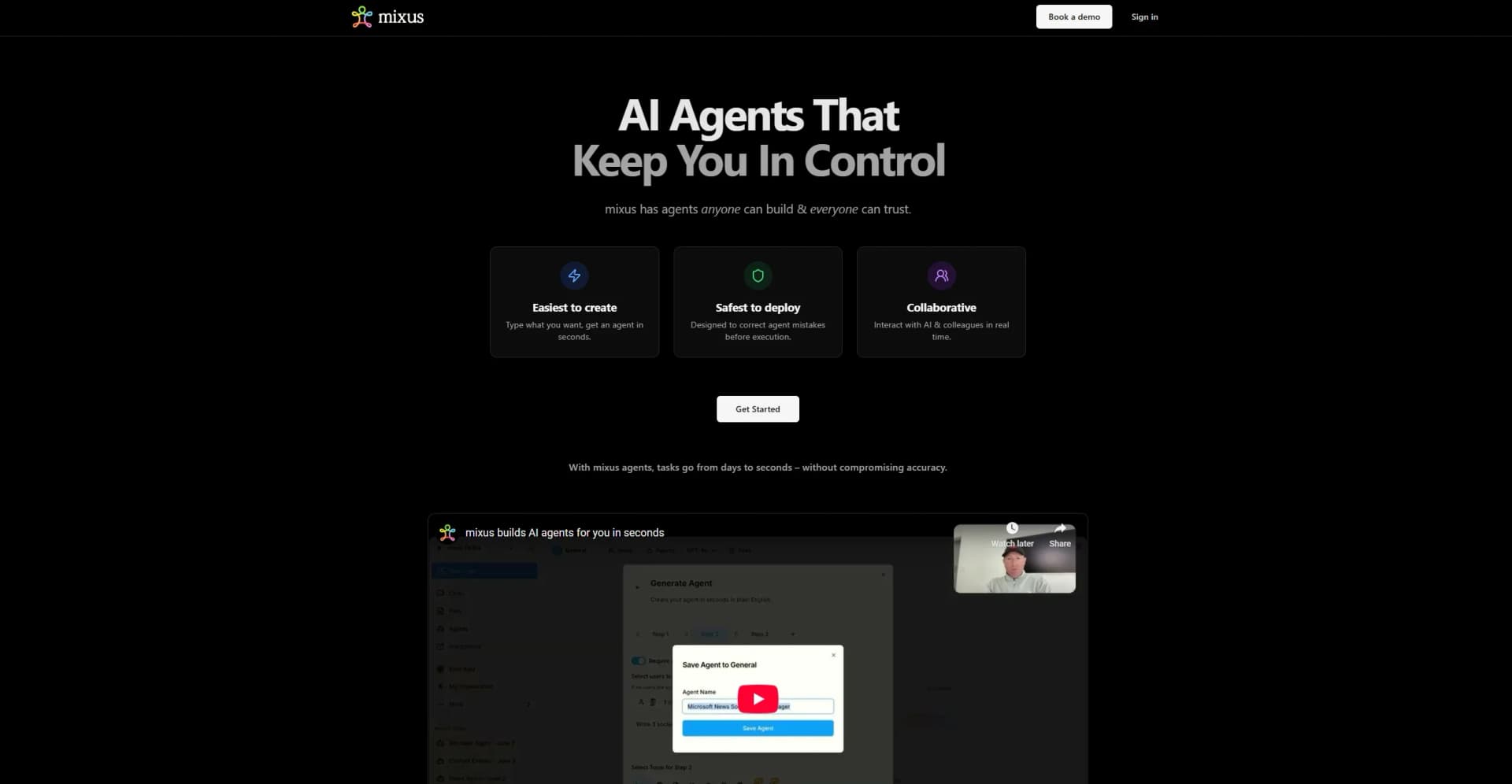
Turns plain English tasks into instant, automated workflows.
Watch Mixus in Action
Key Takeaways
- What it is
- Turns plain English tasks into instant, automated workflows.
- Best for
- Instant Agent Generation
- Human-in-the-Loop Oversight
- Team Collaboration
- Rating
- 4.5/5
What is Mixus?
Mixus is a platform designed to build AI agents that work on your behalf. Simply type a task in plain English and Mixus creates a dedicated agent in seconds, requiring zero technical expertise from users. Tailored for teams of any size, Mixus automates repetitive and complex tasks instantly, empowers users with human-in-the-loop oversight, and transforms workloads that once took hours into seamless, seconds-long operations, without sacrificing reliability or accuracy.
Mixus sets itself apart by making AI automation genuinely accessible to everyone, just type what you want, and the platform builds an agent for you, instantly. Its combination of instant agent creation, robust human oversight, and deep context awareness ensures you’re never sacrificing control or reliability for speed. Designed for seamless team collaboration, Mixus stands out for organizations that want to accelerate productivity without introducing complexity.
Mixus offers a refreshing approach to AI automation, removing technical barriers and empowering teams to deploy agents in seconds. The blend of instant creation, collaborative oversight, and deep integration capabilities positions Mixus as a go-to for businesses seeking speed, reliability, and flexibility without compromise.
Who is Using Mixus?
Corporate Teams
Utilizing Mixus for automating interdepartmental workflows and communications.
IT Departments
Streamlining data management, ticket triage, and routine operations.
Customer Support
Reducing response times and ensuring accurate, AI-assisted replies.
Marketing Departments
Maintaining consistent brand messaging and rapid content creation.
Uncommon Use Cases
Educational institutions can use Mixus to build custom AI training modules; Legal teams leveraging agents to automate contract reviews and compliance checks.
Key Features
Rating Breakdown
Pricing Plans
Free Trial
- Provides an opportunity to experience Mixus with no initial cost
Which Mixus plan should you pick?
Start with Free Plan for light experimentation, move to Pro for individual higher-volume use, choose Team for shared workspaces and collaboration, and contact mixus for Enterprise requirements.
Free Plan
Good for individuals who need basic AI chat, limited web search, and occasional file analysis.
Pro
Good for individual professionals who need higher token, storage, file-upload, and API limits.
Team
Good for teams who need shared workspaces, shared memories, member management, permissions, and centralized billing.
Enterprise
Good for organizations needing custom limits, SSO, advanced security, custom integrations, SLAs, and enterprise support.
Mixus Use Cases
Customer Support
Deploy an AI agent to handle customer inquiries using help-desk, team-chat, and email integrations.
Outcome: Automated customer assistance
Content Creation
Generate marketing content and social media posts with scheduled or manually triggered agents.
Outcome: Faster production of marketing content
Data Analysis
Process business metrics through analytics, CRM, and team-chat integrations.
Outcome: Recurring business reports and insights
Code Generation
Generate functions, classes, APIs, documentation, and optimized code across many languages and frameworks.
Outcome: Accelerated software development
Document Analysis
Upload documents or images and ask questions, summarize content, extract information, or analyze structure.
Outcome: Faster understanding of business and research materials
Workflow Ideas with Mixus
Automated Customer Email Response
- 1Trigger an agent when a customer email arrives
- 2Analyze the message intent and confidence
- 3Generate and send a professional response or route it for review
Meeting Summary Pipeline
- 1Connect a meeting platform or calendar integration
- 2Process meeting notes or transcripts with mixus
- 3Send a summary to a team channel or store it in a knowledge system
Document Intelligence Workflow
- 1Upload a PDF, spreadsheet, presentation, or image
- 2Ask mixus to extract, summarize, or analyze the content
- 3Share the resulting insights with team members or an automated agent
How Mixus fits into your stack
Browser
mixus is used through a web interface for chats, AI agents, file analysis, model selection, and knowledge-base work.
Team chat and tickets
The Slack integration places mixus agents in direct messages, channels, and threads, with document sharing and workflow triggers.
Automation and APIs
Agents connect to external services through documented APIs, webhooks, Zapier, schedules, event triggers, and multi-step workflow orchestration.
Knowledge and files
Users upload documents, spreadsheets, presentations, images, and code files for analysis, OCR, search, and persistent knowledge-base use.
Pros
- +No Technical Barrier: Anyone can deploy AI agents without coding or technical knowledge.
- +Drastic Time Savings: Converts time-intensive tasks into automated actions completed in seconds.
- +Enhanced Oversight: Human-in-the-loop review keeps you in control of every AI-driven output.
- +Cross-Team Adaptability: Works seamlessly across various departments and business functions.
Cons
- −Initial Familiarization: Teams may need time to identify optimal workflows for automation.
- −Limited Public Pricing Transparency: Full pricing details are not immediately available on the site.
- −Integration Learning Curve: Advanced integrations may require some onboarding for less tech-savvy users.
Limitations & when to consider alternatives
Known limitations
- Free-plan usage limits. The Free Plan includes 1,000 monthly tokens, five file uploads per month, 100MB of storage, and 60 API requests per hour.
- File-size limits. Document files are limited to 25MB, images to 10MB, code files to 5MB, and spreadsheets to 15MB according to the limits documentation.
- Unsupported file formats. Executable files and encrypted archives are listed as unsupported formats.
- Plan-dependent features. Web search, storage, integrations, tokens, API quotas, and collaboration capacity vary by plan.
How to Use Mixus
- 1
Create an account
Sign up for a mixus account and open the web interface in a supported modern browser.
- 2
Start a chat
Choose an available AI model, click New Chat, and ask a question or provide task instructions.
- 3
Upload context
Attach a supported document, spreadsheet, image, or code file so mixus can analyze it and answer questions about its contents.
- 4
Create an AI agent
Open the Agents section, create an agent, define its instructions, configure integrations, and save it.
- 5
Automate a workflow
Set a trigger or schedule, give the agent multiple task steps, connect external systems, and run or deploy the agent.
- 6
Collaborate with a team
Create or join an organization, invite members, share chats, and use shared agents or workspaces with role-based access.
Who is Mixus For?
Businesses
Use AI agents for customer support, content creation, data analysis, workflow automation, and agent collaboration.
Developers
Use code generation, API integrations, testing and QA automation, and technical documentation capabilities.
Individuals
Use mixus for research assistance, writing help, learning, and personal automation.
Frequently Asked Questions
Is mixus free to use?
Yes. The Free Plan includes 1,000 tokens per month, GPT-4o mini access, basic web search, and five file uploads per month.
What file types can I upload?
mixus supports documents, spreadsheets, presentations, images, plain text, HTML, Markdown, and multiple programming-language files.
What are AI agents?
AI agents are automated workflows that can run on schedules or triggers, perform multi-step tasks, access integrations, and collaborate with other agents.
Is there a mobile app?
Yes. mixus documents iOS and Android apps with feature parity and synchronization across devices.
How secure is my data?
mixus documents AES-256 encryption at rest, TLS 1.3 in transit, role-based permissions, audit logs, and enterprise security controls.
How do team plans work?
Team plans provide shared workspaces, team-member management, shared memories, centralized billing, and role-based permissions.
Community reviews
Be the first to share your experience.
Sign in to leave a review for Mixus.
Mixus Alternatives
Looking for alternatives to Mixus? Here are similar tools in the same category:
Learn to Master Mixus
With Skill Leap courses
Get in-depth training on Mixus and 50+ other AI tools with our expert-led video courses.
Start 7-Day Free Trial