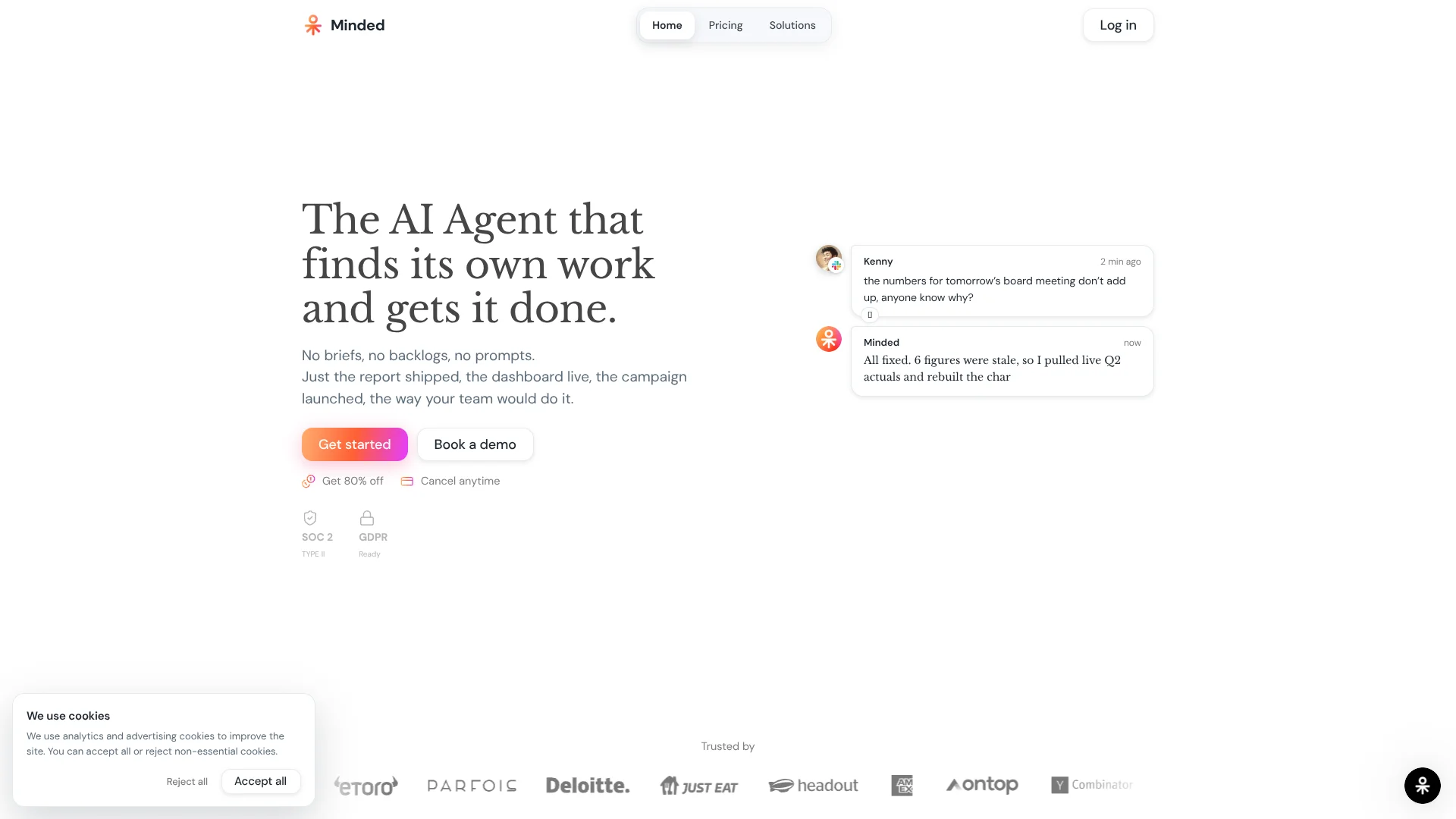
Minded
AI agents run repeatable business workflows across your connected apps.
Key Takeaways
- What it is
- AI agents run repeatable business workflows across your connected apps.
- Pricing
- $9.99 to start · $50 per month · $1,500 per month
- Best for
- Work discovery
- Recorded skills
- Cross-app task execution
- Rating
- 4.1/5
What is Minded?
Minded connects AI agents to the business tools a team already uses, then handles work such as reconciling transactions, updating a CRM, or preparing a report. It is built for companies that want routine digital tasks completed across several apps, rather than another chatbot that only suggests what to do. Teams can describe a task or show Minded how to do it in a browser.
A defining capability is that Minded can spot work in connected tools before someone assigns it, then turn a recorded task into a repeatable skill. That means a team can teach it a browser workflow once and have it run the same process again, such as syncing an escalation from Salesforce to Jira.
Operations, finance, sales, and marketing teams are a strong fit when their work crosses connected business systems. Minded is less suited to occasional question-and-answer use: tasks draw from a credit balance, and costs vary with the work involved. Its clearest value is completing repeatable business processes, not chatting about them.
Who is Using Minded?
Finance operations managers
Reconciliation and close workflows can move between accounting tools, payment systems, and spreadsheets.
Sales operations specialists
CRM updates, lead enrichment, and follow-up drafts can be handled from one connected process.
Customer support leads
Ticket triage and order lookups can lead to a drafted reply or an approved account action.
Marketing analysts
Campaign performance can be checked across ad tools and summarized for the team.
Uncommon Use Cases
Screening applicants against a hiring scorecard; syncing escalated support cases into a Jira board
Key Features
Rating Breakdown
Pricing Plans
Starter
$9.99 to start
- 5,000 credits to start
- Slack, web, and browser extension
- Every integration included
- Build and run skills
Pro
$50 per month
- The page lists credit tiers from 2,000 credits for $20 per month to 200,000 credits for $2,000 per month.
- 5,000 credits every month at the listed $50 tier
- Monthly credits roll over while subscribed
- Scheduled and recurring tasks; credit top-ups available
Business
$1,500 per month
- 150,000 credits at the listed monthly price
- Vetted experts on demand through /human
- Centralized billing and invoicing
- Shared workspaces, team roles, and priority support
Which Minded plan should you pick?
Start with Starter to try a defined workflow, move to Pro for monthly credits and scheduled tasks, and consider Business for shared workspaces and on-demand experts.
Starter
Good for trying a workflow with 5,000 starting credits and access to integrations, Slack, the web, and the browser extension.
Pro
Good for ongoing individual use that needs monthly credits, recurring tasks, and credit top-ups.
Business
Good for organizations that need shared workspaces, team roles, centralized billing, and vetted experts on demand.
Minded Use Cases
Month-end close
Finance teams can categorize transactions, reconcile payouts, and flag variances across connected systems.
Outcome: A close process with unreconciled items and exceptions flagged for review.
CRM follow-up
Sales teams can turn call notes into CRM updates and draft follow-up messages.
Outcome: Call records and follow-ups prepared in the connected sales and email tools.
Campaign reporting
Marketing teams can compare ad performance, flag unusual results, and prepare a report.
Outcome: A campaign report with potential issues called out.
Support refund handling
A support workflow can look up an order, process a refund through a connected payment tool, and draft the customer reply.
Outcome: The refund is processed and a reply is drafted.
Browser process reuse
Operations teams can record a browser task, save it as a skill, and repeat it for similar cases.
Outcome: A recorded task becomes a reusable skill.
Workflow Ideas with Minded
Reconcile payouts and flag variances
- 1Connect the accounting and payment tools involved in the process.
- 2Have Minded categorize transactions and reconcile payouts.
- 3Review the variances it flags in the connected spreadsheet.
Turn an escalation into a reusable skill
- 1Record the steps for moving an escalation from a support case into Jira.
- 2Save the recording as a skill.
- 3Run the skill on similar cases.
Prepare a weekly campaign report
- 1Connect the ad platforms and reporting destination.
- 2Have Minded compare performance and identify unusual results.
- 3Review the report and any suggested campaign changes.
How Minded fits into your stack
Browser workflows
The Chrome extension supports browser-based work, and recorded steps can be saved as repeatable skills.
Team communication
Minded works through Slack and Microsoft Teams, where teammates can request work and receive results.
Business apps
The site lists connections to tools including Gmail, Salesforce, NetSuite, QuickBooks, Stripe, and Jira.
Developer access
Minded documents an SDK and agent API for teams that want to build or trigger agents programmatically.
Pros
- +Tasks across apps: Agents can complete a process that spans connected business tools.
- +Teach by recording: A browser workflow can become a reusable skill without writing code.
- +Broad integrations: The pricing page includes every integration on every plan.
- +Spending prompts: Minded pauses and asks before spending beyond the available credits.
Cons
- −Variable task cost: Credit use changes with the work, so monthly spend can be harder to predict.
- −Business focus: The product is aimed at completing company workflows, not general personal AI use.
Limitations & when to consider alternatives
Known limitations
- Tasks use different credit amounts. Credit use depends on the work involved, so a quick analysis and a larger build can consume very different amounts.
- Tasks stop when credits run out. Minded pauses and asks before spending more; agents stop receiving new tasks until credits are added.
- Starter has a limited credit balance. Starter begins with 5,000 credits, while the pricing page lists larger monthly credit options under Pro.
Look elsewhere when
- You need a general-purpose chatbot for open-ended personal questions.
- Your work does not involve repeatable tasks across connected business tools.
How to Use Minded
- 1
Choose a repeatable task
Start with a process such as reconciliation, ticket triage, or report preparation that already follows recognizable steps.
- 2
Connect the relevant tools
Authorize the apps Minded needs, such as Gmail, Slack, Salesforce, or QuickBooks; access can be revoked.
- 3
Describe or record the workflow
Give Minded the task in a message or record the browser steps to make a repeatable skill.
- 4
Review the estimated credit use
Check the displayed cost before a task runs so you can decide whether it fits the available balance.
- 5
Inspect the result
Review completed work and any flagged items in the connected tools before relying on them.
- 6
Schedule repeat work when useful
Pro includes scheduled and recurring tasks for processes that need to run regularly.
Who is Minded For?
Operations
Teams can automate recurring processes such as ticket triage, onboarding, and order workflows.
Finance
Finance teams can use agents for reconciliation, transaction categorization, and month-end close tasks.
Sales
Sales teams can keep CRM records current and prepare follow-ups from call activity.
Marketing
Marketing teams can assemble campaign reports and flag unusual ad performance.
Founders
Founders can delegate inbox triage, investor updates, and meeting preparation.
Frequently Asked Questions
How does Minded charge for tasks?
Tasks consume credits based on the work involved. One credit equals one cent of finished work, and Minded shows the cost before and after a task.
What happens when the credits run out?
Minded pauses and asks before spending more. You can top up credits or change tiers.
Which tools does Minded connect to?
The site lists more than 3,000 connected tools, including Gmail, Slack, Jira, Salesforce, NetSuite, and Excel.
Can Minded repeat a workflow?
Yes. You can record browser steps and save them as a skill. Pro also includes scheduled and recurring tasks.
Does Minded support single sign-on?
Minded documents SAML single sign-on as an enterprise feature.
Community reviews
Be the first to share your experience.
Sign in to leave a review for Minded.
Minded Alternatives
Looking for alternatives to Minded? Here are similar tools in the same category: