
MemeGen AI
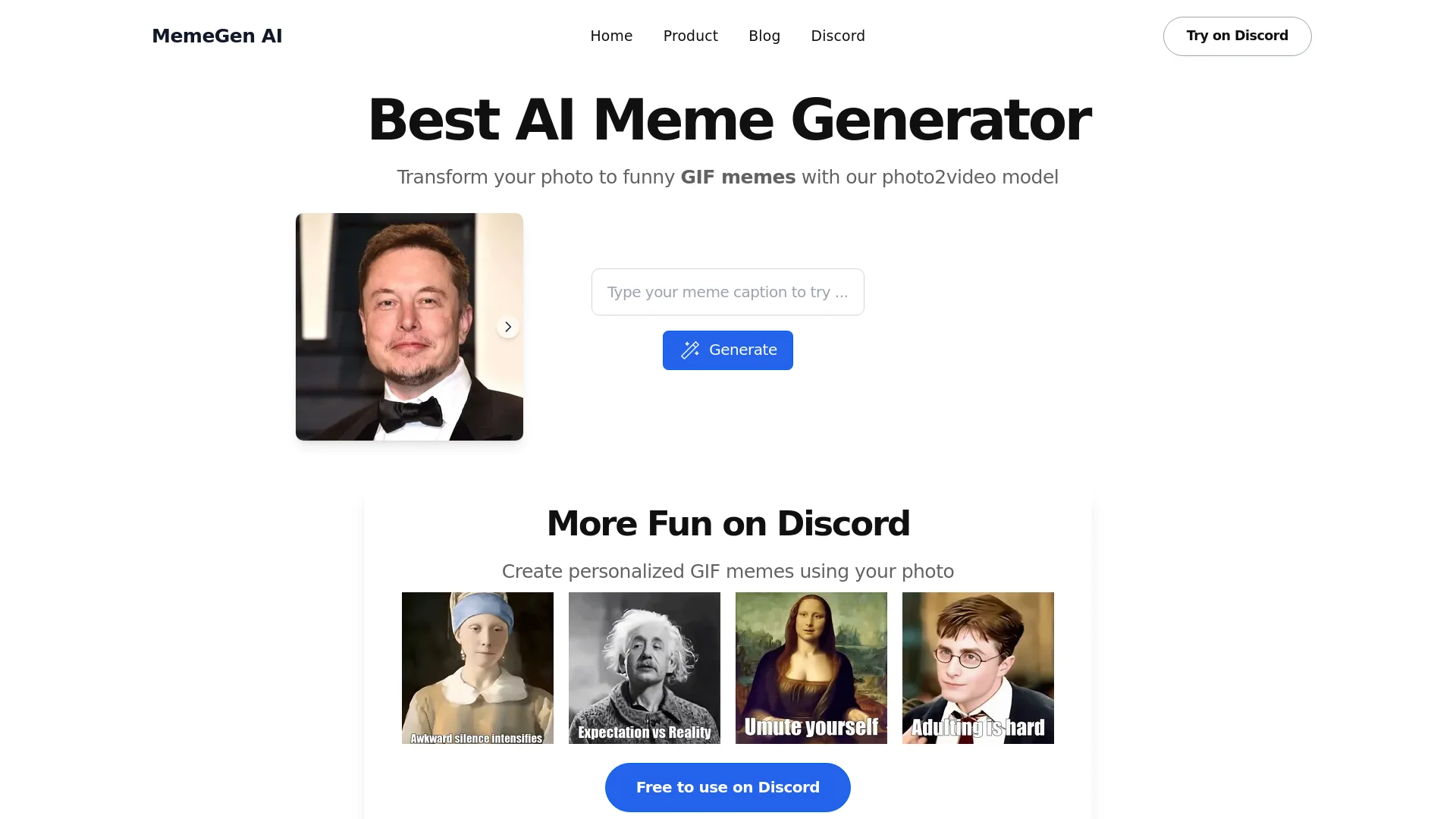
Transform photos into engaging GIF memes effortlessly with AI.
Key Takeaways
- What it is
- Transform photos into engaging GIF memes effortlessly with AI.
- Pricing
- Freemium
- Best for
- Photo2Video Model
- Discord Integration
- Customizable Templates
- Rating
- 4.6/5
What is MemeGen AI?
MemeGen AI, available at MemeGen AI, is a cutting-edge tool designed to transform ordinary photos into hilarious GIF memes using advanced AI technology. Tailored for both individuals looking for personal amusement and professionals seeking to enhance their digital marketing strategies, MemeGen AI simplifies the creation of engaging and shareable content. By leveraging its photo2video model, users can effortlessly generate animated memes that resonate with audiences across various platforms.
MemeGen AI stands out with its seamless integration on Discord, a game-changer for communities looking to enhance their interactions with humor and creativity. Its ability to transform static images into animated GIFs quickly and easily sets it apart, making it a favorite for both casual users and marketing professionals.
MemeGen AI excels in providing a fun and effective way to create engaging memes, making it an essential tool for digital marketers, community managers, and anyone looking to add a humorous touch to their content. Its seamless Discord integration and ability to transform photos into animated GIFs offer unmatched convenience and creativity.
Who is Using MemeGen AI?
Digital Marketers
Utilizing memes to enhance brand recognition and audience engagement.
Social Media Influencers
Creating viral content to boost followers and interactions.
Community Managers
Engaging with community members through relevant and humorous memes.
Content Creators
Incorporating memes into their content strategy for added entertainment value.
Uncommon Use Cases
Used by educators to make learning materials more engaging; adopted by event planners to create themed memes for event promotions.
Key Features
Rating Breakdown
Pricing Plans
Free Tier
Free
- Experience MemeGen AI at no cost when accessed through Discord
Which MemeGen AI plan should you pick?
Start with the Free plan for daily experimentation; upgrade when paid subscription plans become available.
Free plan
Good for casual creators who need daily credits for image, video, twist, and roleplay generation.
MemeGen AI Use Cases
Interactive roleplay stories
Play community-created stories and make choices that influence the plot.
Outcome: Each playthrough can develop differently.
Twist existing videos
Apply a surprise ending, funny take, or new direction to a community video.
Outcome: Create a new variation from an existing video.
Generate images from prompts
Use prompts to create visual content through the image-generation tool.
Outcome: Generate visuals in seconds.
Convert images into videos
Upload or create an image and turn it into a short cinematic video.
Outcome: Produce an animated video from a still image.
Create roleplay video stories
Build an immersive story combining characters, visuals, and interactive responses.
Outcome: Create a video-led roleplay experience.
Workflow Ideas with MemeGen AI
Create an image-to-video post
- 1Open Create
- 2Upload or generate an image
- 3Generate the video and publish or share it
Remix a community video
- 1Choose a trending community video
- 2Select a twist template or write a short prompt
- 3Generate and share the new version
Build an interactive roleplay story
- 1Choose a roleplay story or start creating one
- 2Make choices or provide replies
- 3Continue the story as the AI characters respond in video
How MemeGen AI fits into your stack
Browser
Use the web app to create images, generate short videos, upload images, play roleplay stories, and remix community content.
Community content
Browse community stories and videos, then add creative twists or build on other users’ creations.
Pros
- +Free plan with daily credits
- +Image-to-video generation
- +Interactive real-time video roleplay
- +Remix and twist community videos
- +Upload and customize your own images
Cons
- −Platform Limitation: Primarily designed for use on Discord, which may not suit users looking for standalone applications.
- −Image Quality: Depending on the original photo, the quality of generated memes may vary.
Limitations & when to consider alternatives
Known limitations
- AI generations consume credits. Daily, monthly, and extra credits are used for AI generations; failed creations may require checking the remaining credit balance.
- Deleted photos cannot be recovered. Photos deleted from Create are permanently removed.
- Deleted creations cannot be recovered. Deleting a creation removes it from the library and community view permanently.
- Account deletion is permanent. Deleting the account erases posts, credits, and history.
- Visibility changes depend on community guidelines. Content that violates the Community Guidelines cannot be made public.
Look elsewhere when
- You need a documented developer API.
- You need a native mobile app.
- You need team workspaces or user roles.
- You need programming-code generation.
How to Use MemeGen AI
- 1
Open the creation workspace
Go to Create to access image generation, uploads, prompt templates, and video generation.
- 2
Choose a creation mode
Select image creation, image-to-video generation, or roleplay storytelling based on the content you want to make.
- 3
Upload or generate an image
Upload your own image or create one from a prompt, then customize it for the desired output.
- 4
Add a prompt or template
Use a short text prompt or choose an AI template to create a twist or guide the generation.
- 5
Generate the result
Start generation using available credits. Daily credits refresh automatically for all users.
- 6
Manage or delete creations
Use Me, Posts or Creations to manage visibility, delete content, or remove items from your library.
Who is MemeGen AI For?
Creators
PopVid's creator program offers premium tools, model access, daily credits, and opportunities for content promotion.
Community storytellers
Users can create and explore interactive roleplay stories where replies shape the plot.
Video creators
The platform provides image-to-video creation and community videos that can be remixed with new twists.
Frequently Asked Questions
What is twist?
Twist lets you add a creative spin to a meme, uploaded image, or video using a short prompt or an AI template.
How do credits work?
Credits are used for AI generations. Daily credits refresh automatically, monthly credits come with paid plans, and extra credits are one-time purchases that do not expire.
How do I manage or cancel my subscription?
Go to Me, Settings, and Subscription, then choose Manage Plan to upgrade or cancel renewal. The current plan remains active through the billing cycle.
How do I delete an uploaded photo?
Open Create and tap the delete icon on the image or video. Deleted photos are permanently removed and cannot be recovered.
How do I delete a creation?
Open Me, Posts or Creations, find the item, and choose Delete. The creation is removed from the library and community view.
What should I do if creation fails?
Check the internet connection and remaining credits, refresh or reopen the app, and contact support with the prompt or image details if the problem continues.
Community reviews
Be the first to share your experience.
Sign in to leave a review for MemeGen AI.
MemeGen AI Alternatives
Looking for alternatives to MemeGen AI? Here are similar tools in the same category:
Learn to Master MemeGen AI
With Skill Leap courses
Get in-depth training on MemeGen AI and 50+ other AI tools with our expert-led video courses.
Start 7-Day Free Trial