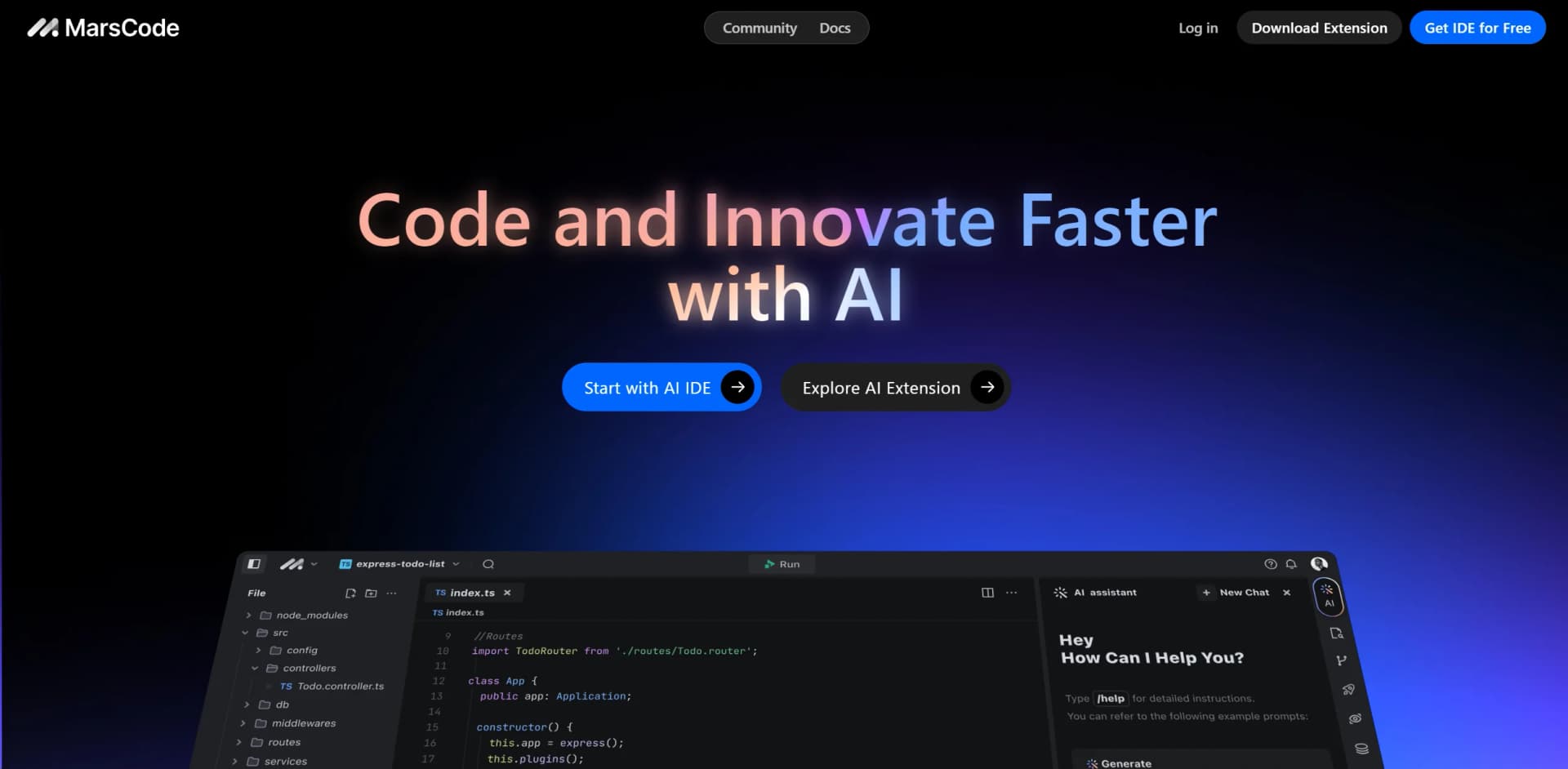
MarsCode
Revolutionize coding: real-time assistance, error detection, code optimization.
Key Takeaways
- What it is
- Revolutionize coding: real-time assistance, error detection, code optimization.
- Pricing
- Freemium · $19.99 per month
- Best for
- Smart Code Completion
- Real-time Error Detection
- Automated Code Optimization
- Rating
- 4.6/5
What is MarsCode?
MarsCode is a cutting-edge AI-powered tool designed to revolutionize the way developers code and innovate. By integrating advanced machine learning algorithms, MarsCode offers real-time coding assistance, error detection, and automated code optimization. This tool is specifically tailored for software developers, data scientists, and IT professionals looking to enhance their productivity and streamline their development processes.
MarsCode stands out with its real-time error detection and automated code optimization, a game-changer for software development. Its ability to integrate seamlessly into existing development environments sets it apart, making it a versatile tool for various coding tasks.
MarsCode excels in providing enhanced productivity and accuracy, making it an essential tool for developers and IT professionals. Its standout features, particularly the real-time error detection and automated code optimizations, offer unmatched advantages in the realm of software development. Whether you're a seasoned developer or a beginner, MarsCode is designed to elevate your coding game to the next level.
Who is Using MarsCode?
Software Developers
Utilizing the tool for speeding up development cycles and improving code quality.
Data Scientists
Employing MarsCode for scripting and automating data analysis tasks.
IT Consultants
Leveraging the tool to provide more efficient solutions to clients.
Tech Startups
Using MarsCode to reduce overhead and increase innovation speed.
Key Features
Rating Breakdown
Pricing Plans
Free Tier
Free
- Experience MarsCode with a 14-day free trial
Pro Tier
$19.99 per month
Which MarsCode plan should you pick?
Start with Free, choose Lite for light regular usage, and upgrade to Pro, Pro+, or Ultra for higher usage and concurrency.
Free
Good for trying the product with limited usage and 5,000 monthly autocomplete suggestions.
Lite
Good for individuals who need unlimited autocomplete, $5 monthly basic usage, and two concurrent cloud tasks.
Pro
Good for frequent users who need $20 monthly basic usage and up to ten concurrent cloud tasks.
Pro+
Good for heavier workloads needing 3.5 times Pro usage and up to fifteen concurrent cloud tasks.
Ultra
Good for intensive professional use requiring 20 times Pro usage, model early access, and up to twenty concurrent cloud tasks.
MarsCode Use Cases
Academic Institutions
Adopting MarsCode for teaching computer science.
Hobbyists
Using MarsCode for personal project development.
Workflow Ideas with MarsCode
Build and deploy an API project
- 1Create a project from a template or import a Git repository
- 2Use AI assistance to generate, explain, and fix the code
- 3Run API tests and deploy the function with one click
Develop an AI plugin
- 1Start with an AI plugin project template
- 2Write the plugin logic and let MarsCode manage schema details
- 3Test the API and distribute the plugin through supported GPT integrations
Improve an existing codebase
- 1Import an existing repository
- 2Ask the assistant to explain code and identify bugs
- 3Apply fixes and generate unit tests for selected functions
How MarsCode fits into your stack
Visual Studio Code Compatibility
MarsCode integrates seamlessly with Visual Studio Code, enhancing coding efficiency.
GitHub Integration
Easily sync with GitHub repositories for streamlined version control.
API Access
Developers can harness MarsCode's API for custom integrations.
Cloud Service Compatibility
Works smoothly with popular cloud services like AWS and Azure for enhanced project management.
Pros
- +Enhanced Productivity: Significantly reduces coding time with intelligent code completion and error detection.
- +Increased Accuracy: Minimizes bugs and errors in real-time, leading to more reliable code.
- +Customization Options: Allows personalization of coding environments and templates to fit various coding styles and requirements.
- +User-Friendly Interface: Intuitive and easy to navigate, suitable for both beginners and experienced developers.
Cons
- −Initial Learning Curve: New users may require time to fully adapt to the AI functionalities.
- −Subscription Model: Continuous access requires a subscription, which might be a barrier for some users.
- −Internet Dependency: Requires a stable internet connection for optimal functionality.
Limitations & when to consider alternatives
Known limitations
- Cloud-first workflow. The main IDE is browser-based, while local development uses an IDE plugin rather than a standalone MarsCode desktop application.
- Third-party service dependency. The terms state that the services may rely on third-party LLMs, plugins, and APIs, which may have separate terms.
- End-user data restrictions. Users are responsible for end-user data and are not permitted to store end-user data on MarsCode systems.
- Service availability can change. The terms reserve the right to change, suspend, withdraw, or restrict platform services without notice.
- Generated output requires review. The terms do not warrant that generated code or other output will be accurate, current, reliable, or secure.
Look elsewhere when
- You need a native mobile app.
- You need documented SSO or SAML.
- You need a standalone desktop IDE.
How to Use MarsCode
- 1
Explore the comprehensive tutorial series on the MarsCode website, covering everything from basic setup to advanced features.
Who is MarsCode For?
Full-stack developers
MarsCode supports cloud functions, API testing, storage, deployment, and AI-assisted coding across application projects.
Front-end developers
The IDE provides AI code completion, natural-language code generation, integrated console capabilities, and run-preview workflows.
Developers using local IDEs
The Trae Plugin brings AI coding assistance to Visual Studio Code and JetBrains IDEs.
Frequently Asked Questions
What is MarsCode?
MarsCode is an AI-powered cloud IDE and coding assistant with code completion, generation, explanation, debugging, testing, storage, and deployment features.
Does MarsCode require a local installation?
The cloud development environment requires no download and can be initialized directly in a browser.
Which IDEs does MarsCode support?
The renamed MarsCode Extension, now called Trae Plugin, supports Visual Studio Code and JetBrains IDEs.
Which programming languages are supported?
The plugin supports over 100 languages, with particular proficiency in Python, Go, JavaScript, TypeScript, C++, Java, Kotlin, C, and Rust.
Can MarsCode generate and fix code?
Yes. Its documented capabilities include natural-language code generation, code completion, AI Fix, code explanation, and unit-test generation.
Can MarsCode deploy applications?
The cloud IDE provides one-click elastic deployment and generates an access API for deployed functions.
Community reviews
1 review from people who use MarsCode.
Sign in to leave a review for MarsCode.
. leroy
MarsCode Alternatives
Looking for alternatives to MarsCode? Here are similar tools in the same category: