Magnific AI
Upscale images with AI that can invent detail or preserve the original.
Key Takeaways
- What it is
- Upscale images with AI that can invent detail or preserve the original.
- Pricing
- Freemium · $20 per month · $45 per month · $110 per month
- Best for
- Image Upscaler
- AI Image Generator
- Spaces
- Rating
- 4.3/5
What is Magnific AI?
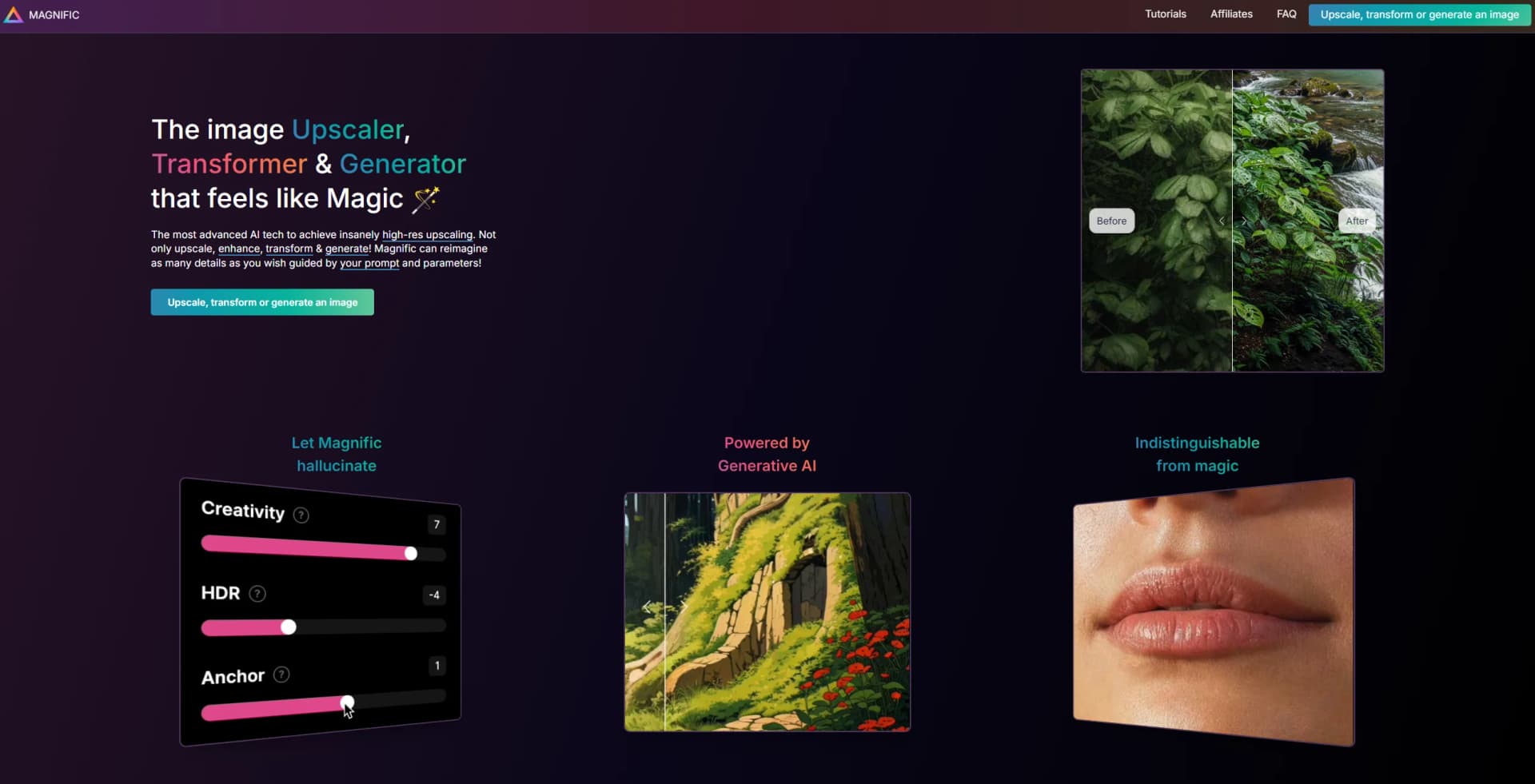
Magnific turns images into larger, sharper versions while letting you choose whether AI should add visual detail or stay close to the original. The platform also creates and edits images, video, audio, and 3D, giving designers, marketers, and content creators a place to prepare assets for campaigns, social posts, and other creative work.
Its upscaler offers two distinct approaches: Creative mode can invent texture and fine detail, while Precision mode aims to preserve the source image. That choice helps when the same workflow needs imaginative enhancement for artwork and faithful enlargement for product photos or print.
Magnific suits people who make or refine visual content regularly, especially when they need high-resolution results or several media formats. Its credit system takes attention: many advanced tools consume credits, and unlimited generation applies only to selected models. Reach for Magnific when visual creation and image enhancement are the work, not when you need a general-purpose writing or coding tool.
Who is Using Magnific AI?
Photographers
Precision mode enlarges photos while aiming to preserve their original appearance.
Graphic designers
Image generation, editing, and stock assets help build campaign and print visuals.
Video editors
Video editing, upscaling, and relighting tools help refine footage and clips.
Social media managers
Image and video tools help prepare content for channels such as Instagram, TikTok, and YouTube.
Uncommon Use Cases
Product teams can make mockups on real surfaces; 3D artists can turn an image or prompt into a 3D model.
Key Features
Rating Breakdown
Pricing Plans
Free
Free
- Limited daily access to AI tools.
- Up to 20 AI image generations per day with the in-house model.
- 10 stock downloads per day.
Premium
$20 per month
- Annual billing is also available at $14.50 per month, billed annually.
- 240,000 credits per year with annual billing.
- Premium stock assets and commercial AI license.
Plus
$45 per month
- Annual billing is also available at $33.75 per month, billed annually.
- 600,000 credits per year with annual billing.
- Unlimited generations on selected models.
Pro
$110 per month
- Annual billing is also available at $82.50 per month, billed annually.
- Includes a higher credit allocation than Plus.
- Early access to AI features.
Which Magnific AI plan should you pick?
Start with Free to explore; choose Premium for stock assets and credits, Plus for unlimited generations on selected models, or Pro for a larger credit allocation.
Free
Good for people exploring Magnific with limited daily access and personal-use projects.
Premium
Good for creatives who want premium stock assets and a credit allowance for AI tools.
Plus
Good for individuals who generate frequently and want unlimited generations on selected models.
Pro
Good for professional creators who need a larger credit allocation and early access to AI features.
Magnific AI Use Cases
Enlarge artwork for print
When a small image needs more resolution, Precision mode enlarges it while aiming to keep its original details.
Outcome: A larger image with a maximum scale of 16x.
Add detail to illustrations
Creative mode can reimagine textures and add fine detail to artwork or 3D renders.
Outcome: A more detailed, AI-enhanced image.
Build campaign visuals
Brand Kit and image tools help create visuals guided by a company's brand materials.
Outcome: Generated images that follow the supplied brand guidelines.
Create short-form video assets
Text or images can serve as starting points for AI video generation and editing.
Outcome: Video content for ads, social media, or film.
Make project sound
Text-to-speech, music, and sound-effect tools can supply audio for a video or other creative project.
Outcome: Voice, music, or sound effects for the edit.
Workflow Ideas with Magnific AI
Prepare an image for print
- 1Open Image Upscaler and add the image.
- 2Choose Precision mode for faithful reproduction.
- 3Set the scale, generate the result, and compare it with the original.
Develop a campaign image
- 1Add brand materials to Brand Kit.
- 2Generate image options with Magnific One.
- 3Review and refine the selected visual in the Image Editor.
Build a video with sound
- 1Create a video from text, an image, or both.
- 2Refine the footage in the Video Editor.
- 3Add generated speech, music, or sound effects.
How Magnific AI fits into your stack
Web creative workspace
The web platform holds Magnific's image, video, audio, 3D, and stock-content tools. Spaces organizes creative work on a shared canvas.
Design and editing apps
Magnific plugins are available for Photoshop, Premiere, and Figma, so creative work can pass between the editor and Magnific.
AI chat and agents
Magnific MCP connects to Claude, ChatGPT, and Cursor, allowing those tools to call Magnific for generation, upscaling, or editing.
Desktop and mobile
The desktop app supports batch work on Mac, Windows, and Linux. The mobile app connects to web projects on iOS, Android, and iPad.
Custom software
The REST API gives developers access to Magnific models and tools, with credit-based usage.
Pros
- +Upscaling choice: Creative mode can add detail, while Precision mode aims to retain the original.
- +Multiple media types: Image, video, audio, and 3D tools serve varied visual production needs.
- +Work where you create: Plugins connect Magnific to Photoshop, Premiere, and Figma.
- +Shared Spaces: Teams can build and review workflows together on a canvas.
Cons
- −Credits take planning: Different tools and models use different amounts.
- −Unlimited has boundaries: Only selected models are included in unlimited-generation plans.
- −Broad creative scope: The number of tools and models can make it harder to pick a starting point.
Limitations & when to consider alternatives
Known limitations
- Credits vary by tool. AI actions consume different credit amounts based on the tool, model, and output settings.
- Unlimited generation covers selected models. The pricing page lists the models included in unlimited generation; other tools or models may use credits.
- Free plan has daily limits. The Free plan provides limited daily access, including up to 20 image generations per day with the in-house model.
- Upscaling modes make different tradeoffs. Creative mode can add or reimagine details; Precision mode is intended for a more faithful reproduction.
Look elsewhere when
- You need a general-purpose tool focused on writing or coding.
- You need a browser extension rather than a desktop app or creative-software plugin.
- Your workflow requires unlimited use of every model and tool.
How to Use Magnific AI
- 1
Choose a starting tool
Open Image Upscaler for an existing image, or choose an image, video, audio, or 3D tool for a new asset.
- 2
Set the creative direction
For upscaling, choose Creative when you want added detail or Precision when you want a closer match to the source.
- 3
Add a prompt or reference
Creative upscaling accepts an optional prompt; image generation can use text and reference images.
- 4
Generate and review
Check the result against your source image or brief, then adjust the settings or prompt if needed.
- 5
Move the work into your workflow
Save the result to a project, use Spaces to organize collaborative work, or connect through a plugin or the API.
- 6
Check credit use
Review which models are included in unlimited generation and which actions draw from your plan's credits.
Who is Magnific AI For?
Creatives
Image, video, and audio tools support visual production from first draft to finished asset.
Designers
Image editing, upscaling, and stock assets help prepare artwork for client and print work.
Marketers
Brand Kit, templates, and media generation support campaign content.
Agencies and studios
Spaces, shared projects, and team plans support collaborative production.
Developers
The API provides access to Magnific's models and creative tools in custom workflows.
Frequently Asked Questions
Can I use Magnific for free?
Yes. The Free plan offers limited daily access to AI tools and stock content.
How does Magnific's Image Upscaler work?
It enlarges and sharpens an image. Creative mode can add AI-generated detail, while Precision mode aims to stay closer to the source.
Does Magnific have an API?
Yes. Its REST API offers access to platform models and tools with credit-based usage.
Can teams collaborate in Magnific?
Yes. Spaces supports shared projects and canvases, and Magnific Business offers shared credits, billing, and team controls.
Which apps connect to Magnific?
Magnific lists plugins for Photoshop, Premiere, and Figma, and MCP connections for Claude, ChatGPT, and Cursor.
Does Magnific have a mobile or desktop app?
Yes. Magnific offers mobile apps for iOS and Android and a desktop app for Mac, Windows, and Linux.
Community reviews
Be the first to share your experience.
Sign in to leave a review for Magnific AI.
Magnific AI Alternatives
Looking for alternatives to Magnific AI? Here are similar tools in the same category: