
MagicPhotos
Transform everyday photos into stunning, personalized portraits.
Key Takeaways
- What it is
- Transform everyday photos into stunning, personalized portraits.
- Pricing
- $49 · $59 · $69
- Best for
- Rapid Photo Generation
- Diverse Style Options
- AI Personalization
- Rating
- 4.5/5
What is MagicPhotos?
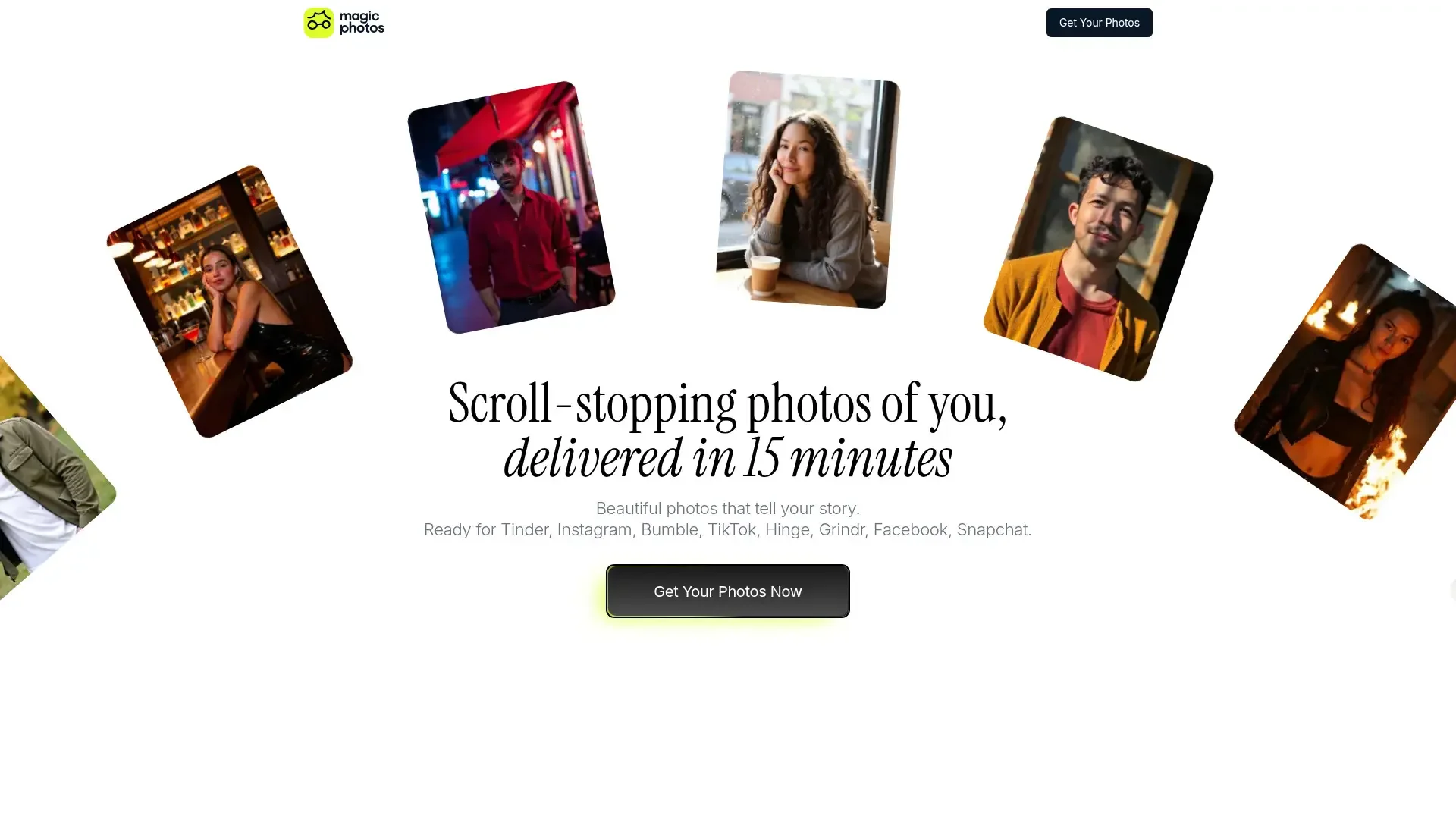
MagicPhotos is a cutting-edge AI tool designed to transform your everyday images into stunning, high-quality portraits in just minutes. Whether you're looking to enhance your dating profile, shine on social media, or bolster your personal branding, MagicPhotos promises to deliver scroll-stopping photos that capture your true essence. This tool is perfect for individuals eager to make a memorable first impression without the hassle of traditional photo shoots.
MagicPhotos stands out with its ability to quickly generate high-quality, personalized portraits without the need for expensive equipment or professional photographers. Its AI-driven personalization and extensive style options make it a preferred choice for those seeking to enhance their image with minimal effort.
MagicPhotos offers an innovative way to create professional-grade photos from the comfort of your home. Its combination of speed, quality, and personalization makes it an invaluable tool for anyone looking to make a lasting impression online. Whether you're updating your social media profiles or need a fresh look for professional branding, MagicPhotos provides a reliable and efficient solution.
Who is Using MagicPhotos?
Social Media Influencers
Enhancing profile pictures and content for platforms like Instagram and TikTok.
Dating App Users
Boosting their presence on apps such as Tinder, Bumble, and Grindr.
Personal Branding Enthusiasts
Using standout photos for LinkedIn and professional portfolios.
Event Planners
Creating visually appealing invites and promotional materials.
Uncommon Use Cases
Employed by podcasters for eye-catching cover art; utilized by authors for book jacket photos.
Key Features
Rating Breakdown
Pricing Plans
The Spark
$49
- 40 HD photos and 2 styles
- Ready in 90 minutes
The Flame
$59
- 100 HD photos and 5 styles
- Ready in 60 minutes
The Fire
$69
- 200 HD photos and 10 styles
- Ready in 15 minutes
Which MagicPhotos plan should you pick?
Start with FREE to test the tools and upgrade to PRO when you need unlimited generations, high-resolution watermark-free downloads, or bulk editing.
FREE
Good for users who need basic access, up to 40 AI generations, and are comfortable with limited-resolution watermarked downloads.
PRO
Good for users who need unlimited AI generations, high-resolution downloads without watermarks, mobile PRO access, and selected bulk-editing features.
MagicPhotos Use Cases
LinkedIn profile photography
Upload selfies and generate polished professional headshots.
Outcome: A ready-to-use LinkedIn profile image.
Company team headshots
Invite employees, collect their photos, and manage generation from one dashboard.
Outcome: Consistent headshots for the organization.
Social and dating photos
Use different generated looks and styles for social or dating profiles.
Outcome: Multiple personalized profile images.
Website and resume imagery
Generate professional portraits for websites, resumes, business cards, and printed materials.
Outcome: Professional images suitable for personal branding.
AI photo editing
Remove objects, change backgrounds, generate images from text, blur backgrounds, or upscale images.
Outcome: Edited and enhanced visual assets.
Workflow Ideas with MagicPhotos
Create a personal headshot set
- 1Upload at least 10 clear, recent solo photos
- 2Let Magic Studio train a personal AI model
- 3Preview the generated headshots and purchase a pack to download without watermarks
Create consistent team headshots
- 1Create a team and invite members by email
- 2Have members upload photos to their profiles
- 3Manage generation, progress, and downloads from the team dashboard
Improve an existing image
- 1Upload an image to Magic Studio
- 2Choose an editing tool such as Magic Eraser, Background Remover, or Image Upscaler
- 3Download the edited result
How MagicPhotos fits into your stack
Browser
Magic Studio is primarily a web-based image workspace for generating images, removing objects, changing backgrounds, upscaling, blurring, and converting image formats.
Mobile
Dedicated iOS and Android apps provide the same core AI photo-editing workflows, including object removal, background editing, AI drawing, and image creation.
Team workspace
Magic Studio for Teams provides an invitation-based dashboard where admins and team members upload selfies, track progress, and download individual headshots.
Pros
- +Time Efficiency: Get professional-quality photos without the lengthy scheduling and waiting times of traditional photo shoots.
- +Cost-Effective: Offers a more affordable alternative to hiring a professional photographer.
- +High Customization: Allows you to choose from multiple styles, ensuring your photos align with your personal or professional brand.
- +Privacy Assurance: Ensures your data is secure, with no sharing or selling of your images without explicit consent.
Cons
- −Initial Learning Curve: Some users may need time to select the best images for optimal results.
- −Limited Free Options: The tool requires purchasing a photo pack to access the full range of features.
- −Dependence on Image Quality: Results are best when high-quality images are uploaded, which might be a barrier for some users.
Limitations & when to consider alternatives
Known limitations
- Free exports are limited. The FREE plan provides limited-resolution downloads with a watermark.
- Free generation quota. The FREE plan includes 40 AI generations.
- Single-image free editing. The FREE plan permits editing one image at a time.
- Headshot input requirements. The team workflow recommends at least 10 clear photos showing only the person being modeled.
- Dynamic styles and backgrounds. Teams can choose a consistent style, but specific uniforms, colors, or backgrounds cannot be selected because they are dynamically generated.
Look elsewhere when
- You need developer API documentation with keys and endpoints.
- You need a downloadable Windows, Mac, or Linux application.
- You need SSO or SAML for enterprise authentication.
How to Use MagicPhotos
- 1
Choose a Magic Studio tool
Open the photo editor, Magic Eraser, Background Remover, AI Image Generator, Image Upscaler, or another listed tool based on the task.
- 2
Upload your image
Select or drag in the image you want to process. For personal headshots, upload at least 10 clear photos of yourself.
- 3
Apply the AI operation
Remove objects, change the background, generate an image from text, upscale the image, or create a personal headshot model.
- 4
Review the result
Preview the generated or edited image and retry or refine it when the tool provides those options.
- 5
Download or upgrade
Download the result within the free limits, or upgrade to PRO for higher-resolution, watermark-free, unlimited, or bulk-editing capabilities.
Who is MagicPhotos For?
Professionals
Create polished headshots for LinkedIn, resumes, websites, and other professional profiles.
Companies and remote teams
Invite team members and create consistent professional headshots through a shared team dashboard.
Executives and CEOs
Generate executive-style images without arranging a traditional studio photoshoot.
Doctors and lawyers
Use profession-specific headshot styles designed for medical and legal professionals.
Realtors
Create professional realtor headshots for property-market profiles and marketing materials.
Frequently Asked Questions
Can I use Magic Studio for free?
Yes. The FREE plan provides basic web and mobile access, 40 AI generations, limited-resolution downloads, and watermarked exports.
How does Magic Studio create headshots?
Upload a set of clear photos, let the AI create a personal model, and receive generated headshots for preview.
How many photos should I upload?
For best results, upload at least 10 clear, recent solo photos with varied outfits, locations, and lighting.
How long does headshot generation take?
Individual headshot sets are generally ready in about 15 minutes; team generation can take 30 minutes to one hour.
Can teams use Magic Studio?
Yes. Team admins can invite members by email, manage profiles, and oversee progress and downloads from a team dashboard.
Can I use generated images commercially?
The site says users have full rights to use generated images for commercial purposes, subject to the service terms.
Community reviews
Be the first to share your experience.
Sign in to leave a review for MagicPhotos.
MagicPhotos Alternatives
Looking for alternatives to MagicPhotos? Here are similar tools in the same category:
Learn to Master MagicPhotos
With Skill Leap courses
Get in-depth training on MagicPhotos and 50+ other AI tools with our expert-led video courses.
Start 7-Day Free Trial