Lumana
AI security monitoring makes existing camera footage searchable for security teams.
Key Takeaways
- What it is
- AI security monitoring makes existing camera footage searchable for security teams.
- Best for
- Monitor
- Response
- Investigate
- Rating
- 4.1/5
What is Lumana?
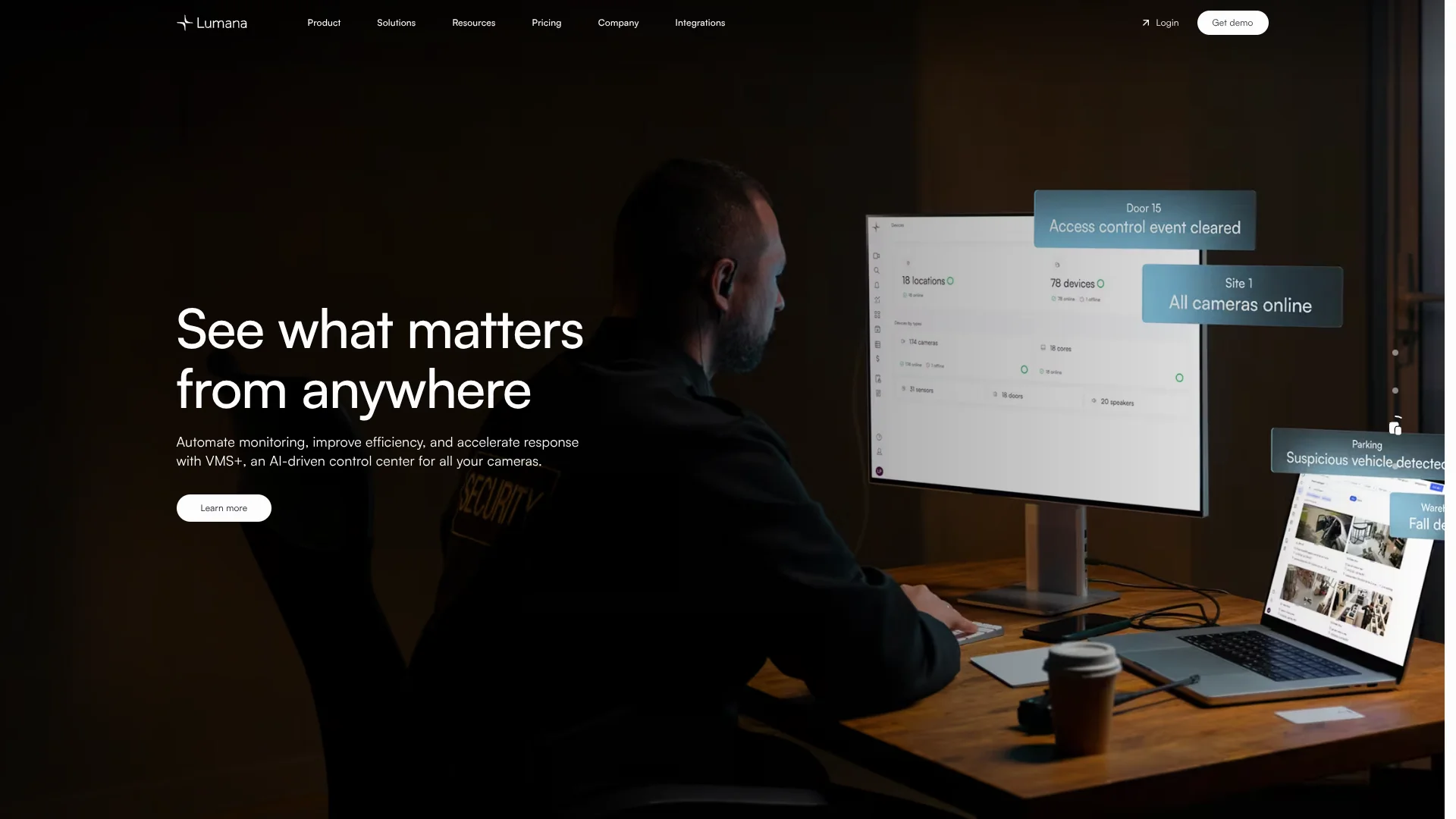
Lumana turns security-camera footage into alerts and searchable events, helping security and operations teams spot activity and respond faster. Its VIA-1 video intelligence model powers Monitor, Response, Investigate, and Insight features, from detecting possible threats to finding relevant footage across cameras. Lumana works with compatible existing IP cameras, so teams can add video AI without replacing every camera.
Lumana’s VIA-1 model is built to learn from video in each environment, and its AI agents can trigger actions such as staff notifications, loudspeakers, or lockdowns when configured. That connects camera detection to a response, rather than stopping at a notification.
Lumana is best suited to organizations managing multiple cameras and needing ongoing security monitoring, incident review, or operational insights. It requires compatible camera infrastructure and a paid license, and pricing is quoted based on camera feeds, storage, and license terms. Choose it when your team needs AI tied directly to its video security system.
Who is Using Lumana?
Security managers
Real-time camera alerts help them direct attention to incidents that need review.
Security operators
Live views, alerts, and Smart Search help them monitor sites and check events.
Safety directors
Video detections for events such as falls, fire, or protective gear can support safety reviews.
Loss prevention investigators
Search across camera footage helps them locate activity connected to an incident.
Facilities operations managers
Video dashboards can help them review occupancy, traffic, and other site activity.
Uncommon Use Cases
Link point-of-sale or warehouse events to searchable video; monitor retail shelf activity and inventory changes.
Key Features
Rating Breakdown
Pricing Plans
Custom pricing
- Annual recurring license based on camera feeds, days of storage, and license terms.
- The pricing page says features and capabilities come standard rather than being divided into licensing tiers.
Which Lumana plan should you pick?
Request the free trial to evaluate Lumana with your cameras, then request a quote based on your camera feeds, storage needs, and license terms.
Free Trial
Good for organizations that want to test the platform in their environment with onboarding support.
Custom pricing
Good for organizations ready to license Lumana based on their camera feeds, storage days, and license terms.
Lumana Use Cases
Monitor for safety and security events
AI agents watch camera feeds for configured activity, such as trespassing, fire, or a fall.
Outcome: Real-time alerts for activity that may need attention.
Review an incident
Smart Search narrows footage by camera and event details instead of requiring a manual review of every recording.
Outcome: Relevant footage found faster.
Automate incident response
Configured alerts can prompt notifications or trigger connected systems as an event unfolds.
Outcome: A faster, configured response to detected events.
Connect operational events to video
Event Tags bring data from systems such as point-of-sale or warehouse tools into searchable video records.
Outcome: External events become searchable alongside related footage.
Track site activity
AI dashboards help teams review activity trends such as people and vehicle traffic.
Outcome: Operational data drawn from camera activity.
Workflow Ideas with Lumana
Alert, review, and respond
- 1Set up an alert for an activity your team needs to monitor.
- 2Choose the notification or connected action that should follow a detection.
- 3Review the alert and related footage in VMS+.
Find footage tied to an external event
- 1Create an Event Tag with fields for the event data you want to track.
- 2Send event data to Lumana through its API.
- 3Search Event Tags in Smart Search to locate related video.
Review activity across a site
- 1Select the camera activity or event your team wants to understand.
- 2Review the available AI dashboard data.
- 3Use the trends to identify areas for further investigation.
How Lumana fits into your stack
Cameras and video management
Lumana VMS+ manages live and recorded footage from connected cameras. Lumana Core can replace or work with an existing NVR.
Mobile access
The Lumana mobile app lets users access cameras, view footage, manage locations, and receive alerts while away from a desktop.
Communications and access control
Integrations include Microsoft Teams, Slack, and access-control systems such as LenelS2 OnGuard. Availability can vary by integration.
APIs and external events
Lumana's API supports actions and Event Tags, which bring external system data into video searches and alerts.
Pros
- +Existing camera support: Works with compatible IP cameras, helping organizations keep their current camera infrastructure.
- +Search across footage: Smart Search helps investigators find relevant events across cameras faster.
- +Configured incident actions: Alerts can start responses such as notifications, loudspeakers, or lockdowns.
- +Named integrations: Connects with systems including Microsoft Teams, Slack, and LenelS2 OnGuard.
Cons
- −Quote-based pricing: There is no public price to compare before talking with Lumana.
- −Specialized product: Its AI features focus on video security rather than general-purpose writing or research.
- −Platform dependency: The mobile app works only with the Lumana Platform.
Limitations & when to consider alternatives
Known limitations
- Camera compatibility. Existing cameras must be IP cameras that support standard streaming protocols.
- License-based pricing. The annual recurring license is determined by camera feeds, storage days, and license terms.
- Trial requires Lumana equipment. The trial description says users connect a Lumana Core to their network to evaluate the platform.
- Mobile app requires Lumana. The app stores state that the Lumana app works exclusively with the Lumana Platform.
Look elsewhere when
- You need a video tool that works without compatible IP cameras or Lumana's platform.
- You need publicly listed subscription prices before contacting a vendor.
- You need an AI tool for general writing, document analysis, or code generation.
How to Use Lumana
- 1
Request a trial
Submit the trial form to evaluate Lumana in your environment; the trial includes platform access and onboarding.
- 2
Connect compatible cameras
Lumana supports IP cameras using standard streaming protocols, so you can assess the platform with existing cameras.
- 3
Set up monitoring
Choose the events to monitor and configure alerts for the activity your team needs to review.
- 4
Choose response actions
Set the alert actions, such as notifications or connected systems, that should follow an event.
- 5
Search and review footage
Use Smart Search and alert records to find and review relevant camera footage.
- 6
Invite staff with appropriate access
Set user roles and permissions so team members can access the cameras and tools needed for their work.
Who is Lumana For?
Security teams
AI alerts and searchable footage can help teams monitor sites and review incidents.
Retail
Video activity and integrations can support store monitoring and operational insights.
Warehouses
Camera alerts and investigations can help teams track safety and site activity.
Healthcare
Centralized camera monitoring can help facilities respond to safety events.
Education
Real-time alerts and configured response actions can support campus security teams.
Frequently Asked Questions
Does Lumana have a free plan?
Lumana offers a free trial, but its site does not list a permanent free plan.
How is Lumana priced?
Pricing is an annual recurring license based on camera feeds, storage days, and license terms. The site offers customized pricing rather than public plan prices.
Can Lumana work with cameras we already have?
Yes. Lumana says it supports IP cameras that use standard streaming protocols.
Does Lumana have a mobile app?
Yes. Lumana offers an app for iOS and Android, and it works with the Lumana Platform.
Can Lumana connect to other systems?
Yes. Its listed integrations include Microsoft Teams, Slack, and LenelS2 OnGuard, and its API supports external event data and actions.
Community reviews
Be the first to share your experience.
Sign in to leave a review for Lumana.
Lumana Alternatives
Looking for alternatives to Lumana? Here are similar tools in the same category: