Lorka AI
Chat with many top models for everyday tasks.
Key Takeaways
- What it is
- Chat with many top models for everyday tasks.
- Pricing
- $19.99 per month · $142.98 per month
- Best for
- Multi‑model chat hub
- Single subscription for many models
- Cross‑device experience
- Rating
- 4.5/5
What is Lorka AI?
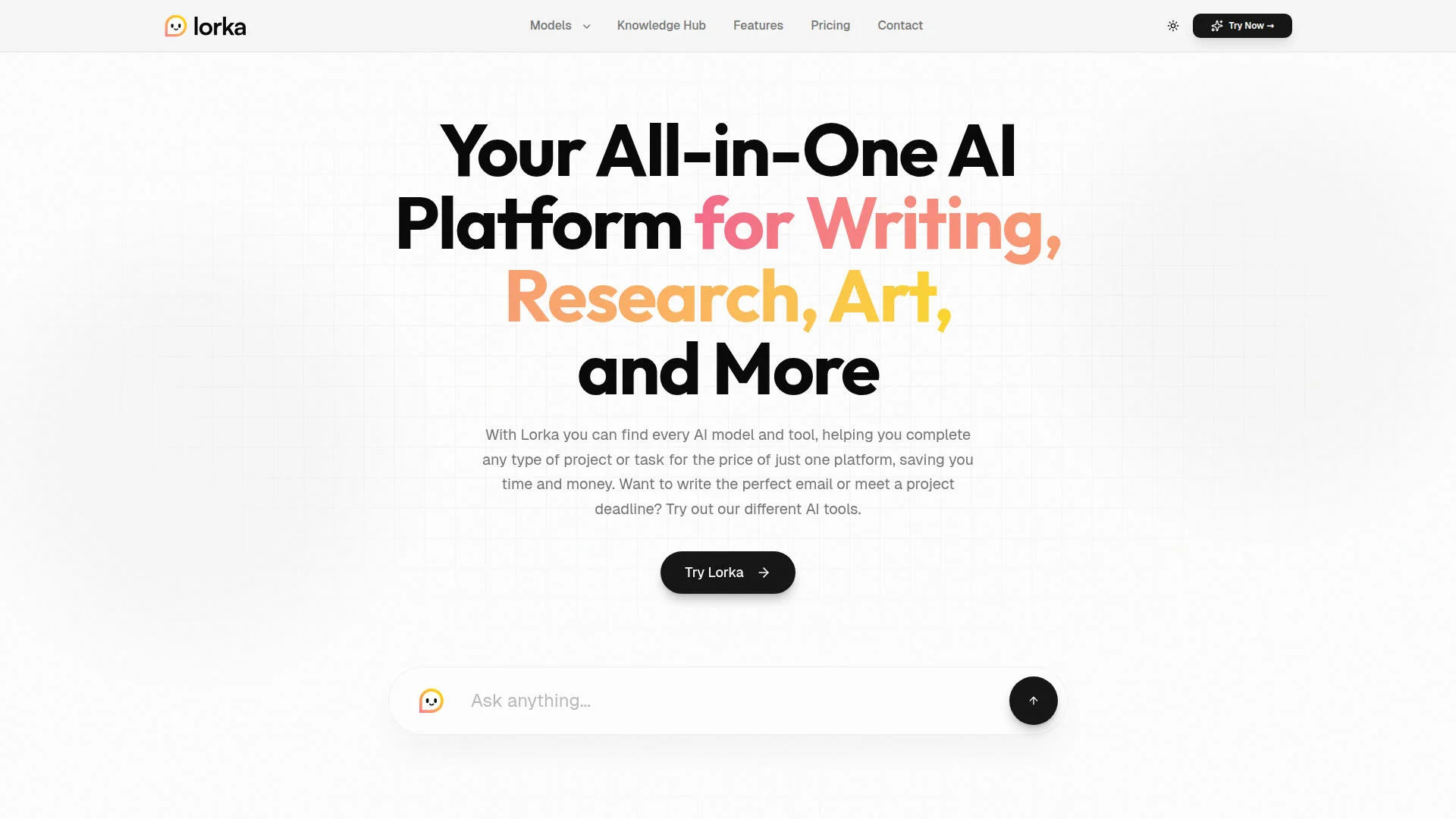
Lorka AI is an all-in-one AI assistant that brings many leading chat models into a single web and mobile workspace. Users can talk to models such as ChatGPT, Claude, Gemini, Grok, DeepSeek, Qwen, Perplexity and Mistral through one interface, aimed at tasks like writing, research, coding, data analysis, art generation, travel planning and everyday Q&A. Instead of juggling multiple AI subscriptions, it positions itself as a bundled “multi AI” hub for students, professionals and creators.
Lorka AI focuses squarely on being a “multi AI” bundle, rather than building yet another single‑model assistant. The ability to keep one continuous chat while switching underlying models sets it apart from tools that still force users to juggle tabs or apps.
Lorka AI brings together many of the strongest proprietary chat models into one subscription and interface, which is exactly what heavy AI users have been asking for. It trades some deep integration and automation features for a simple, chat‑first workflow that works the same on web and iOS, while keeping pricing relatively straightforward. For anyone who routinely bounces between ChatGPT, Claude, Gemini and similar tools, consolidating that activity inside Lorka can save both time and subscription spend.
Who is Using Lorka AI?
Students and learners
Using multiple models for explanations, essay drafts, language practice and quick study aids.
Knowledge workers and researchers
Summarizing documents, running research queries and cross‑checking results between models in one interface.
Founders and small businesses
Relying on entrepreneur‑focused workflows for idea validation, pitch materials and marketing experiments.
Freelancers and creators
Drafting copy, scripts and visuals within a single subscription instead of paying separate creative AI tools.
Uncommon Use Cases
Well‑suited for educators demonstrating how different AI models answer the same classroom prompt; handy for travel vloggers comparing several model‑generated itineraries and scripts before trips.
Key Features
Rating Breakdown
Pricing Plans
Multi‑AI Subscription
$19.99 per month
- Access to 7+ AI generators
- Including major models such as ChatGPT
- Claude
- Gemini
- Grok
- Perplexity and others
- Cancel‑anytime terms
Illustrated value comparison
$142.98 per month
Which Lorka AI plan should you pick?
Start with Standard for general multi-model chat and AI tools; upgrade to Max when extended video generation is important.
Standard
Good for professionals who need broad access to AI models, AI tools, image generation, and limited video generation.
Max
Good for power users who need the same model and tool access with extended video generation.
Lorka AI Use Cases
Chat with PDFs
Upload a research paper, report, contract, manual, or guide and ask questions about it.
Outcome: Extract insights, summaries, deadlines, and specific data faster.
Generate and debug code
Use coding-capable models to write utilities, analyze codebases, debug problems, and plan migrations.
Outcome: Produce implementation guidance, code, tests, and technical plans.
Create images
Describe an image or upload a reference image, then refine the result with follow-up prompts.
Outcome: Create or edit visuals for presentations, social content, and creative projects.
Research and analyze information
Use AI web search and multiple models to investigate topics, compare outputs, and synthesize findings.
Outcome: Get summarized research and faster decision support.
Translate and improve writing
Use Lorka’s translation, writing, humanizer, and content-generation tools for text tasks.
Outcome: Produce clearer, translated, or more natural-sounding content.
Workflow Ideas with Lorka AI
Research-to-report workflow
- 1Search the web for current information
- 2Upload supporting PDFs or documents
- 3Ask a model to synthesize findings into a report
Code debugging workflow
- 1Select a coding-capable model
- 2Upload code or describe the repository issue
- 3Request a diagnosis, patch, and test plan
Image creation workflow
- 1Enter a visual prompt or upload a reference image
- 2Generate the image
- 3Refine it with follow-up prompts and download the result
How Lorka AI fits into your stack
Browser
Lorka is primarily a browser-based multi-model workspace where users chat with models, compare outputs, search the web, and access AI tools without installing software.
Docs and writing
Writing workflows include drafting, rewriting, translation, humanization, and generating structured content. Users can switch between multiple models in one conversation.
Knowledge and files
Lorka supports PDF conversations, document analysis, image uploads, and multimodal work involving screenshots, diagrams, images, and video.
Desktop / IDE
Lorka supports coding-oriented workflows through browser chat, including debugging, visual coding, HTML/CSS generation, and codebase-oriented reasoning, but no dedicated desktop or IDE application is documented.
Pros
- +Strong value for heavy users: The bundle undercuts the combined list price of individual ChatGPT, Claude, Gemini, Grok and other subscriptions by a large margin. (lorka.ai)
- +Convenience of one interface: Users avoid hopping between different AI sites and can test several models on the same question quickly. (lorka.ai)
- +Good for real‑world tasks: Marketing copy, study help, travel itineraries, summaries and finance‑related questions all sit within the same chat‑first workflow. (lorka.ai)
- +Cross‑platform continuity: Being able to move from web to iOS while keeping ongoing sessions is genuinely handy for people who work on the go. (apps.apple.com)
Cons
- −Subscription may be overkill for casual users: Those who mostly rely on a single free or low‑cost chatbot might not fully use a multi‑model bundle. (lorka.ai)
- −Information on limits is not very prominent: Community discussion shows some prospective users still hunting for clear details on usage caps per model. (reddit.com)
- −Primarily chat‑centric: Teams wanting deep integrations or complex automation flows will likely still need other tooling around it. (lorka.ai)
Limitations & when to consider alternatives
Known limitations
- Large files may hit context limits. Lorka says there is no fixed PDF file-size limit, but very large documents may exceed model context limitations.
- Large-video processing can be slower. The Gemini model page notes that processing large videos in high-thinking mode can increase response latency.
- Some model access may be preview-limited. Certain model pages describe preview-limited access, safeguards, or variable availability.
- Outputs can be incorrect or outdated. Lorka advises double-checking outputs for high-stakes legal, medical, or financial use.
- Video generation varies by plan. Standard provides limited video generation, while Max provides extended video generation.
Look elsewhere when
- You need a documented developer API.
- You need SSO or enterprise identity controls.
- You need a native desktop application.
- You need shared team workspaces with roles and invites.
How to Use Lorka AI
- 1
Choose a model
Open Lorka’s AI chat and select a model from the model dropdown based on the task.
- 2
Write your prompt
Describe the question, project, or desired output clearly so the selected model can respond effectively.
- 3
Attach context
Upload a PDF, dataset, image, or media file when the task requires document or multimodal analysis.
- 4
Run the workflow
Ask the model to research, write, analyze, code, generate an image, or complete a multi-step task.
- 5
Refine the result
Use follow-up prompts to correct, expand, rewrite, or improve the output.
- 6
Manage your subscription
Use Settings and Manage subscription to review billing or cancel before the next renewal.
Who is Lorka AI For?
Professionals
Lorka is positioned for fast problem-solving, optimized workflows, presentations, reports, and business tasks.
Students
Students can use multiple models for study tips, research, document analysis, and writing support.
Researchers
Researchers can combine AI web search, document chat, long-context models, and model comparison.
Marketers
Marketers can create written content, images, and social-media visuals using Lorka’s integrated tools.
Programmers
Programmers can use coding-focused models for code generation, debugging, repository analysis, and technical workflows.
Frequently Asked Questions
What is Lorka AI?
Lorka is an all-in-one AI platform that brings multiple chat models and AI tools into one workspace.
Which plans does Lorka offer?
The pricing page lists Standard and Max plans. Standard includes limited video generation, while Max includes extended video generation.
Can I cancel my subscription?
Yes. Lorka says subscriptions can be canceled anytime through Settings and Manage subscription.
Can Lorka analyze PDFs?
Yes. Users can upload PDFs, ask questions, extract data, and generate summaries.
Is there a fixed PDF file-size limit?
Lorka says there is currently no fixed file-size limit, though large documents may be constrained by model context limits.
Does Lorka offer multiple AI models?
Yes. Lorka provides access to models including ChatGPT, Claude, Gemini, Grok, DeepSeek, Qwen, Perplexity, and Mistral.
Community reviews
Be the first to share your experience.
Sign in to leave a review for Lorka AI.
Lorka AI Alternatives
Looking for alternatives to Lorka AI? Here are similar tools in the same category: