LogoAI
Founders can create AI logos with matching brand identities, without hiring designers.
Watch LogoAI in Action
Key Takeaways
- What it is
- Founders can create AI logos with matching brand identities, without hiring designers.
- Pricing
- $10 · $20 per month
- Best for
- AI Logo Maker 2.0
- AI Brand Kit
- Design Studio
- Rating
- 4.1/5
What is LogoAI?
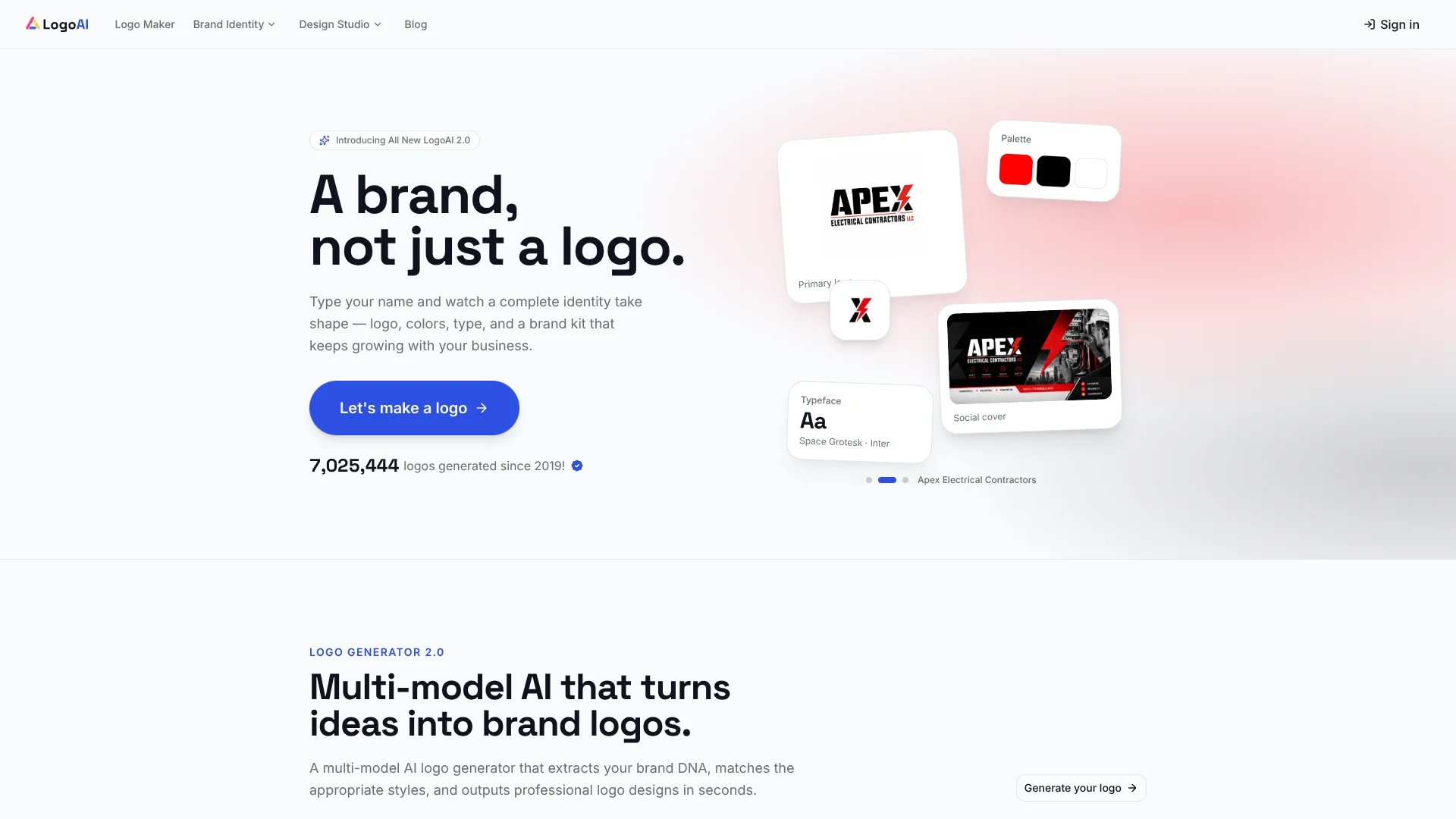
LogoAI turns a business name and creative direction into AI-generated logo concepts, then builds matching colors, fonts, and brand assets around the design you choose. It is aimed at founders, small businesses, and creators who need a visual identity but do not have a designer on hand. Its Design Studio also creates branded images and videos using multiple AI models.
LogoAI generates logo concepts with multiple AI models and carries the selected direction into a brand kit, so the logo, colors, fonts, and related assets start out coordinated rather than assembled one by one.
It fits people launching a business or refreshing a brand who want logo concepts and practical marketing assets in one place. AI results still need your review, and paid use does not guarantee a unique design or trademark eligibility, so LogoAI is a starting point for a brand identity, not a substitute for legal checks.
Who is Using LogoAI?
Startup Founders
A launch-ready logo and brand kit help establish a visual identity for a new company.
Small Business Owners
Brand assets and mockups help prepare materials for a shop, service, or local business.
Freelance Designers
Logo concepts and AI mockups offer a quick way to explore and present visual directions.
Marketing Managers
Social graphics, brand videos, and logo animations extend a company identity into campaign materials.
Uncommon Use Cases
Turn an existing logo into a brand kit with alternate logo files; generate a downloadable brand guideline for sharing with a designer.
Key Features
Rating Breakdown
Pricing Plans
7-Day Trial
$10
- Includes the Branding Suite and Design Studio access.
- Includes unrestricted downloads and 200 AI credits.
- Renews at $20 per month with 500 AI credits per month unless canceled before the trial ends.
Pro
$20 per month
- Includes the Branding Suite and Design Studio.
- Includes unrestricted downloads and 500 AI credits per month.
Which LogoAI plan should you pick?
Start free to explore logo concepts, choose the 7-Day Trial for a short period of full access, and move to Pro if you need ongoing access and monthly AI credits.
7-Day Trial
Good for founders who want to test the Branding Suite and Design Studio with 200 AI credits for seven days.
Pro
Good for regular brand work that needs unrestricted downloads and 500 AI credits each month.
LogoAI Use Cases
Launching a New Brand
A business name and visual direction become several logo concepts to compare before settling on a design.
Outcome: A selected logo with a matching brand kit.
Refreshing an Existing Logo
An uploaded logo can be refined with AI or used as the starting point for a broader set of brand assets.
Outcome: Updated logo options and related brand materials.
Preparing Social Graphics
A saved brand identity can guide the creation of social covers and ready-to-post graphics.
Outcome: Social assets that follow the logo's visual direction.
Previewing a Logo in Context
Mockups place a chosen logo on items such as packaging, signage, and apparel.
Outcome: A more realistic view of how the logo may appear in use.
Creating a Brand Guide
A logo and brand profile become an editable guide to the visual identity and voice.
Outcome: A downloadable 10-page PDF.
Workflow Ideas with LogoAI
From Business Name to Brand Kit
- 1Enter the business name and relevant details.
- 2Explore AI-generated logo concepts and select a direction.
- 3Review the matching colors, fonts, and brand assets.
Refresh an Existing Logo
- 1Upload the logo you already use.
- 2Refine the design or create alternate versions.
- 3Preview the identity with mockups and social assets.
Prepare a Brand Guide for a Collaborator
- 1Create a brand profile from the logo and business context.
- 2Generate and review the brand guideline.
- 3Edit the guide and export it as a PDF to share.
How LogoAI fits into your stack
Logo creation
LogoAI starts with a business name, description, and style choices to generate logo concepts. This is the best fit when you need an initial visual direction for a new brand.
Brand assets
The Brand Kit Studio organizes colors, fonts, logo variations, and matching graphics around the chosen logo.
Visual production
The Design Studio extends a brand into AI-generated images and videos, while mockups help preview the logo in context.
Downloads and sharing
Logo exports include formats such as PNG, PDF, and SVG, while brand guidelines can be downloaded as a PDF for collaborators.
Pros
- +Coordinated identity: The brand kit carries the chosen logo's colors and visual direction into related assets.
- +Several logo directions: Multiple AI models generate concepts to compare rather than offering only fixed templates.
- +Useful export formats: Logo downloads include options such as PNG, PDF, and SVG.
- +Free entry point: LogoAI lets new users start generating logos without buying a subscription first.
Cons
- −AI needs review: Refining a logo can change details beyond the requested edit.
- −Credits can limit exploration: Some exports and advanced AI tools consume credits.
- −No trademark assurance: A paid logo is not guaranteed to be exclusive or eligible for registration.
Limitations & when to consider alternatives
Known limitations
- Commercial use is not exclusivity. Paid plans allow commercial use of generated logos, but LogoAI does not guarantee that a design is exclusive or eligible for trademark registration.
- Credit costs vary by feature. Some export formats and advanced AI tools can use credits, and LogoAI displays applicable costs before generation.
- AI edits may change other details. LogoAI advises reviewing refinements because a requested change can affect parts of the design beyond the prompt.
Look elsewhere when
- You need a guarantee that a logo is exclusive or trademark registrable.
- You need to control every logo edit manually rather than review AI-generated refinements.
- Your workflow requires an officially documented integration with a specific third-party app.
How to Use LogoAI
- 1
Start with a business name or existing logo
Choose the logo-generation path for a new brand, or upload a logo you want to develop further.
- 2
Set the creative direction
Add business details and select styles so the AI has context for the logo concepts.
- 3
Compare and refine concepts
Review the generated options and describe changes in plain language, checking each result for unintended changes.
- 4
Open the Brand Kit Studio
Build matching colors, fonts, logo variations, and graphics around the selected design.
- 5
Export or extend the identity
Download available logo formats or continue into the Design Studio for branded images, videos, and mockups.
- 6
Check credit use before generating
Review the displayed credit cost for a tool or export, since some advanced features use credits.
Who is LogoAI For?
Founders
A business name can become a logo and a set of launch-ready brand assets without hiring a designer first.
Small Business Owners
Matching logos, mockups, and social graphics help carry one visual identity across customer-facing materials.
Creators and Solo Operators
A brand kit gives a personal business a consistent look across social channels and other marketing.
Agencies and Marketers
AI logo concepts and mockups can help teams explore visual directions for a client or campaign.
Frequently Asked Questions
Can I start using LogoAI for free?
Yes. LogoAI offers free access to start, and its free AI logo tools include options such as background removal and logo vectorizing.
What does the 7-Day Trial cost?
The pricing page lists the 7-Day Trial at $10 and says it includes 200 AI credits. It renews at $20 per month unless you cancel before the trial ends.
What does Pro cost?
The pricing page lists Pro at $20 per month and includes 500 AI credits per month.
Can I use a LogoAI logo commercially?
Paid plans include commercial use of generated logos, but that does not guarantee exclusivity or trademark registration.
Which file formats can I download?
Available logo export formats include JPG, PNG, PDF, and SVG, as well as high-resolution PNG; some export options can use credits.
Community reviews
1 review from people who use LogoAI.
Sign in to leave a review for LogoAI.
Thibault BM
LogoAI Alternatives
Looking for alternatives to LogoAI? Here are similar tools in the same category: