LM Studio
Chat with open AI models running locally on your computer.
Key Takeaways
- What it is
- Chat with open AI models running locally on your computer.
- Pricing
- Freemium · $20 USD per month · $100 USD per month
- Best for
- Local model chat
- Bionic projects
- Code projects
- Rating
- 4.2/5
What is LM Studio?
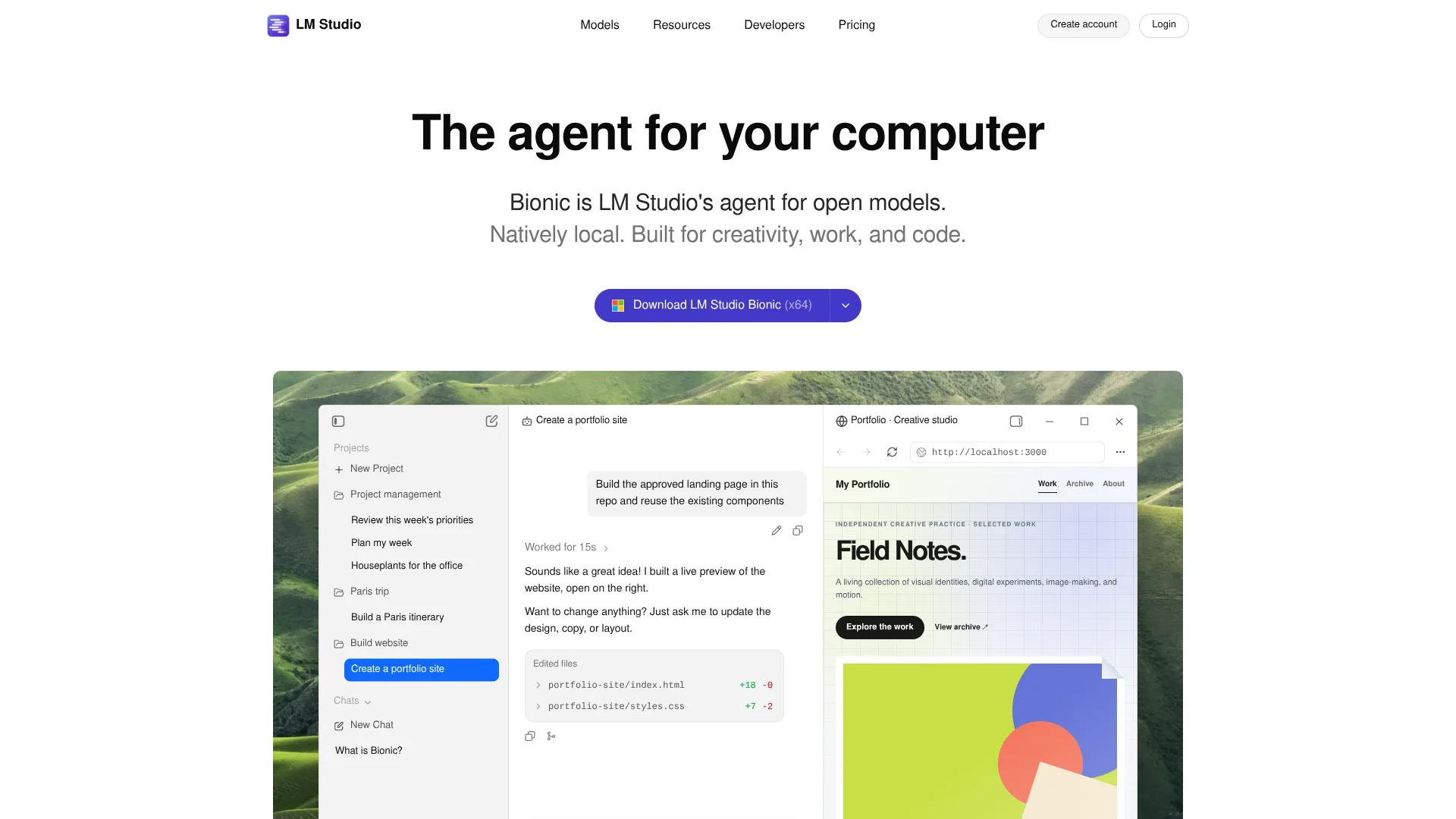
LM Studio lets you find and run open AI models on your own computer, then chat with them or connect them to other software through a local API. Its separate Bionic app adds an agent for coding, research, and work with documents. The two apps suit people who want to choose where AI runs, from their computer to a linked device or optional cloud models.
LM Link can route a model running on one device to Bionic or coding tools on another, so a more powerful computer can handle the AI work while you work elsewhere. Bionic also offers cloud models with Zero Data Retention, meaning prompts and responses are not stored by the provider after processing.
LM Studio is a strong fit for developers exploring local models and people who want Bionic to help with code or documents. Local model performance depends on your computer, and Intel-based Macs are not supported. Choose it when control over model location matters as much as the AI output.
Who is Using LM Studio?
Software developers
A local API or Bionic code project helps them test models, inspect code, and review edits.
AI engineers
Model downloads, local inference, and SDKs support experiments before building an application.
Researchers
Bionic can organize project materials, compare sources, and turn notes into a report.
Technical writers
Document projects help them draft and revise reports or presentations from existing files.
Uncommon Use Cases
Dictating prompts through local voice transcription; routing a coding tool to a model on a separate computer
Key Features
Rating Breakdown
Pricing Plans
Free
Free
- Bionic Agent
- Run local LLMs using llama.cpp and MLX
- Offline voice transcription
- LM Link for up to 5 devices
- Limited web search
Bionic+
$20 USD per month
- Everything in Free
- US-hosted open source models
- Discounted bulk tokens
- Web search and page extraction
Pro
$100 USD per month
- Everything in Bionic+
- 5× usage limits
- Discounted bulk tokens
- Early access to new features
Which LM Studio plan should you pick?
Start with Free for local models, then choose Bionic+ for hosted open models and fuller web search or Pro when you need five times the usage limits.
Free
Good for trying Bionic, running local models, and using limited web search.
Bionic+
Good for people who need US-hosted open models, web search, and page extraction.
Pro
Good for heavier cloud use that needs five times the Bionic+ usage limits.
LM Studio Use Cases
Try open models locally
Model downloads and chat let you compare how different open models handle your prompts.
Outcome: A working local model chat.
Review and change a codebase
Bionic can locate relevant code, explain it, make a requested change, and run focused checks.
Outcome: Code changes you can inspect.
Turn source material into a deliverable
A Bionic project can summarize files or create a report, presentation, or spreadsheet from them.
Outcome: A draft deliverable saved in the project workspace.
Use a model from another computer
LM Link routes a remote device's model to the computer where you are working.
Outcome: Access to a model running on a linked device.
Dictate ideas privately
Bionic's local voice transcription turns speech into text for prompts and edits.
Outcome: Transcribed speech without sending the audio to cloud transcription.
Workflow Ideas with LM Studio
Test a local model
- 1Download LM Studio for your computer.
- 2Find and download a model in the Discover tab.
- 3Load it in Chat and compare its answers to your prompts.
Review a code change with Bionic
- 1Create a Bionic project and choose your codebase folder.
- 2Ask Bionic to explain the relevant code before making changes.
- 3Review the inline changes and run focused tests.
Draft a document from research
- 1Create a Bionic project for the topic.
- 2Attach source files or enable web search for fresh context.
- 3Ask for a specific deliverable, then review and revise the generated file.
How LM Studio fits into your stack
Desktop model workspace
The classic LM Studio app downloads and runs models on macOS, Windows, and Linux. It is the place to compare local models through chat.
Documents and code
Bionic projects give an agent a workspace for files or a codebase. It can create or edit materials and show changes to review.
Apps and scripts
The local API server and Python and TypeScript SDKs let developers connect models to their own software.
External tools
LM Studio documents connections to Claude Code, Codex, Hermes Agent, and OpenClaw, and supports MCP servers.
Linked computers
LM Link can make models on another device available to your workflow, including coding tools.
Pros
- +Local control: Run supported models on your own computer, including offline.
- +Model choice: Find and download models from the app's catalog.
- +Developer access: Build with the local API or connect tools such as Claude Code and Codex.
- +Reviewable edits: Bionic shows code changes so you can inspect them.
Cons
- −Hardware demands: Larger local models need more memory and computing power.
- −Two-app setup: Bionic and the classic LM Studio app cover different workflows.
- −Cloud costs: Cloud model use depends on your plan allowance or available credits.
Limitations & when to consider alternatives
Known limitations
- Intel Macs are unsupported. The published system requirements list Apple Silicon Macs, not Intel-based Macs.
- Local models depend on your hardware. A downloaded model must fit your available hardware resources to run locally.
- Cloud models need internet and billing. Bionic cloud models require an internet connection, a signed-in account with billing set up, and available credits.
Look elsewhere when
- You need to run the desktop app on an Intel-based Mac.
- Your workflow requires cloud inference without an internet connection.
- Your models exceed the memory and computing resources available on your machine.
How to Use LM Studio
- 1
Choose the app
Start with classic LM Studio for model experimentation and API access, or Bionic for agent-led coding and document tasks.
- 2
Check your computer
Review the system requirements before downloading; larger local models need more memory and compute.
- 3
Download a model
In LM Studio, search the Discover tab and download a model that fits your machine.
- 4
Load and test it
Select the downloaded model in the Chat tab and try representative prompts.
- 5
Connect tools or files
For development, start the local API server or connect a supported integration; in Bionic, create a project and attach relevant files.
- 6
Choose cloud only when needed
In Bionic, select a cloud model for tasks that need hosted inference; cloud use requires an internet connection, an account, and available credits.
Who is LM Studio For?
Local AI explorers
The model catalog and chat interface make it practical to try open models on your own computer.
Software developers
Local APIs and Bionic code projects support model testing and codebase work.
Document-focused knowledge workers
Bionic can research, summarize, draft, and revise files in a project workspace.
Frequently Asked Questions
Can I use LM Studio for free?
Yes. The Free plan includes Bionic Agent, local models, offline voice transcription, LM Link for up to 5 devices, and limited web search.
Can LM Studio run models without sending prompts to the cloud?
Yes. Local models process chats on your device. Cloud models and web search process requests in the cloud under the stated Zero Data Retention commitment.
Does LM Studio have an API?
Yes. The classic app provides a local REST API and OpenAI-compatible API options for apps and scripts.
Which computers support LM Studio?
The classic desktop app supports Apple Silicon Macs, Windows PCs, and Linux systems. Intel-based Macs are not supported.
Can Bionic work with documents and images?
Bionic can work with documents, spreadsheets, presentations, PDFs, images, and text files. Preview and editing behavior depends on the file format.
Community reviews
Be the first to share your experience.
Sign in to leave a review for LM Studio.
LM Studio Alternatives
Looking for alternatives to LM Studio? Here are similar tools in the same category: