
Lavender
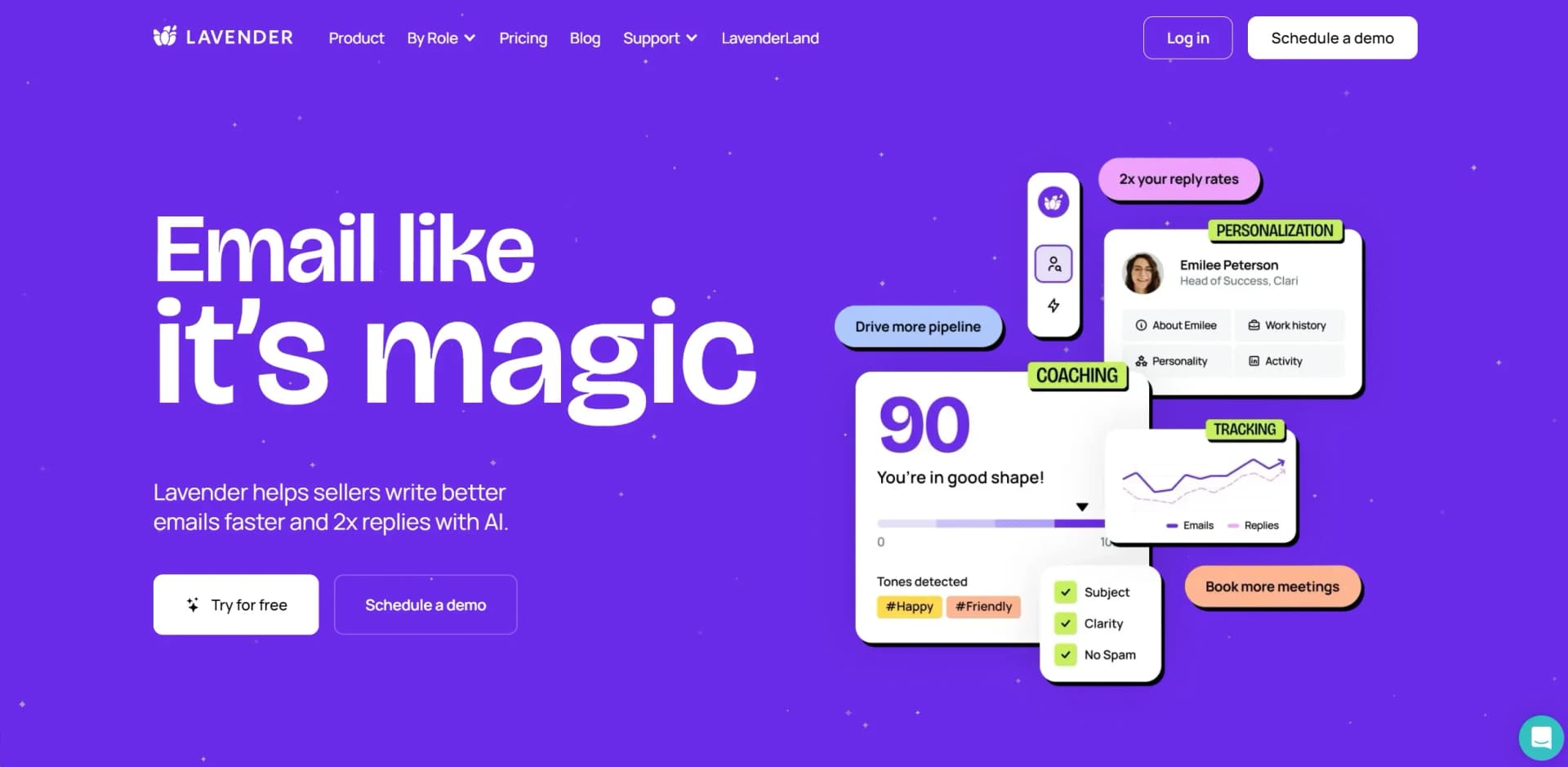
Transform email crafting with AI-driven feedback, personalization, and real-time coaching.
Watch Lavender in Action
Key Takeaways
- What it is
- Transform email crafting with AI-driven feedback, personalization, and real-time coaching.
- Pricing
- Freemium · $25/month (billed annually) · $41/month (billed annually)
- Best for
- Email Grading and Improvement Tips
- Personalization Assistant
- Real-time Coaching
- Rating
- 4.6/5
What is Lavender?
Lavender is an innovative AI email coach designed to transform the way individuals and professionals compose emails. Its primary function is to help users write better emails faster, significantly increasing the likelihood of receiving replies. Lavender is not just another email tool; it's a comprehensive platform that leverages generative AI and data from millions of emails to provide objective feedback, personalization tips, and real-time coaching. Aimed at sellers, leaders, and virtually anyone who uses email as a communication tool, Lavender simplifies the process of crafting emails that engage and convert.
Lavender stands out with its sophisticated AI that not only grades emails but also provides personalized, actionable feedback to improve them. This blend of generative AI with data-backed insights into what makes emails successful is unparalleled, setting Lavender apart as a leader in email optimization tools.
Lavender excels in enhancing email communication across the board, making it an indispensable tool for professionals seeking to maximize their email effectiveness. Its unique AI-driven feedback and personalization features offer an unmatched advantage in crafting emails that engage and convert. Whether you're a sales professional, a team leader, or anyone who relies on email as a critical communication tool, Lavender provides the insights and tools needed to elevate your email game.
Who is Using Lavender?
Sales Professionals
To craft personalized pitches that resonate with prospects and boost conversion rates.
Recruiters and HR Managers
For engaging potential candidates with personalized outreach.
Marketing Teams
To fine-tune email marketing campaigns for higher engagement.
Business Leaders
Leveraging insights for strategic communication and team performance improvement.
Uncommon Use Cases
Non-profit organizations use it for fundraising outreach; Educational institutions adopt it for administrative communication.
Key Features
Rating Breakdown
Pricing Plans
Free Tier
Free
- Start with Lavender for free
- Analyzing and personalizing up to 5 emails per month
Starter Plan
$25/month (billed annually)
- Offering unlimited emails and full feature access
Individual Pro
$41/month (billed annually)
Teams
- Team functionalities
- Priority support and dedicated coaching resources
Which Lavender plan should you pick?
Start with Basic for occasional email coaching, choose Starter for unlimited Gmail or Outlook use, upgrade to Individual Pro for integrations, and choose Team Plan for coaching dashboards and team analytics.
Basic
Good for individuals who need occasional email analysis and personalization at no cost.
Starter
Good for individuals who need unlimited email coaching, personalization, AI recommendations, and mobile optimization in Gmail or Outlook.
Individual Pro
Good for individuals who need unlimited usage plus supported sales-platform integrations and priority support.
Team Plan
Good for sales teams that need integrations, a Coaching Dashboard, aggregated email analytics, and team-level coaching.
Lavender Use Cases
Write and optimize cold emails
Draft or edit an outbound email, receive a score and recommendations, then apply suggested fixes.
Outcome: More concise, personalized, reply-oriented messaging.
Personalize prospect outreach
Use the Personalization Assistant to surface prospect data and personality-based insights inside the inbox.
Outcome: Faster, more relevant one-to-one outreach.
Coach new sales representatives
Use real-time feedback and team benchmarks to help new sellers learn effective email practices while working.
Outcome: Faster ramping and more consistent email quality.
Improve emails inside sales platforms
Use Lavender within Gmail, Outlook, Outreach, Salesloft, HubSpot, Apollo, Groove, Gong, or LinkedIn.
Outcome: Email coaching without switching tabs or copying and pasting.
Analyze team email performance
Review team email analytics, ROI, templates, reply-related patterns, and areas where representatives need help.
Outcome: Data-informed sales coaching and messaging improvements.
Workflow Ideas with Lavender
Draft and polish a cold email
- 1Open a new email in Gmail or Outlook
- 2Write or generate a first draft with Lavender
- 3Review the score and apply suggested fixes before sending
Personalize a prospect message
- 1Open the recipient’s email or LinkedIn message
- 2Review prospect data and personality insights in the Personalization Assistant
- 3Add relevant personalization and recheck the message score
Coach a sales team
- 1Connect team inboxes and supported sales platforms
- 2Review team performance, ROI, and messaging patterns in the Coaching Dashboard
- 3Coach representatives using the areas Lavender identifies for improvement
How Lavender fits into your stack
Email Platform Integration
Works with Gmail, Outlook, and more, ensuring wide accessibility.
Sales and Marketing Tools
Integrates with platforms like Salesloft, HubSpot, and Apollo for seamless workflow.
Real-time Data Insights
Offers integrations that provide immediate feedback and personalization suggestions.
Advanced Security
SOC2-certified and GDPR-compliant, ensuring user data is handled with the highest security standards.
Pros
- +Increased Reply Rates: Users report significant improvements in email engagement, including higher open and reply rates.
- +Time Savings: Lavender's AI-driven suggestions reduce the time spent on drafting and revising emails.
- +Ease of Use: The platform is user-friendly, integrating seamlessly with popular email services like Gmail and Outlook.
- +Personalization at Scale: Lavender's AI personalization assistant makes it easy to tailor emails to individual recipients, enhancing the connection and response likelihood.
Cons
- −Learning Curve: New users may need time to fully understand and leverage all features effectively.
- −Email Limitations in Free Version: The free plan has a cap on the number of emails analyzed and personalized each month.
- −Integration Limitations: While it supports many email platforms, some users might find its integration capabilities wanting for less common email services.
Limitations & when to consider alternatives
Known limitations
- Basic plan usage is limited. The free Basic plan analyzes five emails and personalizes five emails per month.
- The free trial is time-limited. Lavender’s full-feature trial lasts seven days before the account moves to a paid or limited free plan.
- Some integrations require paid plans. Integrations such as Groove and Gong are documented as available on Pro, Teams, or equivalent paid plans.
- Gmail and Outlook are the core email clients. The pricing page lists Gmail and Outlook 365 as the supported email clients for the Basic and Starter plans.
- Lavender is focused on sales email coaching. The documented feature set centers on email scoring, personalization, drafting, recommendations, mobile optimization, integrations, and team analytics.
Look elsewhere when
- You need a native iOS or Android app.
- You need a public developer API.
- You need image analysis, file processing, or code generation.
How to Use Lavender
- 1
Lavender offers a range of tutorials and resources, from basic setup guides to advanced personalization strategies, available on their website and YouTube channel.
Who is Lavender For?
Sales development representatives
Lavender coaches SDRs in real time while they write outbound emails and helps them improve reply-oriented messaging.
Account executives
AEs can draft, personalize, score, and optimize sales emails directly where they work.
Sales leaders
Sales leaders can use coaching dashboards, team analytics, ROI insights, and performance data to coach sellers.
RevOps teams
RevOps teams can connect Lavender to email and sales platforms and monitor messaging performance across teams.
Job seekers and students
Lavender offers free access programs for job seekers and students who need help writing outreach emails.
Frequently Asked Questions
What is Lavender?
Lavender is an AI Sales Email Coach that scores, personalizes, drafts, and improves sales emails for better replies.
Is Lavender free?
The Basic plan is free forever and analyzes five emails and personalizes five emails per month.
Does Lavender offer a free trial?
Lavender offers a seven-day free trial with all integrations and no credit card required.
Which tools does Lavender integrate with?
Documented integrations include Gmail, Outlook, Outreach, Salesloft, HubSpot, Apollo, Groove, and Gong.
How does Lavender protect data?
Lavender says data is encrypted in transit with TLS and at rest with AES; it is also SOC 2 Type 2 certified and GDPR compliant.
How do I install Lavender?
Install the Lavender Chrome extension, then connect Gmail or Outlook and any supported sales platform from the dashboard.
Community reviews
Be the first to share your experience.
Sign in to leave a review for Lavender.
Lavender Alternatives
Looking for alternatives to Lavender? Here are similar tools in the same category:
Learn to Master Lavender
With Skill Leap courses
Get in-depth training on Lavender and 50+ other AI tools with our expert-led video courses.
Start 7-Day Free Trial