
Lara Translate
Effortlessly translate text with precision and privacy.
Key Takeaways
- What it is
- Effortlessly translate text with precision and privacy.
- Pricing
- Freemium
- Best for
- Advanced Translation Modes
- Automated Language Detection
- Document and Text Translation
- Rating
- 4.5/5
What is Lara Translate?
Lara Translate is an innovative AI-driven translation tool designed to revolutionize the way individuals and professionals approach multilingual communication. This tool offers a comprehensive suite of features tailored to meet the diverse needs of users requiring accurate and efficient translation services. Whether you're translating documents, text, or need real-time interpretation, Lara Translate is crafted to simplify these complex tasks with precision.
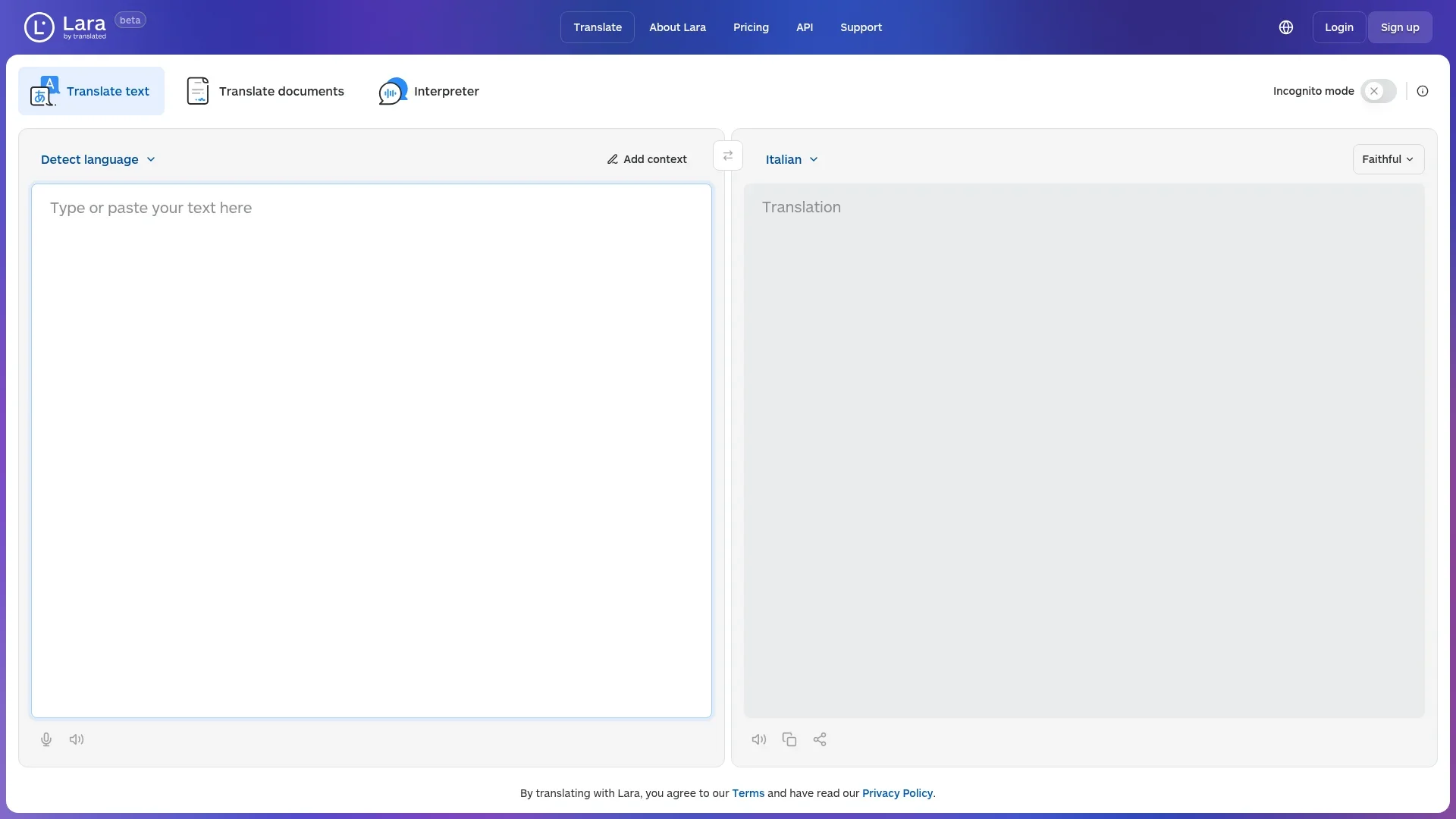
Lara Translate stands out with its unique multi-mode translation feature, which is a game-changer for professionals needing tailored translation styles. Its ability to switch between Faithful, Fluid, and Creative modes allows it to cater to specific needs, setting it apart from other translation tools.
Lara Translate offers a reliable and versatile solution for anyone looking to overcome language barriers with ease and accuracy. Its robust set of features, combined with a user-friendly interface and strong privacy measures, make it an excellent choice for both personal and professional use. Whether you're a global corporation or a freelance writer, Lara Translate is equipped to meet your translation needs effectively.
Who is Using Lara Translate?
Global Corporations
Utilizing the tool for translating international communications and documents.
Legal Firms
Employing Lara Translate for precise translation of legal texts and contracts.
Content Creators
Leveraging the tool to translate creative content such as blogs and marketing materials.
Educational Institutions
Using it to support multilingual learning and communication.
Uncommon Use Cases
Adopted by freelance writers to expand their audience reach; Used by NGOs for translating outreach materials into multiple languages.
Key Features
Rating Breakdown
Pricing Plans
Free
Free
- Includes 5,000 characters of plain text translation daily, 4 document pages per day, incognito mode, multiple translation styles, TLS encryption, and 10,000 API characters per month
Pro
- Includes 1,000,000 characters of translation, 100 document pages per month, and API usage at ~$21.65 per 1,000,000 characters
Team
- Includes unlimited text translations, 300 document pages per month, and API usage at ~$16.25 per 1,000,000 characters
Enterprise
- Includes tailored solutions, API integrations, no user/storage limits, guaranteed uptime, 24/7 support, and advanced security
Which Lara Translate plan should you pick?
Start with Free for evaluation, choose Pro for individual high-volume use, Team for shared collaboration, and Enterprise for SSO, compliance, residency, and custom support.
Free
Good for individuals testing text, document, image, audio, and interpreter features within the 60,000-character monthly pool.
Pro
Good for individual professionals who need higher usage, mobile apps, scanned PDFs, integrations, and API or CAT-tool access.
Team
Good for teams needing shared quotas, unlimited users, roles, shared glossaries, shared translation memories, and centralized billing.
Enterprise
Good for organizations needing SSO, data residency, enterprise compliance, SLAs, dedicated support, and personalized API pricing.
Lara Translate Use Cases
Document localization
Upload office, publishing, web, localization, or interchange files and translate them while preserving structure.
Outcome: A translated file in the original format and layout.
Website and software localization
Translate HTML, JSON, XML, XLIFF, strings, properties, and other localization formats.
Outcome: Localized content with code structure and formatting preserved.
Image translation
Upload photos, screenshots, signs, menus, or product labels for OCR-based visual translation.
Outcome: A rebuilt or overlaid translated image.
Audio localization
Upload MP3, WAV, OGG, WEBM, or Opus files and select one or more target languages.
Outcome: Translated audio recordings for distribution or accessibility.
Spreadsheet translation
Use the Lara Translate Google Sheets app with LARATRANSLATE and LARAEVAL formulas.
Outcome: In-sheet translations and quality evaluations without leaving the spreadsheet.
Workflow Ideas with Lara Translate
Automated multilingual content workflow
- 1Trigger an n8n workflow from a ticket, form, upload, or webhook
- 2Send the content to Lara Translate for contextual translation
- 3Route the result to review, publication, archiving, or notification
Spreadsheet localization workflow
- 1Install the Lara Translate app from Google Sheets Extensions
- 2Translate source cells with the LARATRANSLATE formula
- 3Evaluate results with LARAEVAL and review low-scoring rows
AI-agent localization workflow
- 1Have an AI assistant generate a document, summary, or report
- 2Send the generated content to Lara through MCP or API
- 3Deliver localized output through a connected tool
How Lara Translate fits into your stack
Browser
Lara works as a web translation platform and Chrome browser extension, translating pages, selected text, Gmail, Google Docs, and Google Slides.
Docs and writing
The browser extension translates selected content directly inside Google Docs, Gmail, and Google Slides while preserving document formatting.
Knowledge and files
Users upload documents, images, audio, and bulk files for translation, with support for formats such as PDF, DOCX, PPTX, and spreadsheets.
Automation and APIs
Lara provides SDKs, API access, MCP, CLI workflows, and integrations for localization pipelines, AI agents, and automated translation processes.
Desktop / IDE
Lara can be used from desktop browsers and CAT tools such as memoQ and Trados through official integrations; no dedicated downloadable desktop IDE application is documented.
Pros
- +High Accuracy: Known for maintaining the original meaning and structure of the text, which is crucial for professional and legal translations.
- +User-Friendly Interface: Intuitive design makes it accessible for users with varying technical skills.
- +Versatile Applications: Suitable for a wide range of content types, from technical manuals to creative writing.
- +Privacy Assurance: Incognito mode ensures user data is handled with the utmost confidentiality.
Cons
- −Initial Learning Curve: Users may require some time to explore and effectively leverage all the features.
- −Limited Integration: Currently, it may not seamlessly integrate with all third-party platforms.
Limitations & when to consider alternatives
Known limitations
- Free API usage is limited. The free API allowance is 10,000 characters per month, separate from the web application's free-plan pool.
- Documents have a minimum charge. Each document translation request is subject to a minimum charge of 20,000 characters on Pro and Team plans.
- Audio files have size and duration limits. Audio uploads can be up to 200 MB and two hours in duration.
- Image quality depends on source quality. Low resolution, small text, low contrast, decorative fonts, and complex backgrounds can reduce OCR accuracy.
- Google Sheets requires a paid plan. The Lara Translate Google Sheets functions require an active Pro or Team plan.
Look elsewhere when
- You need a downloadable Windows, Mac, or Linux desktop application.
- You need custom model fine-tuning for your domain.
- You need a general-purpose code-generation tool.
How to Use Lara Translate
- 1
Create an account
Start with the Free plan at Lara Translate; no credit card is required.
- 2
Choose the content type
Use the web interface for text, documents, images, audio, web pages, or live interpretation.
- 3
Upload or enter content
Paste text or upload a supported document, image, or audio file.
- 4
Select languages and style
Choose source and target languages, then select Faithful, Fluid, or Creative translation style.
- 5
Add context assets
Apply context, glossaries, or translation memories when terminology and consistency matter.
- 6
Download, share, or integrate
Download the result, use the browser or mobile apps, or connect Lara through API, SDK, MCP, CLI, or an official integration.
Who is Lara Translate For?
Professional translators
Lara integrates with CAT tools and supports translation memories, glossaries, and terminology management.
Localization teams
Teams can share quotas, glossaries, translation memories, roles, and integrations across multilingual projects.
Language service providers
LSPs can use Lara inside supported CAT tools and combine adaptive translation with human review.
Businesses and enterprises
Enterprise plans provide SSO, data residency, compliance assistance, SLAs, and dedicated account support.
Developers and AI workflow builders
SDKs, APIs, CLI, MCP, and integrations support multilingual applications and agentic workflows.
Frequently Asked Questions
How many languages does Lara Translate support?
Lara supports translation across more than 200 human languages, with coverage varying by modality.
What types of content can Lara translate?
Lara translates text, documents, images, audio, web pages, and live speech through its interpreter.
What file formats are supported?
The platform supports more than 70 formats, including DOCX, PDF, XLSX, HTML, JSON, XLIFF, subtitles, and images.
Does Lara offer an API?
Yes. Lara provides SDKs and documented API access for text, document, image, and audio translation.
Does Lara preserve document formatting?
Lara extracts translatable text while preserving layout, formatting tags, and code structure.
Does Lara provide human review?
Optional professional linguist review is available for legal, financial, and other sensitive content.
Community reviews
Be the first to share your experience.
Sign in to leave a review for Lara Translate.
Lara Translate Alternatives
Looking for alternatives to Lara Translate? Here are similar tools in the same category:
Learn to Master Lara Translate
With Skill Leap courses
Get in-depth training on Lara Translate and 50+ other AI tools with our expert-led video courses.
Start 7-Day Free Trial