Kustomer
Revolutionize customer service with AI, CRM integration, and proactive support.
Key Takeaways
- What it is
- Revolutionize customer service with AI, CRM integration, and proactive support.
- Pricing
- $89 per user per month
- Best for
- CRM Integration
- AI Chatbots
- Proactive Support
- Rating
- 4.6/5
What is Kustomer?
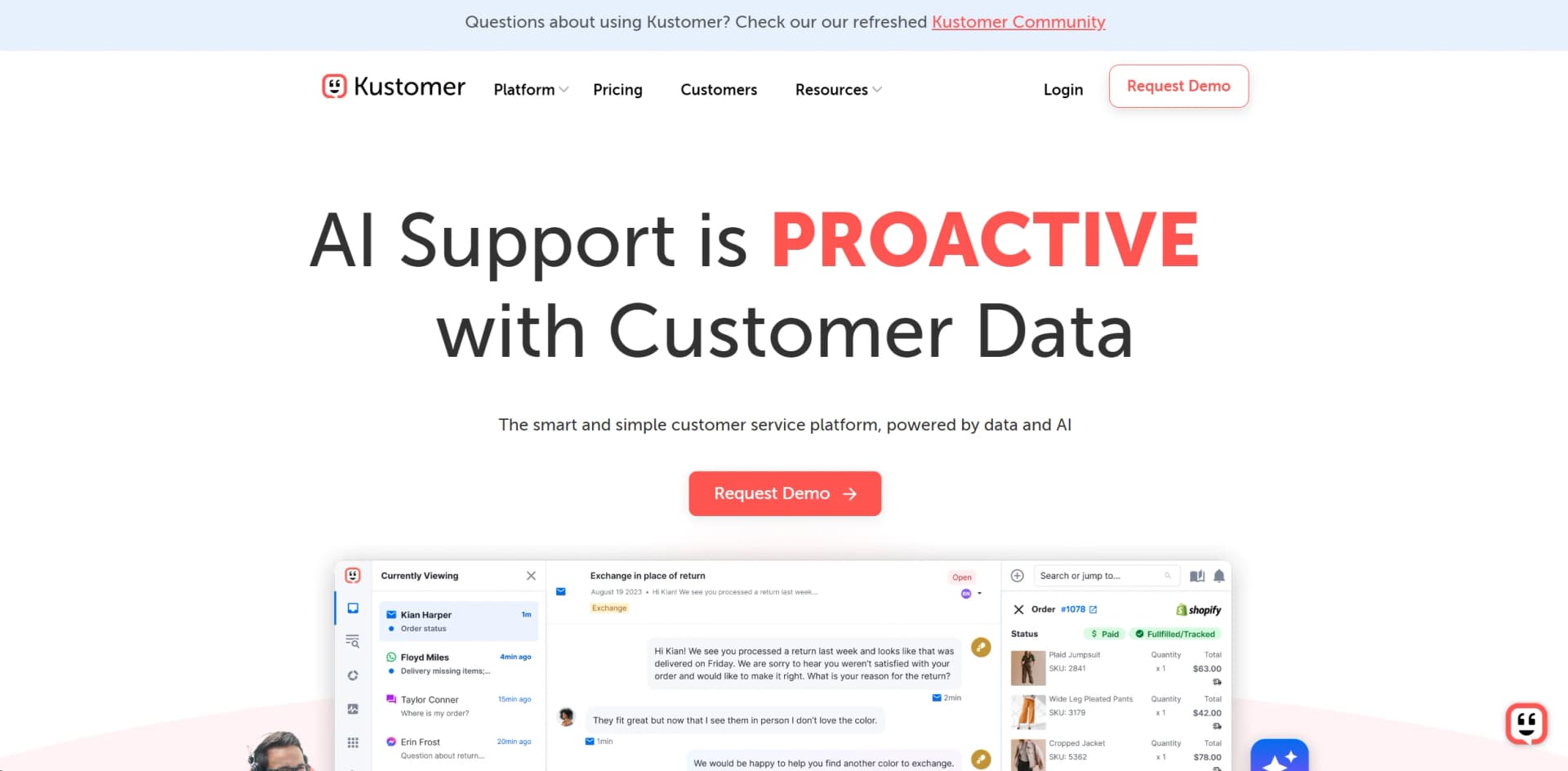
Kustomer is an AI-powered customer service CRM platform that revolutionizes how businesses interact with their customers. By integrating customer data across various channels into a single view, Kustomer provides a comprehensive platform designed to enhance the efficiency and effectiveness of customer service operations. The tool is particularly beneficial for businesses looking to minimize costs, increase agent productivity, and improve customer satisfaction through advanced automation and proactive support.
Kustomer stands out with its ability to integrate AI with a robust CRM system, creating a single, comprehensive view of the customer that enhances service delivery. Its proactive support capabilities enable businesses to anticipate and address customer needs before they become issues, setting it apart from traditional reactive service models.
Kustomer excels in providing a seamless and integrated customer service experience, making it an essential tool for businesses focused on customer satisfaction and operational efficiency. Its unique combination of AI-driven insights and a comprehensive CRM system offers an unmatched advantage in proactive customer service. Whether you're a small business or a large enterprise, Kustomer provides the tools and capabilities to transform your customer service operations into a strategic asset.
Who is Using Kustomer?
E-commerce Platforms
Utilize the CRM to manage customer interactions seamlessly across multiple channels.
Retail Businesses
Employ AI chatbots to handle frequent customer inquiries, reducing workload on human agents.
Service Industries
Leverage the tool to provide proactive customer support and personalized service.
Healthcare Providers
Use the platform to maintain sensitive customer data securely and provide timely support.
Uncommon Use Cases
Non-profits use Kustomer to manage donor relations and communications; educational institutions implement it to handle admissions and student services inquiries.
Key Features
Rating Breakdown
Pricing Plans
Standard Plan
$89 per user per month
- Offering full access to CRM features and support
Enterprise Plan
- Which includes advanced analytics
- Increased automation capabilities
- Premium support services
Which Kustomer plan should you pick?
Start with Enterprise for core omnichannel CX and upgrade to Ultimate when you need unlimited languages, collaboration users, and higher platform limits.
Enterprise
Good for CX teams needing omnichannel support, 20 languages, real-time collaboration, workflows, integrations, and a 1,000 RPM API limit.
Ultimate
Good for larger organizations needing unlimited languages and collaboration users, advanced routing, higher limits, and broader security capabilities.
Kustomer Use Cases
Automate refund and return requests
An AI agent can inspect a receipt or damaged-item image, check eligibility, and initiate a refund or return workflow.
Outcome: Common return requests can be resolved with less manual agent work.
Route and triage conversations
Workflows evaluate events and conditions, then assign conversations to teams, queues, users, or specialized AI agents.
Outcome: Requests reach the appropriate support resource faster.
Answer questions from a knowledge base
AI agents search public knowledge-base content and use it to answer customer questions in supported channels.
Outcome: Customers receive more consistent, self-service answers.
Process uploaded receipts and documents
Automations read supported attachments such as receipts, screenshots, PDFs, forms, and spreadsheets, then use extracted information in procedures.
Outcome: Structured information can drive follow-up actions or system updates.
Support multilingual conversations
Kustomer detects language and enables two-way translation between agents and customers.
Outcome: Agents can communicate with customers whose languages differ from the agent’s profile language.
Workflow Ideas with Kustomer
Payment failure escalation
- 1Trigger when a payment failure event is received
- 2Check the customer tier and conversation conditions
- 3Notify the billing team and apply a Payment Issue tag
Closed-conversation survey
- 1Trigger when a conversation is closed
- 2Wait for the configured scheduled-workflow delay
- 3Send a follow-up survey by SMS
Damaged-item return
- 1Receive a customer-uploaded product image
- 2Inspect the image and verify required details
- 3Create a return or escalate to a human agent
How Kustomer fits into your stack
Salesforce Integration
Seamlessly integrates with Salesforce to enhance CRM capabilities.
E-commerce Platforms
Compatible with major e-commerce platforms like Shopify and Magento.
Email and Communication Tools
Integrates with email providers and communication tools to centralize customer interactions.
Analytics Tools
Supports integration with analytics tools for enhanced data analysis and reporting.
Pros
- +Enhanced Efficiency: Increases agent productivity by up to 25%, as reported in real-world case studies.
- +Cost Reduction: Aims to minimize operational costs by integrating various customer service functions into a single platform.
- +Data-Driven Insights: Offers powerful analytics tools that help businesses understand and anticipate customer needs.
- +Scalability: Easily scales to accommodate the needs of growing businesses, from startups to large enterprises.
Cons
- −Complexity of Features: Some users may experience a steep learning curve due to the comprehensive and advanced features available.
- −Integration Dependencies: While the platform supports numerous integrations, dependency on specific third-party services could be a limitation for some businesses.
- −Premium Pricing: The advanced features and scalability come at a premium price, which might be a barrier for smaller businesses or startups.
Limitations & when to consider alternatives
Known limitations
- Attachment size limits. Chat attachments are limited to 50 MB per file, while other channels and apps may have lower limits.
- Supported attachment formats only. AI attachment processing is limited to documented formats such as JPG, PNG, PDF, DOC, DOCX, XLS, XLSX, ZIP, TXT, MOV, and MP4.
- Attachment quality affects automation. Blurry images, cropped screenshots, password-protected documents, corrupted files, or incomplete files may not be usable.
- Human review may still be required. Kustomer recommends escalation or human review for ambiguous, sensitive, high-value, or low-confidence attachment-based decisions.
- Browser support is version-dependent. The agent web application supports the last two major versions of listed desktop browsers.
How to Use Kustomer
- 1
Explore the extensive range of tutorials and resources available on the Kustomer University platform, covering everything from basic navigation to advanced feature utilization.
Who is Kustomer For?
Customer experience teams
Kustomer combines omnichannel conversations, customer data, workflows, reporting, and AI agents in one CX platform.
Support agents and managers
Agents handle conversations while managers configure teams, permissions, routing, reports, and collaboration workflows.
Ecommerce support teams
Kustomer AI examples cover order history, inventory, refunds, returns, and other ecommerce customer-service actions.
Enterprise organizations
Enterprise-oriented capabilities include SAML SSO, SCIM, custom permission sets, audit controls, and extensive integrations.
Developers and implementation teams
The API, app platform, webhooks, REST calls, SDKs, and custom tools support integrations and extensions.
Frequently Asked Questions
Does Kustomer provide API access?
Yes. Developers can create API keys and build private or distributed apps with Kustomer’s developer platform.
Does Kustomer support single sign-on?
Yes. Kustomer supports SAML 2.0, Microsoft Entra ID, Okta, Google, and Microsoft authentication options.
Can Kustomer automate multi-step support processes?
Yes. Workflows support triggers, conditional branching, multi-step actions, schedules, webhooks, REST API calls, and connected apps.
Can Kustomer AI process uploaded files?
Yes. AI automations can inspect supported images and documents, including receipts, screenshots, PDFs, DOCX files, and spreadsheets.
Does Kustomer have native agent mobile or desktop apps?
The documented agent application is browser-based. Kustomer provides mobile SDKs for embedding customer chat in a company’s own mobile application.
How is Kustomer priced?
Kustomer does not publish one-size-fits-all pricing. It provides an assessment for estimated cost, savings, ROI, and AI automation opportunities.
Community reviews
Be the first to share your experience.
Sign in to leave a review for Kustomer.
Kustomer Alternatives
Looking for alternatives to Kustomer? Here are similar tools in the same category: