
KLING AI
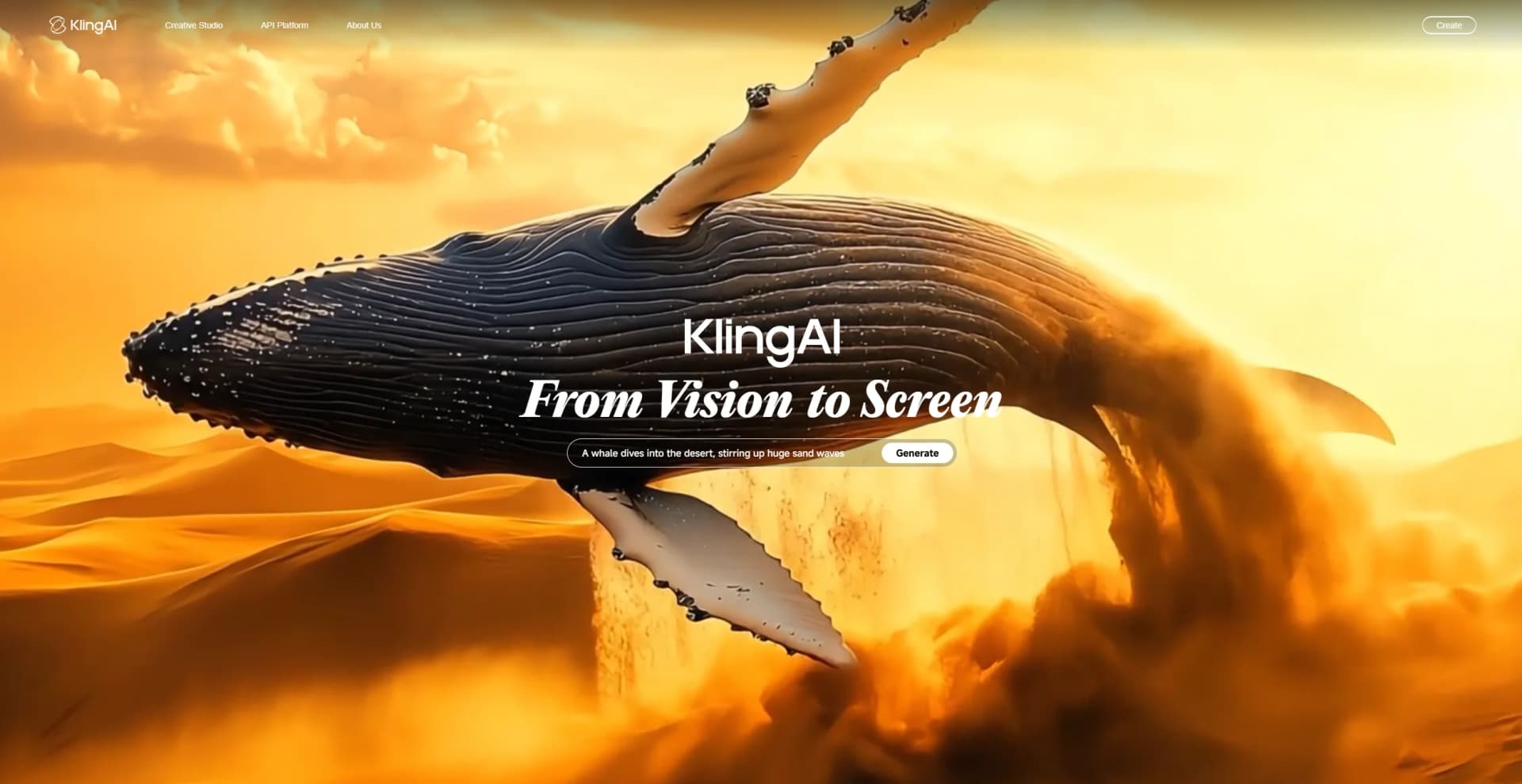
Text and images turned into vivid, customizable videos.
Watch KLING AI in Action
Key Takeaways
- What it is
- Text and images turned into vivid, customizable videos.
- Pricing
- Freemium · $6.99 per month (first month only) · $25.99 per month (first month only) · $64.99 per month (first month only)
- Best for
- Text-to-Video & Image-to-Video Generation
- Image Generation and Editing
- Multi‑Element / Video Editing Tools
- Rating
- 4.4/5
What is KLING AI?
KLING AI is a next-generation generative AI creative studio.. It enables users to create and edit high-quality videos and images using advanced text-to-video, image-to-video, text-to-image, and image-to-image capabilities powered by Kling and Kolors large models. Designed for creators, marketers, educators, and hobbyists, it streamlines multimedia production through intuitive AI-driven workflows.
KLING AI stands out with its Multi-Element editing suite—letting users dynamically swap or remove video elements using AI-driven object-level control. Combined with high-fidelity physics simulation and style consistency, it offers production-grade outputs from simple prompts, a workflow rarely seen in mobile-first video AI tools.
You don’t need a studio or editing suite to produce compelling video and image content. With KLING AI, you can sketch your vision in text, refine it with community presets, and access polished 4K results—all from your phone. Its standout editing tools empower creators to refine outputs with surgical precision one layer at a time, transforming ambitious storytelling ideas into visuals almost instantly.
Who is Using KLING AI?
Digital Creators & Filmmakers
Indie filmmakers and content creators use it for rapid storyboarding and animated shorts.
Marketing Teams
Brands produce engaging promo clips and animated ads from simple prompts.
Educators & Trainers
Those teaching multimedia or storytelling employ it to create explainer visuals.
Social Media Influencers
Users generate meme animations, looped videos, or dynamic posts.
Uncommon Use Cases
Museums generate historical reenactments; urban planners craft concept visualizations.
Key Features
Rating Breakdown
Pricing Plans
Basic
Free
- Free forever. Earn credits and try premium features monthly by logging in
Standard
$6.99 per month (first month only)
- Includes 660 credits, fast-track generation, pro video mode, watermark removal, video extension, and image upscaling
Pro
$25.99 per month (first month only)
- Includes 3,000 credits, all Standard features, plus priority access to new features
Premier
$64.99 per month (first month only)
- Includes 8,000 credits and all Pro features at the lowest per-credit cost
Which KLING AI plan should you pick?
Start with Basic to test generation; upgrade to Standard for regular creation, or Pro, Premier, and Ultra for higher credit volume, speed, resolution, and commercial workflows.
Basic
Good for testing selected creation tools with free access, but output and usage are limited.
Standard
Good for regular creators who need monthly credits, fast-track generation, 1080p video, upscaling, watermark removal, and video extension.
Pro
Good for heavier production workloads needing 3,000 monthly credits, priority features, and commercial-use benefits.
Premier
Good for high-volume creators needing 8,000 monthly credits and expanded generation capacity.
Ultra
Good for intensive production teams or studios needing 26,000 monthly credits and the highest listed allowance.
KLING AI Use Cases
Professional cinematic short films
Generate multi-shot scenes with camera movement and narrative flow.
Outcome: Produce polished cinematic content without a large production crew.
Global multilingual video marketing
Create localized advertising content with multilingual dialogue, accents, and lip sync.
Outcome: Adapt campaigns for international audiences.
Product demonstrations
Generate product images or videos, replace backgrounds, and create presenter or avatar content.
Outcome: Create branded product marketing assets.
Character animation and lip sync
Upload a character image or video, add audio or text, and synchronize facial movement.
Outcome: Produce talking, singing, or dubbed character videos.
AI image series and storyboards
Use reference images to maintain characters, settings, and styles across multiple images.
Outcome: Develop consistent concepts, comics, storyboards, or visual series.
Workflow Ideas with KLING AI
Text-to-image-to-video production
- 1Describe the subject, scene, lighting, and visual style.
- 2Generate reference or key-frame images with Kling IMAGE.
- 3Open the image-to-video workflow, add motion direction, and export the video.
Consistent character video
- 1Upload a character image, multiple reference images, or a short character video.
- 2Create or select an element and bind the subject or voice tone.
- 3Generate multi-shot video using the bound element and a detailed prompt.
Talking avatar campaign
- 1Choose a preset avatar, an asset, an uploaded image, or create a new character.
- 2Add written copy or upload a finished voiceover and select language and delivery settings.
- 3Generate the avatar performance with lip sync, gestures, and expressions.
How KLING AI fits into your stack
Browser
Kling AI operates as a browser-based creative studio for generating and editing images, videos, sound, and effects.
Automation and APIs
Its documented Open Platform API provides programmatic access to Kling generation models and endpoints.
Desktop
Kling provides downloadable macOS and Windows applications for desktop creation workflows.
Mobile
Dedicated iOS and Android apps let users create and edit AI-generated images and videos on mobile devices.
Pros
- +High-Quality Output: Delivers detailed, realistic video at 1080p, with strong motion quality and physics simulation.
- +Versatile Workflows: Multiple creative pathways—text, image, remixing—cater to diverse use cases.
- +Time and Cost Efficiency: Automates video/image creation, saving hours compared to manual production.
- +Creative Collaboration: Active community offers fresh inspiration and easy content cloning.
Cons
- −Credit Consumption: Complex prompts or misfires can use many credits without producing desired motion.
- −Performance Bugs: Slower playback or occasional errors on mobile clients have been reported.
- −Limited Customization in Free Tier: Advanced controls and extended durations are mostly behind paid tiers.
Limitations & when to consider alternatives
Known limitations
- Free-plan restrictions. The Basic plan is free forever but has limited access, no monthly credits listed, and generated content is not for commercial use.
- Watermarks on free access. Free-tier output includes a watermark; memberships provide watermark-free output.
- Short single-generation duration. VIDEO 3.0 supports up to 15 seconds per generation, although Video Extension can create longer content.
- Reference upload limits. VIDEO 3.0 Omni supports up to seven images, one 3–10-second video, and specified file-size and resolution limits.
- Credit expiration and feature restrictions. Membership credits are generally valid for one month, purchased credits for two years, and some features are premium-only.
Look elsewhere when
- You need a third-party editor for downstream GIF conversion or design overlays.
- Your project requires a single generation longer than 15 seconds.
How to Use KLING AI
- 1
Choose a creation module
Open Text-to-Video, Image-to-Video, Image Generation, Omni, Motion Control, Avatar, Sound, or Effects based on the desired output.
- 2
Add a prompt and references
Describe the scene, motion, camera, style, or dialogue, then upload images, video, elements, or audio when consistency or voice control matters.
- 3
Select model and output settings
Choose the appropriate Kling model, duration, resolution, aspect ratio, audio mode, and other available controls.
- 4
Generate and review
Submit the task, inspect the result for motion, identity, audio, and artifacts, then revise the prompt or references.
- 5
Extend or edit the result
Use video extension, restyling, object replacement, background changes, lip sync, or additional shots to continue the project.
- 6
Export and manage credits
Download the finished asset and monitor credit usage, expiration, and membership benefits in the account interface.
Who is KLING AI For?
Independent filmmakers
Kling supports multi-shot scenes, dynamic camera movement, narrative flow, and cinematic short-film production.
AI video production agencies
The platform provides multi-shot generation, high-resolution output, native audio, and reference-based consistency.
Marketers and advertisers
Kling supports localized multilingual video marketing, product videos, presenter clips, ads, and social content.
E-commerce creators
Users can create product images, product demonstrations, branded visuals, and animated product content.
Social media creators
Kling creates short vertical, square, or horizontal videos and supports dynamic motion graphics and social storytelling.
Frequently Asked Questions
Is Kling AI free to use?
Kling AI offers a free Basic plan or free access with available credits, while paid plans add credits and premium features.
What can Kling AI create?
It creates videos from text or images, generates images, supports avatars, lip sync, motion control, sound generation, effects, and video editing.
What languages does Kling AI support?
VIDEO 3.0 supports dialogue in Chinese, English, Japanese, Korean, and Spanish, including mixed-language performances.
How long can Kling AI videos be?
VIDEO 3.0 supports clips up to 15 seconds; Video Extension can create videos up to 3 minutes.
Can I upload reference media?
Users can upload images, videos, elements, and voice recordings as references or inputs.
Can Kling AI be used commercially?
Commercial-use rights depend on the plan and applicable terms; paid memberships list commercial use as a benefit.
Community reviews
Be the first to share your experience.
Sign in to leave a review for KLING AI.
KLING AI Alternatives
Looking for alternatives to KLING AI? Here are similar tools in the same category:
Learn to Master KLING AI
With Skill Leap courses
Get in-depth training on KLING AI and 50+ other AI tools with our expert-led video courses.
Start 7-Day Free Trial