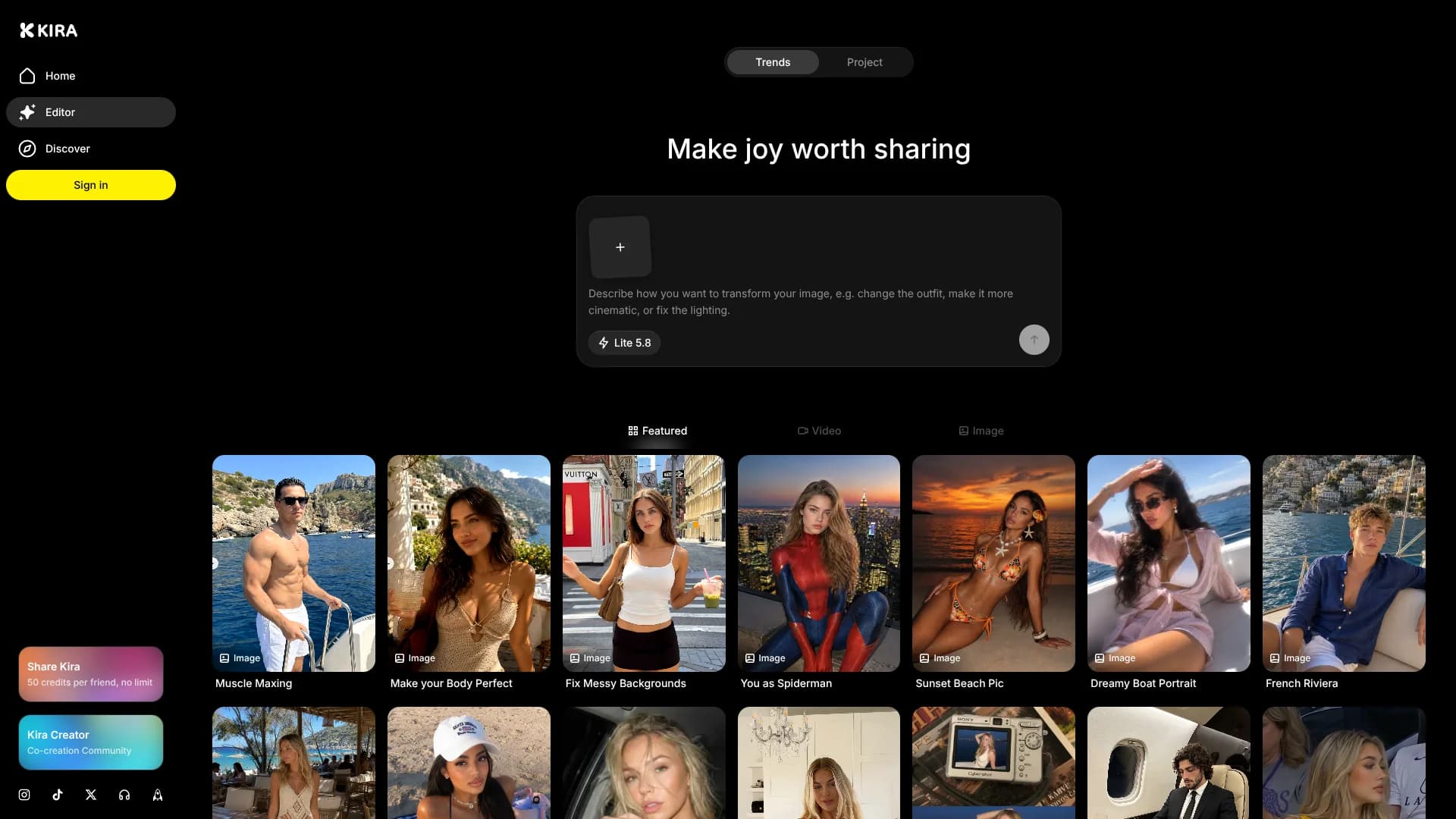
Kira
Turn still photos into short videos using movement from reference footage.
Key Takeaways
- What it is
- Turn still photos into short videos using movement from reference footage.
- Pricing
- $9.99 per month · $19.99 per month · $59.99 per month
- Best for
- Image Generation
- Motion Control
- AI Image Editing
- Rating
- 4.2/5
What is Kira?
Kira turns plain-language prompts and reference photos into images and short videos, then keeps each result in an editable project. Its tools cover image generation, background replacement, object removal, upscaling, style changes, motion transfer, and video editing. The service is aimed at creators, social media users, and anyone who wants polished visual content without learning professional editing software.
Kira's Motion Control can transfer movement from a reference video onto the person, pet, character, or illustration in a still image. A photo and a dance, workout, or walking clip can become a new video while Kira works to preserve the subject's identity and appearance.
Kira fits people making social posts, personal edits, visual experiments, and short promotional clips. It falls short when you need an API, desktop installer, advanced team permissions, or unlimited generation, since most AI generations, edits, and video-processing actions use credits; some non-AI actions, such as trimming a video, do not. Some video tools require Pro or Max. Its strongest use is fast, playful visual creation that stays editable in the same project.
Who is Using Kira?
Social Media Creators
Trend templates and Motion Control help produce recognizable short-form posts from ordinary photos.
Portrait Creators
Reference images, Redux, background replacement, and identity-preserving edits support portrait variations.
Video Editors
Video Edit, Video Extension, Motion Control, and Trim Video cover lightweight clip production.
Small Brand Owners
Product images can be placed in new scenes, enlarged, cleaned up, and adapted to different aspect ratios.
Meme and Community Creators
The public gallery, remixable trends, and playful transformations make Kira useful for quick community content.
Uncommon Use Cases
Animate an illustration with movement from a real dance clip; create a new camera angle for an existing scene with Redux.
Key Features
Rating Breakdown
Pricing Plans
Basic
$9.99 per month
- 1,000 credits per month
- Includes Kira Lite
- Watermark-free exports
Pro
$19.99 per month
- 2,000 credits per month
- Includes Kira Lite and Nova
- Includes video generation and video tools
- Watermark-free exports
Max
$59.99 per month
- 6,000 credits per month
- Includes Kira Lite, Nova, and Ultra
- Includes video generation and Ultra video processing
- Watermark-free exports
Which Kira plan should you pick?
Start with Free for occasional image experiments, choose Basic for regular Lite editing, move to Pro for video and Nova, and choose Max when Ultra or the largest credit allowance matters.
Free
Good for trying Lite image creation and editing with welcome credits and eligible daily top-ups.
Basic
Good for regular Lite-based image creation when you want watermark-free exports but do not need video or Nova.
Pro
Good for creators who need Nova, video generation, and 2,000 monthly credits.
Max
Good for high-volume visual work that needs Ultra, video access, and 6,000 monthly credits.
Kira Use Cases
Trend-Based Social Posts
Kira's Trends area provides starting prompts and reference media for popular image and video concepts.
Outcome: A faster path from an idea to a post-ready visual.
Photo Cleanup and Reframing
Background removal, object erasing, expansion, cropping, and adjustment tools repair or reshape an existing photo.
Outcome: A cleaner image in the size and composition you need.
Reference-Driven Portraits
Reference photos guide the subject, style, scene, or pose while Kira generates new variations.
Outcome: More consistent creative direction across image versions.
Still Image Animation
Motion Control applies movement from a reference video to a still person, pet, character, or illustration.
Outcome: A short animated clip built from a single image and movement source.
Short Video Refinement
Video Edit, Video Extension, and Trim Video continue work after an initial clip has been generated.
Outcome: A more usable clip without starting the project over.
Workflow Ideas with Kira
Photo to Social Video
- 1Add a clear photo of the subject.
- 2Choose Motion Control and provide a movement reference video.
- 3Preview the result, refine the prompt, and export the clip.
Product Image Refresh
- 1Upload the existing product photo.
- 2Replace or remove the background and adjust the composition.
- 3Upscale the result and export the selected version.
Prompt to Finished Visual
- 1Start with a template from Trends or write a scene description.
- 2Generate several versions with Lite, Nova, or Ultra when available.
- 3Continue editing the preferred version in the same project.
How Kira fits into your stack
Browser Creation
Kira runs at kira.art and provides the main workspace for prompts, uploads, projects, versions, and exports. The same account can also be used in the Kira mobile app.
Images and References
Uploaded photos act as starting points or references for generation, editing, background changes, Redux, and Motion Control.
Video Workflow
Pro and Max users can generate, edit, extend, trim, and animate clips. Video tasks consume credits based on the model and processed duration.
Community Sharing
The Home and Discover areas provide a public gallery for browsing, publishing, commenting, following creators, and finding trend ideas.
Mobile Creation
The iOS and Android app shares projects, creations, and credits with the web experience, while mobile web places creation tools in a bottom navigation tray.
Pros
- +Motion transfer: Turns a still subject into a moving video from a reference clip.
- +Project history: Keeps versions together so edits can continue from earlier results.
- +Free access: Includes 30 welcome credits and eligible daily top-ups without requiring payment.
- +Model choices: Offers Lite, Nova, and Ultra for different quality and credit needs.
- +Privacy controls: Supports account deletion and states that uploaded images are not sold.
Cons
- −Credit-based usage: Paid subscriptions still limit generation through monthly credits.
- −Limited advanced access: Video requires Pro or Max, while Ultra is limited to Max.
- −Public sharing risk: Published prompts, creations, captions, and profile activity can be visible to others.
Limitations & when to consider alternatives
Known limitations
- Paid plans are not unlimited. Basic, Pro, and Max provide monthly credit allowances, and completed image, edit, and video actions use those credits.
- Video access depends on the plan. Video generation and video tools are available on Pro and Max, while Ultra requires Max.
- Annual credits are issued together. Annual subscriptions provide the year's credit allowance at once rather than refilling it monthly.
- Free exports carry a watermark. The Free plan does not include watermark-free exports, while paid plans provide a watermark removal setting.
- Public posts are visible. Published creations, prompts, captions, hashtags, comments, and profile information may be visible to other users and search engines.
Look elsewhere when
- You need a documented developer API for automated generation.
- Your team needs shared workspaces, user roles, or enterprise single sign-on.
- You want unlimited image and video generation instead of credit-based billing.
- You need a downloadable desktop editor that works independently of the web service.
How to Use Kira
- 1
Create an account
Sign in with Google or Apple, then start on the Free plan with the included welcome credits.
- 2
Choose a starting point
Write a prompt, add a photo, or select a template from Trends depending on how much direction you already have.
- 3
Pick a model
Lite handles quick ideas, Nova provides sharper results on Pro and Max, and Ultra provides Kira's highest quality on Max.
- 4
Refine the project
Keep describing what should change or stay the same, then compare earlier results in the version strip.
- 5
Apply a specialist tool
Choose tools such as Eraser, Replace Background, Upscale, Redux, Motion Control, or Video Edit for a targeted change.
- 6
Export or publish
Export the result to your device for private use, or publish it to Kira's community gallery when you want to share it publicly.
Who is Kira For?
Social Creators
Short videos, trend templates, and motion effects help turn everyday photos into shareable posts.
Visual Experimenters
Reference images, style changes, Redux, and prompt-based edits support quick creative exploration.
Personal Content Makers
People making profile images, travel edits, themed portraits, or playful transformations can work from their own photos.
Short-Form Video Creators
Pro and Max users can animate images, edit clips, extend videos, and apply movement from reference footage.
Beginning AI Creators
Templates in Trends and plain-language editing provide an accessible starting point before learning more advanced visual tools.
Frequently Asked Questions
Does Kira have a free plan?
Yes. Free accounts receive 30 welcome credits and eligible accounts can claim a daily top-up that brings their regular balance to 15 credits.
How much does Kira cost?
The paid plans are Basic at $9.90 per month, Pro at $19.99 per month, and Max at $59.99 per month. Kira also offers a Free plan.
What is the difference between Basic, Pro, and Max?
Basic includes Lite and 1,000 credits per month. Pro includes Lite, Nova, video tools, and 2,000 credits per month. Max includes Lite, Nova, Ultra, video tools, and 6,000 credits per month.
Does Kira make videos?
Yes. Pro and Max plans include video generation and video tools. Nova video costs 15 credits per second, while Ultra video costs 25 credits per second.
Can Kira edit an existing photo?
Yes. You can upload a photo and use tools such as Image Edit, Eraser, Replace Background, Remove Background, Upscale, Expand, Redux, Adjust, and Sketch.
Is Kira available on mobile?
Yes. Kira has iOS and Android apps, and projects, creations, and credits are shared between the app and web account.
Community reviews
Be the first to share your experience.
Sign in to leave a review for Kira.
Kira Alternatives
Looking for alternatives to Kira? Here are similar tools in the same category: