
KindredMind
Handle dementia calls in your reassuring voice.
Key Takeaways
- What it is
- Handle dementia calls in your reassuring voice.
- Pricing
- $129 per month (USD) · $179 per month (USD) · $239 per month (USD) · $319 per month (USD)
- Best for
- Living Voice cloning
- Clinical conversation engine
- Personal knowledge base and training calls
- Rating
- 4.4/5
What is KindredMind?
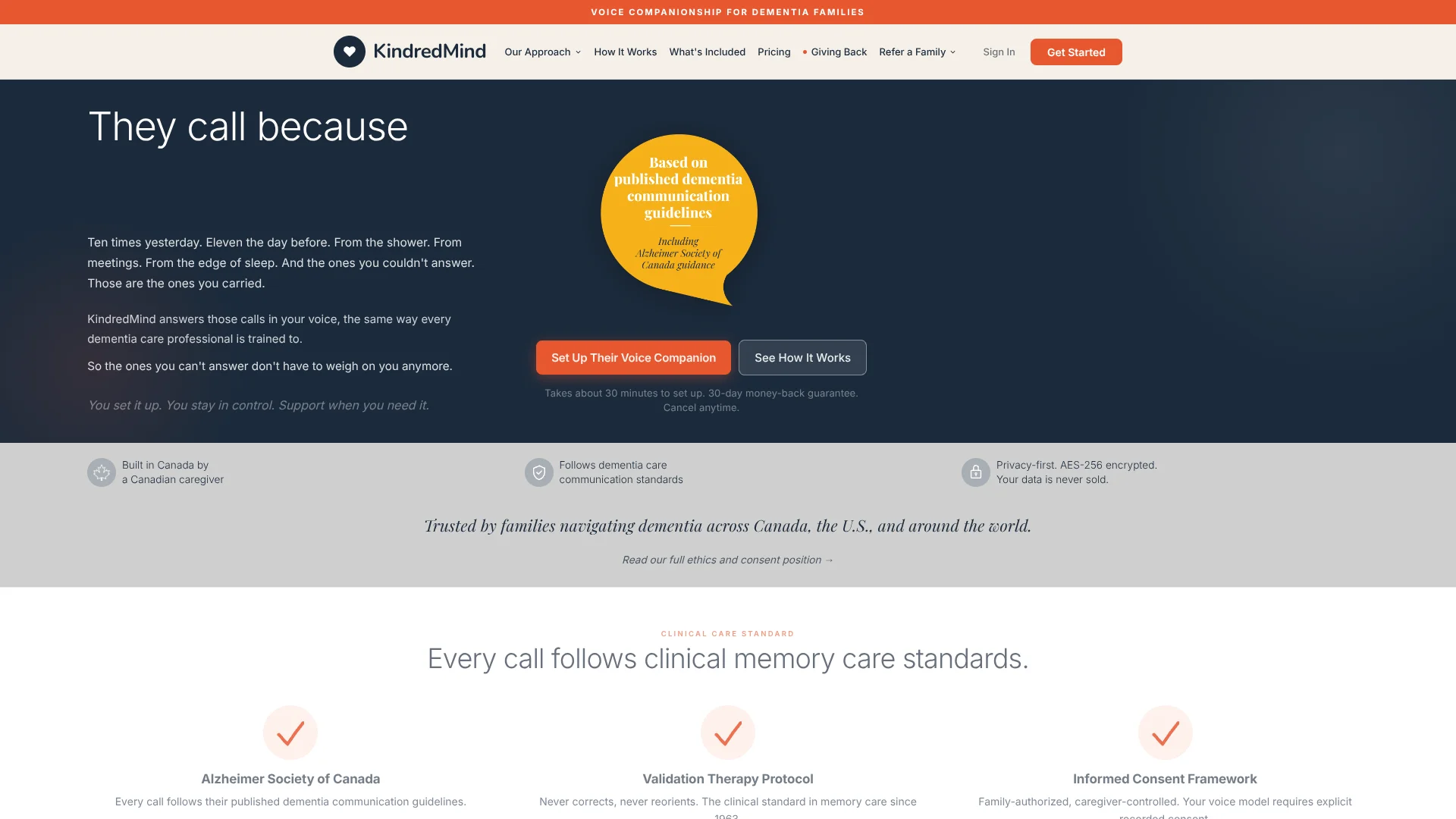
KindredMind is a voice companion for families supporting someone with dementia. It answers their calls in the caregiver's cloned voice, following dementia communication guidelines to reduce anxiety and repetitive dialing. Conversations run on language models tuned to validation and simulated presence therapy and aligned with Alzheimer Society of Canada phone guidance. Families get a dedicated number, personalized responses from a knowledge base, and call summaries while staying in control of when AI steps in.
KindredMind focuses on one problem: repetitive, anxiety driven calls from a loved one with dementia. Instead of blocking the phone, it answers in a caregiver cloned voice using dementia conversation rules that mirror clinical guidance. Living Voice refinements, clear consent and privacy rules, multilingual support, and carrier level failsafes make it feel like a specialised clinical companion rather than a generic chatbot.
KindredMind gives dementia families a focused mix of emotional reassurance and practical relief by answering calls in the caregiver's own AI cloned voice. For households overwhelmed by repeated calls and burnout, it can transform constant interruptions into calmer conversations and concise summaries, acting as a clinically informed buffer that supports both the person with dementia and the people who care for them.
Who is Using KindredMind?
Individual family caregivers
Adult children or spouses facing frequent reassurance calls.
Working professionals with caregiving duties
Employees who must stay reachable but cannot interrupt every task.
Distributed families
Siblings or relatives in different cities sharing oversight through shared dashboards.
Professional caregivers and facilities
Personal support workers and memory care operators recommending it to families.
Uncommon Use Cases
Included in employer caregiver benefits, or piloted in academic dementia research projects.
Key Features
Rating Breakdown
Pricing Plans
Essential
$129 per month (USD)
- Includes 200 minutes per month, Living Voice cloned voice, dedicated phone number, personal knowledge base, Training Calls, daily routine awareness, call summaries after every call, weekly family digest, emergency alert system, and support for 11 languages
Standard
$179 per month (USD)
- Includes 300 minutes per month, everything in Essential, plus live call monitoring, silent listen and barge in, Auto-Schedule, monthly conversation insights, conversation patterns, overage protection controls, and priority support
Complete
$239 per month (USD)
- Includes 400 minutes per month, everything in Standard, plus professional voice clone priority, extended knowledge base, dedicated account support, quarterly family review call, and overage protection with a maximum $20 per month overage cap
Care Circle Family Plan
$319 per month (USD)
- Includes 500 pooled minutes per month across all members, up to 4 caregivers each with their own cloned voice, a phone number for each member, shared knowledge base, Training Calls, shared call summaries and digests, pooled call minutes, overage protection with a maximum $20 per month overage cap, and support for 11 languages
Which KindredMind plan should you pick?
Start with Essential during the 14-day trial, then upgrade when you need more minutes, insights, trends, or shared caregivers.
Essential
Good for one caregiver who needs up to 300 call minutes per month.
Standard
Good for caregivers who need 450 minutes plus monthly Conversation Insights and Auto-Schedule.
Complete
Good for families needing 600 minutes and month-over-month trends.
Care Circle
Good for up to four caregivers sharing 750 pooled minutes; listed as coming soon.
KindredMind Use Cases
Answer repetitive caregiver calls
A loved one calls a dedicated KindredMind number when the caregiver cannot answer.
Outcome: The loved one hears a familiar voice and the caregiver receives a post-call summary.
Provide scheduled check-ins
Caregivers schedule outbound check-in calls in their own voice or the assistant voice.
Outcome: The loved one receives regular supportive contact.
Send gentle reminders
Caregivers schedule call or text reminders for medication, meals, visits, or routines.
Outcome: Important routine prompts arrive on the schedule chosen by the caregiver.
Maintain a personalized knowledge base
Caregivers add family details, routines, stories, recurring questions, quick notes, and text files.
Outcome: Future conversations use more specific and current context.
Review call concerns
Caregivers review transcripts, summaries, topics, and distress alerts after calls.
Outcome: Potentially concerning moments can be followed up by the caregiver.
Workflow Ideas with KindredMind
Set up a familiar voice companion
- 1Complete the approximately eight-minute voice and caregiver interview with Sarah.
- 2Add the loved one's routines, family details, recurring questions, and calming topics.
- 3Connect the loved one's phone to the dedicated KindredMind number.
Automate routine check-ins
- 1Open the dashboard's check-in or reminder settings.
- 2Choose the days, times, delivery method, and voice.
- 3Review summaries and alerts after completed calls.
Improve responses after calls
- 1Read the post-call transcript and summary.
- 2Identify missing context or recurring questions.
- 3Add a quick note or update the knowledge base for future calls.
How KindredMind fits into your stack
Browser
KindredMind is set up and managed through a browser dashboard. Caregivers configure the knowledge base, voice, call-handling mode, schedules, summaries, and reminders there.
Phone and voice
The primary workflow is phone-based: KindredMind answers calls on a dedicated number, can place scheduled check-ins, and sends reminders by call or text in a familiar or assistant voice.
Knowledge and files
The caregiver maintains a private knowledge base containing routines, relationships, stories, preferences, recurring questions, notes, and uploaded text files that ground conversations.
Tablet
KindredMind Presence provides a tablet-based visual companion for face-to-face conversation, while the browser-installed experience requires no app-store download.
Pros
- +Clinically aligned approach: Mirrors memory care communication, not generic chatbot talk or scripts.
- +Caregiver relief: Reduces interruption and guilt by reliably answering calls in a familiar, calm voice.
- +Personalization: From the knowledge base and Living Voice makes conversations feel recognizably like the caregiver.
- +Supportive onboarding: Strong onboarding, free setup call, trial period, and a library of guides support family members.
Cons
- −Cost barrier: Premium monthly pricing may limit access for families with tighter budgets.
- −Stage limitations: Only suits mild to moderate stages where the person can still use a phone.
- −Tech demands: Requires comfort with phone routing and apps, which can be stressful for some caregivers.
Limitations & when to consider alternatives
Known limitations
- Not an emergency service. KindredMind does not handle medical emergencies, call doctors, arrange care, or call for help.
- No call recordings. The dashboard provides written transcripts, but audio recordings of calls are not available.
- Cannot confirm reminders were completed. A reminder is only a message; KindredMind does not know whether medication or another task was completed.
- No access to previous call transcripts during calls. Each call uses the knowledge base rather than directly retrieving prior call history.
- Not suitable when the loved one no longer uses a phone independently. The FAQ states KindredMind is not the right tool for later-stage situations where the person no longer uses the phone independently.
Look elsewhere when
- You need emergency response or medical monitoring.
- You need confirmation that medication or another task was completed.
- You need live caregiver participation during an active call.
- You need a native mobile app.
How to Use KindredMind
- 1
Complete the voice setup
Talk with Sarah for about eight minutes to create the Initial Voice and begin building the companion.
- 2
Build the knowledge base
Add routines, family names, stories, recurring questions, calming phrases, topics to avoid, notes, and text files.
- 3
Connect the loved one's phone
Save the dedicated KindredMind number under the caregiver's name or program it into a landline memory button.
- 4
Choose call handling
Use Support Me to ring your real number first, or Cover for Me to have KindredMind handle every call.
- 5
Configure outbound contact
Schedule check-in calls or reminders by selecting the days, times, voice, and call-or-text delivery.
- 6
Review and refine
Read transcripts, summaries, topics, and distress alerts, then update the knowledge base as circumstances change.
Who is KindredMind For?
Dementia caregivers
The service answers repetitive calls and provides familiar conversations when caregivers cannot pick up.
Caregiver families
Families can share a Care Circle knowledge base and coordinate multiple caregiver voices and phone numbers.
Social workers and geriatric care managers
KindredMind names these professionals as audiences working with dementia families and caregiver resources.
Eldercare professionals
Eldercare attorneys, financial planners, and aging-in-place consultants are identified as relevant audiences.
Dementia care educators
Educators can share KindredMind with families or care staff through workshops and ongoing resources.
Frequently Asked Questions
How is KindredMind different from voicemail or a call-blocking app?
KindredMind answers calls in a familiar caregiver or assistant voice, using the loved one's routines, relationships, and reassuring information.
What happens if KindredMind's servers go down during a call?
The Emergency Failsafe forwards incoming calls directly to the caregiver's real phone number.
What exactly do you store, and for how long?
Interview recordings are deleted within 24 hours after voice-model creation; call transcripts are encrypted and automatically deleted after 90 days.
How much does KindredMind cost?
Plans start at Essential for $179 CAD or $129 USD per month, after a 14-day trial.
How does the voice deepen over time?
The Initial Voice is created during onboarding; additional interview sessions build the Refined, True, and Signature Voice levels.
Is there a long-term contract?
No. KindredMind uses a month-to-month subscription with no long-term commitment, and users can cancel anytime.
Community reviews
Be the first to share your experience.
Sign in to leave a review for KindredMind.
KindredMind Alternatives
Looking for alternatives to KindredMind? Here are similar tools in the same category:
Learn to Master KindredMind
With Skill Leap courses
Get in-depth training on KindredMind and 50+ other AI tools with our expert-led video courses.
Start 7-Day Free Trial