KaraVideo
AI video creation that keeps characters recognizable across changing scenes.
Key Takeaways
- What it is
- AI video creation that keeps characters recognizable across changing scenes.
- Pricing
- Freemium · $10 per month
- Best for
- Text to video
- Image to video
- Consistent characters
- Rating
- 3.8/5
What is KaraVideo?
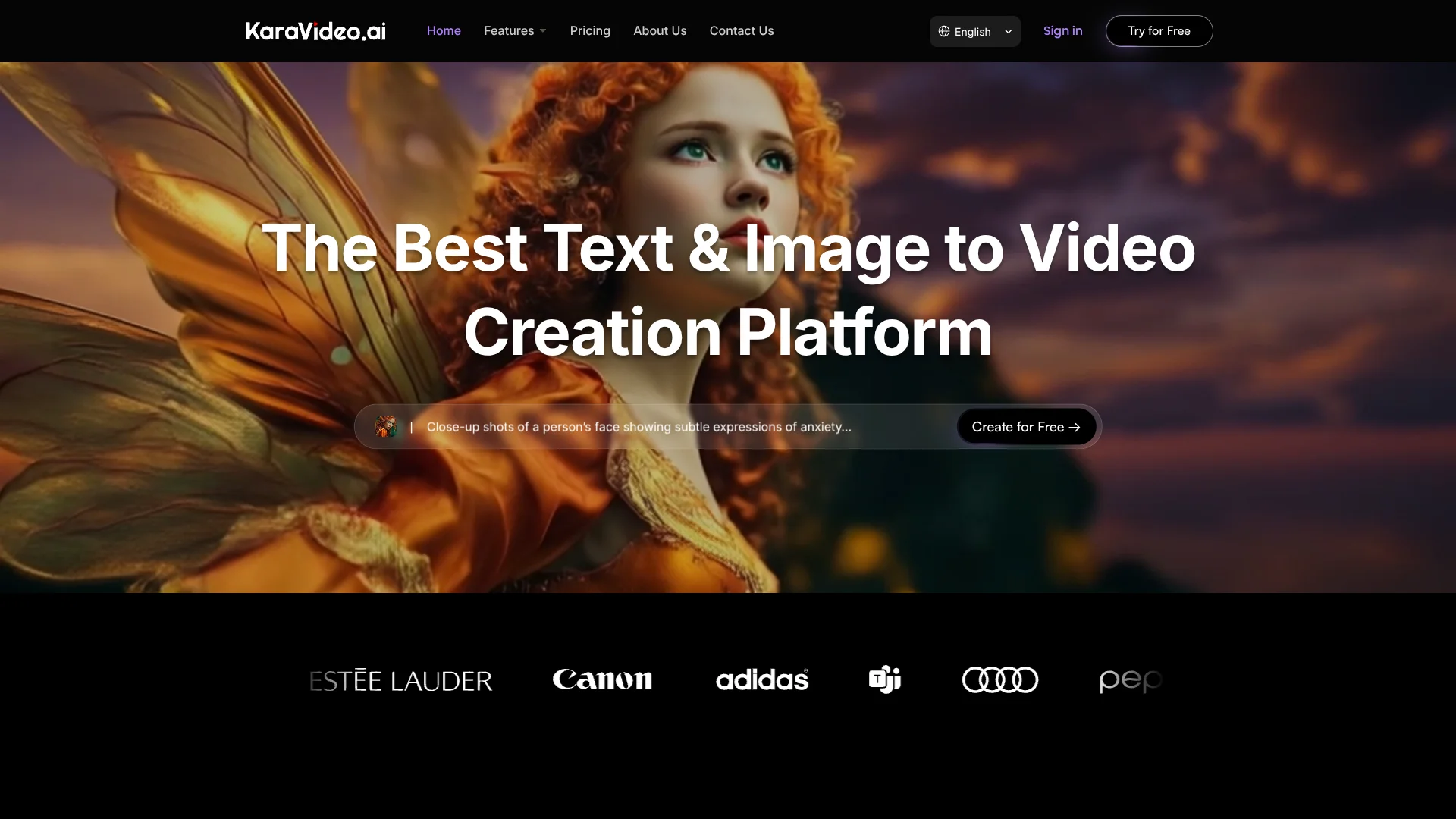
KaraVideo turns written prompts, photos, and video clips into AI-generated video, with options to choose from models such as Sora, Kling, Veo, Runway, Pika, and Luma. It is built for creators and marketers who want to make short visual content, try different AI models, or keep a character looking consistent across scenes.
A notable feature is character consistency: reference images can guide a subject’s appearance across generated scenes, including when the video changes style or setting.
KaraVideo is a fit for people making social content, ads, animation concepts, and product visuals. Its free plan limits output to two videos and adds a watermark, so it is better for testing ideas than producing a steady stream of finished clips.
Who is Using KaraVideo?
Social Media Manager
A steady flow of short clips can support posts, ads, and channel experiments.
Creative Producer
Multiple video models make it easier to compare visual directions for a brief.
Storyboard Artist
Prompt-based clips can help turn scene ideas into moving visual references.
E-commerce Marketer
Consistent product visuals can be placed in different settings for promotional concepts.
Animation Creator
Reference images help keep a character on-model across shots and styles.
Uncommon Use Cases
Making a moving montage from family photos; creating scene variations for VTuber avatars.
Key Features
Rating Breakdown
Pricing Plans
Free
Free
- 50 credits
- Up to 2 videos
- 1 parallel task
- Generated videos include a watermark
Lite
$10 per month
- 500 credits per month
- Up to 50 videos per month
- 3 parallel tasks
- No-watermark outputs
Which KaraVideo plan should you pick?
Try the Free plan to test model choice and video generation, then consider Lite if you need its larger monthly credit allowance and watermark-free outputs.
Free
Good for trying text-to-video or image-to-video with a limited number of generations.
Lite
Good for creators who need up to 500 credits and 50 videos per month.
KaraVideo Use Cases
Social video concepts
A prompt or photo becomes a short clip that can help shape a social post or ad.
Outcome: A generated video clip for social content or advertising.
Product scene variations
The same product can appear in different generated environments for visual exploration.
Outcome: Product visuals in multiple settings.
Character-led animation
Reference images guide a character’s appearance while scenes or styles change.
Outcome: More consistent character visuals across shots.
Video restyling
An existing clip can be reimagined with anime, clay, or cinematic styling.
Outcome: A restyled version of the source clip.
Video cleanup
Upscaling, interpolation, or stabilization can improve a clip before sharing.
Outcome: An enhanced video clip.
Workflow Ideas with KaraVideo
Compare models for a scene
- 1Write a scene prompt and choose a video model.
- 2Set the aspect ratio and duration.
- 3Generate options and choose the version that fits the idea.
Animate a product photo
- 1Choose image-to-video generation.
- 2Add the product image and a short motion prompt.
- 3Set the output options and generate the clip.
Keep a character consistent
- 1Add reference images of the character.
- 2Set a style or character lock and describe the action.
- 3Generate the shot and review the character’s appearance.
How KaraVideo fits into your stack
Video creation
KaraVideo sits at the generation stage, turning prompts, images, or clips into video.
Model selection
The interface lets creators choose from multiple video models for different visual directions.
Reference media
Uploaded images can guide image-to-video generation and help maintain a character’s look.
Clip enhancement
Upscaling, interpolation, and stabilization tools can be used to improve a clip after generation.
Pros
- +Model choice: Compare several named AI video models from KaraVideo’s generation tools.
- +Character references: Guide a subject’s appearance with uploaded images.
- +Flexible inputs: Start video generation with text, an image, or a video clip.
- +Free testing: The Free plan includes 50 credits and allows up to two videos.
Cons
- −Free-plan watermark: Videos made on the Free plan include a watermark.
- −Small free allowance: The Free plan is capped at two videos and one parallel task.
Limitations & when to consider alternatives
Known limitations
- Free-plan video cap. The Free plan includes 50 credits and allows up to two videos, with one parallel task.
- Free-plan watermark. Videos generated on the Free plan include a watermark.
- Reference image size. The Consistent Character Video page lists a maximum image size of 4 MB.
How to Use KaraVideo
- 1
Choose a creation mode
Start with text, an image, or a video, depending on whether you are creating a new scene or transforming existing media.
- 2
Select a model
Pick a listed video model that suits the visual direction you want to test.
- 3
Add a prompt or references
Describe the scene, or add reference images when character consistency matters.
- 4
Set the output
Choose available settings such as aspect ratio, duration, and quality before generation.
- 5
Generate and review
Preview the result, refine the prompt or settings if needed, then download or share the clip.
Who is KaraVideo For?
Creators
Short-form video makers can turn prompts and still images into clips for social channels.
Marketers
Marketing teams can develop visual concepts for ads and product explainers.
Animation and film creators
Character references and style options can help explore scenes and story ideas.
E-commerce creators
Product visuals can be generated in different settings while keeping the featured item recognizable.
Frequently Asked Questions
Does KaraVideo have a free plan?
Yes. The Free plan includes 50 credits, allows up to two videos, and has one parallel task.
How much does the Lite plan cost?
The pricing page lists Lite at $10 per month, with 500 credits per month and up to 50 videos per month.
Can KaraVideo make videos from images?
Yes. Its image-to-video feature animates an uploaded image, and the workflow can include an optional end frame.
Can it keep a character consistent?
KaraVideo supports reference images and character or style locking to guide a subject’s look across scenes.
Community reviews
Be the first to share your experience.
Sign in to leave a review for KaraVideo.
KaraVideo Alternatives
Looking for alternatives to KaraVideo? Here are similar tools in the same category: